The HITL Operator

Introduction to Apache Airflow in Python

Mike Metzger

Data Engineer

Human-In-The-Loop?

  • All our current workflows run automatically, from start to finish
  • We can handle some issues (failures, notifications, etc) with our current options
  • Can't "double-check" any concerning situations or highly important details
  • Human-In-The-Loop operators let us add human interaction to running workflows

Photo of a person writing code at a computer

Introduction to Apache Airflow in Python

Different operators

  • HITL is a class of operator
  • Different operators give different interactions
  • 4 types of HITL operators
Introduction to Apache Airflow in Python

HITL Operators

  • HITLOperator: The base class for all HITL operators. It puts the task into a deferred state, releasing worker slots while waiting for a response.
  • HITLBranchOperator: Used for manual decision-making that determines which downstream task path the Dag should follow.
  • HITLEntryOperator: Allows users to provide structured input through a TriggerForm, which is then validated and stored in XCom for subsequent tasks.
  • ApprovalOperator: A specialized operator that presents a simple "Approve" or "Reject" choice to the user.
Introduction to Apache Airflow in Python

ApprovalOperator

  • from airflow.providers.standard.operators.hitl import ApprovalOperator
  • Attributes:
    • subject - The subject / title of the approval
    • body - Content of the message
    • execution_timeout - timedelta of how long to wait for response
    • defaults - Whether to default to approve or reject if timeout
    • assigned_users - List of users to post message to
Introduction to Apache Airflow in Python

ApprovalOperator example

approve_gate = ApprovalOperator(
        task_id="approve_data_import",
        subject="Data import - Approval Required",
        body=(
            "Please review the data produced by the *extract_info* task."
            "Approve to write data to the database, or Reject to halt the run."
        ),
    )
Introduction to Apache Airflow in Python

ApprovalOperator in Airflow UI

On the Dag run view, a RequiredActions view shows up if a task requiring Approval is waiting.
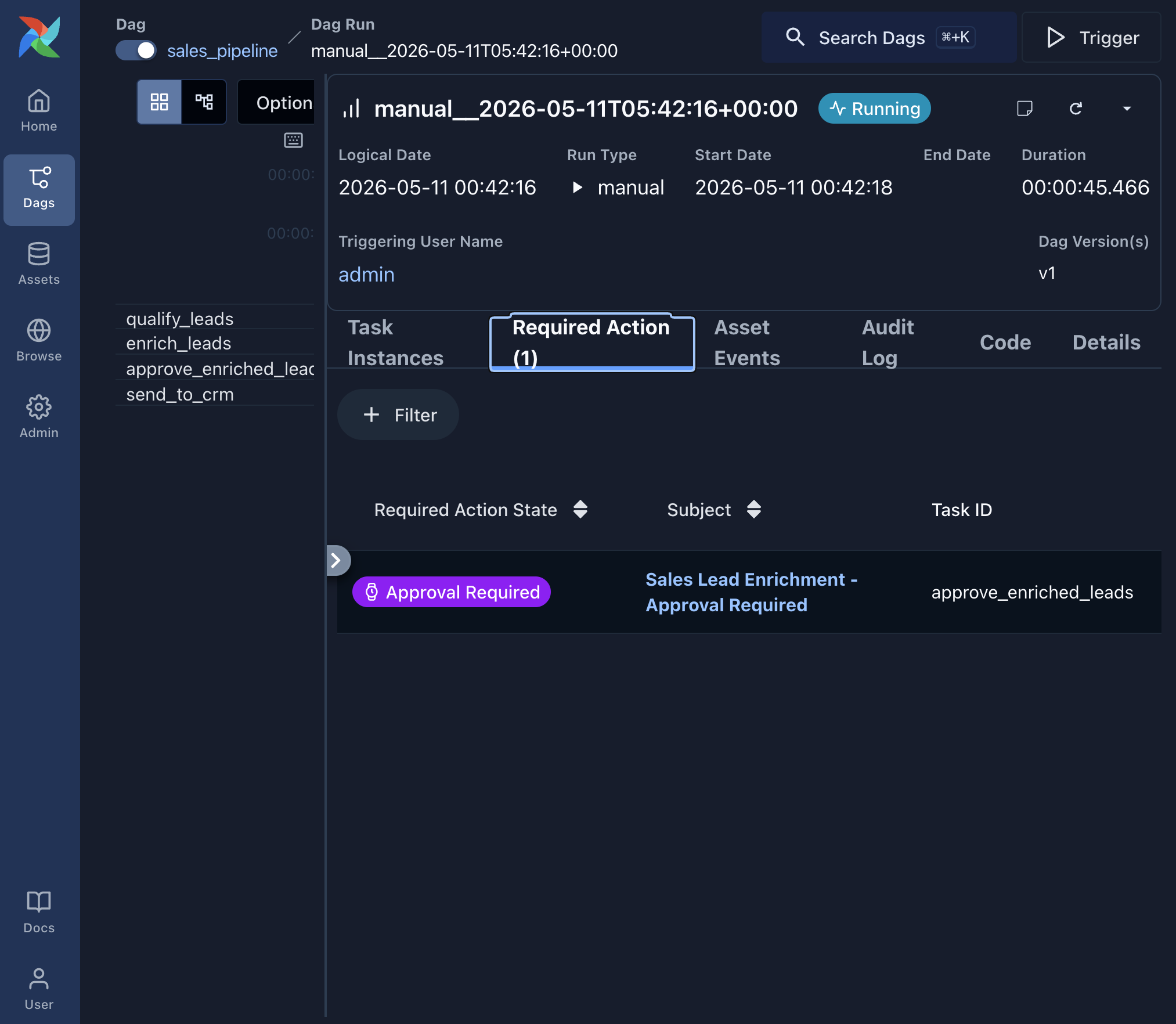
Airflow Dag run view showing a task with Approval required status

Introduction to Apache Airflow in Python

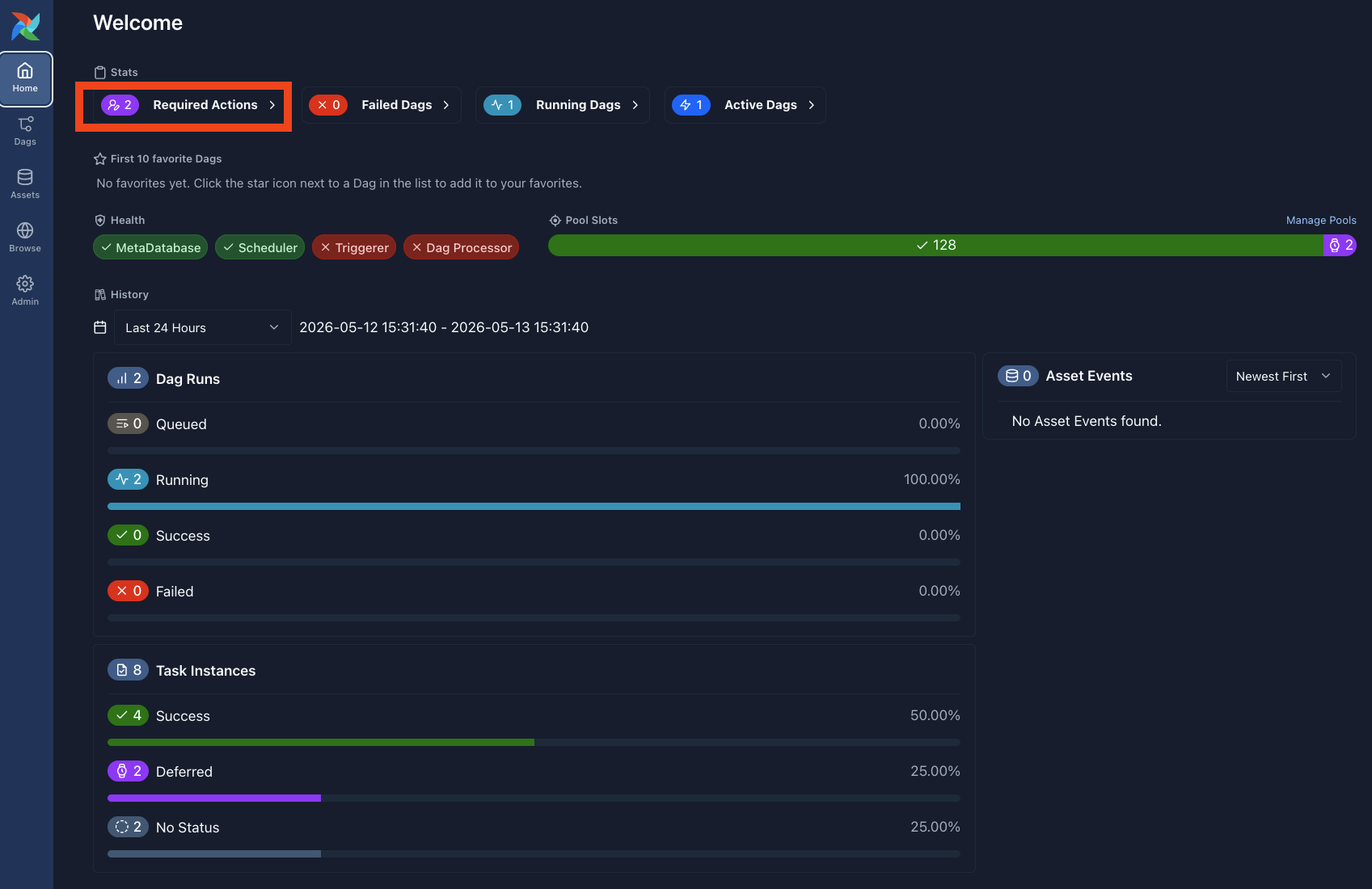
ApprovalOperator Home page

Airflow home page showing the Required Actions section

Introduction to Apache Airflow in Python

ApprovalOperator message in Airflow UI
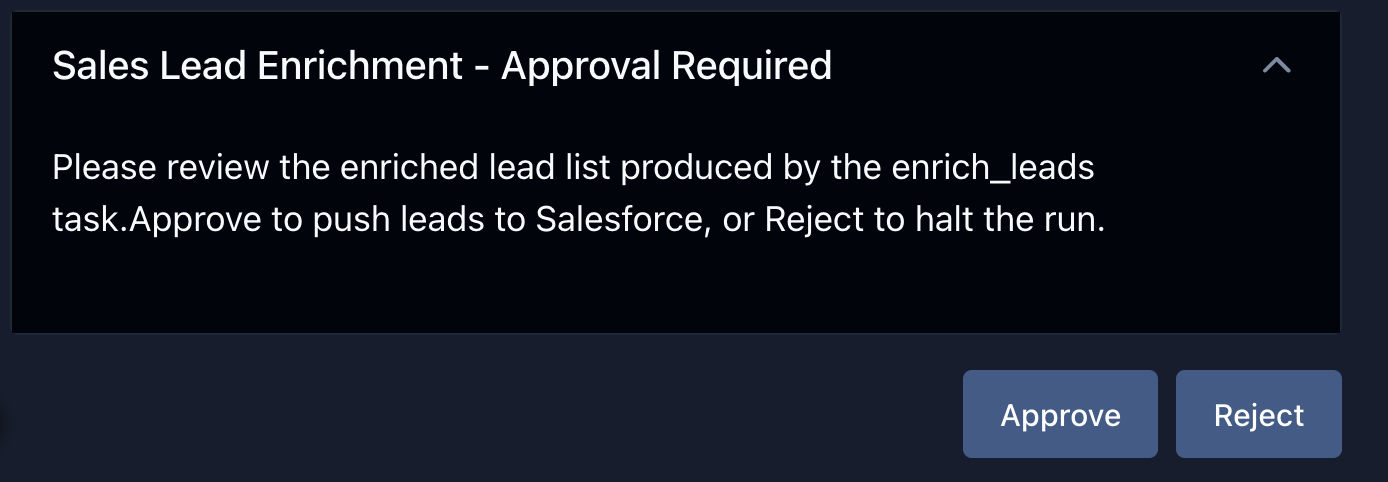
Airflow UI approval message with Approve and Reject options

Introduction to Apache Airflow in Python

Let's practice!

Introduction to Apache Airflow in Python

Preparing Video For Download...