Scheduling Dags

Introduction to Apache Airflow in Python

Mike Metzger

Data Engineer

Dag Runs

  • A specific instance of a workflow at a point in time
  • Can be run manually or via schedule
  • Maintain state for each workflow and the tasks within
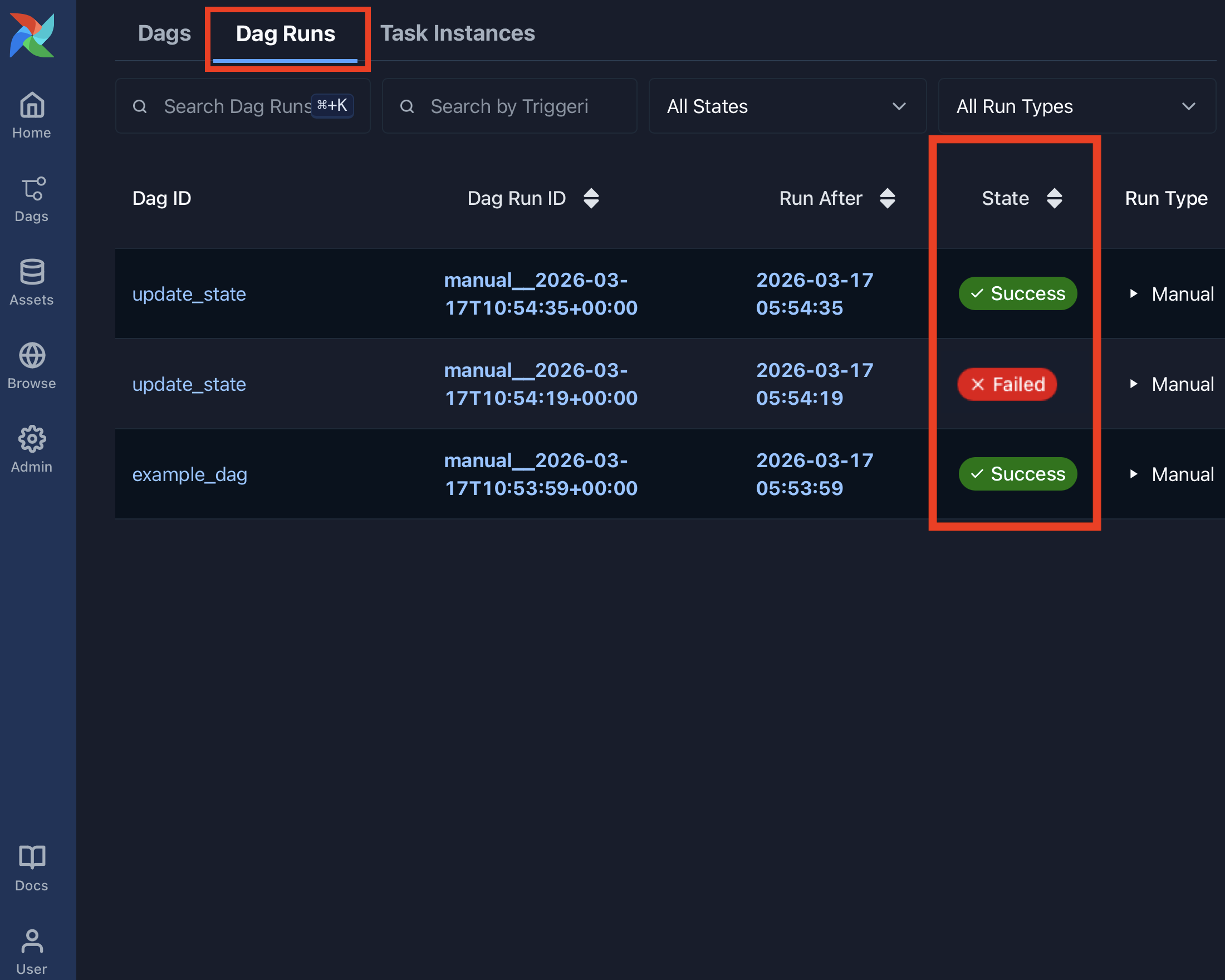
    • running
    • failed
    • success
1 https://airflow.apache.org/docs/stable/scheduler.html
Introduction to Apache Airflow in Python

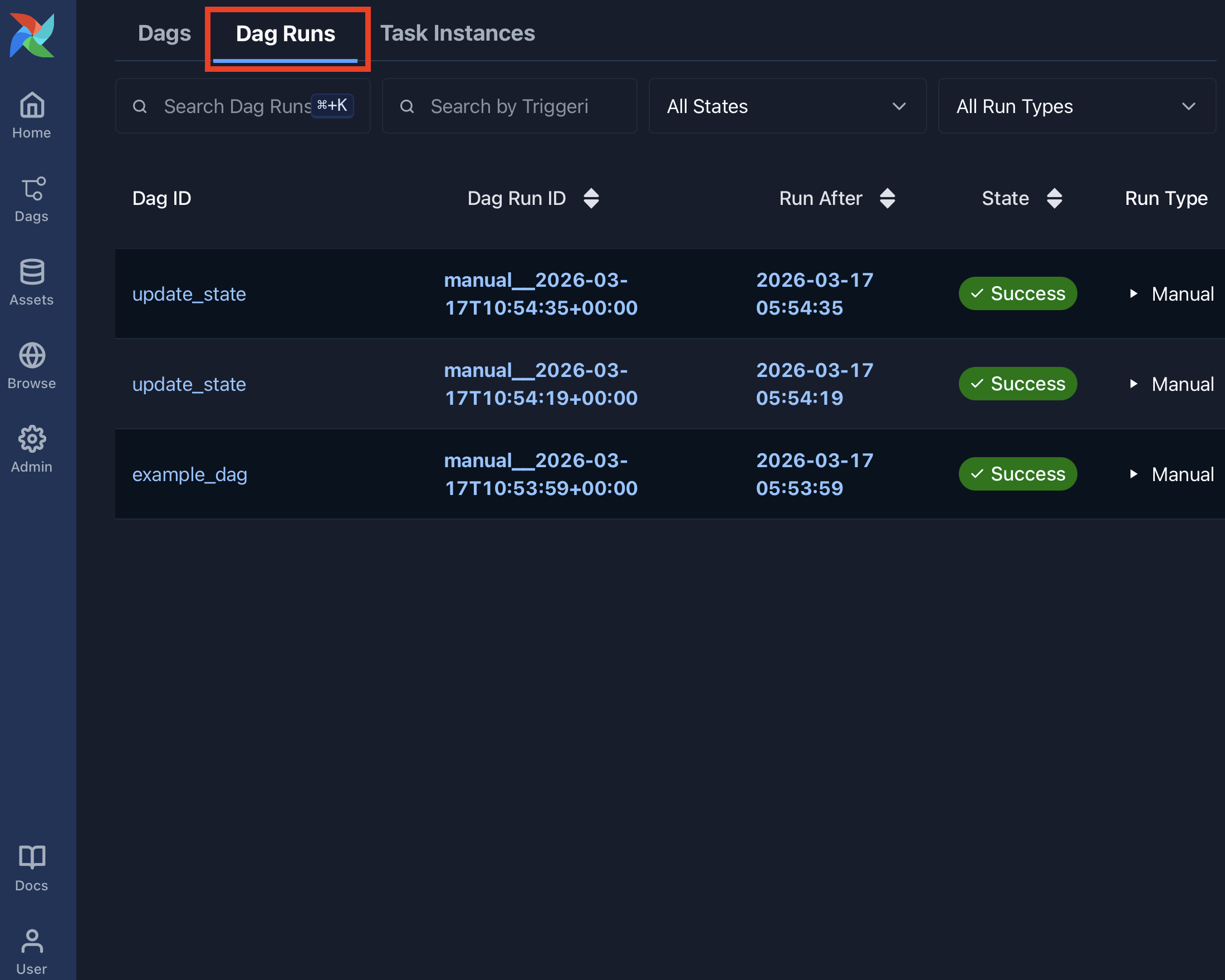
Dag Runs view

Airflow Dag Runs page listing recent runs across all Dags

Introduction to Apache Airflow in Python

Dag Runs state

Airflow Dag Runs page showing the state column for each run

Introduction to Apache Airflow in Python

Schedule details

When scheduling a Dag, there are several attributes of note:

  • start_date - The date / time to initially schedule the Dag run
  • end_date - Optional attribute for when to stop running new Dag instances
    • start_date and end_date both use a datetime(year, month, day) object, such as:
       from pendulum import datetime
       start_date=datetime(2026, 4, 10, tz="UTC")
      
Introduction to Apache Airflow in Python

Schedule

schedule represents:

  • How often to schedule the Dag
  • Between the start_date and end_date
  • Can be defined via cron style syntax, built-in presets, or timedeltas.
Introduction to Apache Airflow in Python

cron syntax

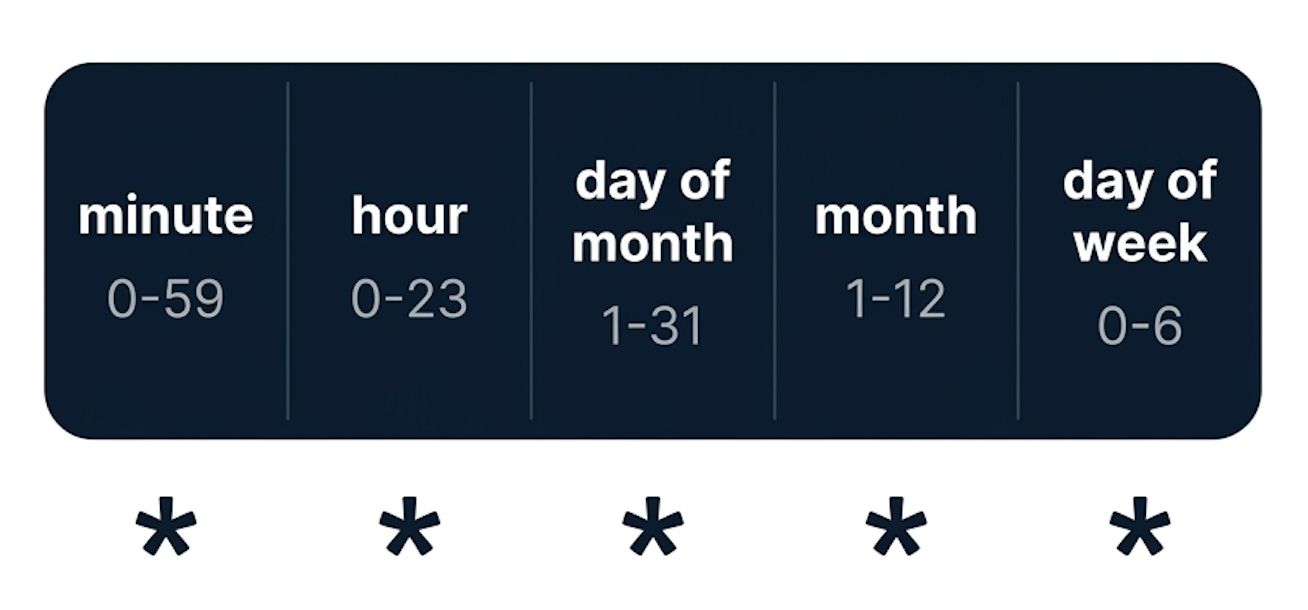
Diagram of cron syntax showing its five space-separated time fields

  • From the Unix cron format
  • 5 fields separated by a space
  • * represents running for every interval (ie, every minute, every day)
  • Can be comma-separated values in fields for a list of values
Introduction to Apache Airflow in Python

cron examples

Diagram of cron syntax showing its five space-separated time fields

0 12 * * *              # Run daily at noon
* * 25 2 *              # Run once per minute on February 25
0,15,30,45 * * * *      # Run every 15 minutes
Introduction to Apache Airflow in Python

Airflow scheduler presets

Preset:

  • @hourly
  • @daily
  • @weekly
  • @monthly
  • @yearly

cron equivalent:

  • 0 * * * *
  • 0 0 * * *
  • 0 0 * * 0
  • 0 0 1 * *
  • 0 0 1 1 *
1 https://airflow.apache.org/docs/stable/scheduler.html
Introduction to Apache Airflow in Python

Special presets

Airflow has three special schedule presets:

  • None - Don't schedule ever, used for manually triggered Dags
  • @once - Schedule only once
  • @continuous - Run immediately after previous run finishes
Introduction to Apache Airflow in Python

timedelta

  • Can also use pendulum.duration
  • duration(hours=6)
  • duration(minutes=30)
from pendulum import duration

@dag(
  dag_id="example_dag"
  schedule=duration(days=2)
)
Introduction to Apache Airflow in Python

Applying schedules

  • Schedule defined on the Dag
  • Uses the schedule parameter:
@dag(
  dag_id="example_dag",
  schedule="0 12 * * *"
)
@dag(
  dag_id="example_dag",
  schedule="@daily"     
)
Introduction to Apache Airflow in Python

schedule issues

When scheduling a Dag, Airflow will:

  • One full interval must pass beyond the start date
  • Schedule the task at start_date + schedule
'start_date': datetime(2026, 2, 25, tz="UTC")
'schedule': @daily

Earliest start time to run the Dag is February 26th, 2026

Introduction to Apache Airflow in Python

Let's practice!

Introduction to Apache Airflow in Python

Preparing Video For Download...