Trabajar con datos estructurados

Introducción a las API en Python

Chris Ramakers

Engineering manager

Estructuras de datos complejas

Respuesta de la API de letras
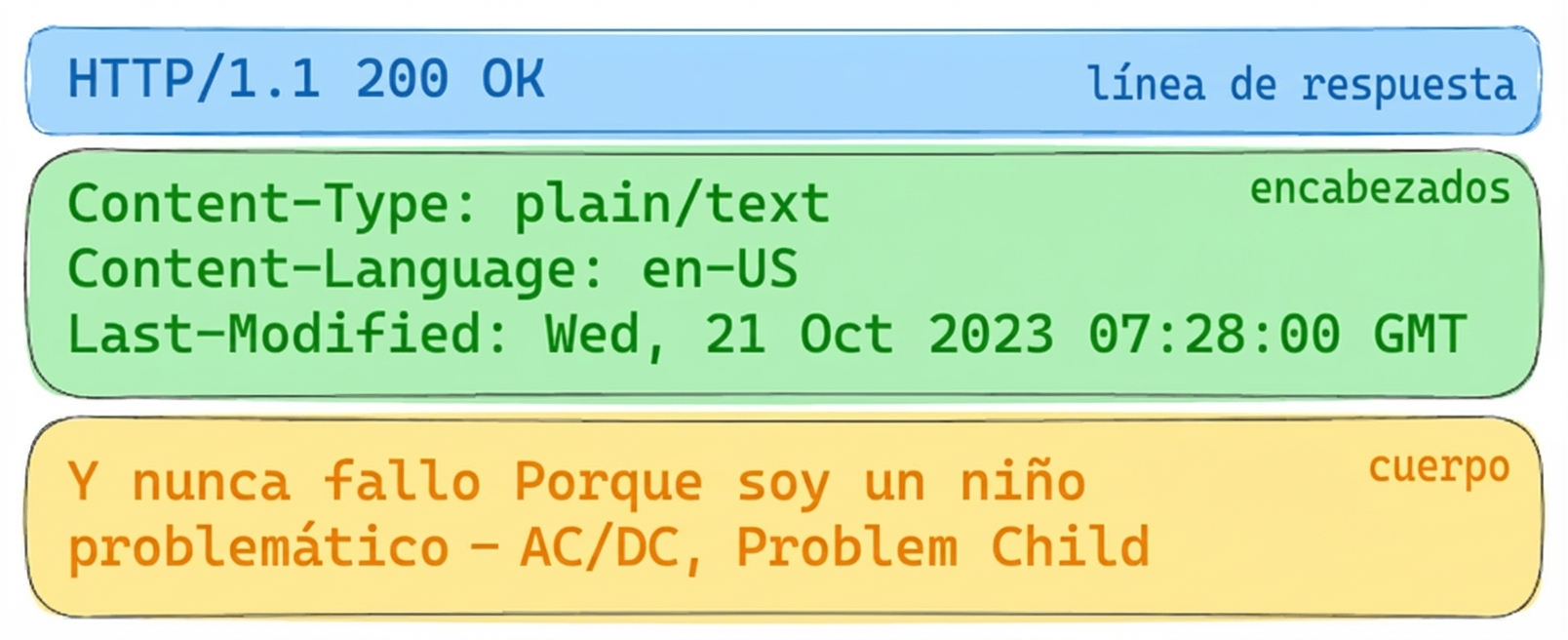
Respuesta de la API de letras con HTTP 200 OK. Headers: Content-Type: plain/text, Content-Language: en-US, Last-Modified: Wed, 21 Oct 2023. Cuerpo: letras de "Problem Child" de AC/DC.

Respuesta de la API de álbum

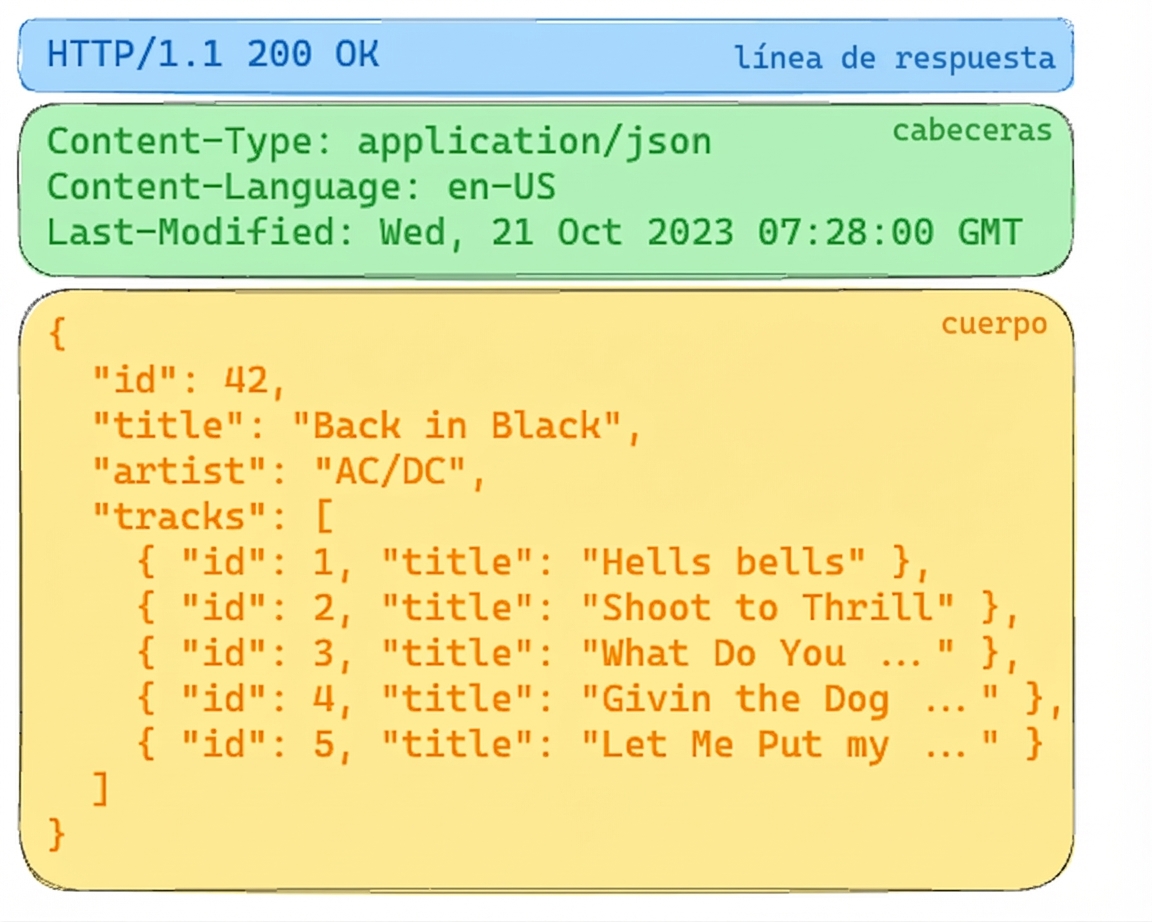
Respuesta de la API de álbum con HTTP 200 OK. Los headers indican contenido JSON. El cuerpo incluye detalles del álbum "Back in Black" de AC/DC, con la lista de pistas.

Introducción a las API en Python

Estructuras complejas: JSON

  • JSON
    • JavaScript Object Notation
    • Muy compatible
    • Legible por humanos y usable por máquinas
  • Content-type, mime-type o media-type
  • Otros formatos
    • XML
    • CSV
    • YAML

Respuesta de la API de álbum

Respuesta de la API de álbum con HTTP 200 OK. Los headers indican contenido JSON. El cuerpo incluye detalles del álbum "Back in Black" de AC/DC, con la lista de pistas.

Introducción a las API en Python

De Python a JSON y vuelta

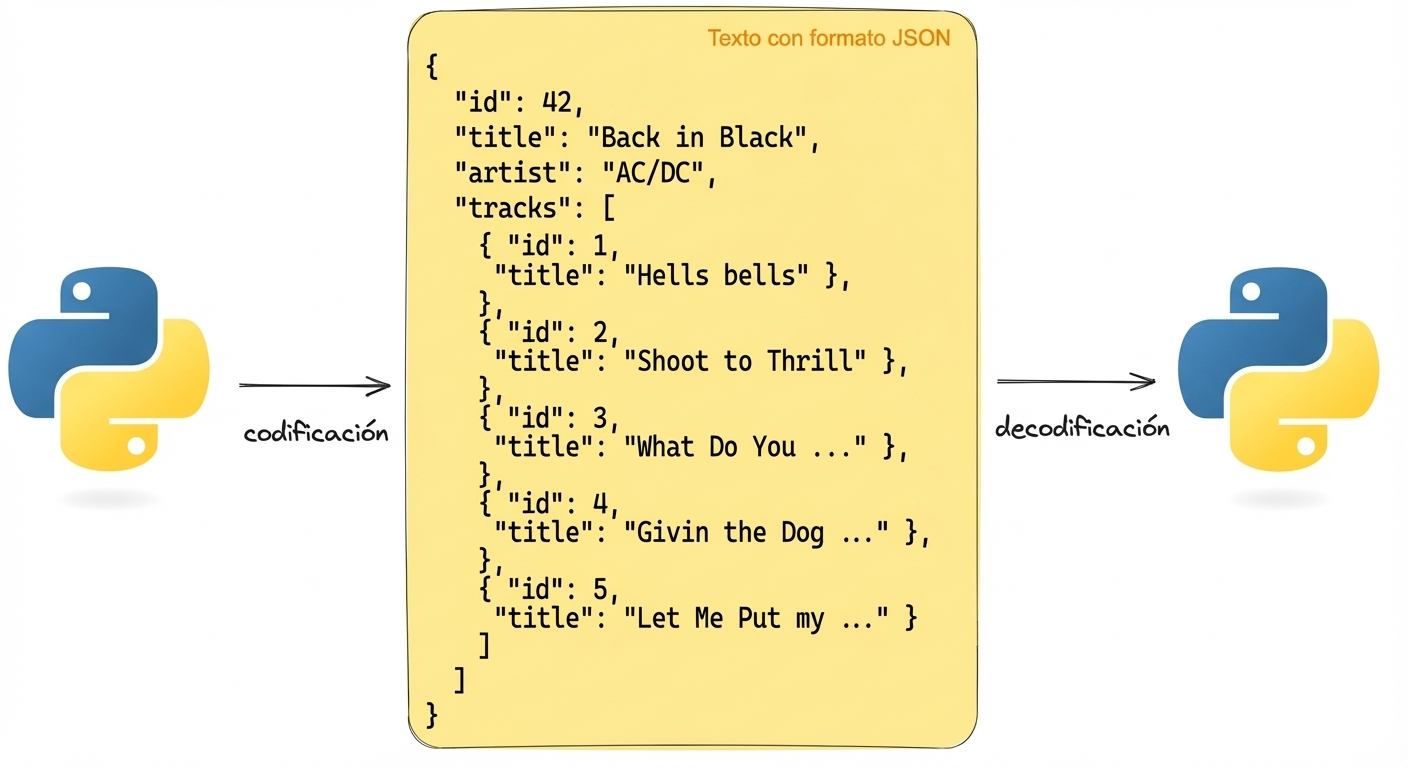
  Representación de cómo codificar y decodificar texto en formato JSON con Python. El JSON contiene detalles del álbum "Back in Black" de AC/DC.

import json
album =  {'id': 42, 'title':"Back in Black"}
string = json.dumps(album) # Encodes a python object to a JSON string
album = json.loads(string) # Decodes a JSON string to a Python object
Introducción a las API en Python

Solicitar datos JSON

# GET request without headers
response = requests.get('http://api.music-catalog.com/lyrics')
print(response.text)
N' I never miss Cause I'm a problem child - AC/DC, Problem Child
# GET request with an accept header
response = requests.get('http://api.music-catalog.com/lyrics', headers={'accept': 'application/json'})

# Print the JSON text
print(response.text)

# Decode into a Python object data = response.json() print(data['artist'])
{'artist': 'AC/DC', 'lyric': "N' I never miss Cause I'm a problem child", 'track': 'Problem Child'}

AC/DC
Introducción a las API en Python

Enviar datos JSON

import requests
playlist = {"name": "Road trip", "genre":"rock", "private":"true"}

# Add the playlist using via the `json` argument 
response = requests.post("http://api.music-catalog.com/playlists", json=playlist)
# Get the request object
request = response.request

# Print the request content-type header
print(request.headers['content-type'])
application/json
Introducción a las API en Python

¡Vamos a practicar!

Introducción a las API en Python

Preparing Video For Download...