Lookups and PivotTables

Preparación de datos en Excel

Iason Prassides

Content Developer, DataCamp

Lookup and reference functions

  • Many lookup and reference functions available
  • Excel's address book functions
    • Use an address book to find information based on a single criteria
    • Lookup and reference functions allow similar action

Cartoon image of an address book

Preparación de datos en Excel

Two LOOKUP functions

  • Focus on two lookup functions
    • VLOOKUP()
    • HLOOKUP()
  • Can be used to:
    • Lookup specific values based on an input value
    • Transfer information into a dataset from another sheet or file

An image of people pointing and looking upwards, with arrows going in an upwards direction and the word up written above them.

Preparación de datos en Excel

VLOOKUP

VLOOKUP()

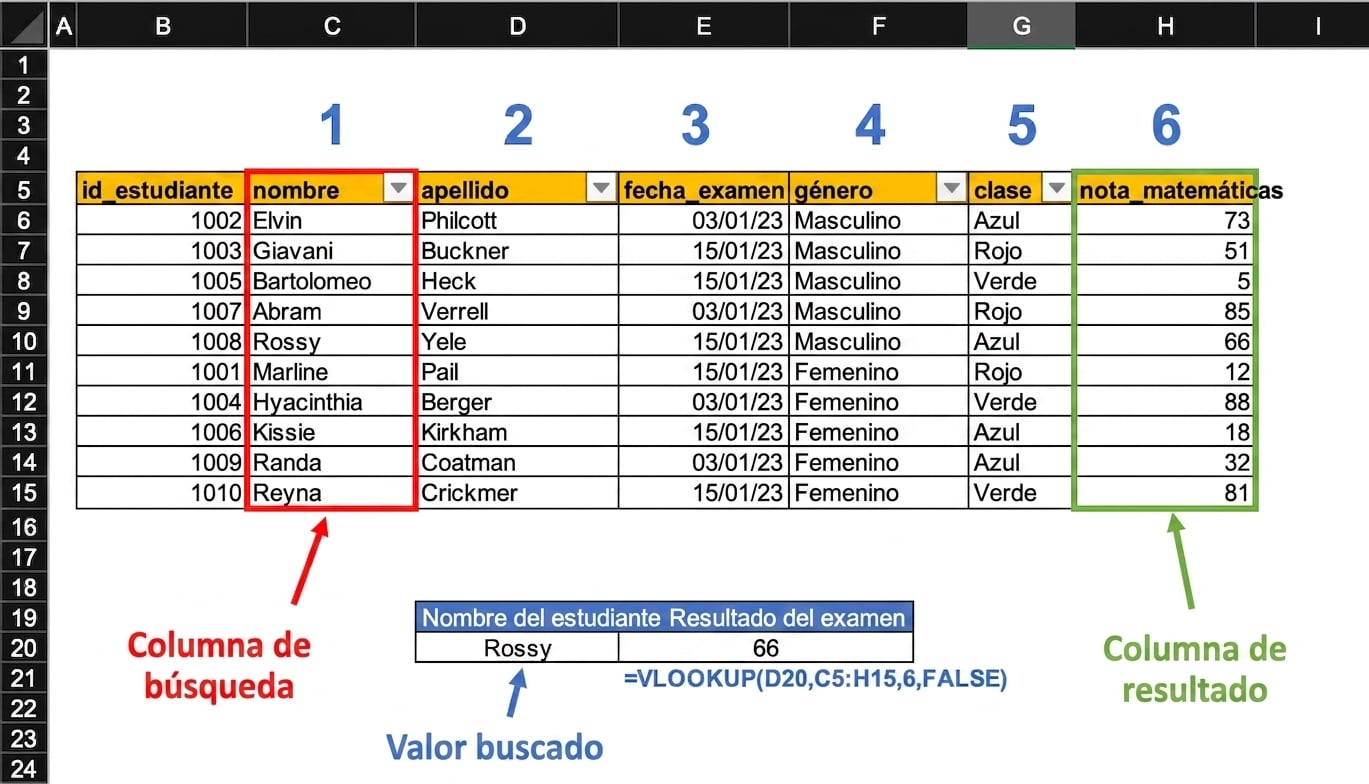
  • Syntax: VLOOKUP (lookup_value, table_array, col_index_num, [range_lookup])

  • Function arguments include:

    • lookup_value - value searched in data
    • table_array - table or dataset to be searched
    • col_index_num - column number with return value
    • range_lookup - exact match (FALSE) or approximate match (TRUE)
Preparación de datos en Excel

VLOOKUP

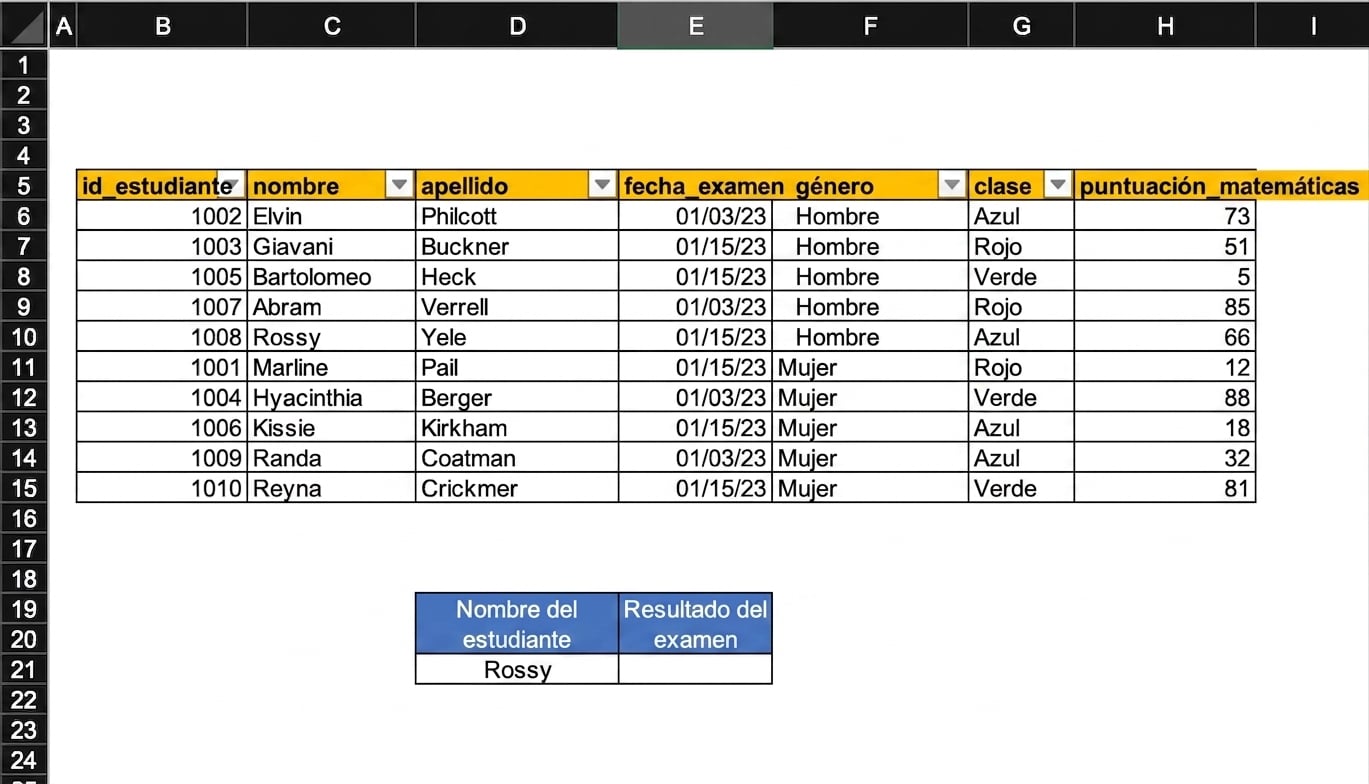
Example of a spreadsheet with a table of student results and a cell that needs to be filled using a lookup formula.

Preparación de datos en Excel

VLOOKUP

Example of a spreadsheet with a table of student results that has been used to find the test result of a specific student using a VLOOKUP function. All important aspects of the spreadsheet used by the function have been highlighted.

Preparación de datos en Excel

HLOOKUP

HLOOKUP()

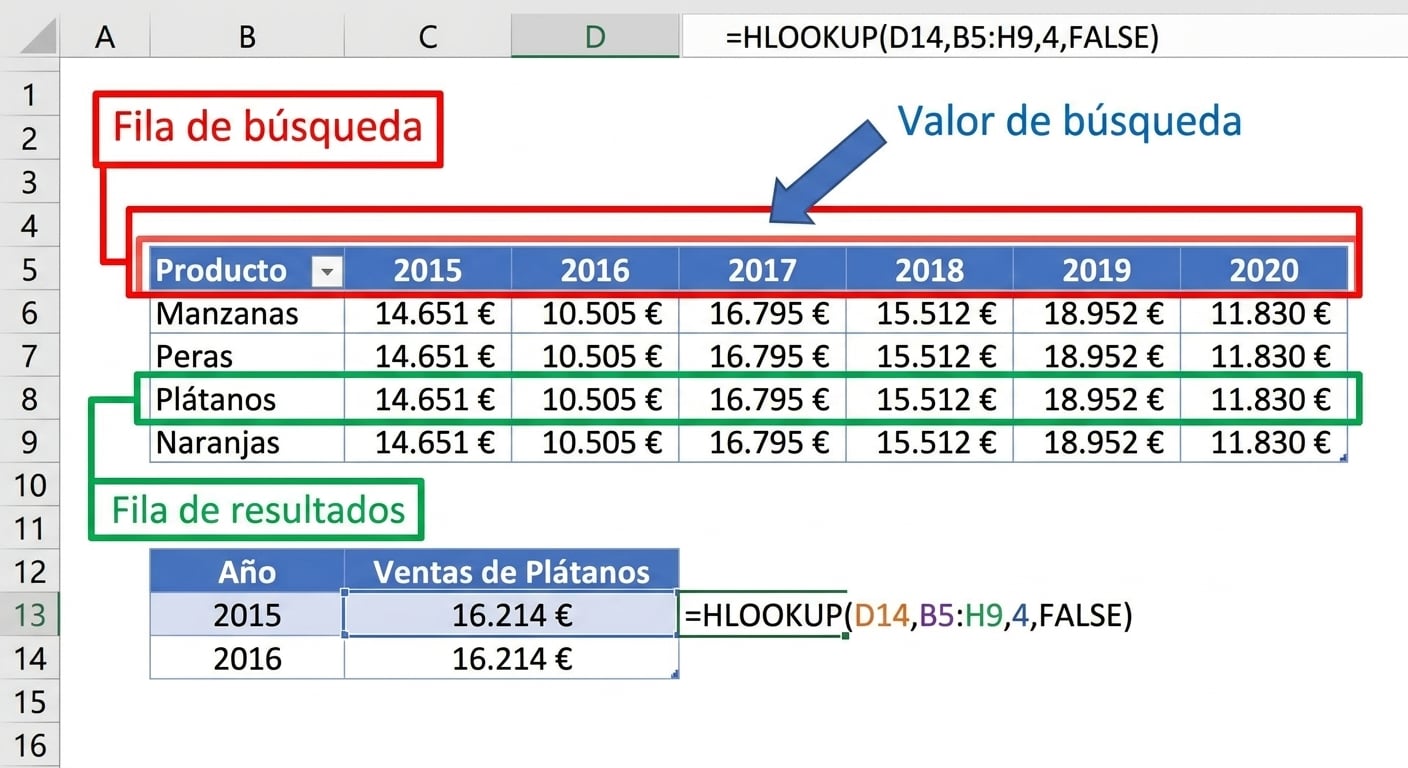
  • Syntax: HLOOKUP(lookup_value, table_array, row_index_num, [range_lookup])

  • Searches data horizontally

    • Has argument row_index_num instead of col_index_num
  • Provides output by row number
Preparación de datos en Excel

HLOOKUP

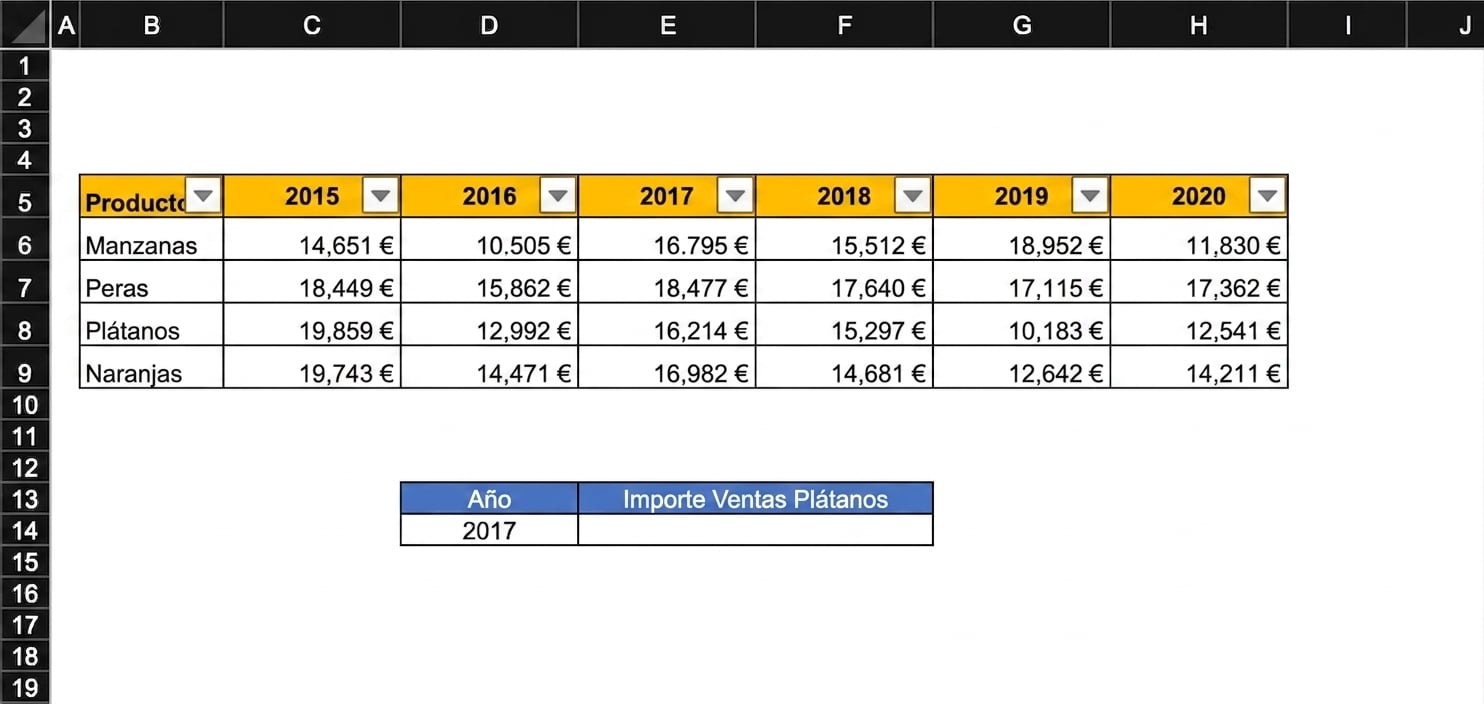
Example of a spreadsheet with a table of financial results and a cell that needs to be filled using a lookup formula.

Preparación de datos en Excel

HLOOKUP

Example of a spreadsheet with a table of financial results that has been used to find the result for 2017 using an HLOOKUP function. All important aspects of the spreadsheet used by the function have been highlighted.

Preparación de datos en Excel

A new perspective

  • Data preparation process
    • Transformed raw, tabular data
    • Cleaned, sorted, and organized
  • Time to view data differently
    • summarized data

A transparent glass ball being used to view a landscape.

Preparación de datos en Excel

PivotTables

  • Able to summarize and analyze large data volumes
  • Aggregate and organize data in dynamic tables
  • Transform rows to columns, and vice versa
  • Group, filter, and aggregate data as we wish
  • Identify trends and ensure data readiness for analysis

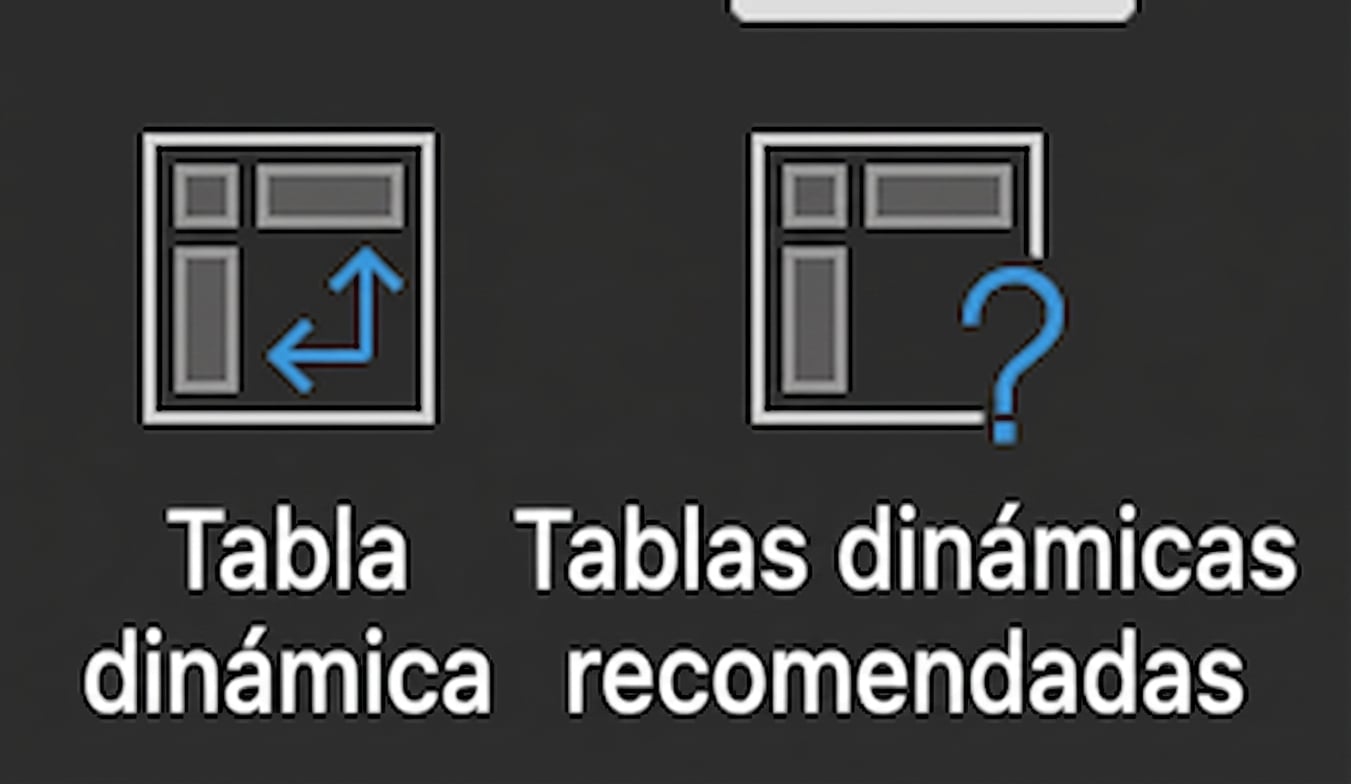
Two PivotTable buttons in Excel Insert menu

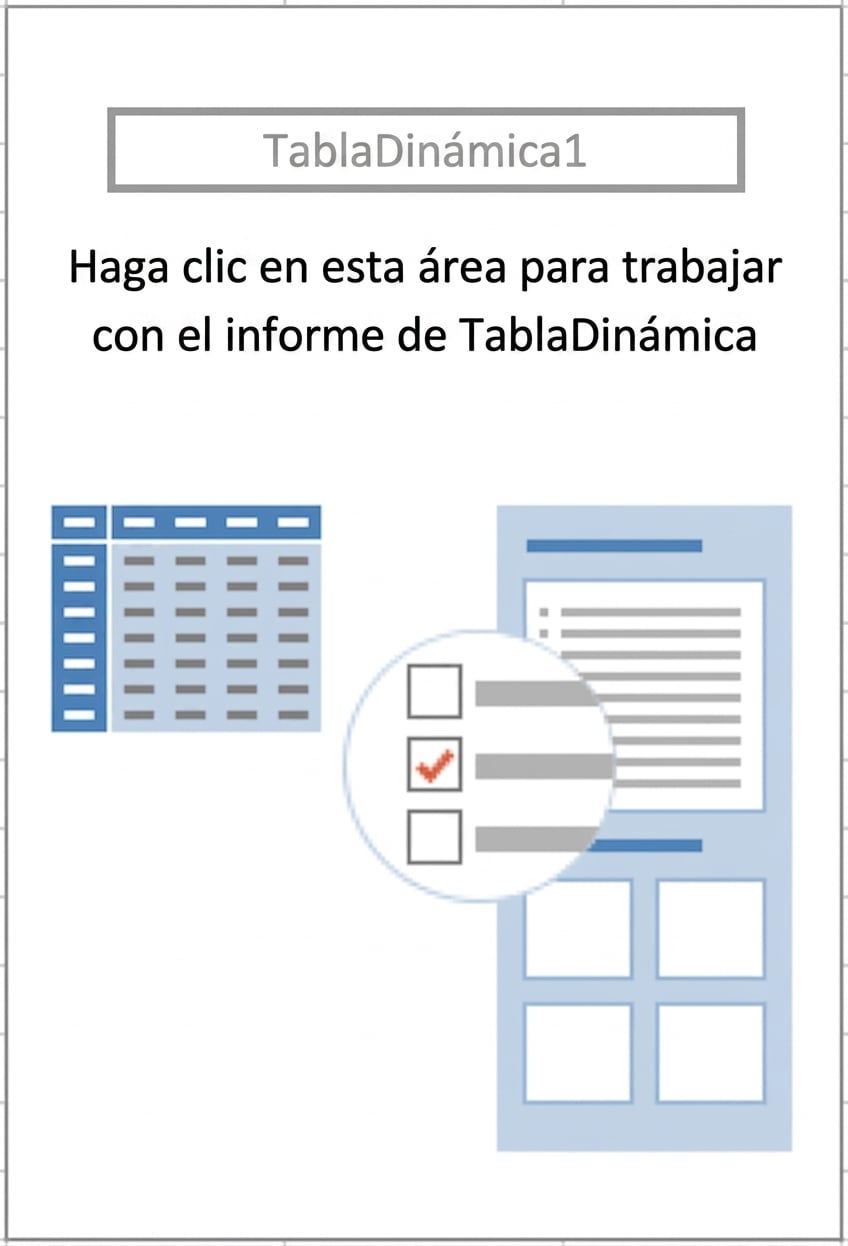
Outline of PivotTable placeholder that informs users how to build their PivotTable

Preparación de datos en Excel

PivotTables

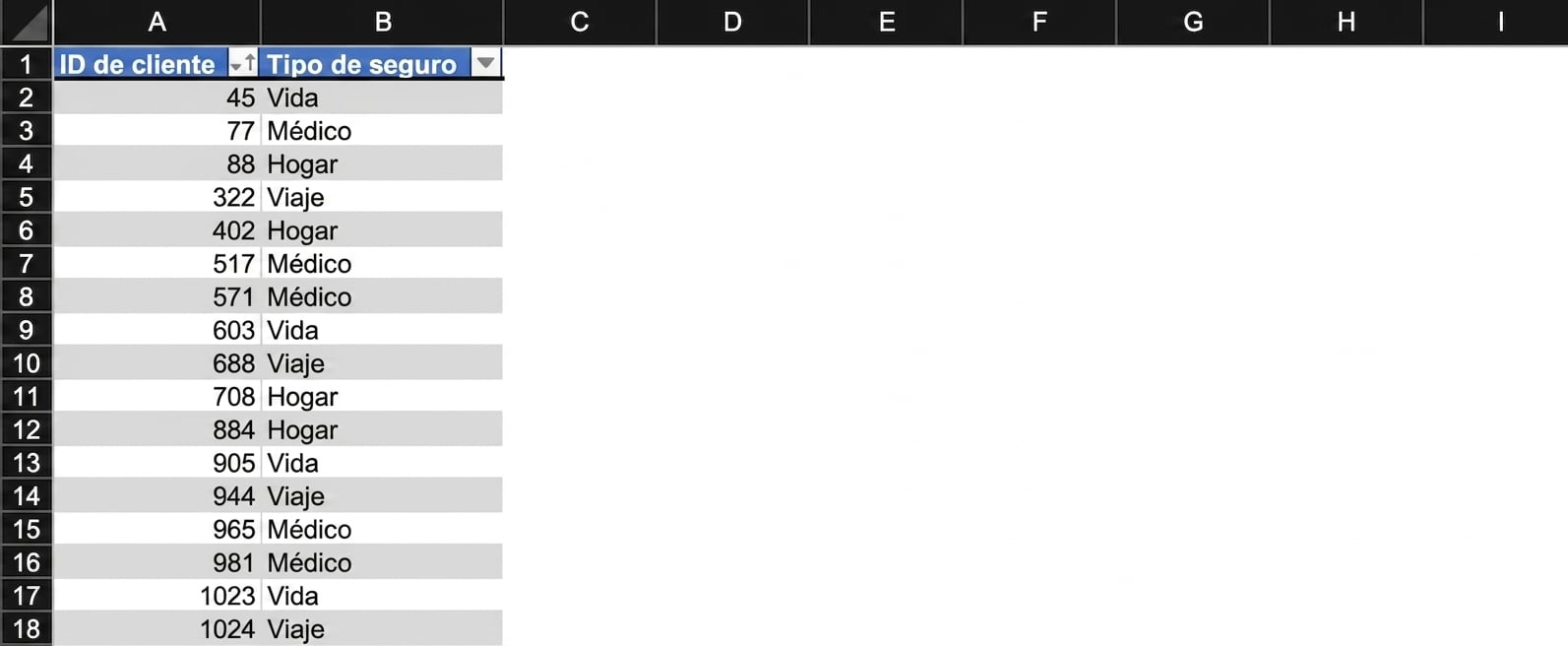
Insurance data showing customer ID and Insurance type

Preparación de datos en Excel

PivotTables

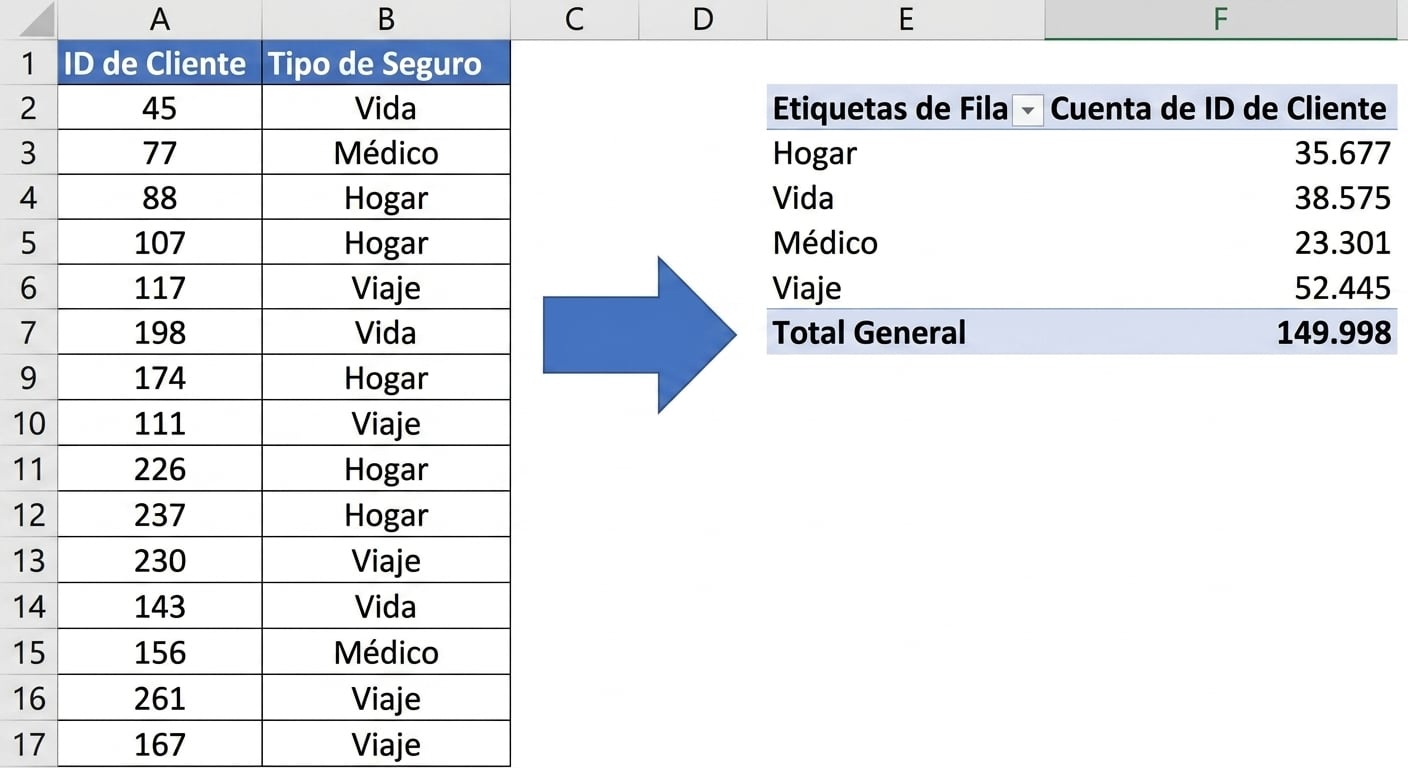
Insurance data summarized using a PivotTable

Preparación de datos en Excel

Let's practice!

Preparación de datos en Excel

Preparing Video For Download...