Data governance basics

Introduction to Microsoft Fabric

Fiodar Sazanavets

Senior Software Engineer

Configuring a workspace

Fabric workspace toolbar with the Workspace settings button highlighted in the top-right corner

  • Configured in Workspace settings (top-right)
Introduction to Microsoft Fabric

What can you configure?

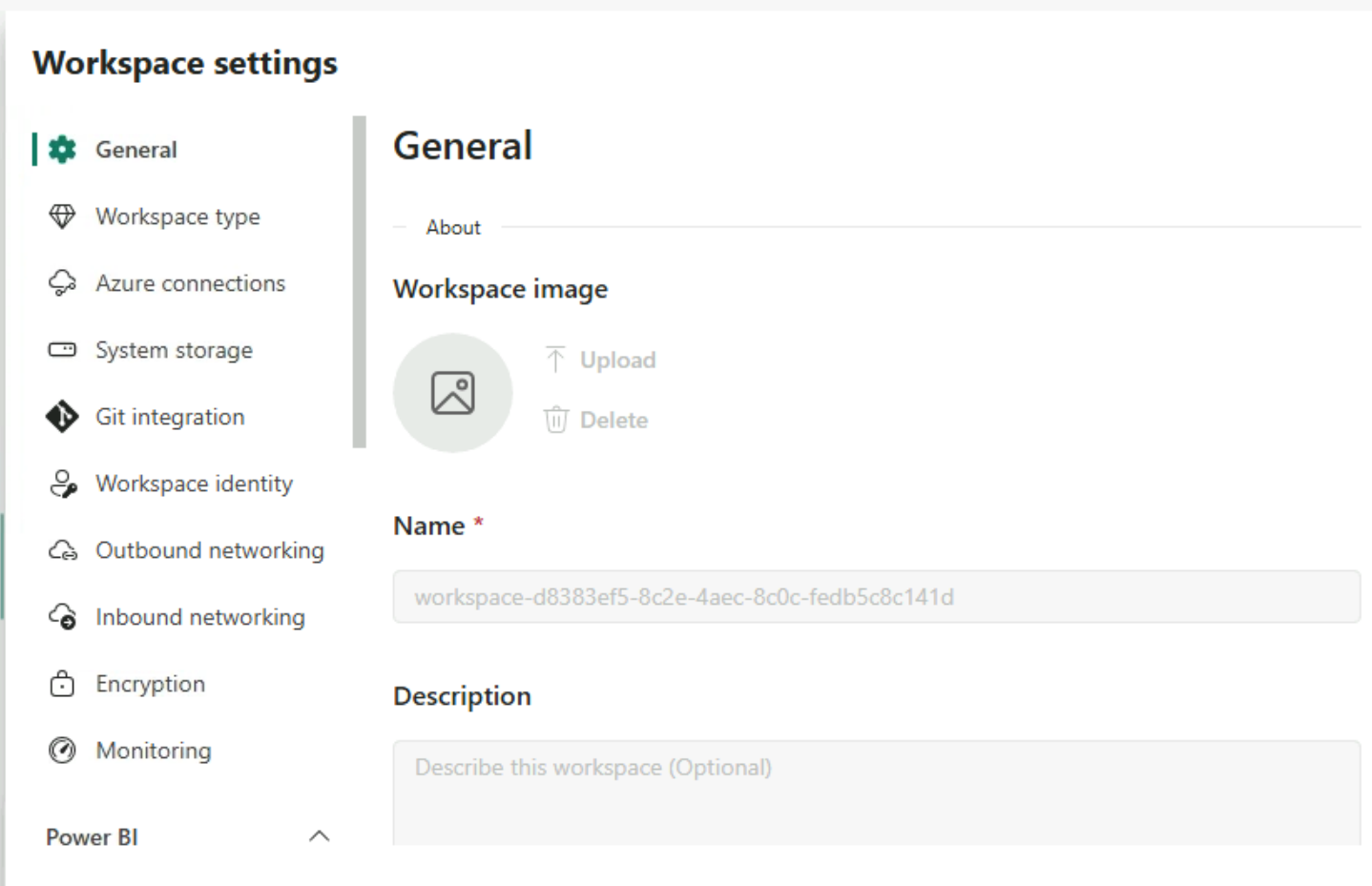
  • Workspace name and description
  • Workspace image
  • Workspace contacts
  • Storage connections
  • External services

Workspace settings General page with Workspace image, Name, and Description fields and a settings menu on the left

Introduction to Microsoft Fabric

Workspace roles

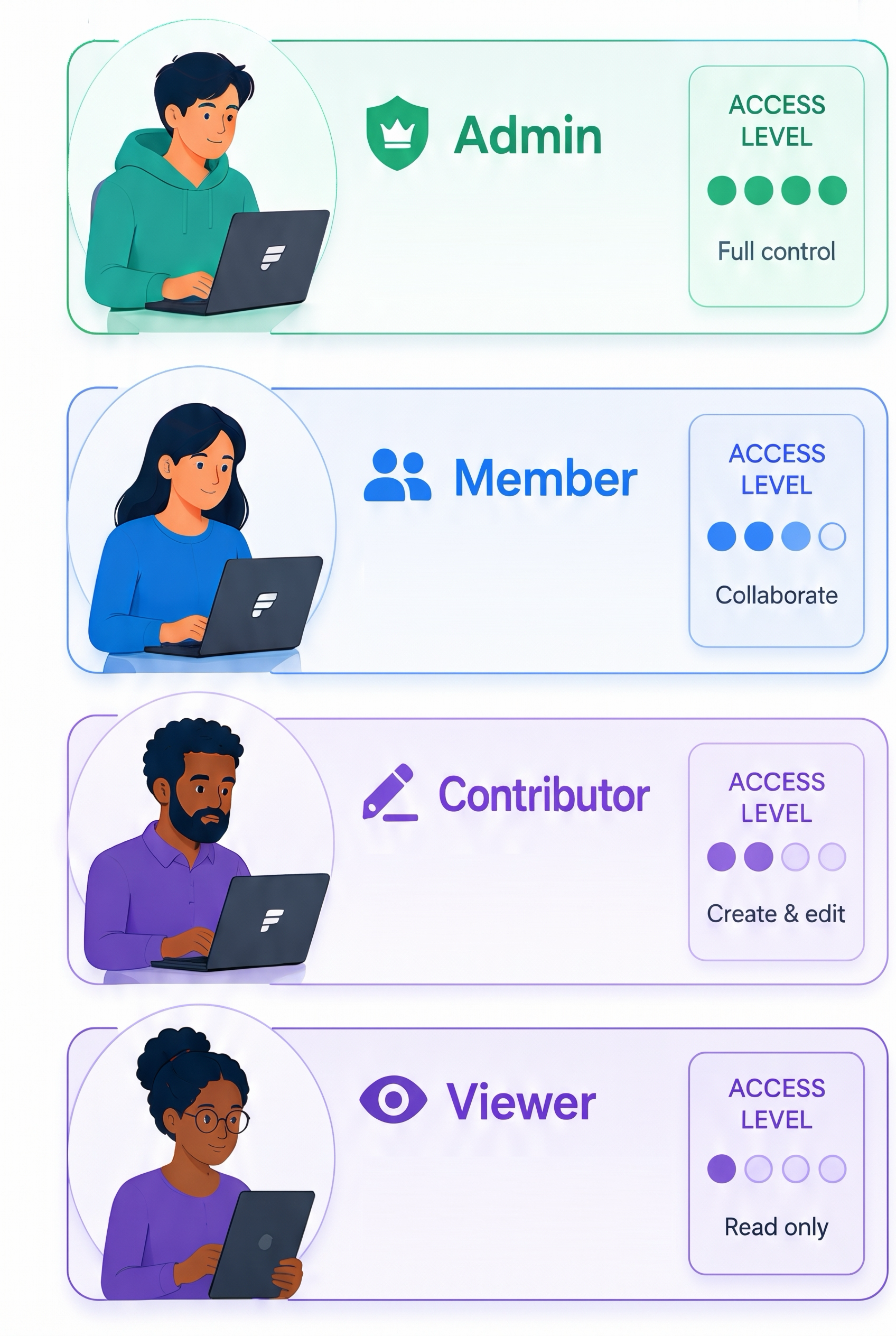
Fabric workspace roles from most to least access: Admin, Member, Contributor, and Viewer

  • Admin: manage workspace and permissions


  • Member: create items and manage some permissions


  • Contributor: create and modify items


  • Viewer: read content only


Introduction to Microsoft Fabric

What different roles see

Workspace toolbar as a Contributor sees it, with Workspace settings but no Manage access button

  • Viewers do not see Workspace settings
  • Contributors see Workspace settings
  • Members and Admins see Manage access
Introduction to Microsoft Fabric

Ownership and sharing

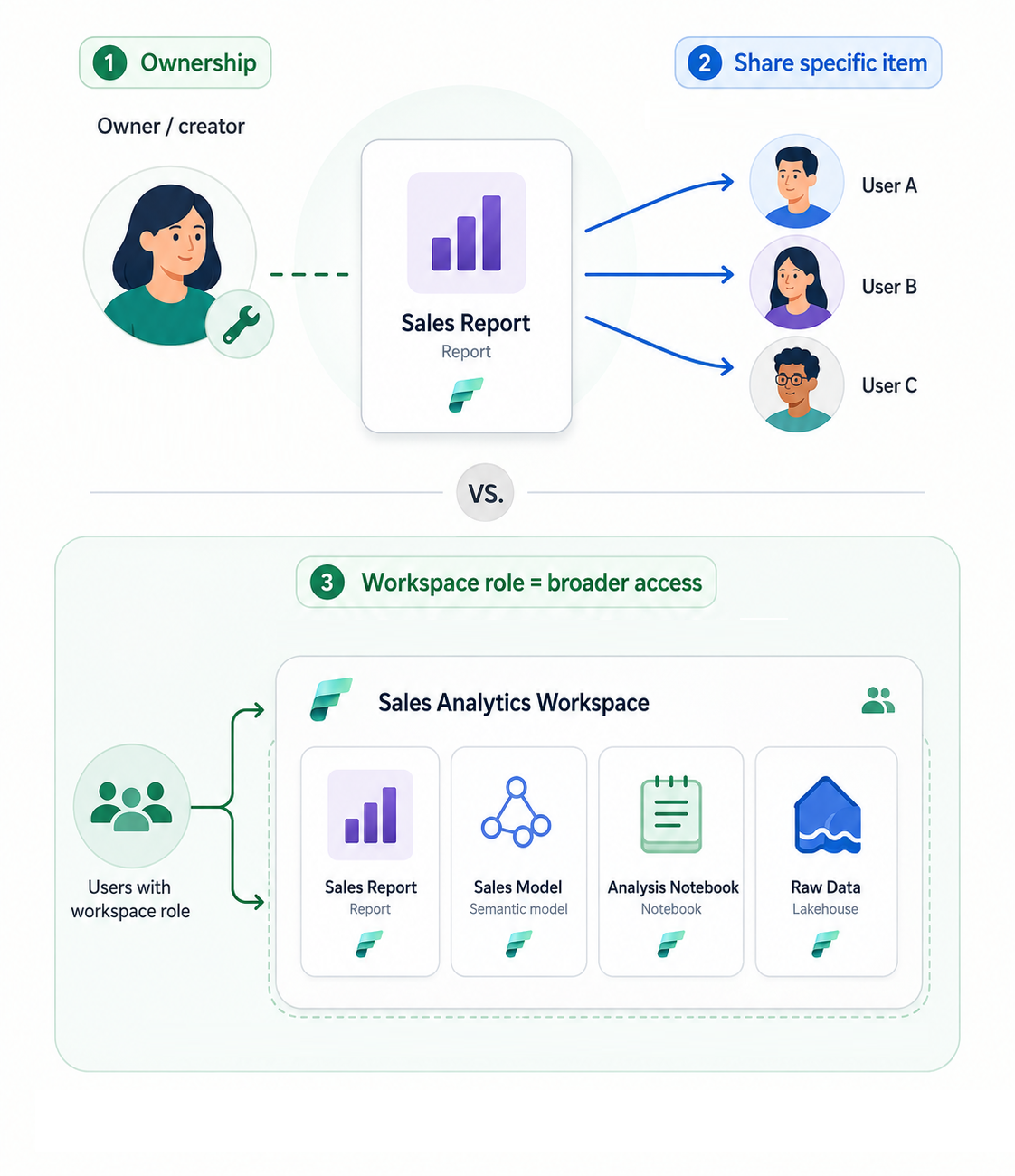
  • Workspace access: gives access to workspace content
  • Creator: item owner
  • Sharing: access to one item; read by default

An owner shares one Sales Report with three users, while a workspace role gives access to all workspace items

Introduction to Microsoft Fabric

Endorsement

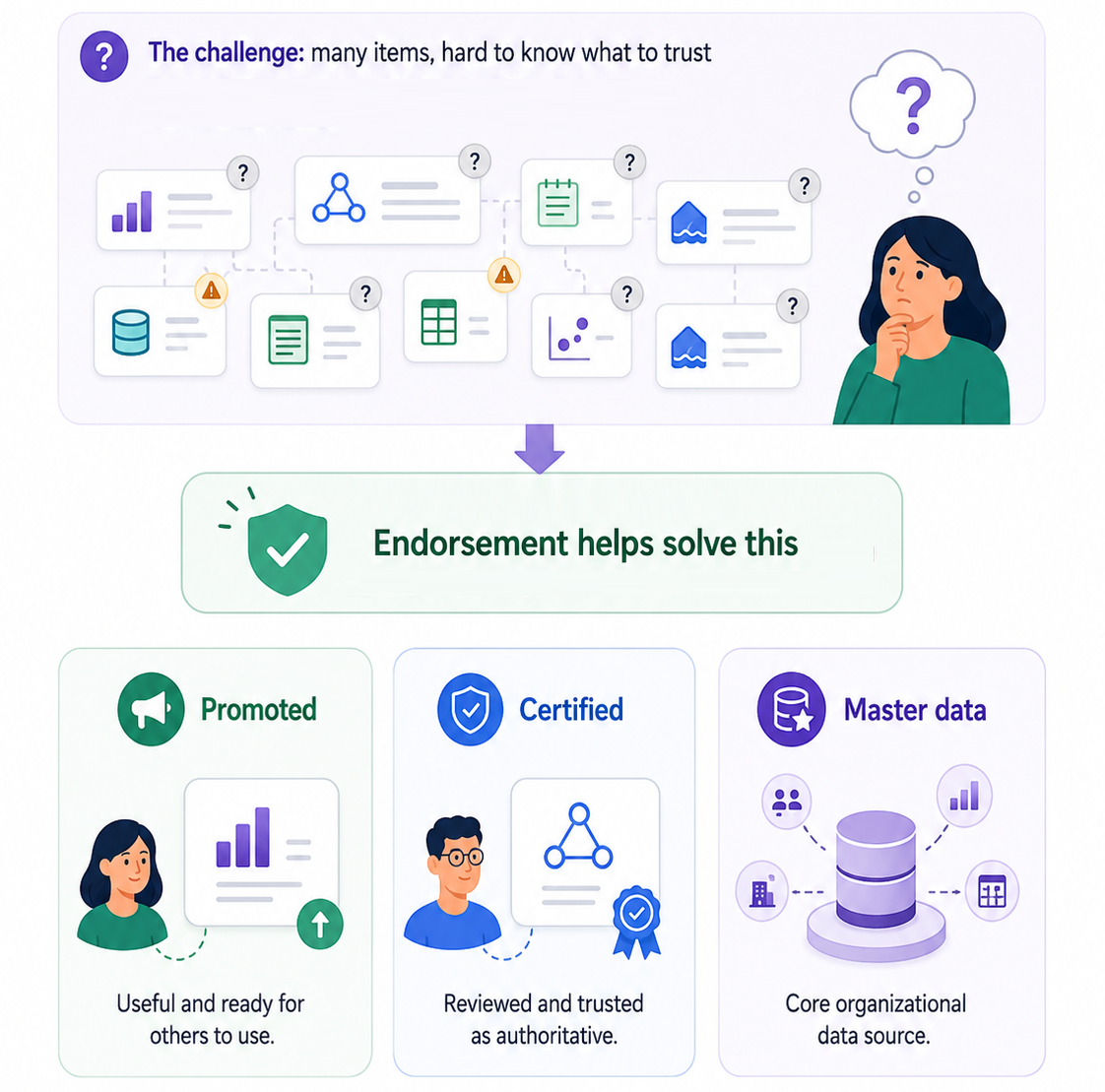
  • Types of endorsement:
    • Promoted: ready for others to use
    • Certified: passed organizational review
    • Master data: core organizational data

Three endorsement badges that show which items to trust: Promoted, Certified, and Master data

Introduction to Microsoft Fabric

Let's practice!

Introduction to Microsoft Fabric

Preparing Video For Download...