How workloads map to user job functions

Introduction to Microsoft Fabric

Fiodar Sazanavets

Senior Software Engineer

Distinguishing workloads from items
Workload

  • A broad collection of related capabilities
    • Data Engineering, Data Warehouse, Power BI

Item

  • An asset created in a workspace
    • Lakehouse, Pipeline, Warehouse

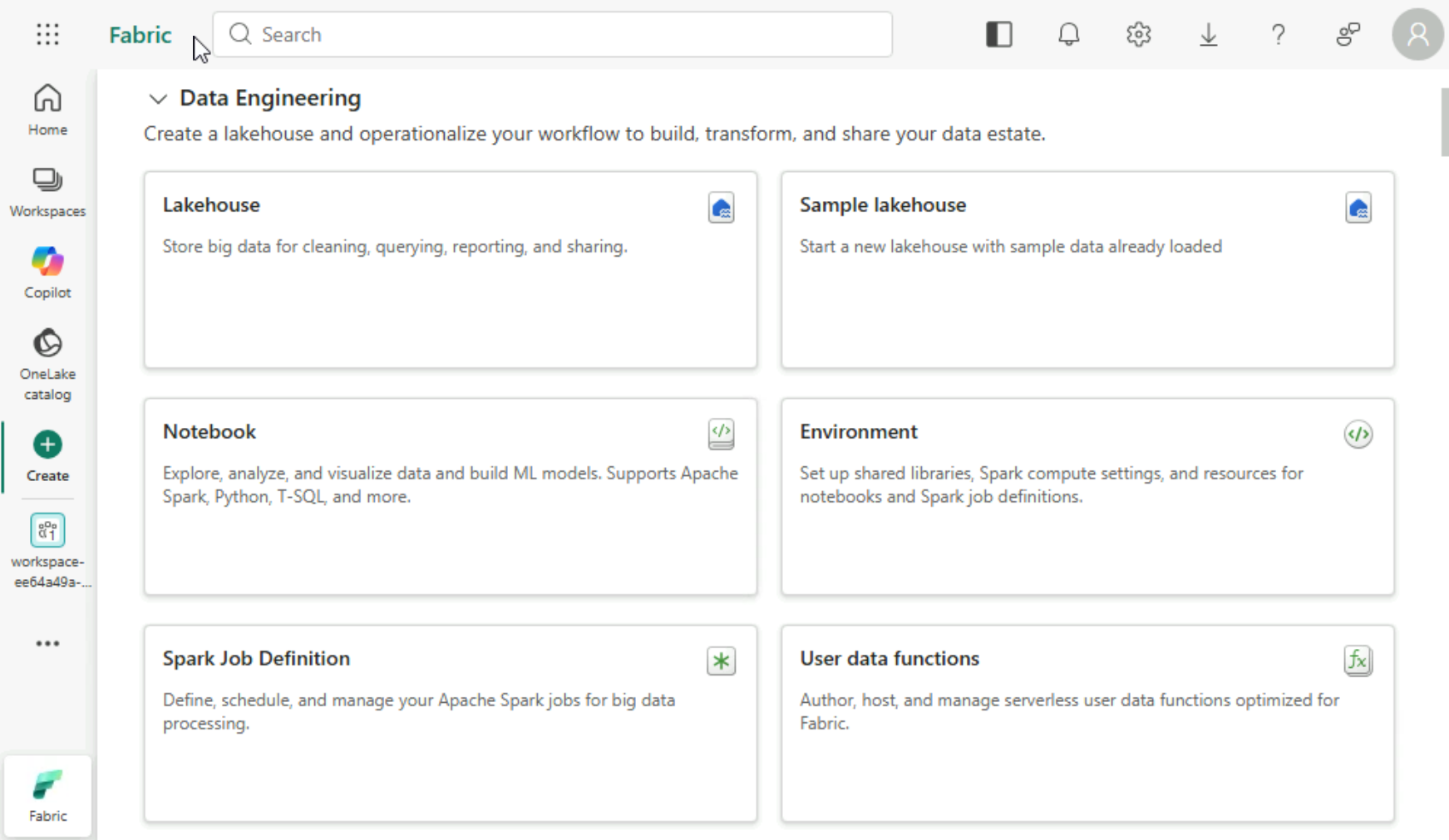
Data Engineering workload on the Fabric Create page, with Lakehouse, Notebook, Environment, and other item cards

Lakehouse icon as a Fabric item example

Introduction to Microsoft Fabric

Moving and transforming data

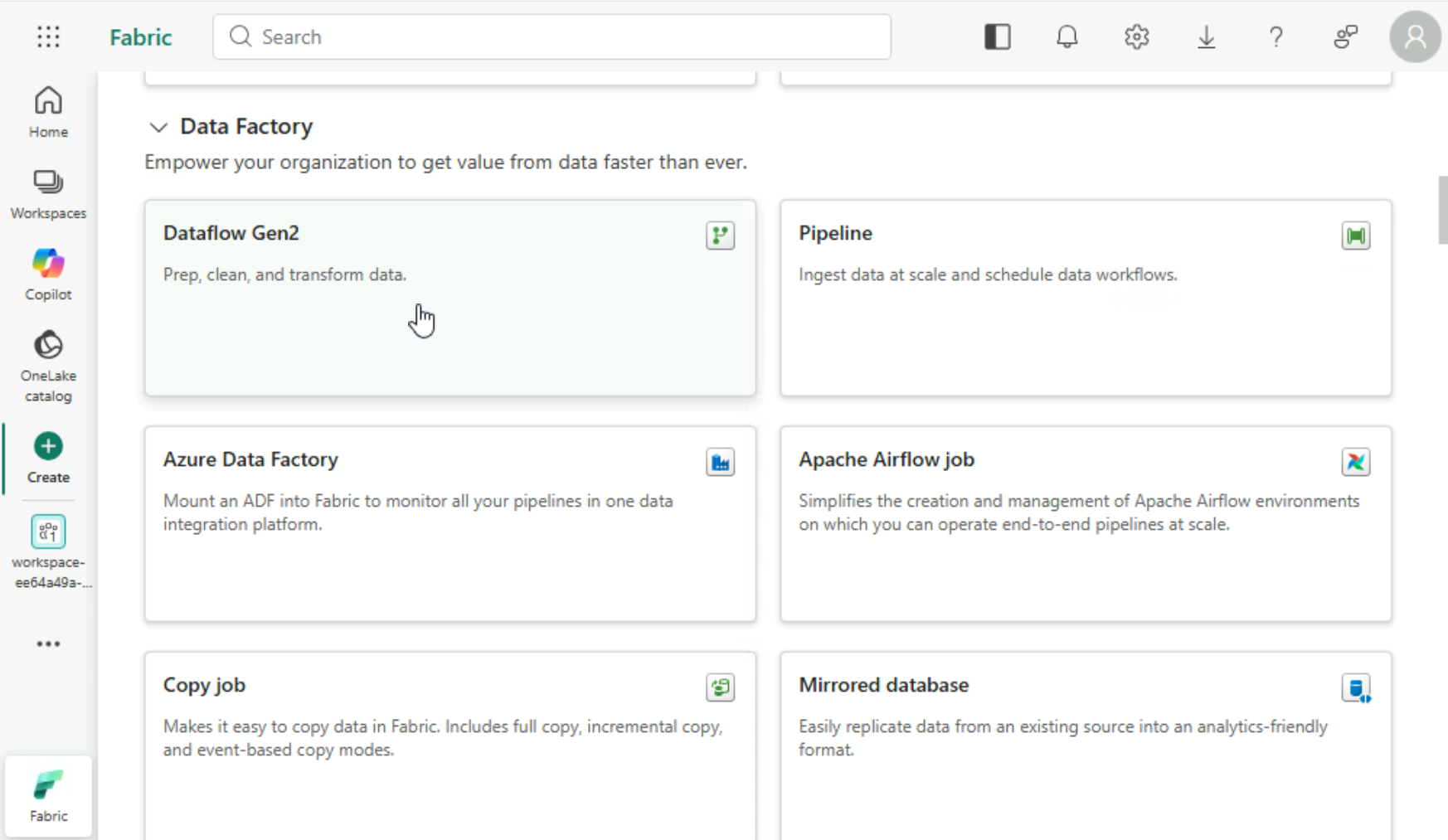
Data Factory workload on the Create page, with Dataflow Gen2, Pipeline, Copy job, and other item cards

Introduction to Microsoft Fabric

Turning data into business insights

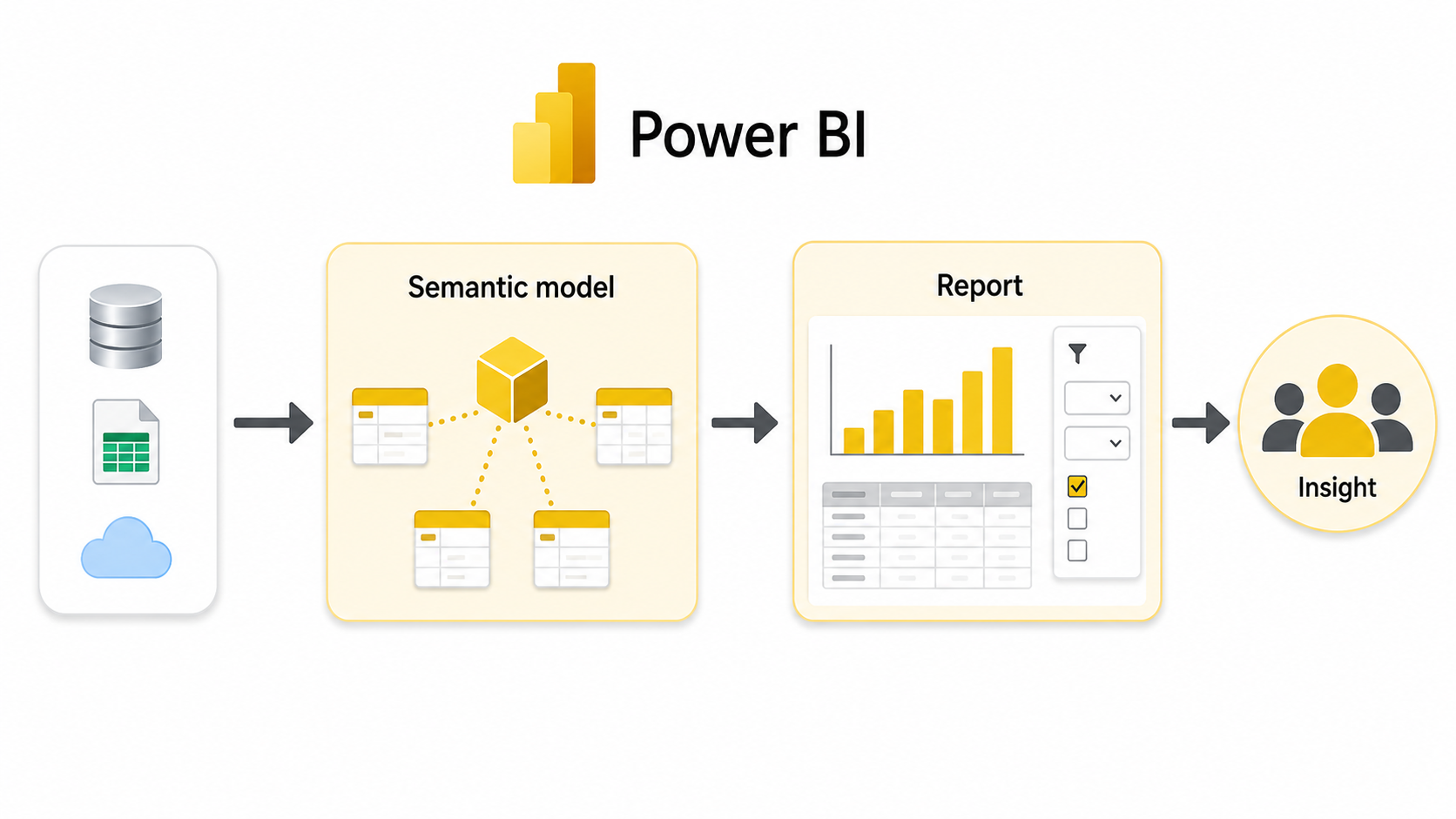
Power BI flow: data sources feed a semantic model, which feeds a report with charts and filters

Introduction to Microsoft Fabric

Analyzing data in real time

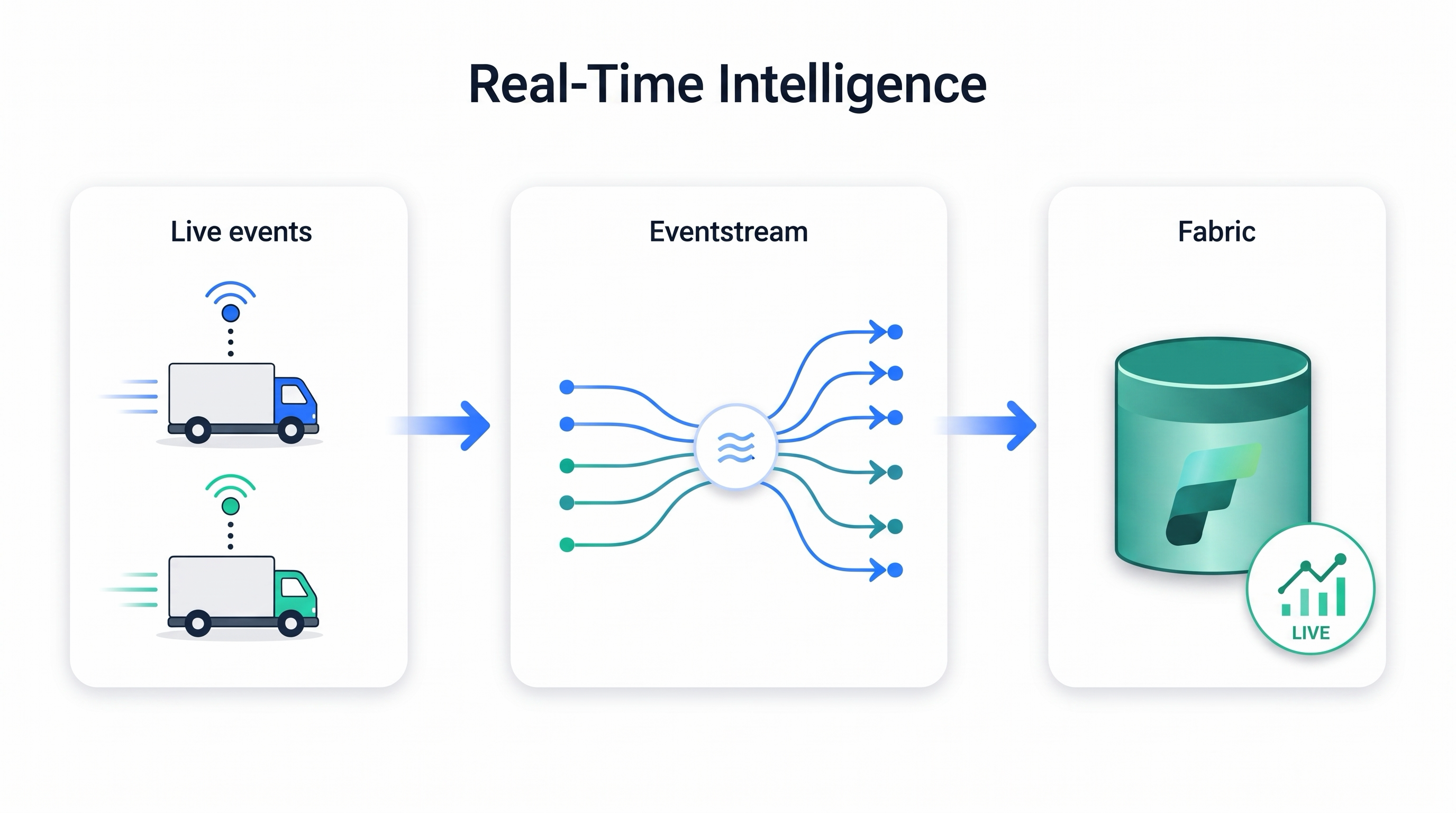
Real-Time Intelligence flow: live events from delivery trucks pass through an Eventstream into Fabric for live analysis

Introduction to Microsoft Fabric

Storing and preparing data

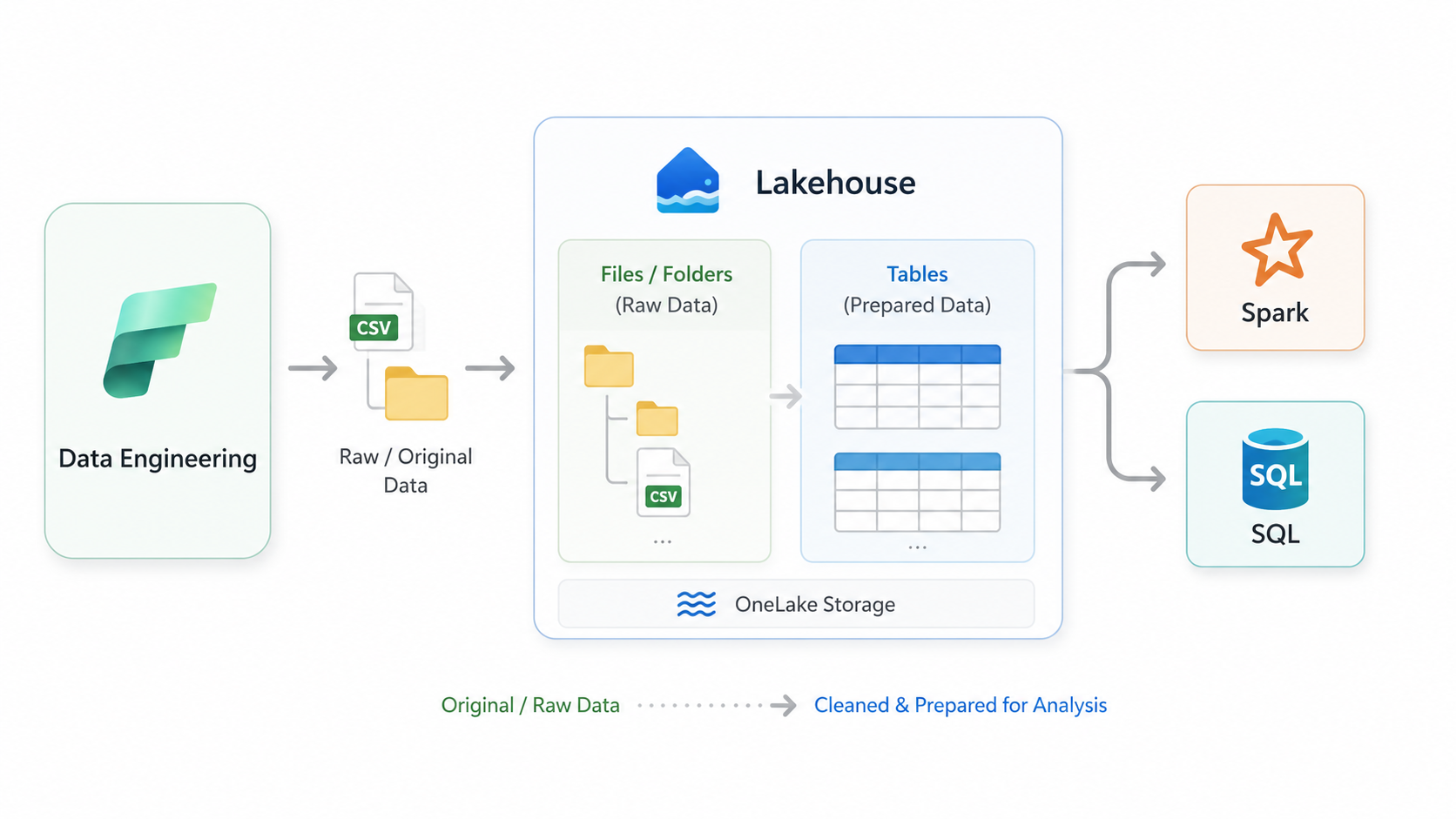
Lakehouse diagram: raw files and prepared tables in OneLake storage, processed with Spark or queried with SQL

Introduction to Microsoft Fabric

Storing and querying structured business data
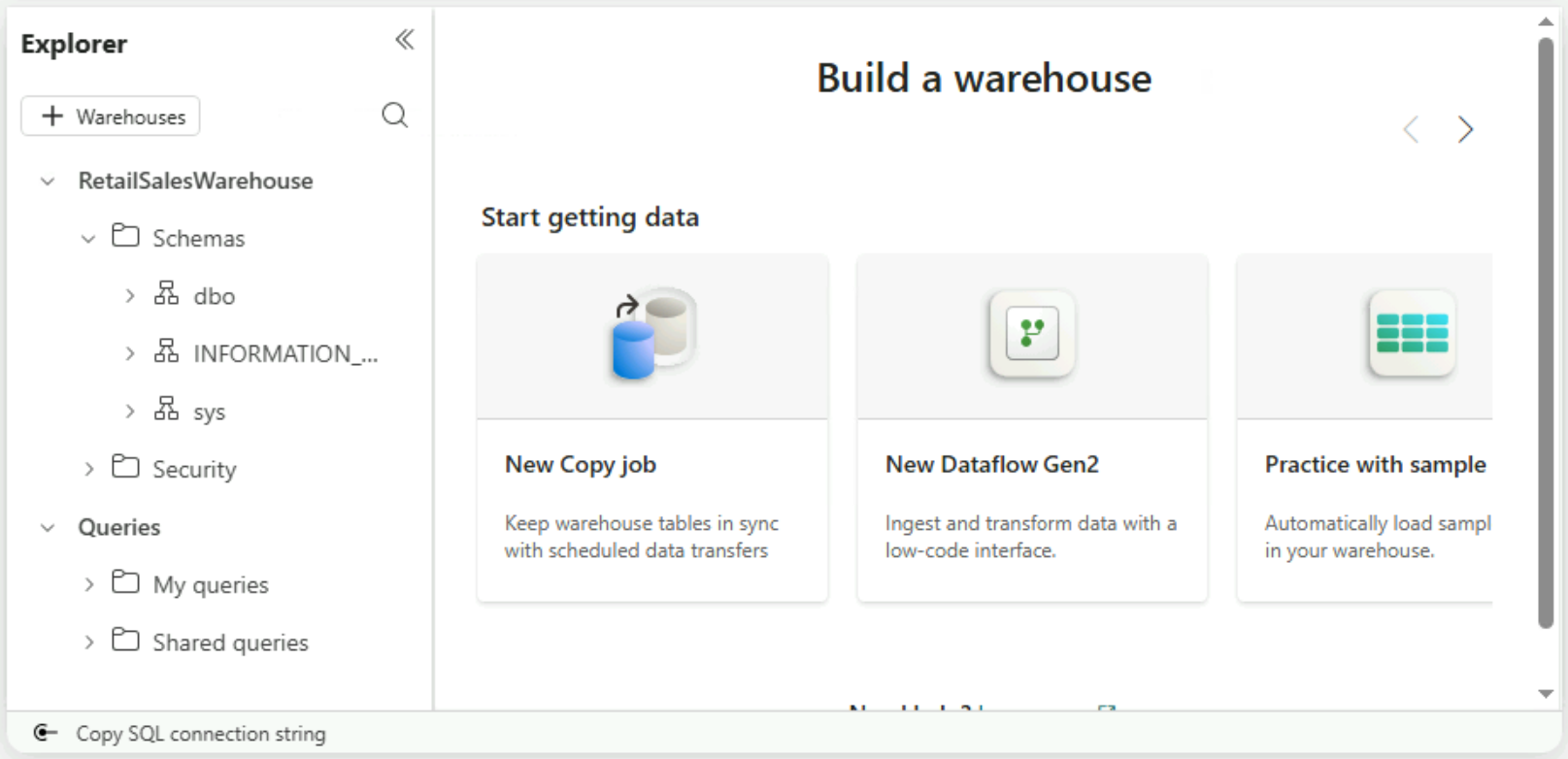
Warehouse Explorer showing the dbo, INFORMATION_SCHEMA, and sys schemas

Introduction to Microsoft Fabric

Creating a new item

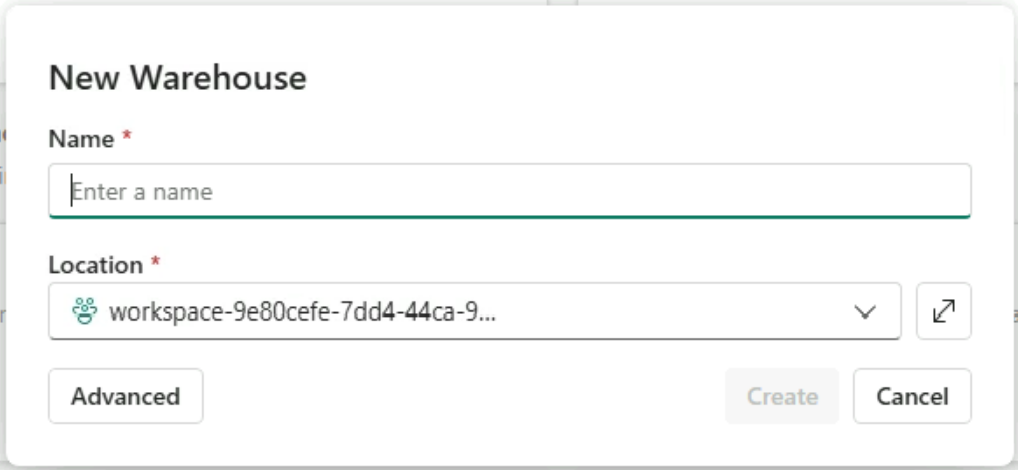
New warehouse dialog with a Name field, a workspace Location dropdown, and a Create button

Introduction to Microsoft Fabric

Some items exist in more than one workload
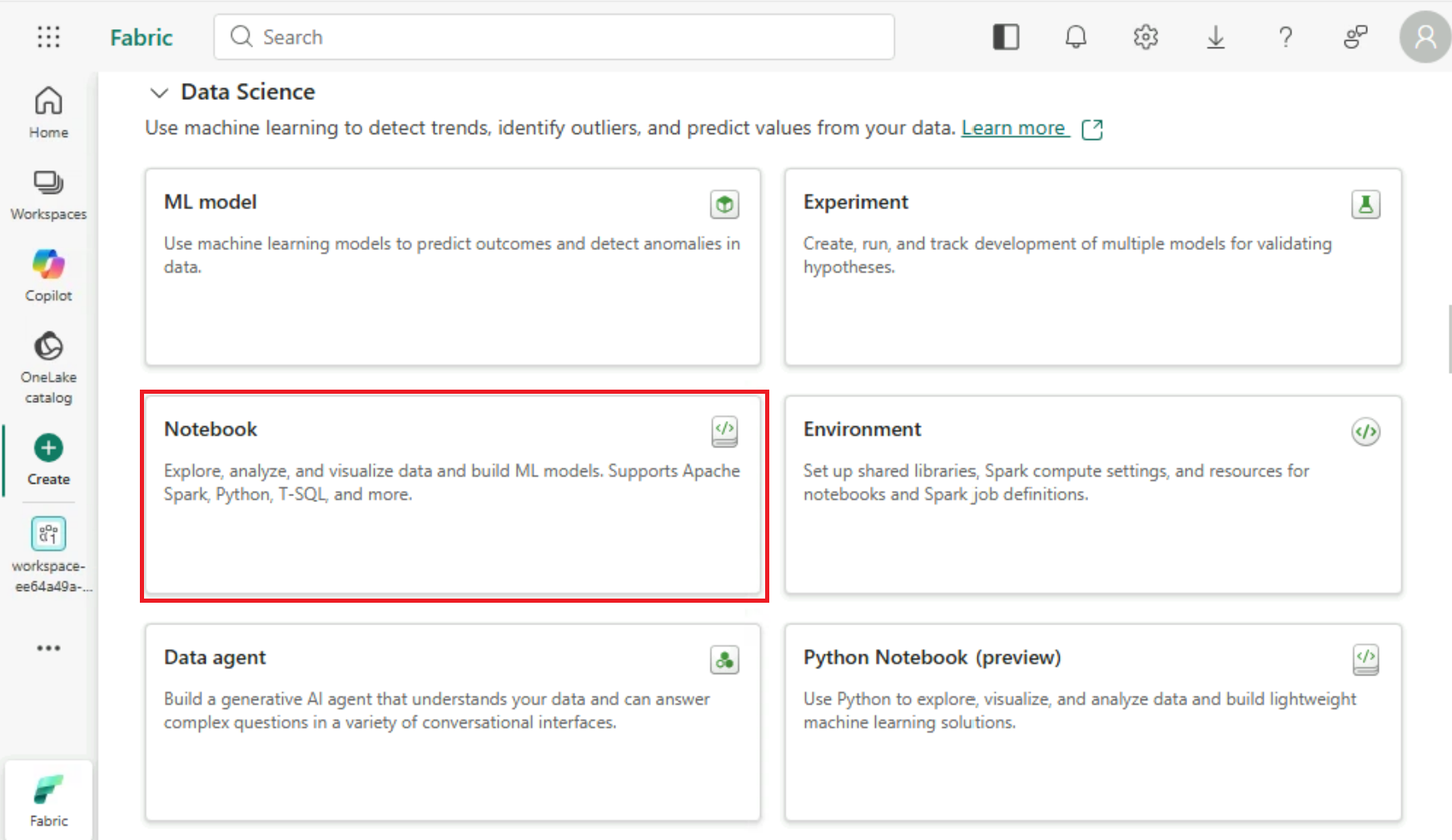
Data Science workload on the Create page with the Notebook item card highlighted, the same card as in Data Engineering

Introduction to Microsoft Fabric

Let's practice!

Introduction to Microsoft Fabric

Preparing Video For Download...