Querying data visually

Introduction to Microsoft Fabric

Fiodar Sazanavets

Senior Software Engineer

The benefits of querying data visually
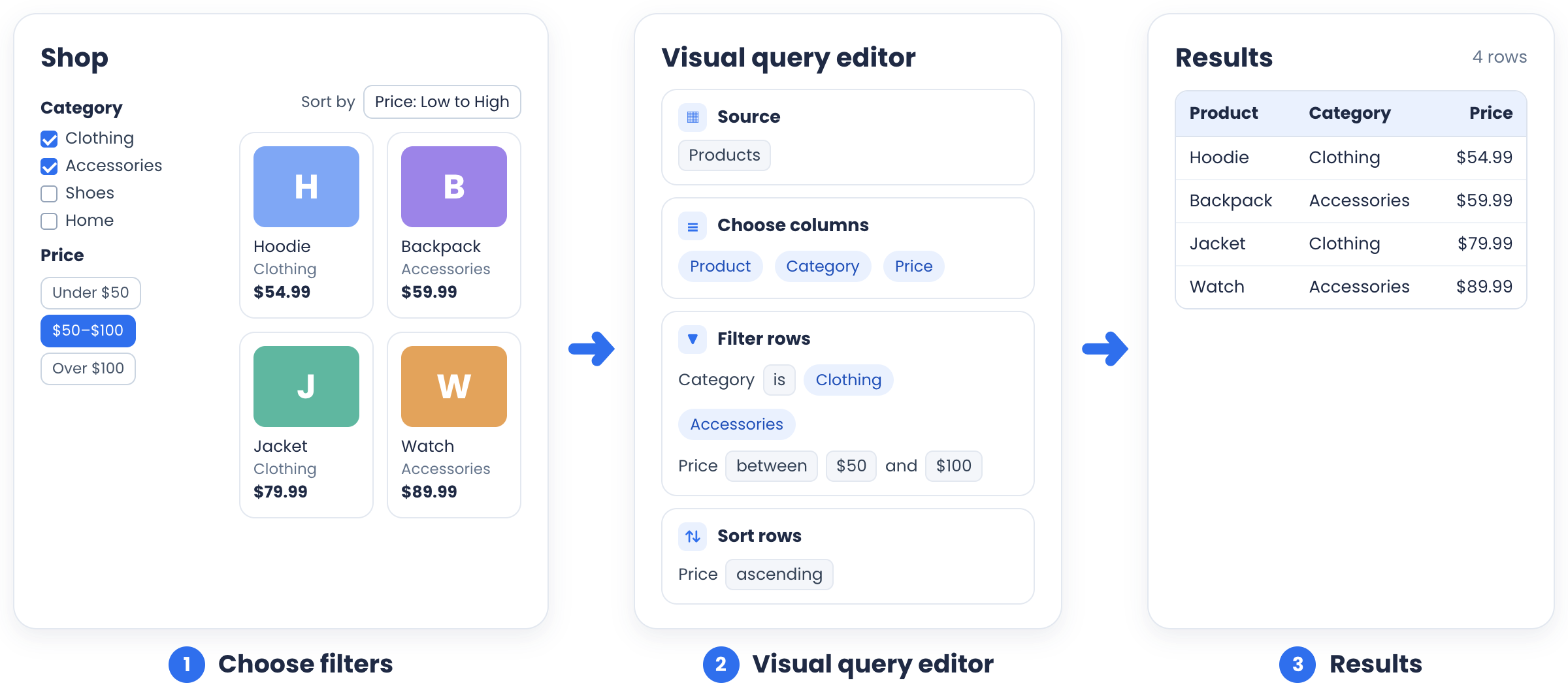
Shop filters for clothing and accessories from $50 to $100, the same filters as visual query editor steps, and the four matching results

Introduction to Microsoft Fabric

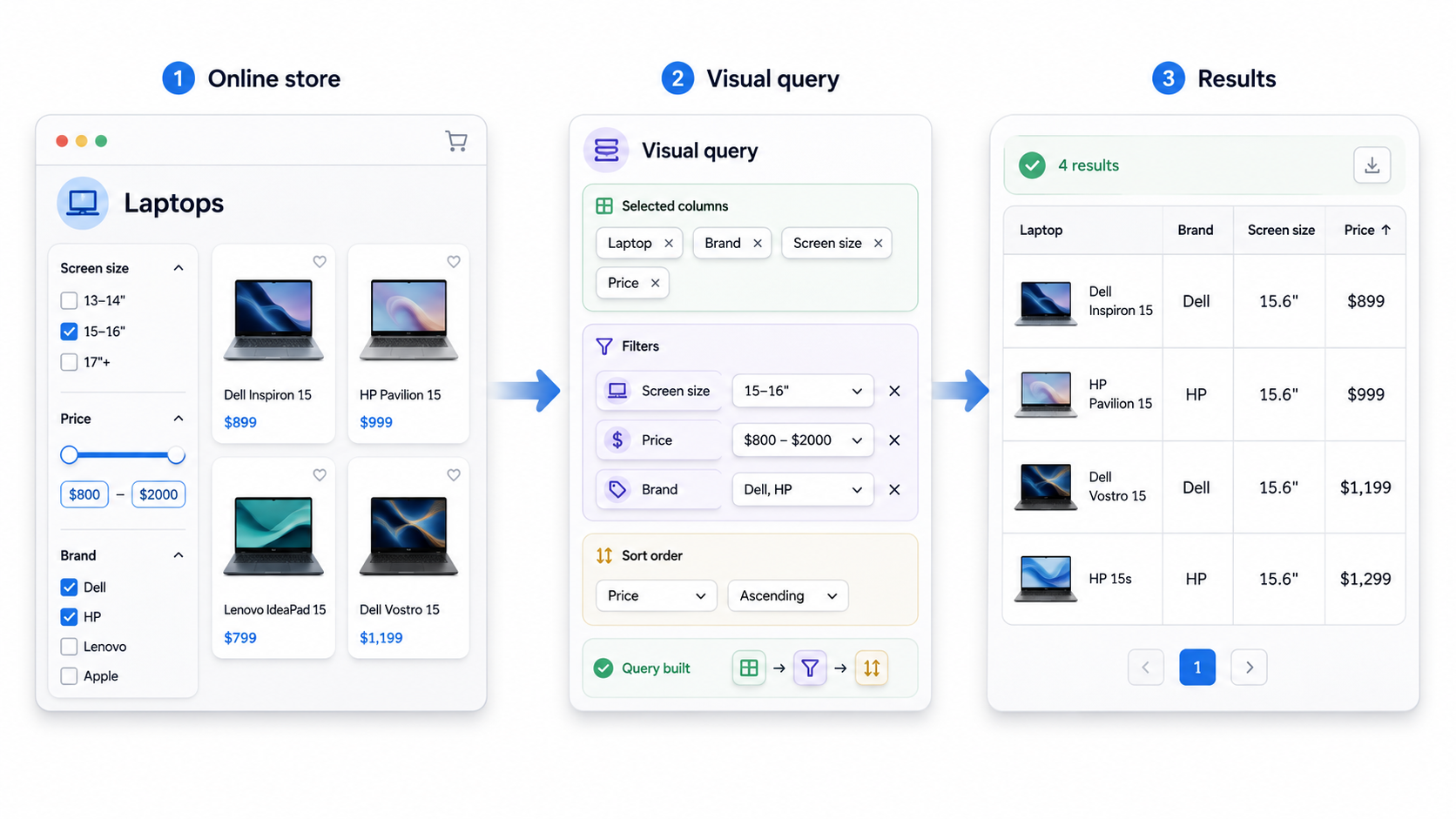
Why visual query authoring helps

  • No SQL syntax needed
  • Breaks the query into visible steps
  • Can revisit and change any step

Laptop filters on a store become a visual query of columns, filters, and sort order that returns four laptops

Introduction to Microsoft Fabric

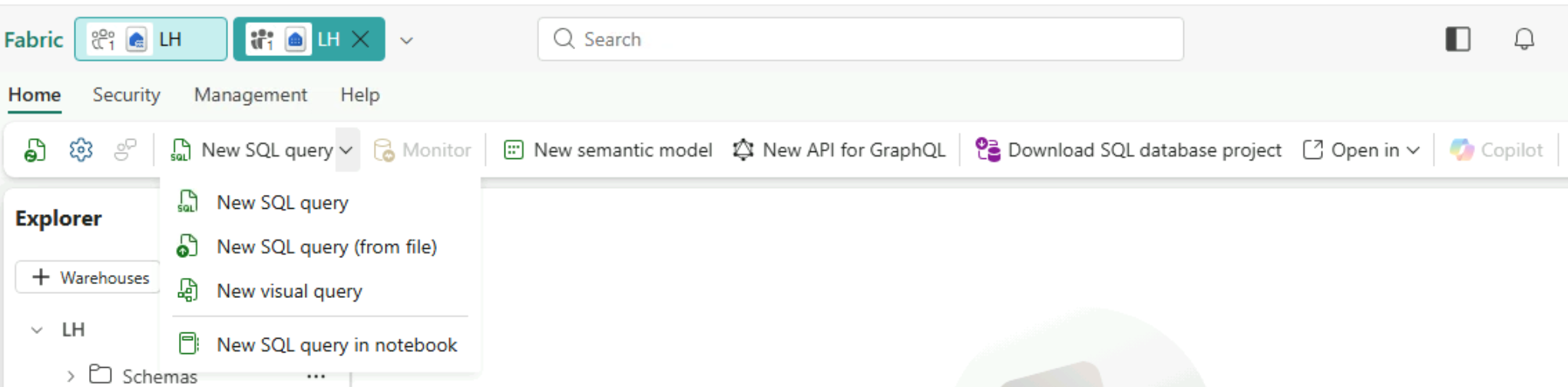
Accessing the visual query editor

  • In lakehouses (via SQL analytics endpoint) and warehouses
  • New SQL query dropdown on the ribbon


SQL analytics endpoint ribbon with the New SQL query dropdown open and New visual query listed

Introduction to Microsoft Fabric

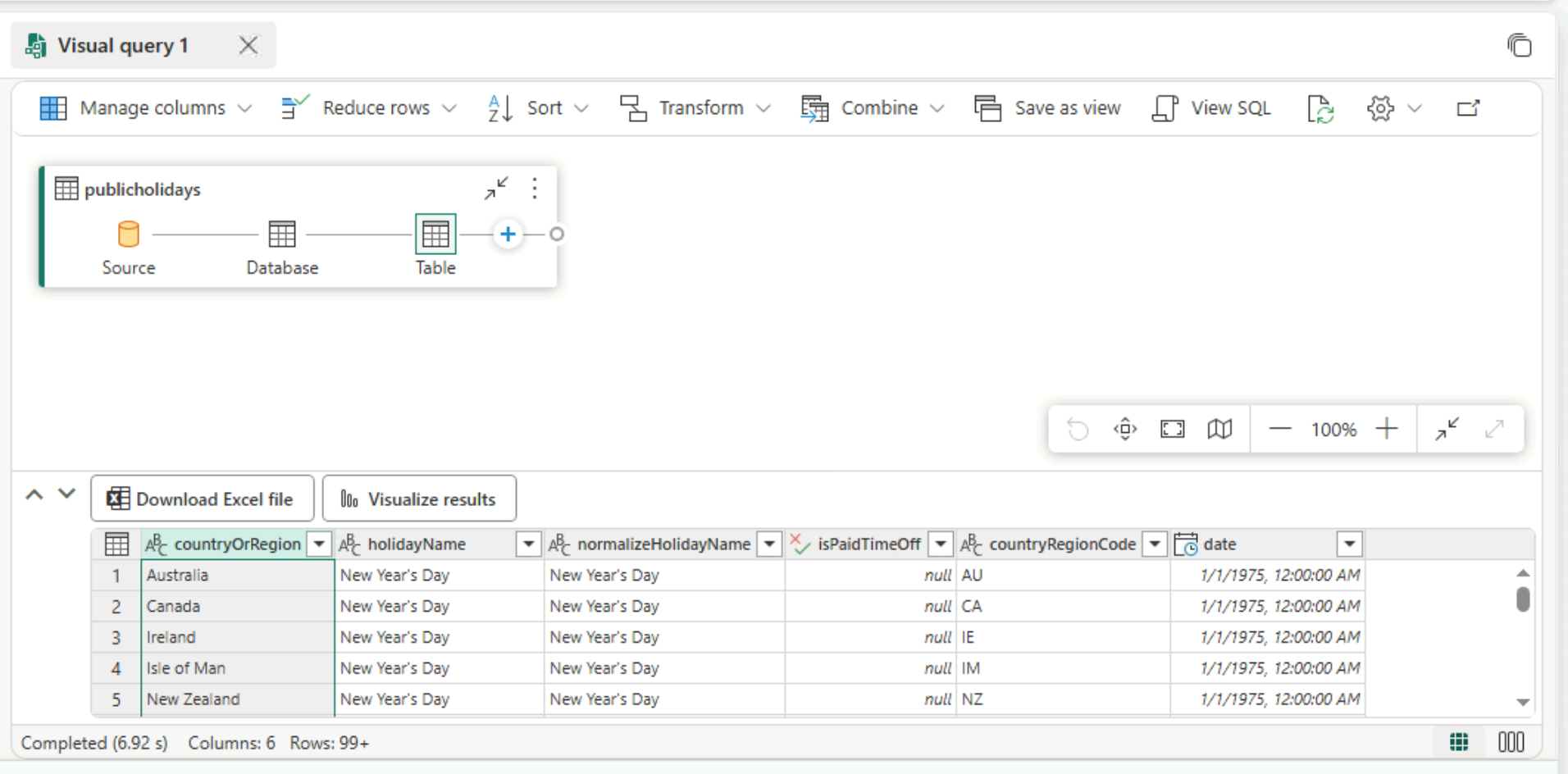
Visual query editor layout

Visual query editor showing the publicholidays source steps on the canvas above a preview grid of holiday data

  • Data source: the table you start from
  • Steps: what you apply to it
  • Preview: the live result
  • Check each step before adding the next
Introduction to Microsoft Fabric

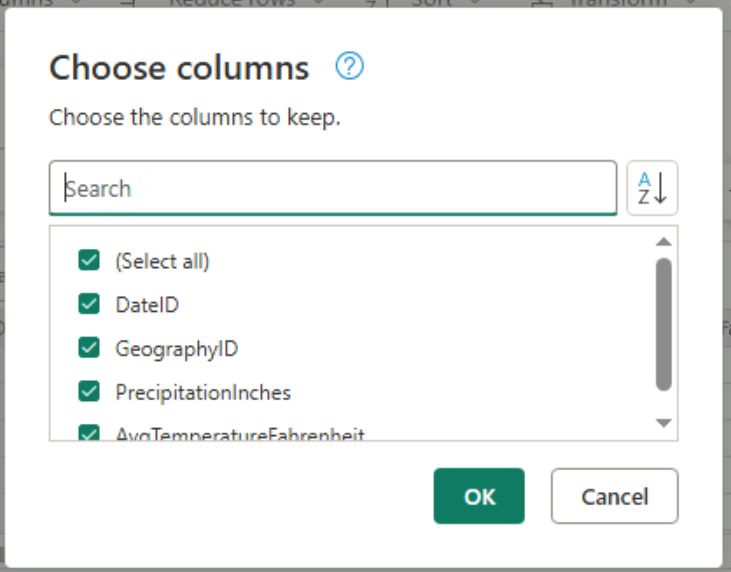
Selecting columns visually

  • Check the fields you need
  • Others drop from the preview
  • Manage columns menu

Choose columns dialog with a checkbox list of columns to keep, such as DateID and GeographyID

Introduction to Microsoft Fabric

Adding a filter visually

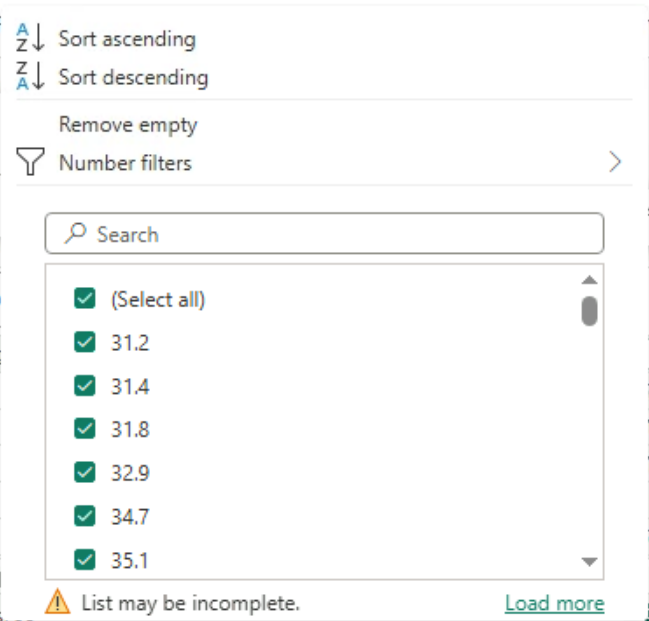
Column heading menu with sort options, Number filters, and a checklist of values to keep

  • Choose a field
  • Select a condition
  • Enter or choose a value
  • Keep matching records
Introduction to Microsoft Fabric

Grouping data visually

  • Summarize by category
  • Pick a column and a calculation (Ex. sum)
  • Sales by department: one total each

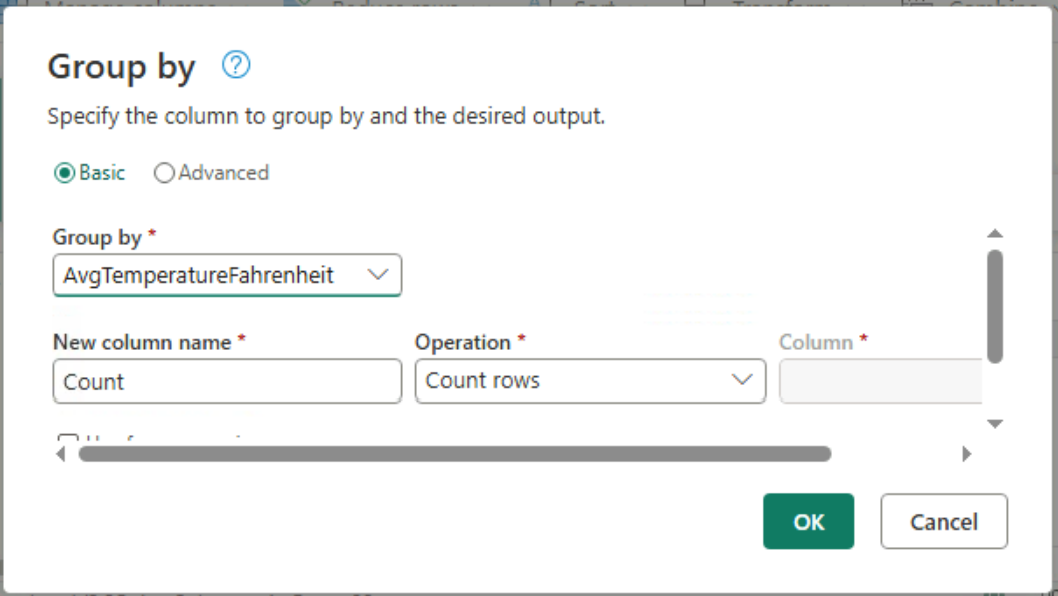
Group by dialog with a column to group by, a new column name, and the operation set to Count rows

Introduction to Microsoft Fabric

Sorting and previewing

  • Ascending or descending order
  • Preview confirms the result

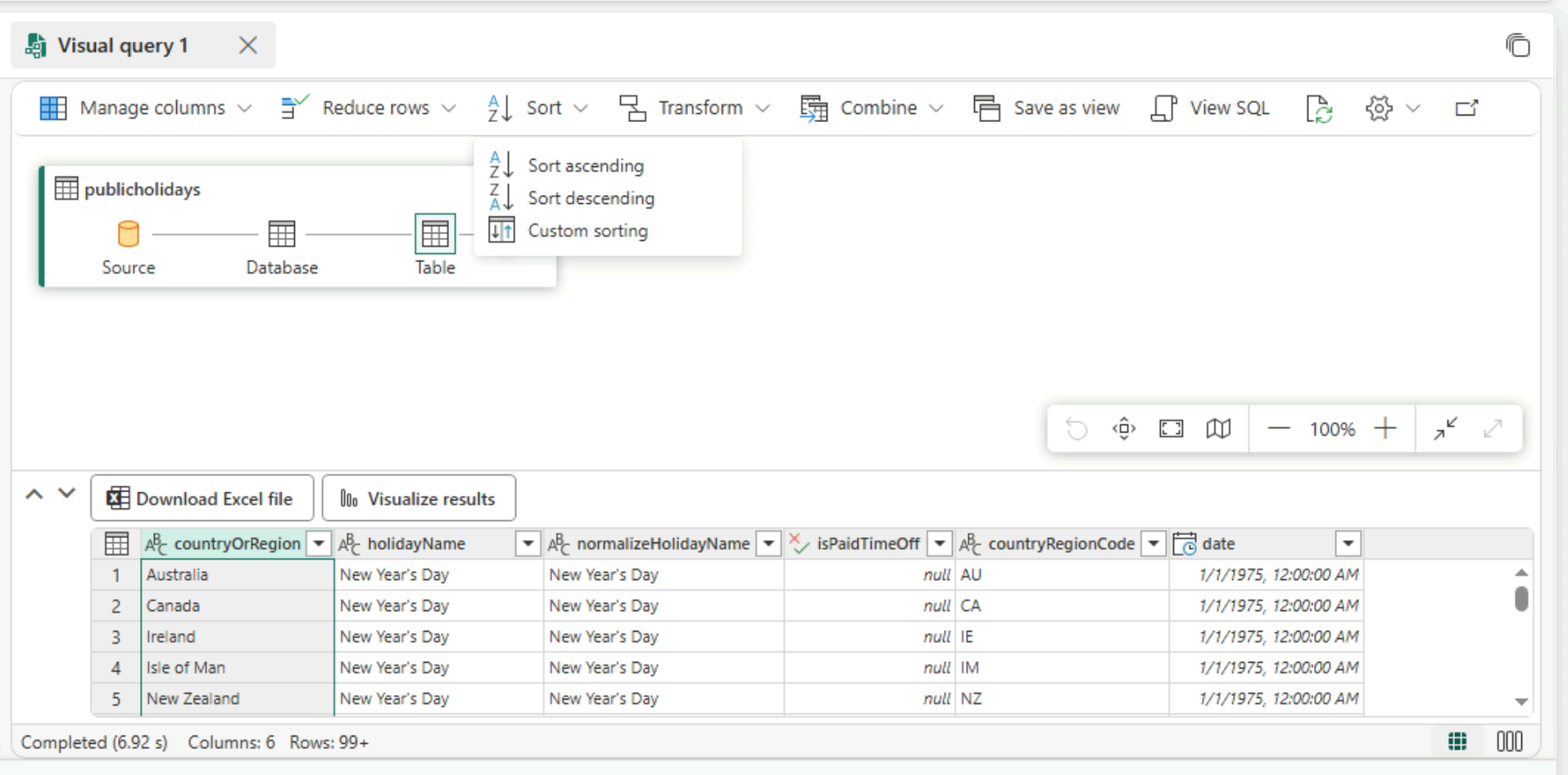
Visual query editor with the Sort dropdown open, showing Sort ascending, Sort descending, and Custom sorting

Introduction to Microsoft Fabric

SQL or visual query?

SQL
  • Expresses any query
  • Suits complex logic
Visual query
  • Builds the query step by step
  • Suits unfamiliar data

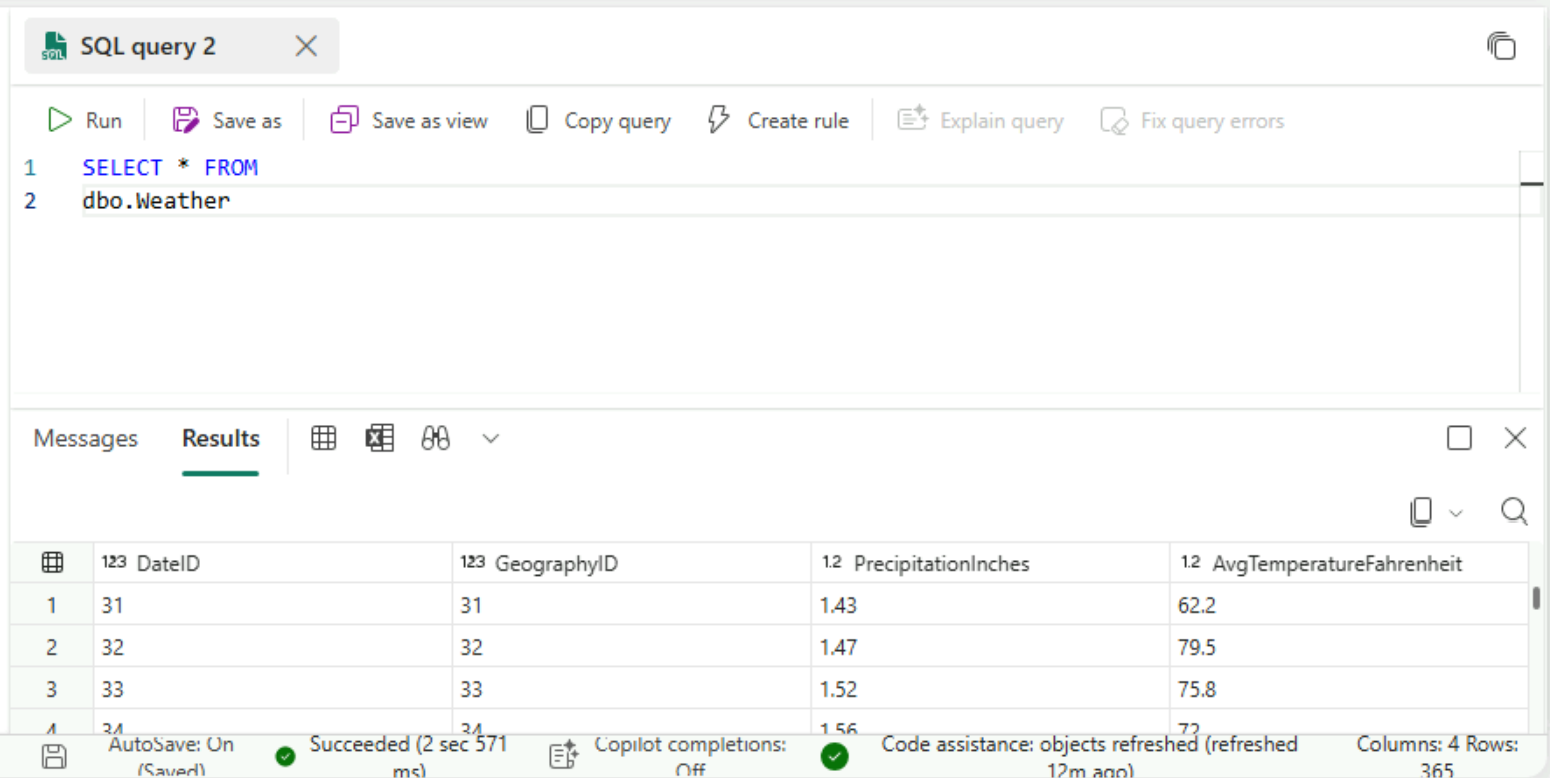
SQL query editor running SELECT * FROM dbo.Weather, with the result grid below

Visual query editor with publicholidays source steps on the canvas and a live data preview below

Introduction to Microsoft Fabric

Let's practice!

Introduction to Microsoft Fabric

Preparing Video For Download...