Erzeugung neuer Merkmale

Explorative Datenanalyse in Python

George Boorman

Curriculum Manager, DataCamp

Korrelation

sns.heatmap(planes.corr(numeric_only=True), annot=True)
plt.show()
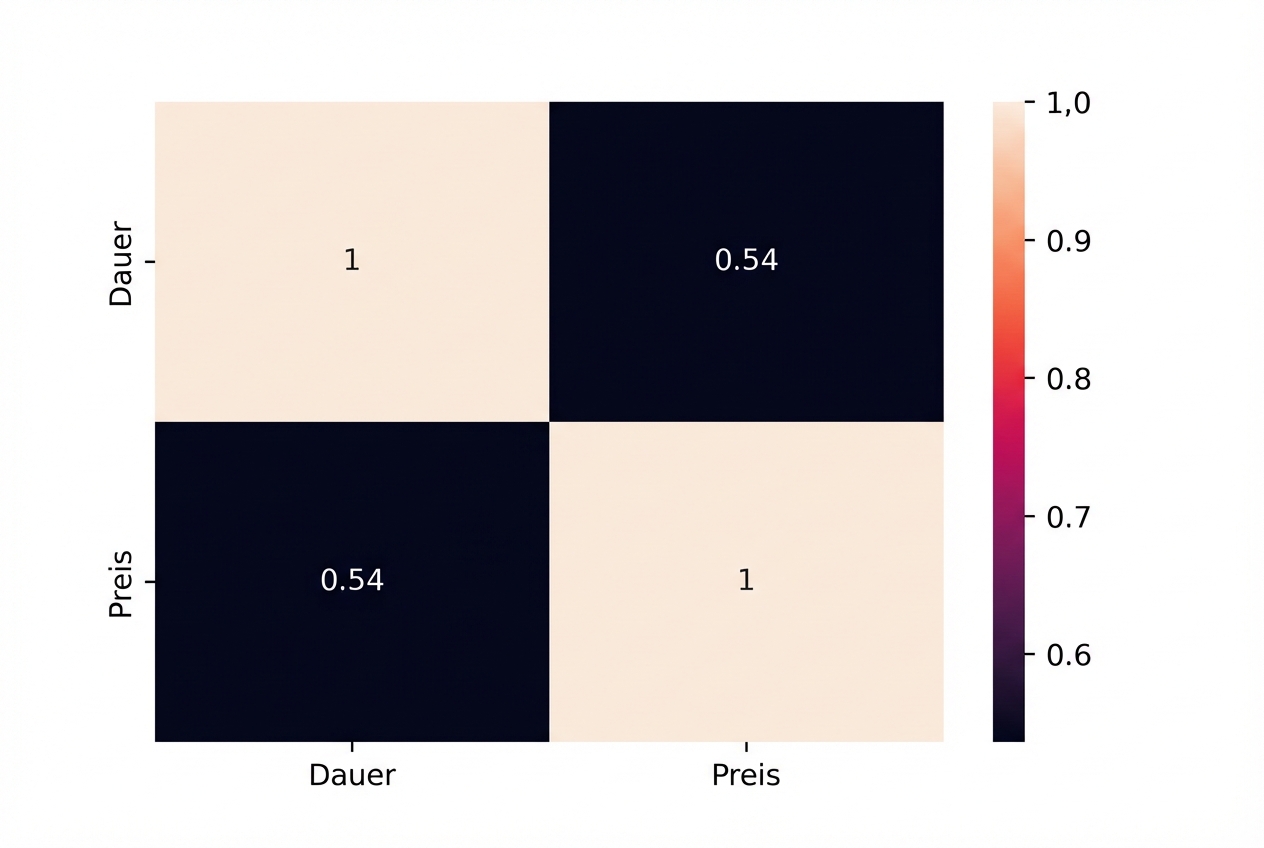
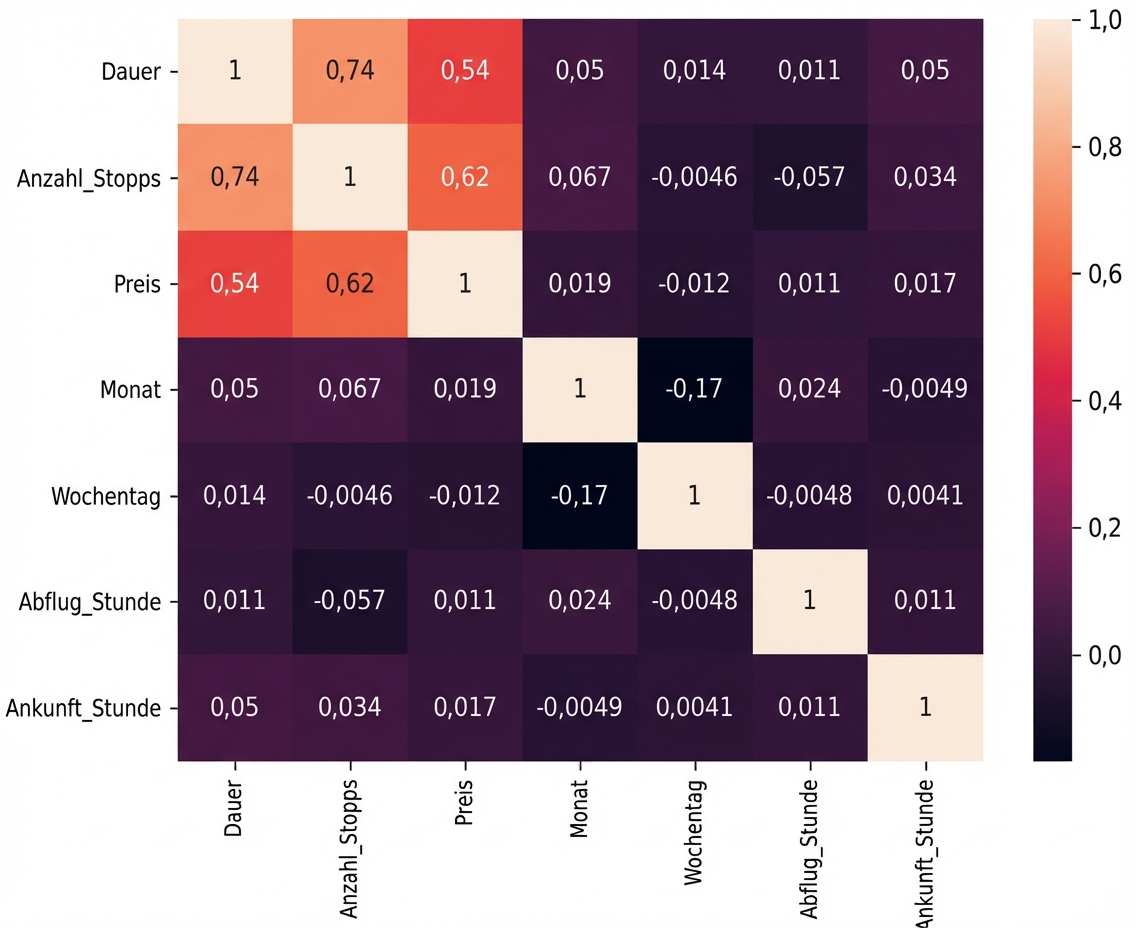
Heatmap, die den Pearson-Korrelationskoeffizienten von 0,54 zwischen Preis und Dauer zeigt

Explorative Datenanalyse in Python

Datentypen anzeigen

print(planes.dtypes)
Airline                    object
Date_of_Journey    datetime64[ns]
Source                     object
Destination                object
Route                      object
Dep_Time           datetime64[ns]
Arrival_Time       datetime64[ns]
Duration                  float64
Total_Stops                object
Additional_Info            object
Price                     float64
dtype: object
Explorative Datenanalyse in Python

Gesamtzahl der Zwischenstopps

print(planes["Total_Stops"].value_counts())
1 stop      4107
non-stop    2584
2 stops     1127
3 stops       29
4 stops        1
Name: Total_Stops, dtype: int64
Explorative Datenanalyse in Python

Gesamtzahl der Zwischenstopp bereinigen

planes["Total_Stops"] = planes["Total_Stops"].str.replace(" stops", "")

planes["Total_Stops"] = planes["Total_Stops"].str.replace(" stop", "")
planes["Total_Stops"] = planes["Total_Stops"].str.replace("non-stop", "0")
planes["Total_Stops"] = planes["Total_Stops"].astype(int)
Explorative Datenanalyse in Python

Korrelation

sns.heatmap(planes.corr(numeric_only=True), annot=True)
plt.show()
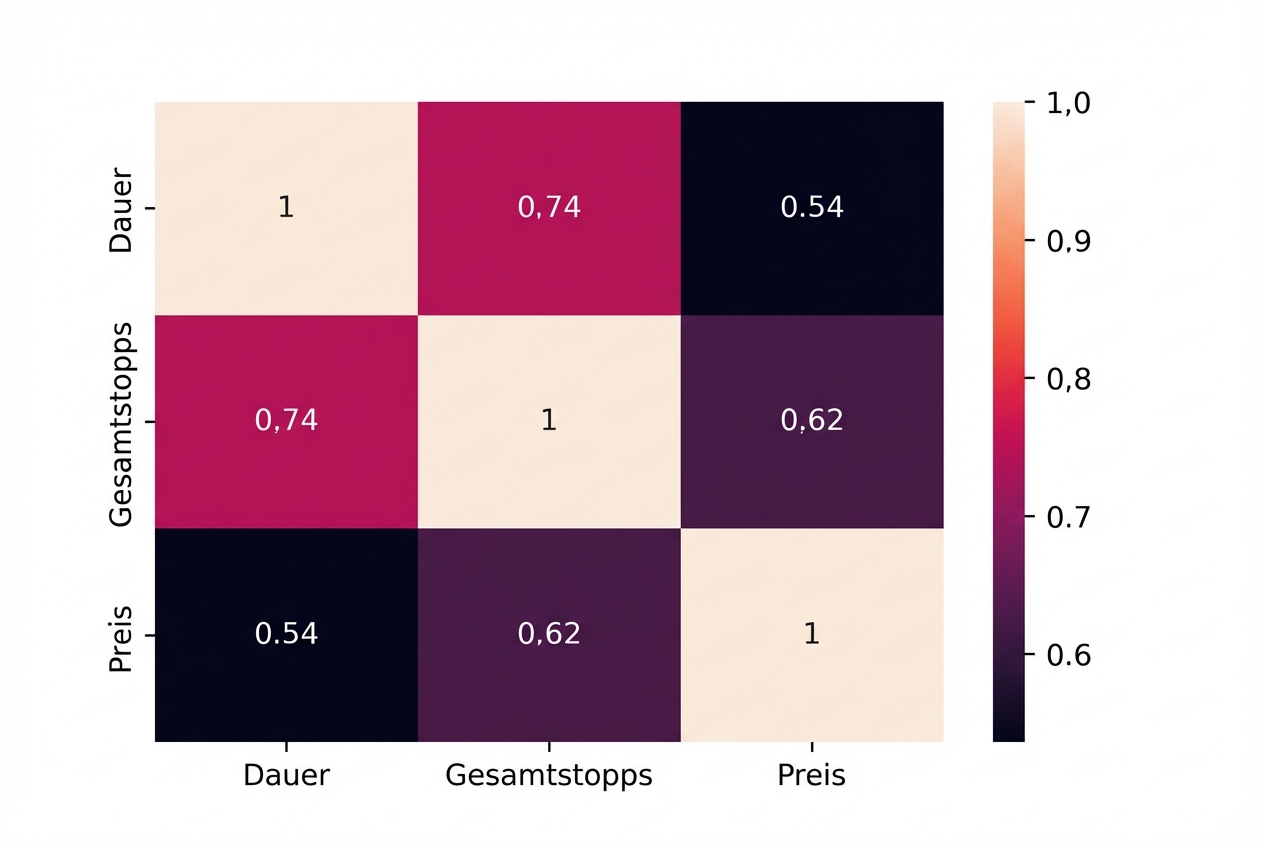
Heatmap, die den Pearson-Korrelationskoeffizienten von 0,62 zwischen Preis und der Gesamtzahl der Zwischenstopps und den Korrelationskoeffizienten von 0,74 zwischen Dauer und der Gesamtzahl der Zwischenstopps zeigt

Explorative Datenanalyse in Python

Datumsangaben

print(planes.dtypes)
Airline                    object
Date_of_Journey    datetime64[ns]
Source                     object
Destination                object
Route                      object
Dep_Time           datetime64[ns]
Arrival_Time       datetime64[ns]
Duration                  float64
Total_Stops                 int64
Additional_Info            object
Price                     float64
dtype: object
Explorative Datenanalyse in Python

Extraktion des Monats und Wochentags

planes["month"] = planes["Date_of_Journey"].dt.month

planes["weekday"] = planes["Date_of_Journey"].dt.weekday
print(planes[["month", "weekday", "Date_of_Journey"]].head())
   month  weekday   Date_of_Journey
0      9        4        2019-09-06
1     12        3        2019-12-05
2      1        3        2019-01-03
3      6        0        2019-06-24
4     12        1        2019-12-03
Explorative Datenanalyse in Python

Abflug- und Ankunftszeiten

planes["Dep_Hour"] = planes["Dep_Time"].dt.hour
planes["Arrival_Hour"] = planes["Arrival_Time"].dt.hour
Explorative Datenanalyse in Python

Korrelation

Heatmap, die zeigt, dass es keinen Zusammenhang zwischen Datums- und Zeitangaben und dem Preis gibt

Explorative Datenanalyse in Python

Kategorien erstellen

print(planes["Price"].describe())
count     7848.000000
mean      9035.413609
std       4429.822081
min       1759.000000
25%       5228.000000
50%       8355.000000
75%      12373.000000
max      54826.000000
Name: Price, dtype: float64
Bereich Buchungsklasse
<= 5228 Economy
> 5228 <= 8355 Premium Economy
> 8335 <= 12373 Business Class
> 12373 First Class
Explorative Datenanalyse in Python

Deskriptive Statistik

twenty_fifth = planes["Price"].quantile(0.25)

median = planes["Price"].median()
seventy_fifth = planes["Price"].quantile(0.75)
maximum = planes["Price"].max()
Explorative Datenanalyse in Python

Labels und Bins

labels = ["Economy", "Premium Economy", "Business Class", "First Class"]

bins = [0, twenty_fifth, median, seventy_fifth, maximum]
Explorative Datenanalyse in Python

pd.cut()

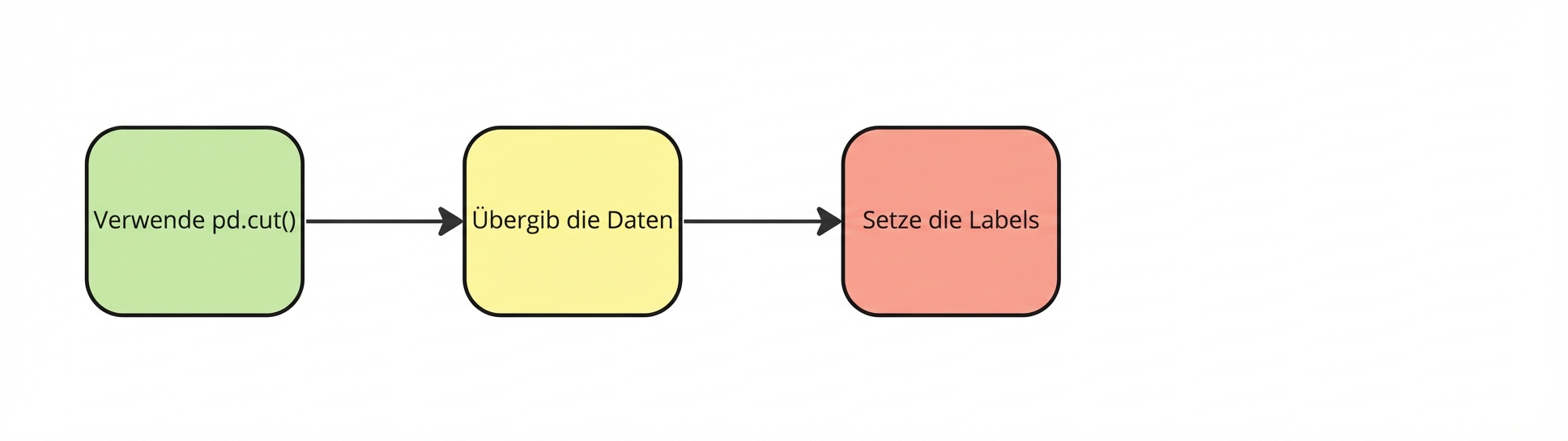
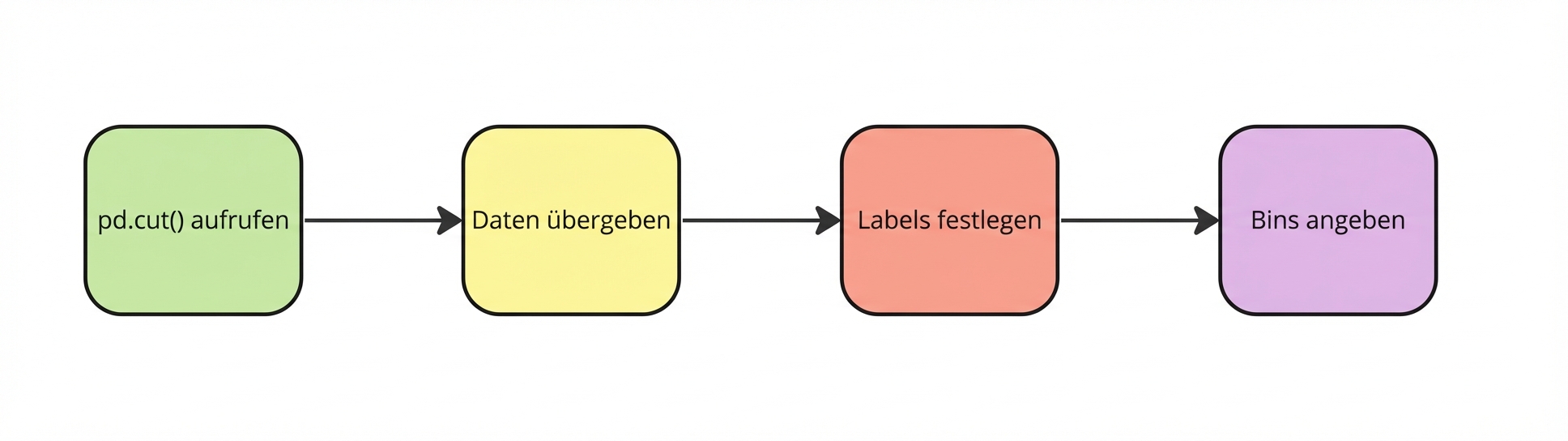
pd-dot-cut aufrufen

planes["Price_Category"] = pd.cut(


Explorative Datenanalyse in Python

pd.cut()

Die Daten weitergeben

planes["Price_Category"] = pd.cut(planes["Price"],


Explorative Datenanalyse in Python

pd.cut()

Labels festlegen

planes["Price_Category"] = pd.cut(planes["Price"],
                                  labels=labels,

Explorative Datenanalyse in Python

pd.cut()

Bins angeben

planes["Price_Category"] = pd.cut(planes["Price"],
                                  labels=labels,
                                  bins=bins)
Explorative Datenanalyse in Python

Preiskategorien

print(planes[["Price","Price_Category"]].head())
     Price   Price_Category
0  13882.0      First Class
1   6218.0  Premium Economy
2  13302.0      First Class
3   3873.0          Economy
4  11087.0   Business Class
Explorative Datenanalyse in Python

Preisklasse nach Fluggesellschaft

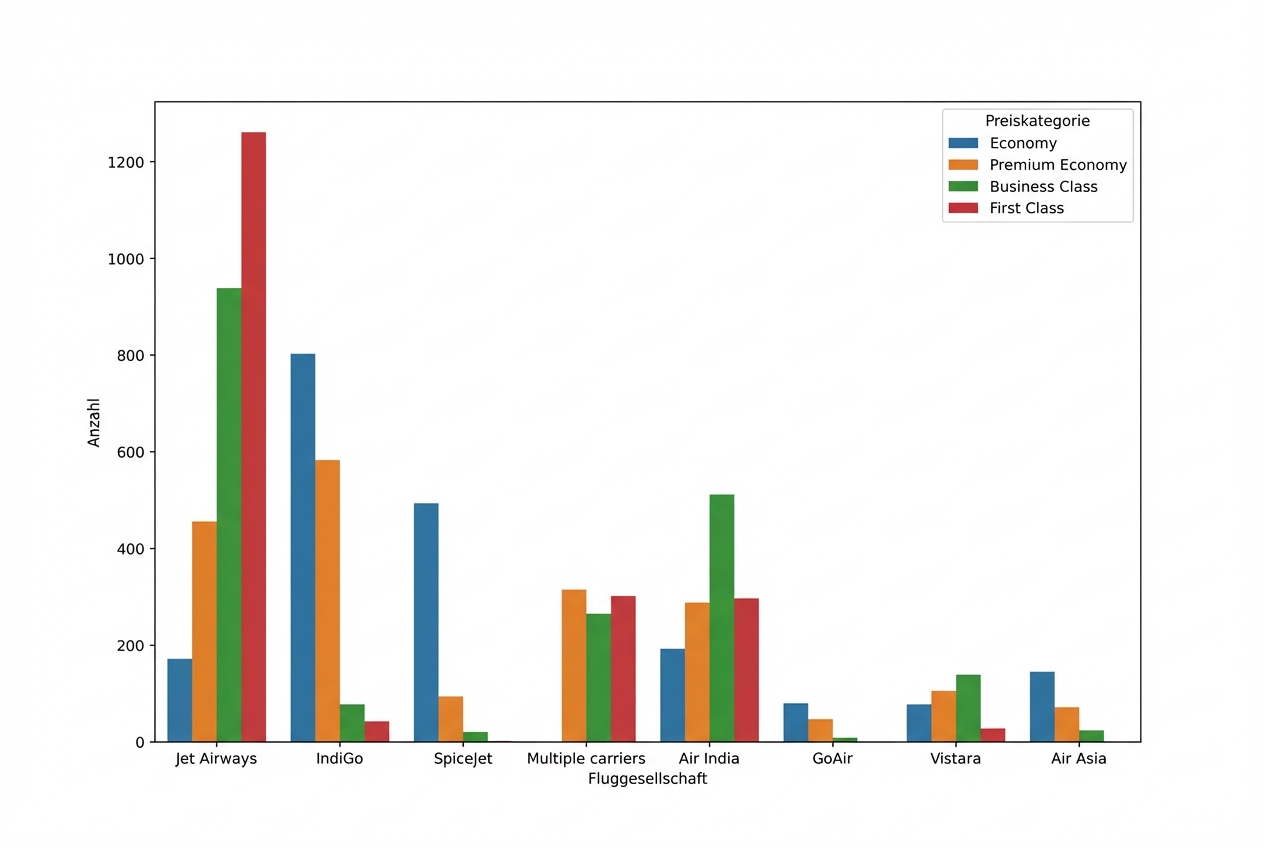
sns.countplot(data=planes, x="Airline", hue="Price_Category")
plt.show()
Explorative Datenanalyse in Python

Preisklasse nach Fluggesellschaft

Grafik, die zeigt, wie viele Flüge die jeweiligen Fluggesellschaften in verschiedenen Preisklassen anbieten, wobei Jet Airways die meisten First-Class-Tickets hat

Explorative Datenanalyse in Python

Lass uns üben!

Explorative Datenanalyse in Python

Preparing Video For Download...