Using Azure storage Queues

Develop for Azure Storage

Shahzad Mian

Content Developer, DataCamp

Introduction to storage Queues
  • Storage queues are a message queuing service.
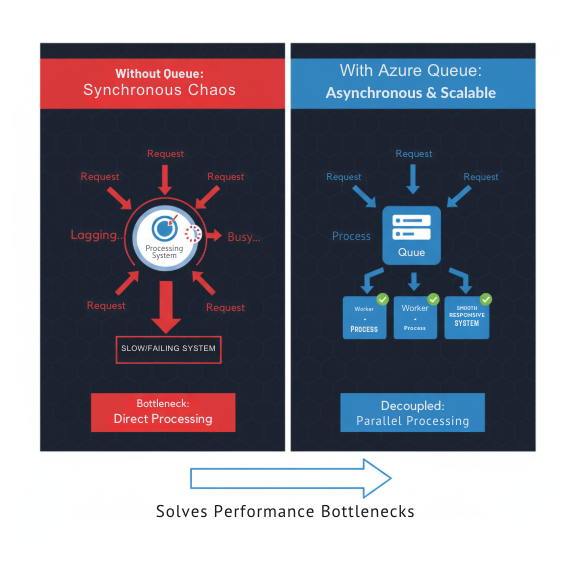
  • Applications often handle many requests at once.
  • Waiting for each process to finish can slow systems down.
  • Azure Storage Queues enable asynchronous communication between components.
  • Asynchronous messaging helps maintain speed and scalability.

Storage queue problem solving

Develop for Azure Storage

The real world challenge

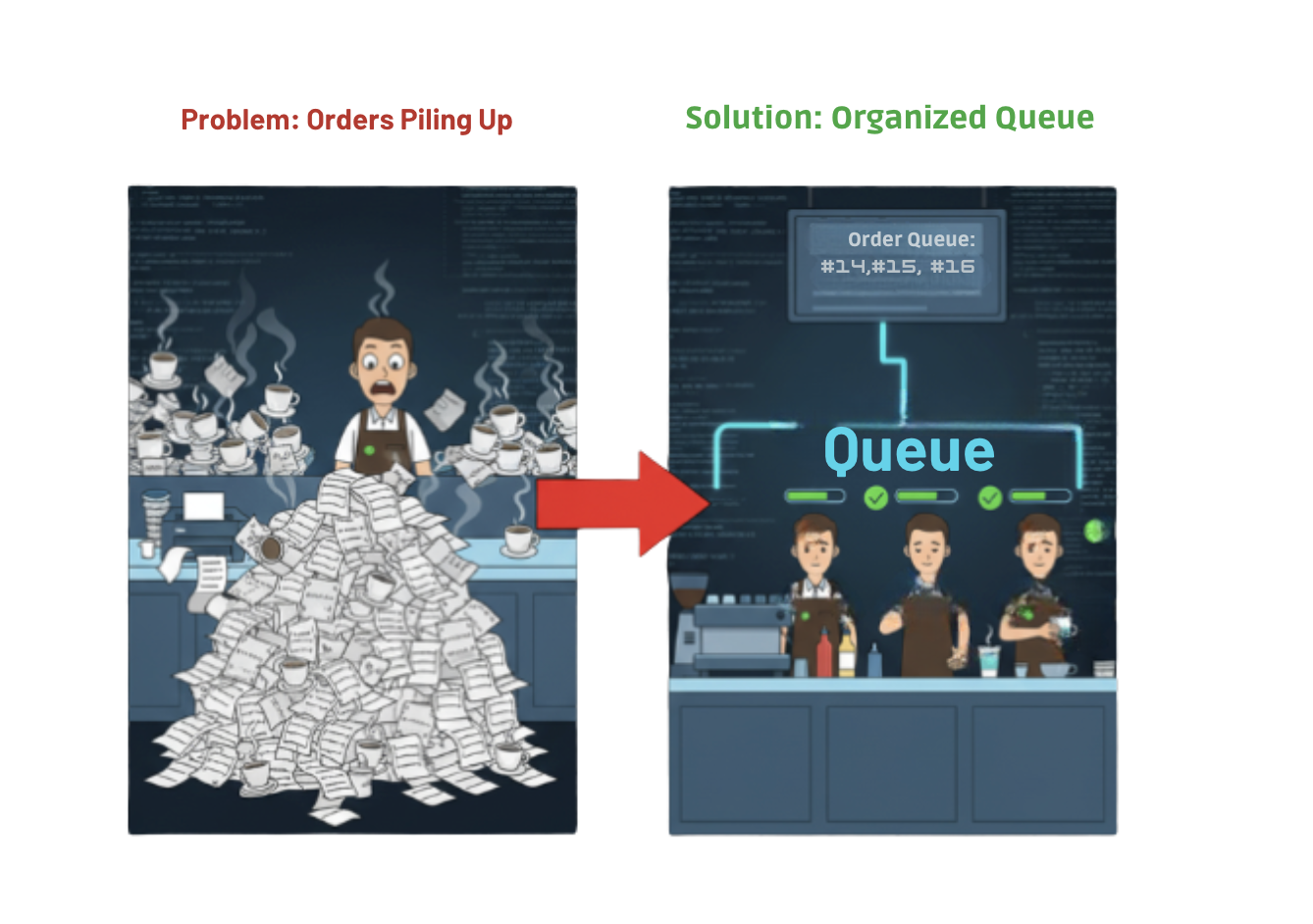
Problem and solution to orders piling

  • Cipher Coffee's online store receives hundreds of orders at once.
  • Without queues, each order would have to wait for others to finish.
  • Queues allow orders to be accepted instantly while processing happens later.
  • This keeps the website fast and customers satisfied.
Develop for Azure Storage

What is a Queue?

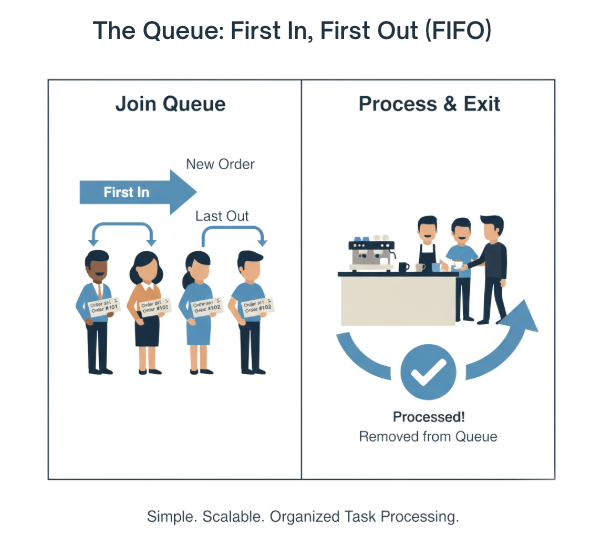
  • A queue is a waiting line for messages to be processed.
  • Messages are processed in order: first in, first out.
  • Each message represents a small unit of work.
  • Once processed, the message is deleted from the queue.

Queue graphic

Develop for Azure Storage

How Azure storage Queues work

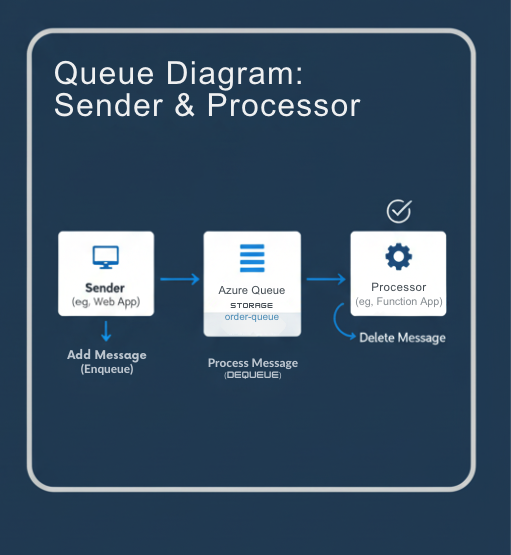
Queue explained

  • Azure Storage Queues are part of your Storage account.
  • Messages can be up to 64 KB and are stored durably.
  • Applications can:
    • Send messages to the queue.
    • Receive and process messages.
    • Delete messages after completion.
  • Messages persist even if the system restarts.
Develop for Azure Storage

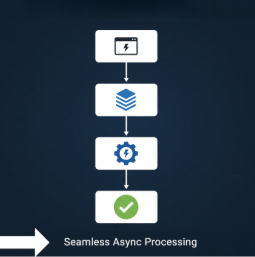
The asynchronous workflow


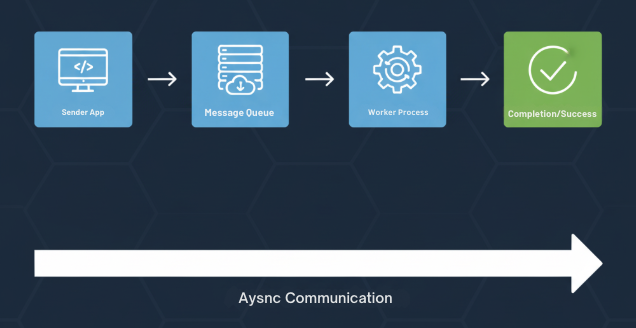
Asynchronous workflow

  • Sender adds a message, such as "Process payment for Order 2045"
  • A background service such as an Azure Function retrieves the message.
  • After successful processing, the message is deleted.
  • This pattern keeps systems scalable and responsive under load.
Develop for Azure Storage

Cipher Coffee in action

  • The Cipher Coffee website sends an order message to the queue.
  • The order fulfillment system reads the message from the queue.
  • The message triggers updates to the database and payment system.
  • Baristas are notified without slowing down customer checkout.

Order process

Develop for Azure Storage

Benefits of Queues

  • Decoupling: Systems operate independently.
  • Scalability: Add workers to process messages faster.
  • Reliability: Messages persist even during downtime.
  • Integration: Works with Azure Functions and Logic Apps.

Independent system

Scalable system

Reliable system

Screenshot 2025-10-27 at 5.42.20 pm.png

Develop for Azure Storage

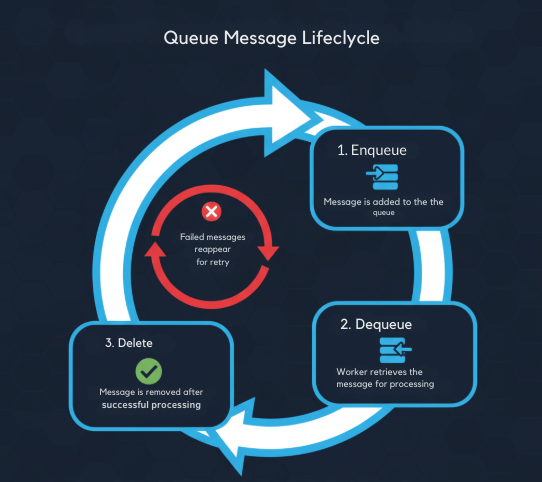
Message lifecycle

Screenshot 2025-10-27 at 5.48.34 pm.png

  • Messages move through three main stages:
    • Enqueue: Message is added to the queue.
    • Dequeue: Worker retrieves the message for processing.
    • Delete: Message is removed after successful processing.
  • Failed messages reappear automatically for retry.
Develop for Azure Storage

Common use cases

  • Order processing and background billing.

Order icon

  • Sending notification emails.

Mail icon

  • IoT telemetry buffering.

IoT icon

  • Log collection and event pipelines.
    • Use queues for independent, retry-safe operations.
    • Many more
Develop for Azure Storage

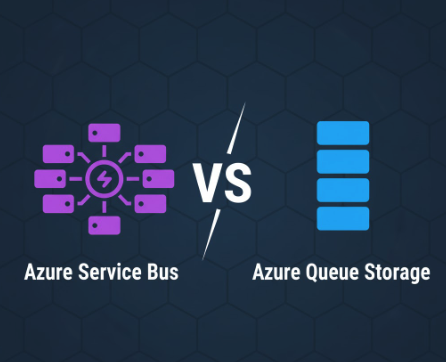
Queues Vs Service Bus

  • Azure Service Bus is used for advanced messaging scenarios.
  • Service Bus supports:
    • Message ordering and sessions.
    • Transactions and topics/subscriptions.
  • Azure Storage Queues are simpler and more cost-effective for lightweight workloads.
  • Cipher Coffee uses queues for order processing and real-time updates.

Screenshot 2025-10-27 at 6.13.37 pm.png

Develop for Azure Storage

Let's practice!

Develop for Azure Storage

Preparing Video For Download...