Création de vos propres images Docker
Introduction à Docker

Tim Sangster
Software Engineer @ DataCamp
Création d'images à l'aide de fichiers Dockerfile
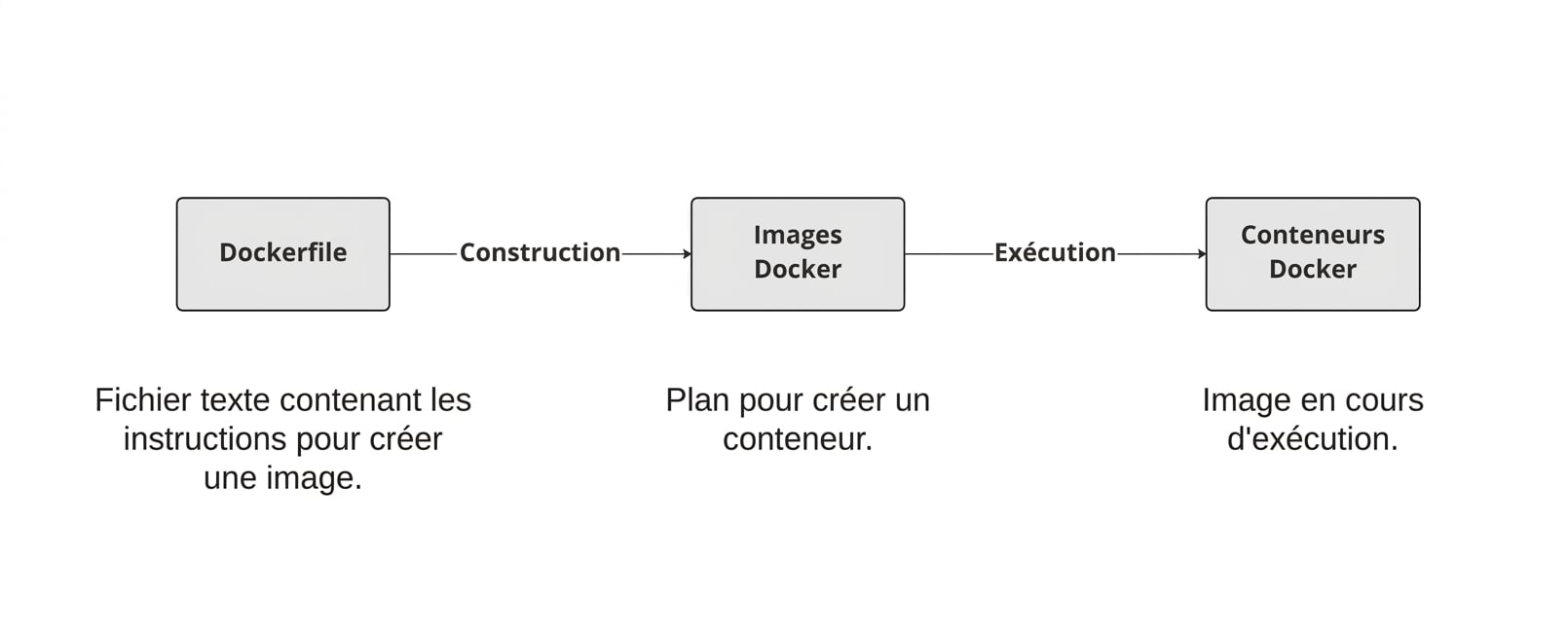
Démarrage d’un fichier Dockerfile
Un fichier Dockerfile commence toujours à partir d'une autre image, spécifiée à l'aide de l'instruction FROM.
FROM postgres
FROM ubuntu
FROM hello-world
FROM my-custom-data-pipeline
FROM postgres:15.0
FROM ubuntu:22.04
FROM hello-world:latest
FROM my-custom-data-pipeline:v1
Création d'un fichier Dockerfile
La création d'un fichier Dockerfile génère une image.
docker build /location/to/Dockerfile
docker build .
[+] Building 0.1s (5/5) FINISHED
 => [internal] load build definition from Dockerfile
 => => transferring dockerfile: 54B
...
 => CACHED [1/1] FROM docker.io/library/ubuntu
 => exporting to image
 => => exporting layers
 => => writing image sha256:a67f41b1d127160a7647b6709b3789b1e954710d96df39ccaa21..
Nommer notre image
En pratique, nous attribuons presque toujours un nom à nos images à l'aide de -t flag :
docker build -t first_image .
...
=> => writing image sha256:a67f41b1d127160a7647b6709b3789b1e954710d96df39ccaa21..
=> => naming to docker.io/library/first_image
docker build -t first_image:v0 .
=> => writing image sha256:a67f41b1d127160a7647b6709b3789b1e954710d96df39ccaa21..
=> => naming to docker.io/library/first_image:v0
Personnalisation des images
RUN <valid-shell-command>
FROM ubuntu
RUN apt-get update
RUN apt-get install -y python3
Utilisez -y flag pour éviter tout prompt :
...
After this operation, 22.8 MB of additional disk space will be used.
Do you want to continue? [Y/n]
Création d'un fichier Dockerfile non trivial
Lors de la création d'une image, Docker exécute effectivement les commandes après RUN
L'exécution de Docker de la commande RUN apt-get update prend autant de temps que lorsque nous l'exécutons nous-mêmes.
root@host:/# apt-get update
Get:1 http://ports.ubuntu.com/ubuntu-ports jammy InRelease [270 kB]
...
Get:17 http://ports.ubuntu.com/ubuntu-ports jammy-security/restricted arm64 Pack..
Fetched 23.0 MB in 2s (12.3 MB/s)
Reading package lists... Done
Récapitulatif
| Utilisation | Instruction Dockerfile |
|---|---|
| Démarrer un fichier Dockerfile à partir d'une image | FROM <image-name> |
| Ajouter une commande shell à l'image | RUN <valid-shell-command> |
| S’assurer qu'aucune saisie utilisateur n'est requise pour la commande shell. | RUN apt-get install -y python3 |
| Utilisation | Commande shell |
|---|---|
| Créer une image à partir du Dockerfile | docker build /location/to/Dockerfile |
| Créer une image dans le répertoire de travail actuel | docker build . |
| Choisir un nom lors de la création d'une image | docker build -t first_image . |
Passons à la pratique !
Introduction à Docker

