L’opérateur HITL

Introduction à Apache Airflow en Python

Mike Metzger

Data Engineer

Human-In-The-Loop ?

  • Tous nos workflows actuels s’exécutent automatiquement, de bout en bout
  • Nous gérons certains problèmes (échecs, notifications, etc.) avec nos options actuelles
  • Impossible de « vérifier » des cas sensibles ou très importants
  • Les opérateurs Human-In-The-Loop ajoutent une interaction humaine aux workflows en cours

Photo d’une personne écrivant du code sur un ordinateur

Introduction à Apache Airflow en Python

Différents opérateurs

  • HITL est une classe d’opérateur
  • Chaque opérateur propose une interaction différente
  • 4 types d’opérateurs HITL
Introduction à Apache Airflow en Python

Opérateurs HITL

  • HITLOperator : classe de base de tous les opérateurs HITL. Met la tâche en attente (deferred) et libère les workers en attendant la réponse.
  • HITLBranchOperator : pour une décision manuelle qui choisit le chemin aval du DAG.
  • HITLEntryOperator : permet de saisir un input structuré via un TriggerForm, validé puis stocké dans XCom pour les tâches suivantes.
  • ApprovalOperator : opérateur dédié proposant un simple choix « Approve » ou « Reject ».
Introduction à Apache Airflow en Python

ApprovalOperator

  • from airflow.providers.standard.operators.hitl import ApprovalOperator
  • Attributs :
    • subject - Objet/titre de l’approbation
    • body - Contenu du message
    • execution_timeout - timedelta d’attente de la réponse
    • defaults - Valeur par défaut (approve ou reject) en cas de délai dépassé
    • assigned_users - Liste d’utilisateurs à qui envoyer le message
Introduction à Apache Airflow en Python

Exemple d’ApprovalOperator

approve_gate = ApprovalOperator(
        task_id="approve_data_import",
        subject="Data import - Approval Required",
        body=(
            "Please review the data produced by the *extract_info* task."
            "Approve to write data to the database, or Reject to halt the run."
        ),
    )
Introduction à Apache Airflow en Python

ApprovalOperator dans l’UI Airflow

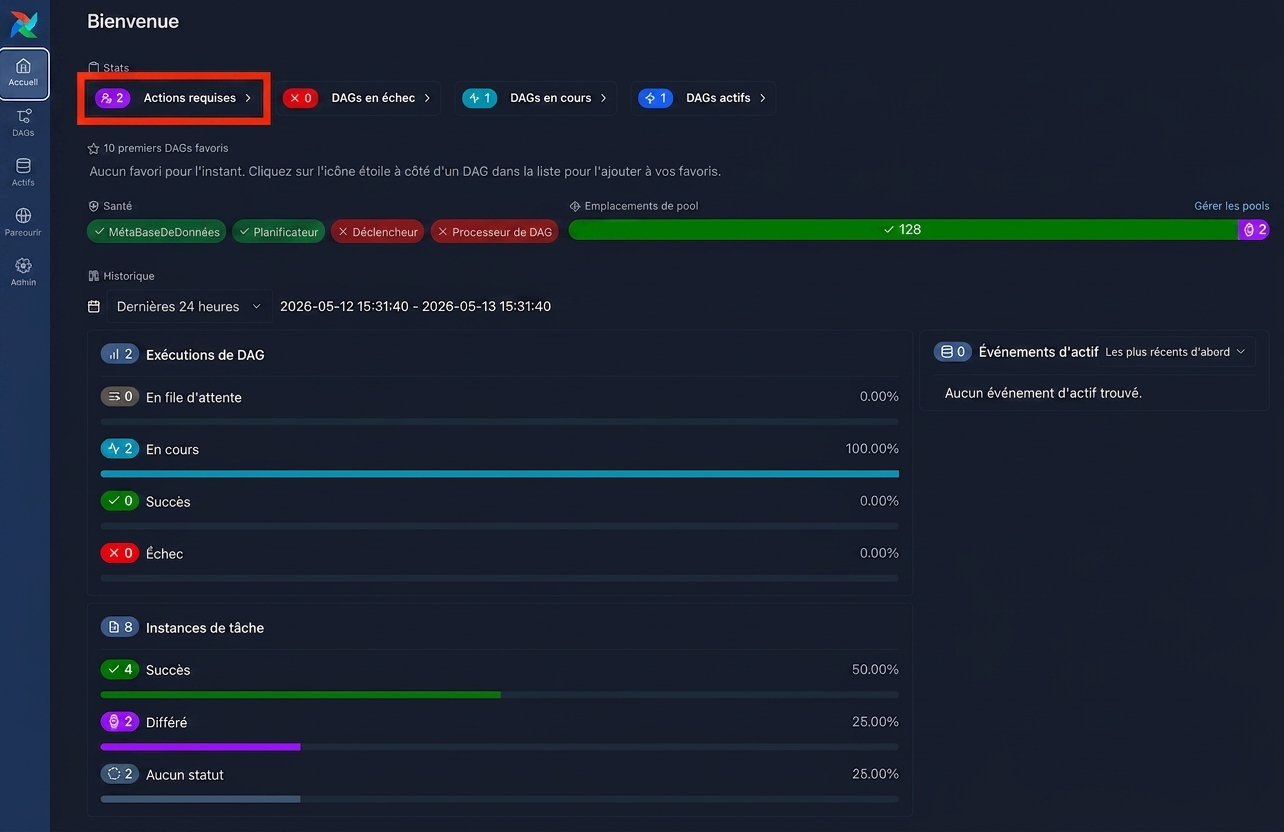
Dans la vue d’exécution du DAG, une vue RequiredActions apparaît si une tâche en attente requiert une approbation.
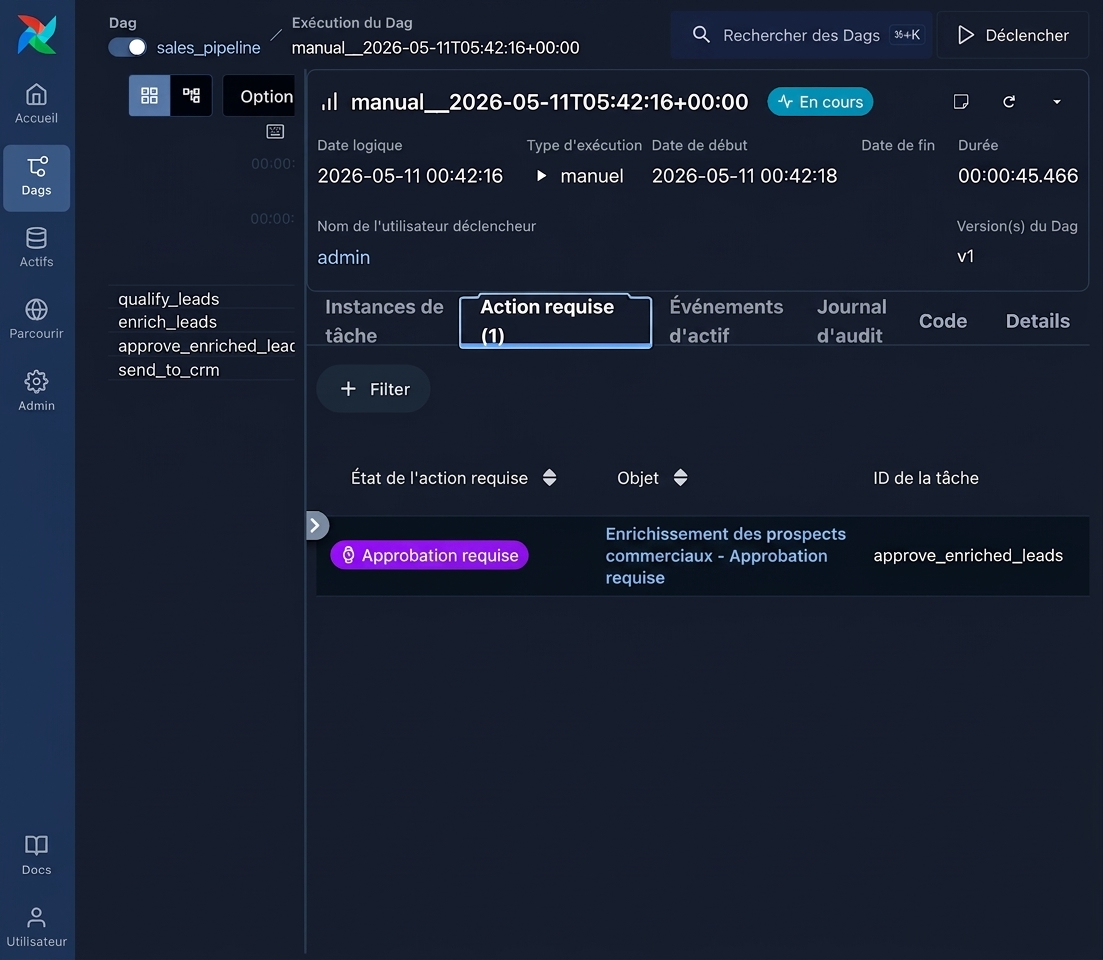
Vue d’exécution du DAG Airflow montrant une tâche avec le statut Approval required

Introduction à Apache Airflow en Python

ApprovalOperator — Page d’accueil

Page d’accueil d’Airflow affichant la section Required Actions

Introduction à Apache Airflow en Python

Message d’ApprovalOperator dans l’UI Airflow
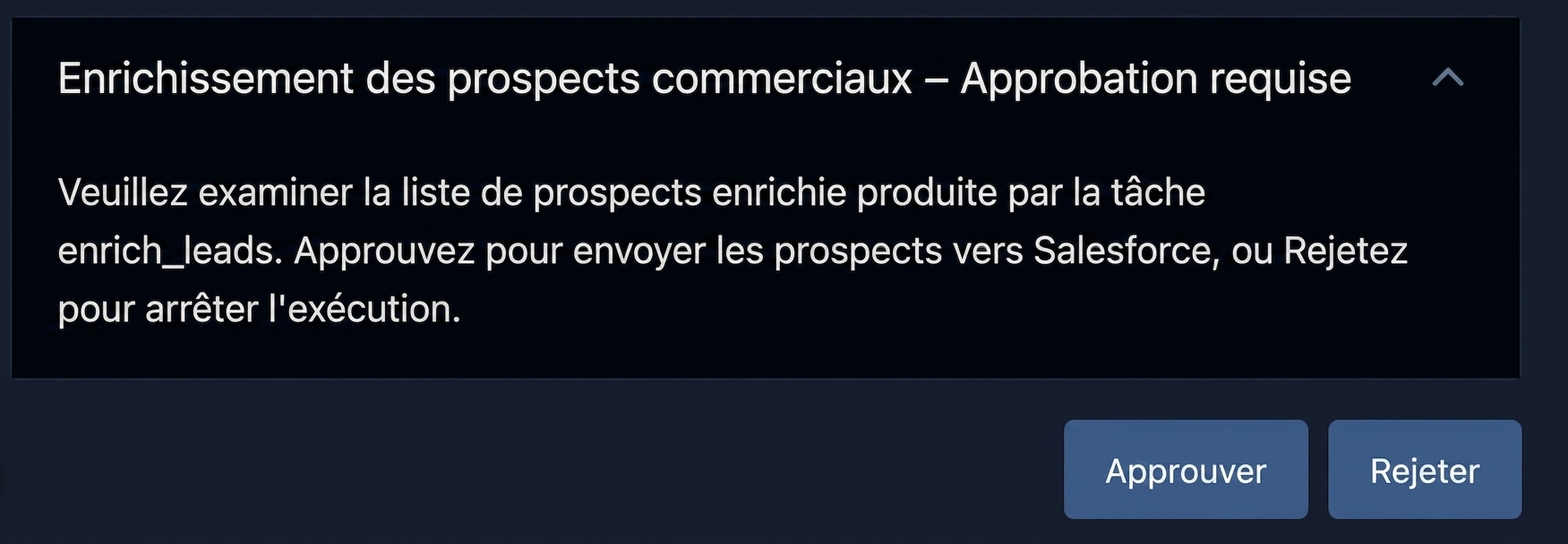
Message d’approbation dans l’UI Airflow avec options Approve et Reject

Introduction à Apache Airflow en Python

Passons à la pratique !

Introduction à Apache Airflow en Python

Preparing Video For Download...