Travailler avec des données structurées

Introduction aux API en Python

Chris Ramakers

Engineering manager

Structures de données complexes

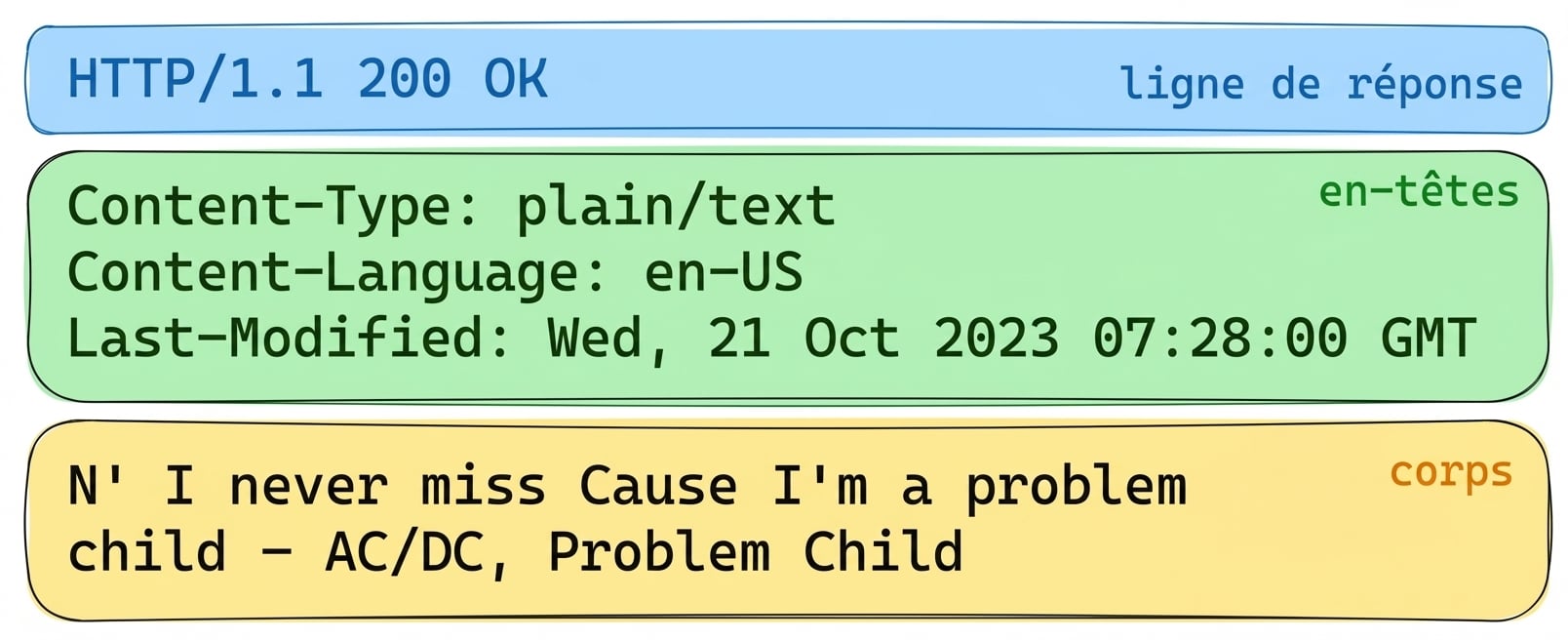
Réponse de l’API Lyric

Réponse de l’API Lyric avec HTTP 200 OK. En-têtes : Content-Type : plain/text, Content-Language : en-US, Last-Modified : Wed, 21 Oct 2023. Corps : paroles de « Problem Child » d’AC/DC.

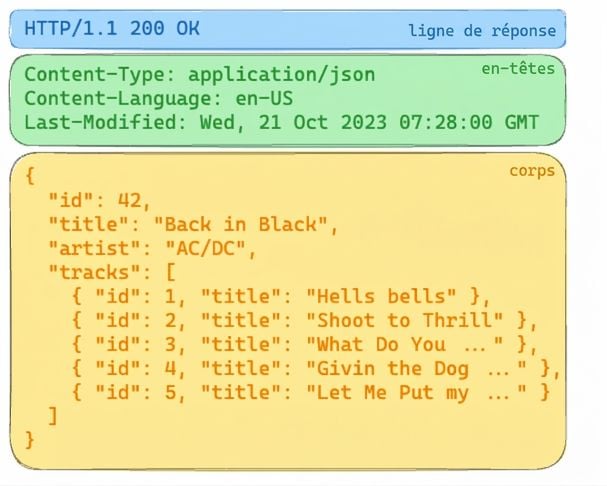
Réponse de l’API Album

Réponse de l’API Album avec HTTP 200 OK. Les en-têtes indiquent du contenu JSON. Le corps inclut des détails sur l’album « Back in Black » d’AC/DC, avec la liste des titres.

Introduction aux API en Python

Structures complexes : JSON

  • JSON
    • JavaScript Object Notation
    • Largement pris en charge
    • Lisible par l’humain et exploitable par la machine
  • Content-type, mime-type ou media-type
  • Autres formats
    • XML
    • CSV
    • YAML

Réponse de l’API Album

Réponse de l’API Album avec HTTP 200 OK. Les en-têtes indiquent du contenu JSON. Le corps inclut des détails sur l’album « Back in Black » d’AC/DC, avec la liste des titres.

Introduction aux API en Python

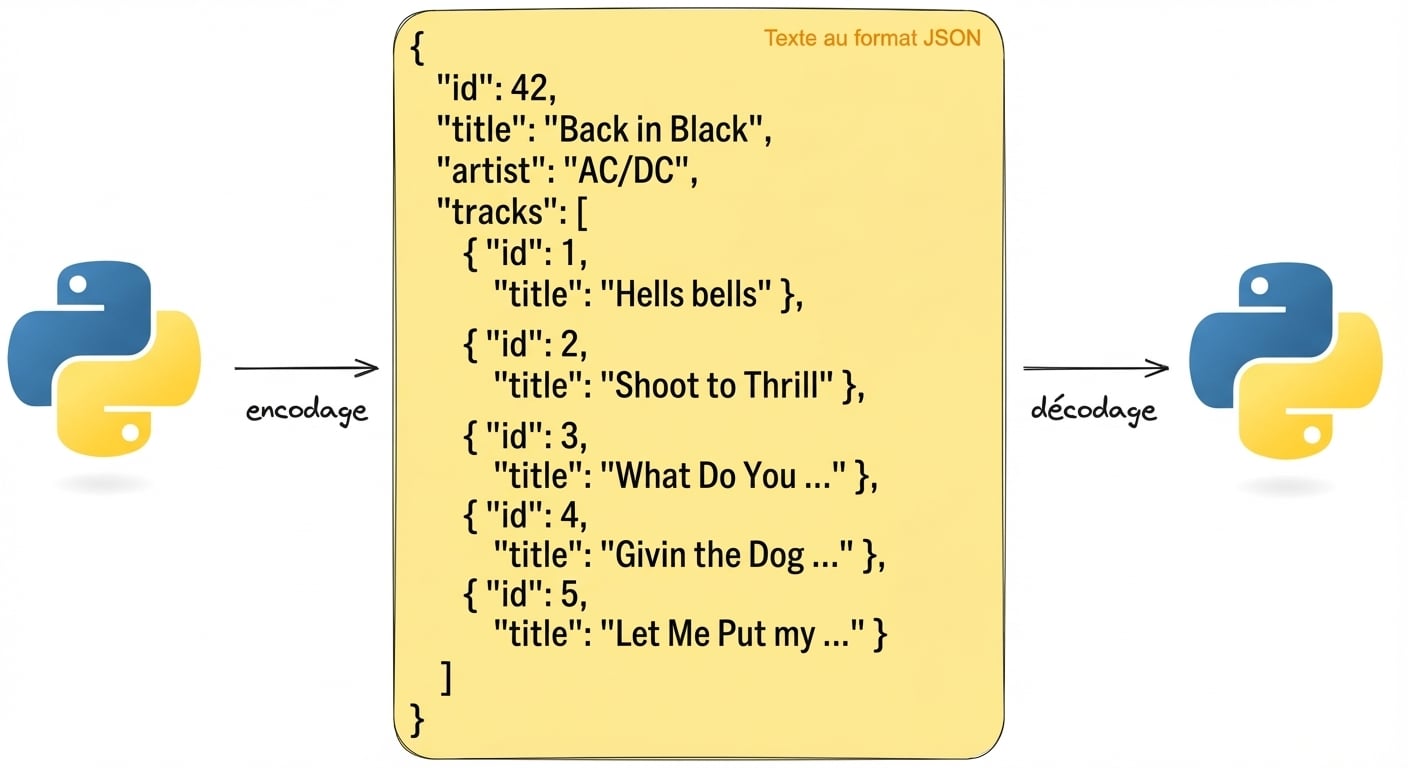
De Python à JSON et retour

  Représentation visuelle de l’encodage et du décodage de texte au format JSON avec Python. Le JSON contient des détails sur l’album « Back in Black » d’AC/DC.

import json
album =  {'id': 42, 'title':"Back in Black"}
string = json.dumps(album) # Encodes a python object to a JSON string
album = json.loads(string) # Decodes a JSON string to a Python object
Introduction aux API en Python

Demander des données JSON

# GET request without headers
response = requests.get('http://api.music-catalog.com/lyrics')
print(response.text)
N' I never miss Cause I'm a problem child - AC/DC, Problem Child
# GET request with an accept header
response = requests.get('http://api.music-catalog.com/lyrics', headers={'accept': 'application/json'})

# Print the JSON text
print(response.text)

# Decode into a Python object data = response.json() print(data['artist'])
{'artist': 'AC/DC', 'lyric': "N' I never miss Cause I'm a problem child", 'track': 'Problem Child'}

AC/DC
Introduction aux API en Python

Envoyer des données JSON

import requests
playlist = {"name": "Road trip", "genre":"rock", "private":"true"}

# Add the playlist using via the `json` argument 
response = requests.post("http://api.music-catalog.com/playlists", json=playlist)
# Get the request object
request = response.request

# Print the request content-type header
print(request.headers['content-type'])
application/json
Introduction aux API en Python

Passons à la pratique !

Introduction aux API en Python

Preparing Video For Download...