Congratulations!

Analisi dei dati su Excel

Nick Edwards

Analyst at Mynd

Chapter 1: Exploring data with PivotTables

Image depicting a treasure map

  • You performed exploratory data analysis with PivotTables
  • Created Calculated Columns
  • Used grouping features to organize and segment data
  • Added data and timeline slicers to filter data
Analisi dei dati su Excel

Chapter 2: Intermediate logical functions

  • Used logical functions like SWITCH(), IF(), IFS() and CONCAT()
  • Created nested statements and customer segments
  • Used logical aggregate functions like SUMIF() and SUMIFS()
  • Created sales summaries for various customer groups
  • Made comparisons and found insights into customer groups

A pile of laundry to be organized

Analisi dei dati su Excel

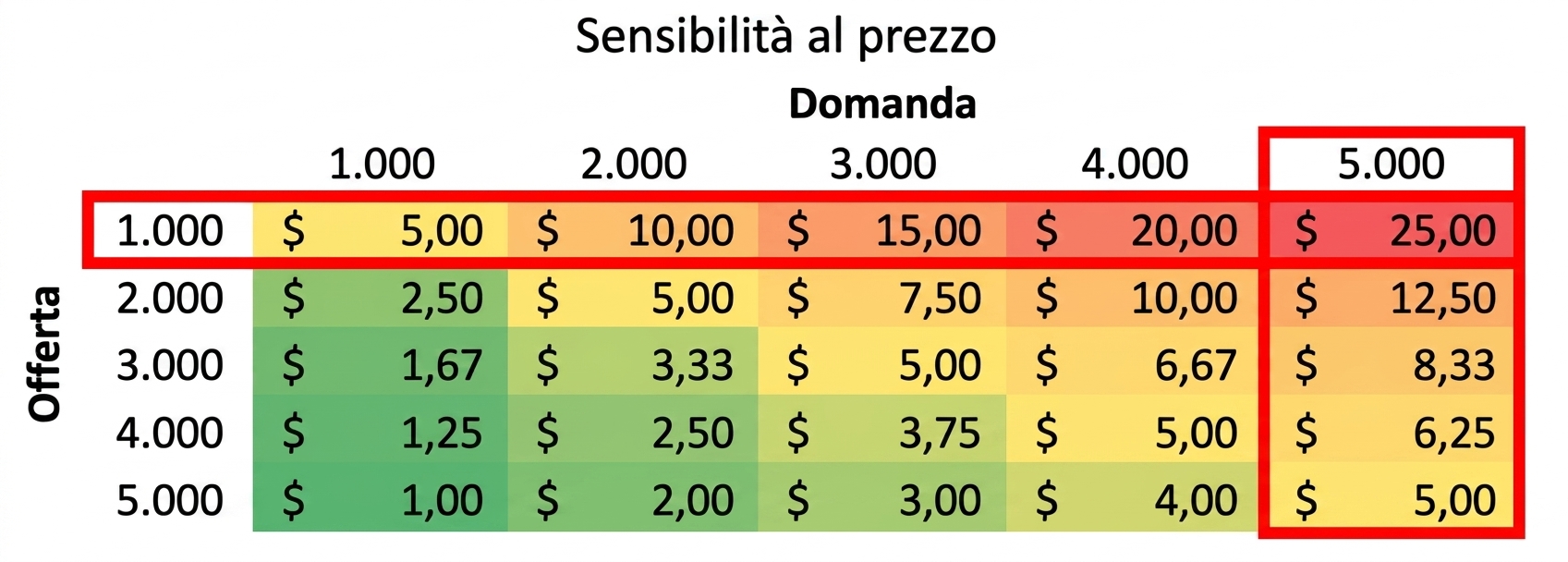
Chapter 3: What if analysis

  • Learned about the importance of asking what if
  • Created scenarios for projected sales
  • Used the Goal Seek, Scenario Manager and Data Table tools

An example of a sensitivity table

Analisi dei dati su Excel

Chapter 4: Forecasting

  • Used 5 different forecasting techniques:
    1. Simple moving average
    2. Weighted moving average
    3. Trendlines
    4. FORECAST.ETS() and FORECAST.ETS.CONFINT()
  • Learned about the importance of confidence intervals and bias

Woman sitting with laptop thinking

Analisi dei dati su Excel

Best of luck!

Analisi dei dati su Excel

Preparing Video For Download...