From idea to output

Working with Microsoft Copilot

Susanth Sutheesh

Copilot Solution Engineer, Microsoft

Starting in the Copilot App
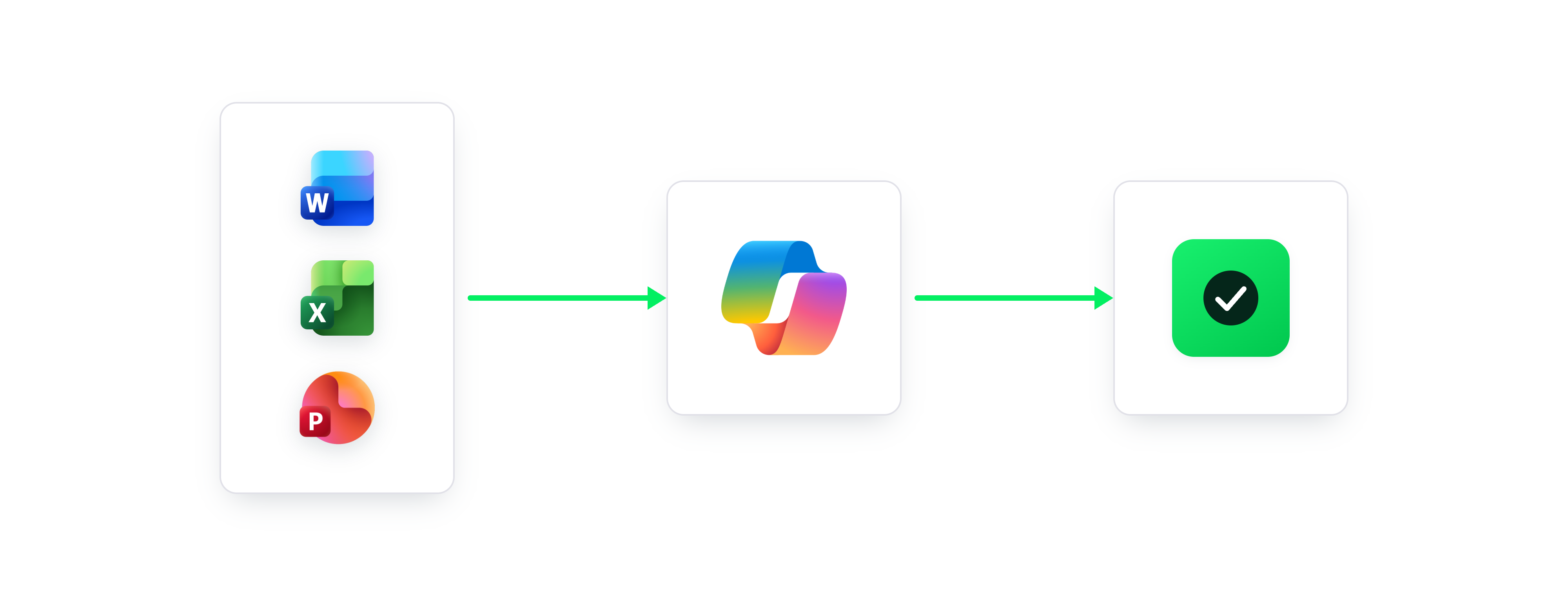
 

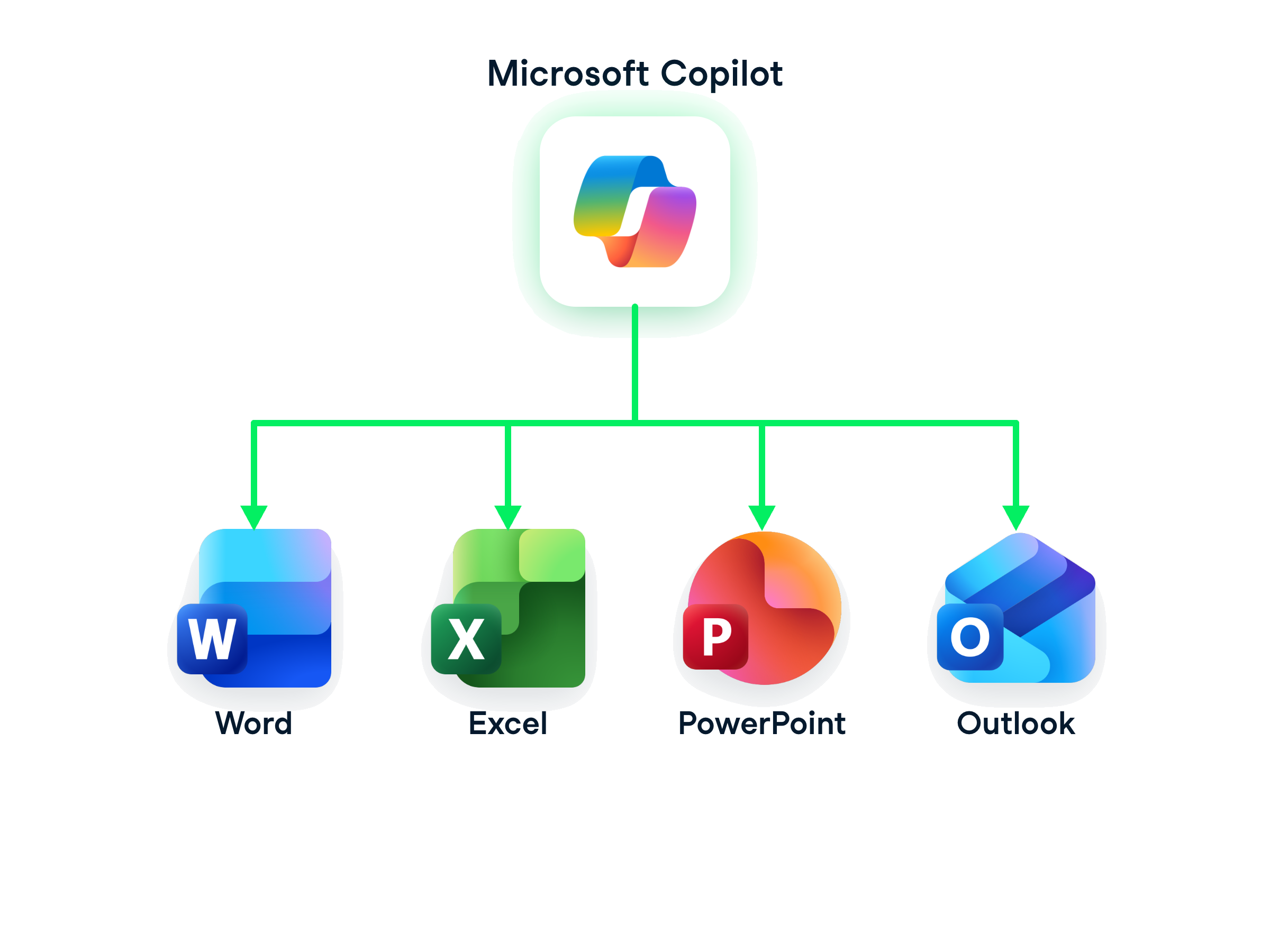
  • The Copilot app is your hub for cross-file work
  • It connects different file types in one workspace
  • Ask questions across multiple files and get combined answers instantly
  • Attachments get saved to OneDrive by default


cross-file-workspace-notext.png

Working with Microsoft Copilot

Starting in the Copilot App

$$

Attach both files, then ask one question:

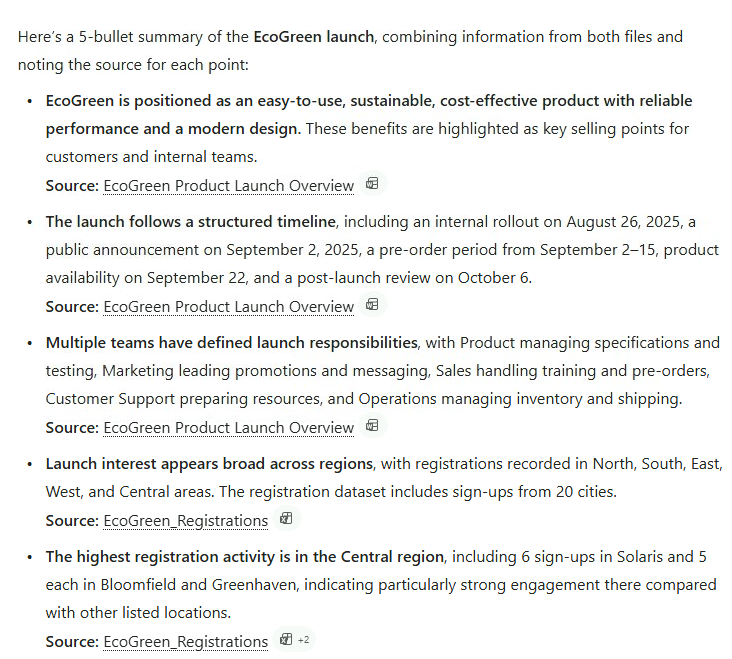
Summarize the EcoGreen launch across both files in 5 bullets, and note which file each point comes from

Copilot's full five-bullet cross-file summary, each bullet naming the Word report or the Excel file it came from

Working with Microsoft Copilot

Carrying it into Word

$$

Rewrite this pasted summary as a 3-sentence executive summary, in the same tone as the rest of the report
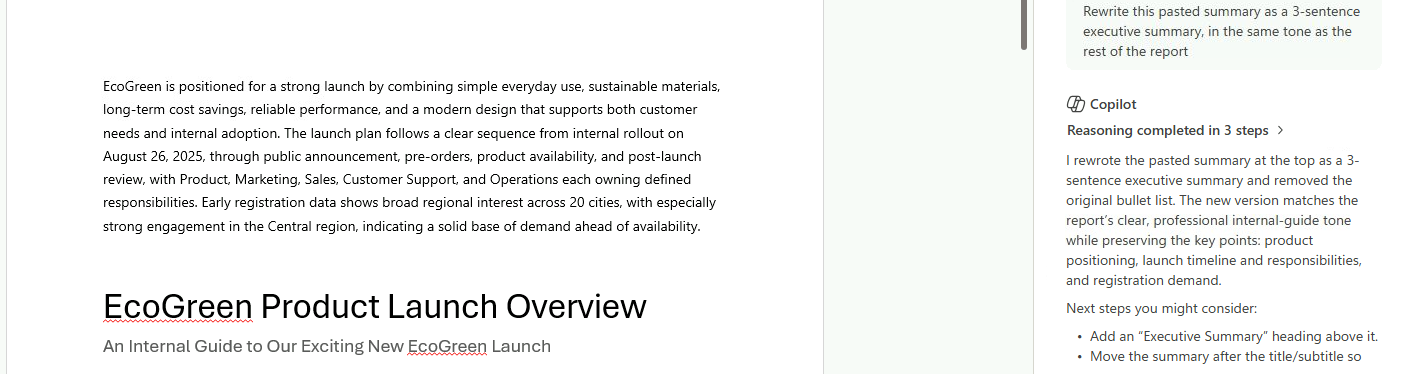
Word turning the pasted cross-file summary into a three-sentence executive summary at the top of the EcoGreen report

Working with Microsoft Copilot

Checking the claim in Excel

The summary says Central had the highest registration activity. Check that against this data and show the top 3 regions
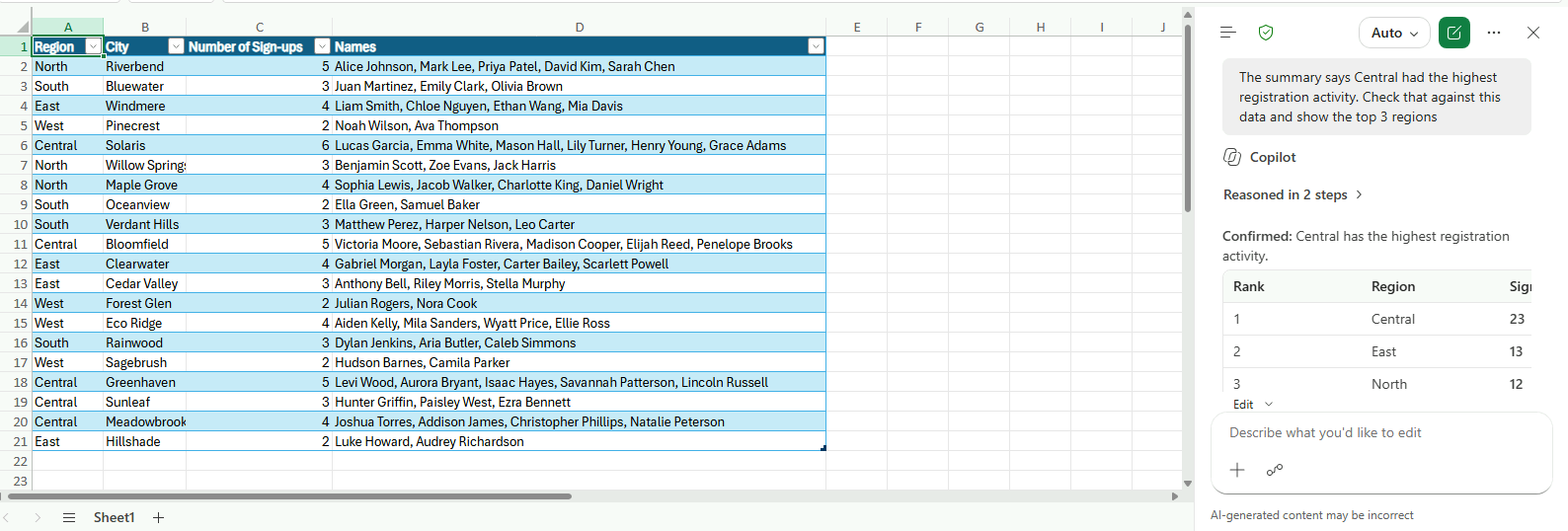
Copilot in Excel confirming Central has the highest registration activity, with the top three regions ranked

Working with Microsoft Copilot

Creating a presentation in PowerPoint
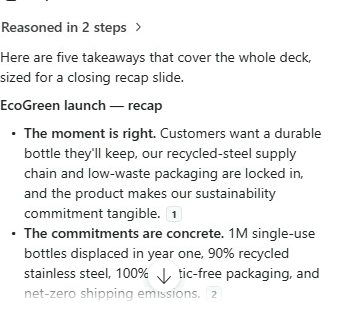
 

Build the deck, then ask for a recap:

Recap the whole deck in five key takeaways for a closing slide

  • Five takeaways, each citing the slide it came from
  • One question → Word → Excel → PowerPoint, nothing rebuilt twice


Copilot's five-point recap with citations back to the deck

Working with Microsoft Copilot

Summary

Graphic showing the Microsoft Copilot logo at the center, linked to Word, Excel, and PowerPoint icons, representing Copilot's ability to connect work across apps

  • Microsoft Copilot connects your work across apps
  • Move seamlessly between writing, analyzing, and presenting without breaking flow
Working with Microsoft Copilot

Let's practice!

Working with Microsoft Copilot

Preparing Video For Download...