Monitoring and analytics

Building Agents with Microsoft Copilot Studio

Nia Joseph

AI Product Manager, Microsoft

Meet the Monitor tab

  • Our example → the HR help agent, a week after publishing
  • Usage lives on the Monitor tab, across the top
  • Overview · Billing · Savings → then charts below
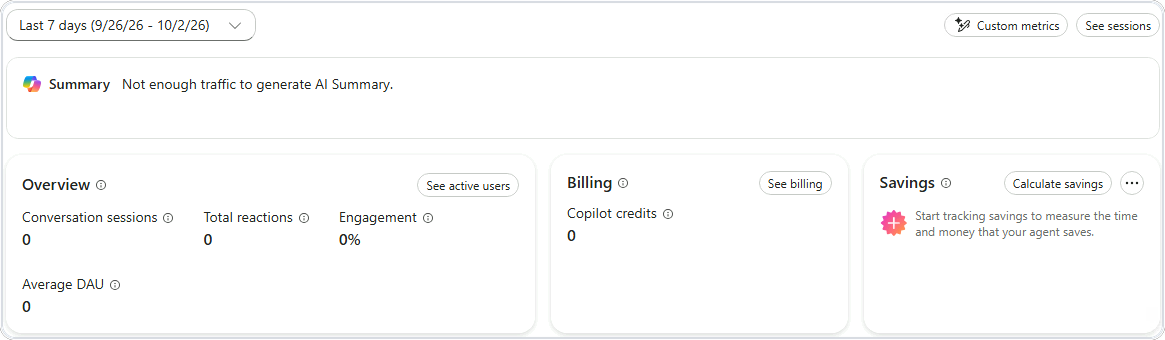
The Monitor tab with its date range and the Overview, Billing and Savings cards

Building Agents with Microsoft Copilot Studio

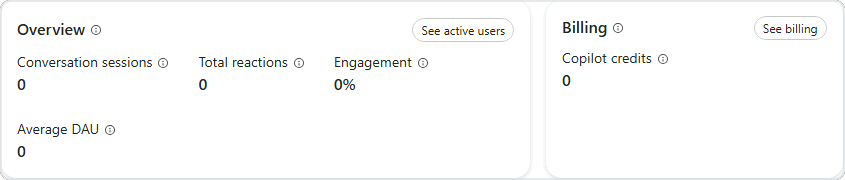
Conversation sessions


  • Start with conversation sessions
  • Beside it, engagement → how many went somewhere
  • Billing → Copilot credits, zero on this route
  • No traffic yet → zeros are normal


The Overview card with conversation sessions and engagement, beside the Billing card

Building Agents with Microsoft Copilot Studio

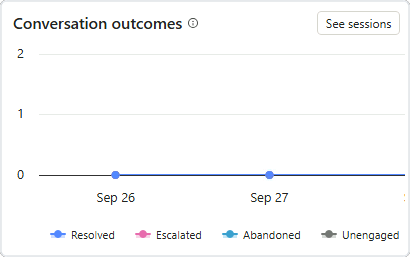
How conversations ended


  • Conversation outcomes → how chats ended
  • Resolved · Escalated · Abandoned · Unengaged
  • Rising abandoned → time to investigate
  • See sessions → the conversations behind the chart


The Conversation outcomes chart with its Resolved, Escalated, Abandoned and Unengaged legend

Building Agents with Microsoft Copilot Studio

From numbers to fixes


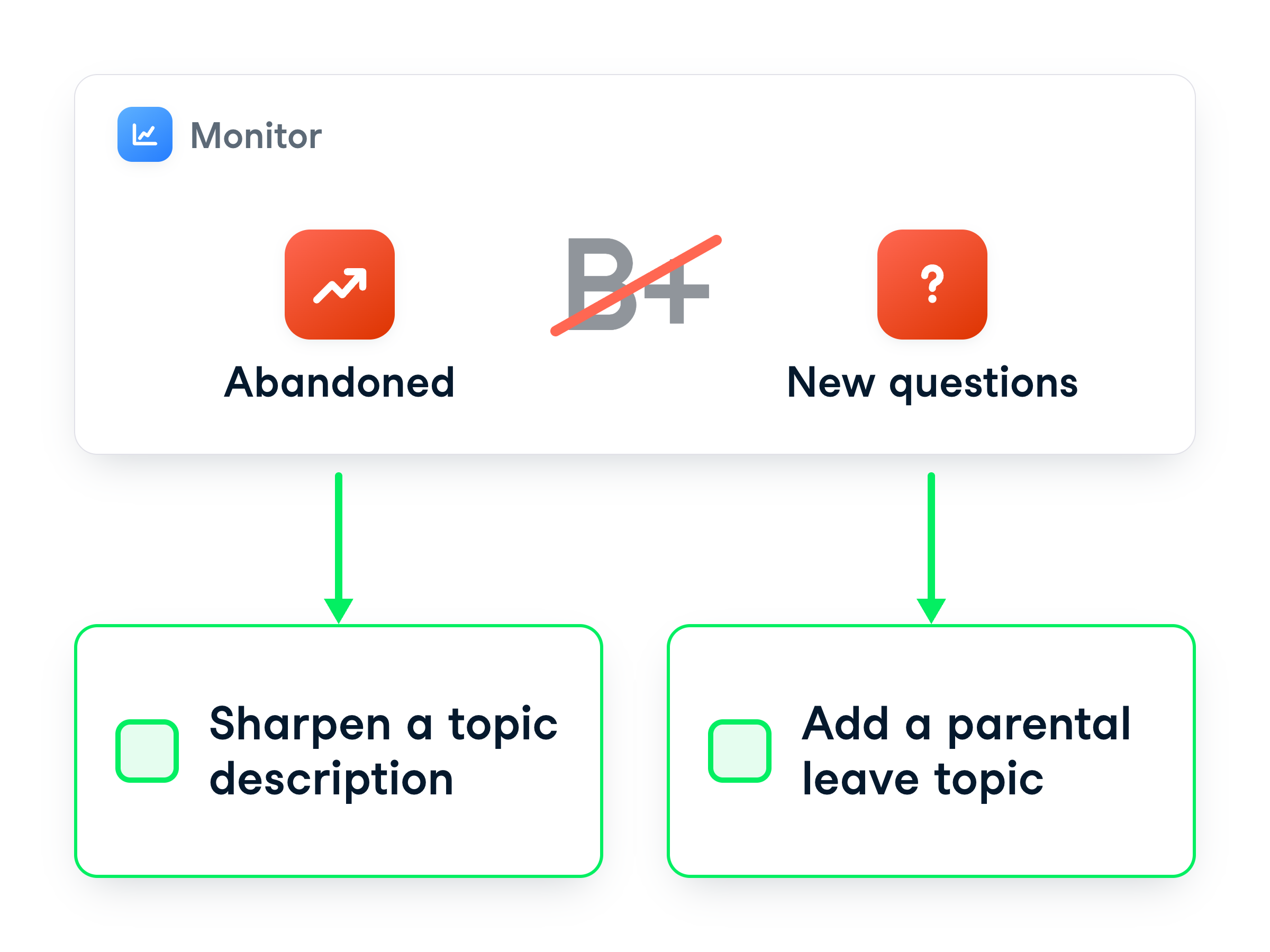
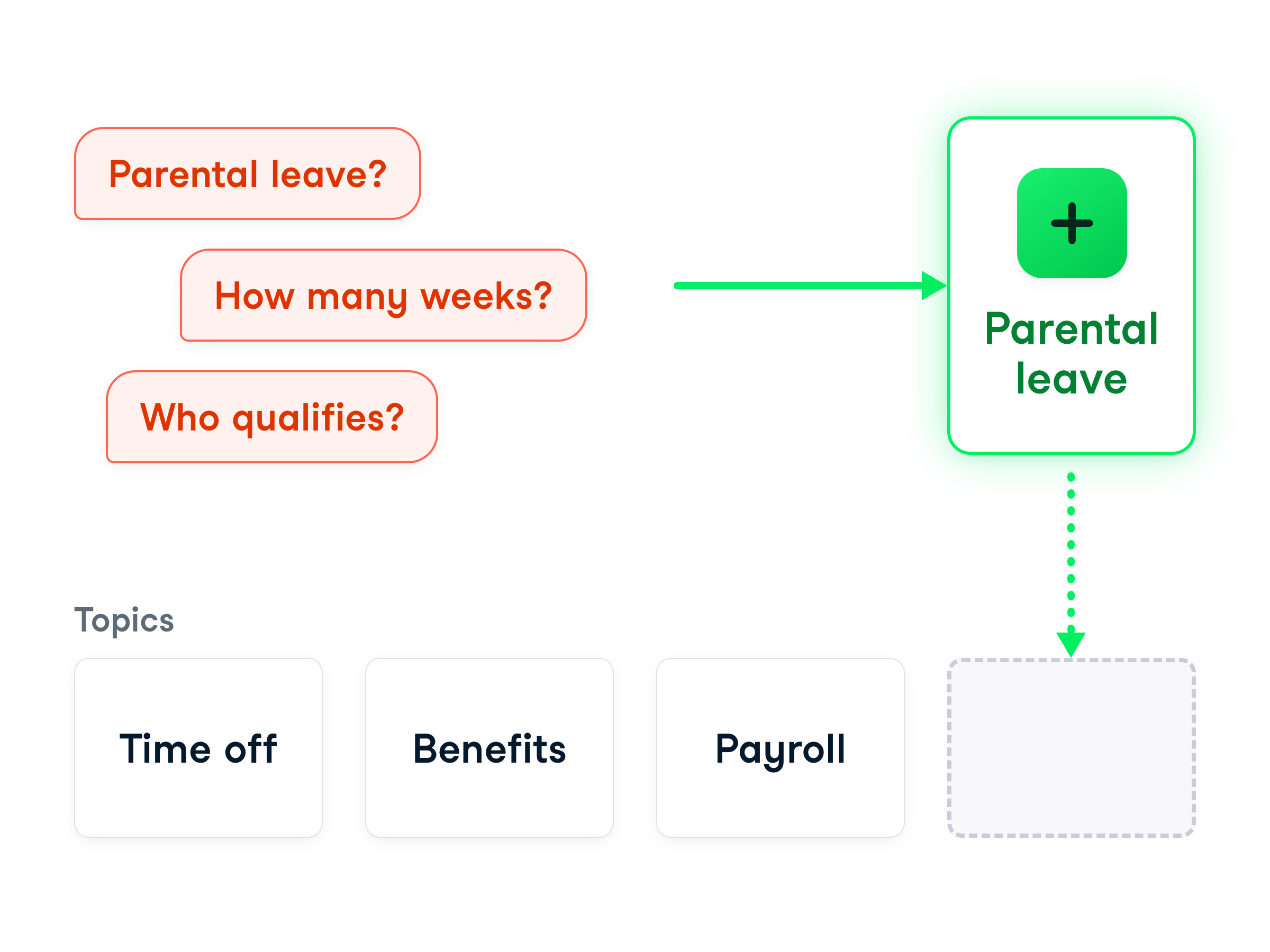
Monitor signals point to fixes: sharpen a topic description, add a parental leave topic


  • It doesn't grade your agent
  • Each number points to something to fix
  • Improve a description, or add a topic
Building Agents with Microsoft Copilot Studio

Turning a spike into a fix


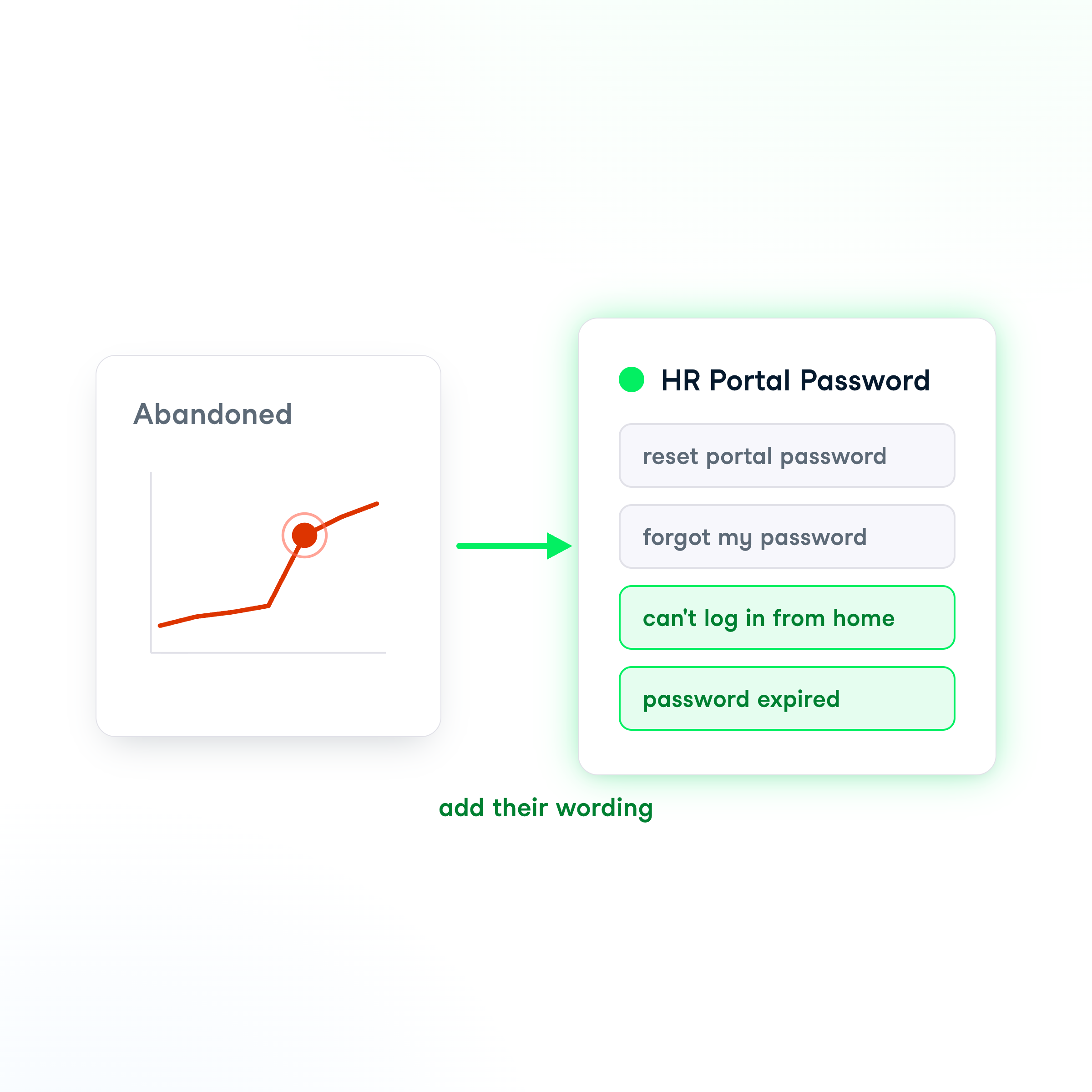
  • More chats abandoned this week
  • See sessions shows "can't log in from home"
  • The agent picks a topic by its description
  • Fix → add their real wording to it

Turn abandoned conversations into better topic descriptions

Building Agents with Microsoft Copilot Studio

When there's no topic at all


A cluster with no matching topic means build a new one


  • Sometimes there's no topic at all
  • e.g. a wave about a new parental-leave policy
  • Not a description tweak → build a new topic
  • The sessions name which one to build next
Building Agents with Microsoft Copilot Studio

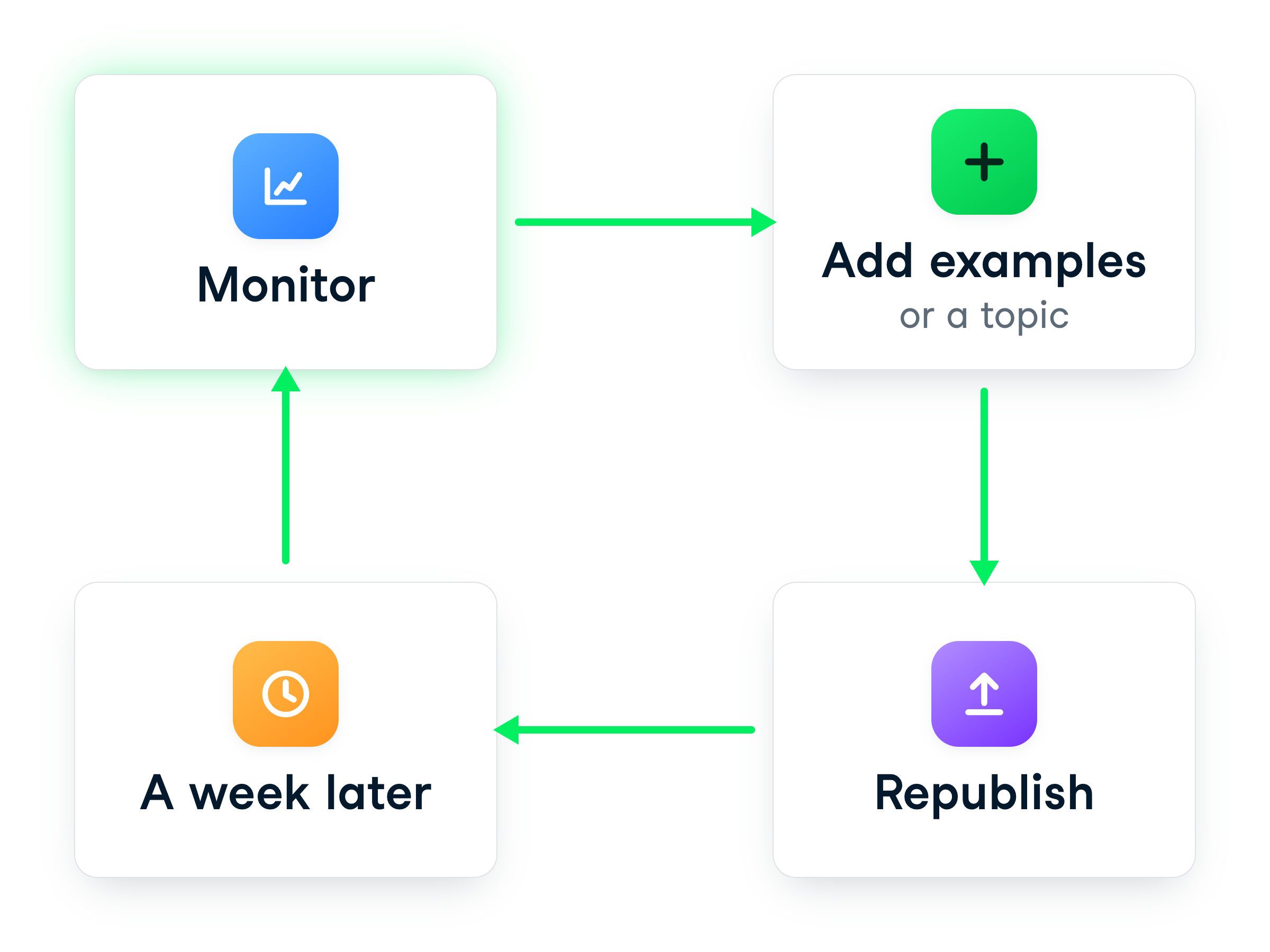
Close the loop and watch


  • Add examples or a topic → republish
  • Come back a week later
  • Fewer chats end abandoned
  • Repeat while it's live


Monitor, add topics, republish, wait - a continuous loop

Building Agents with Microsoft Copilot Studio

Let's practice!

Building Agents with Microsoft Copilot Studio

Preparing Video For Download...