Building a grounded assistant

Building Agents with Microsoft Copilot Studio

Nia Joseph

AI Product Manager, Microsoft

The pattern underneath both
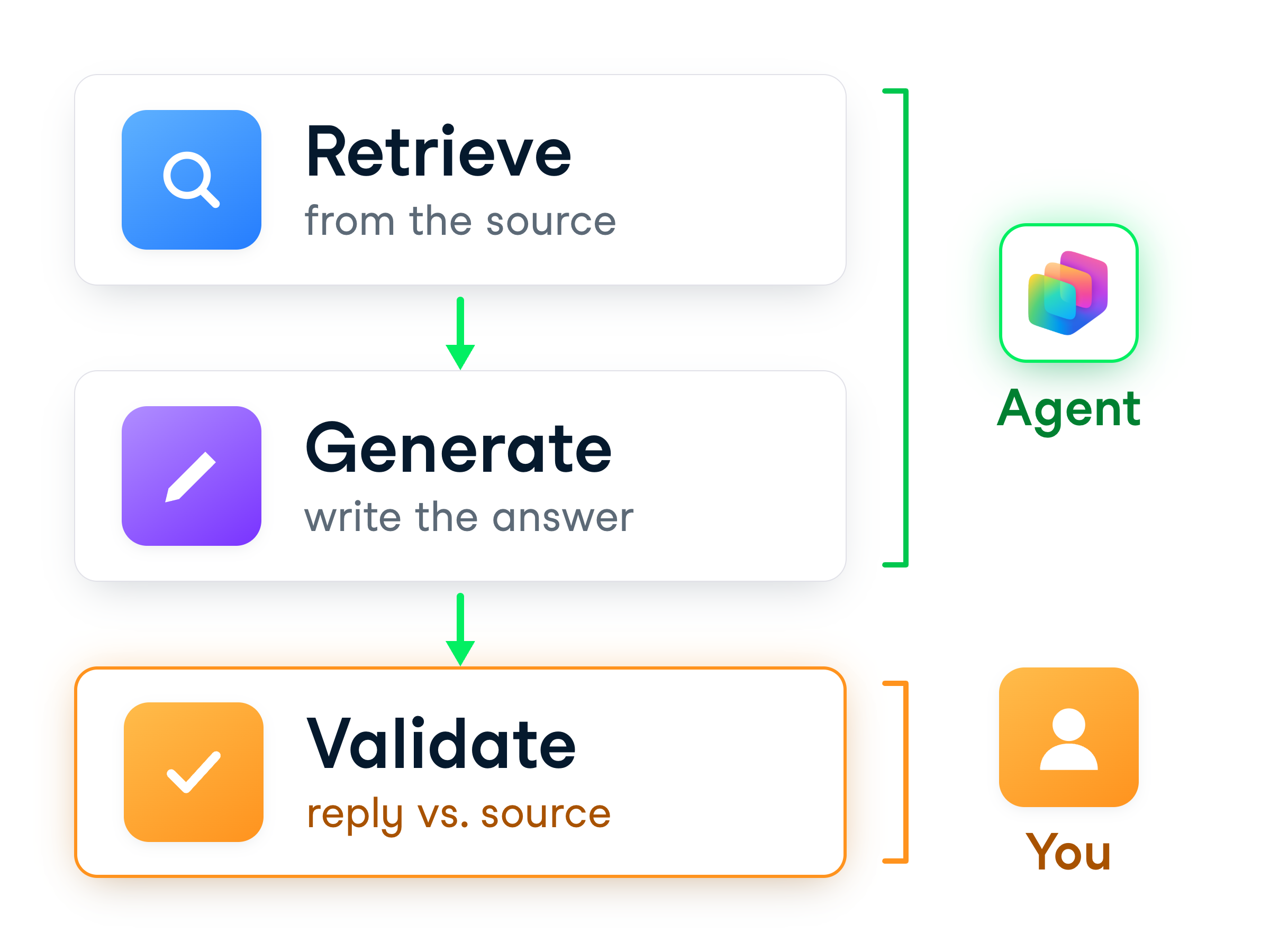


  • Retrieve → find matching content in an approved source
  • Generate → write a natural answer from it
  • Validate → check the reply matches the source


Grounded assistants retrieve then generate, with validation

Building Agents with Microsoft Copilot Studio

Assistant one: Policy Lookup

$$

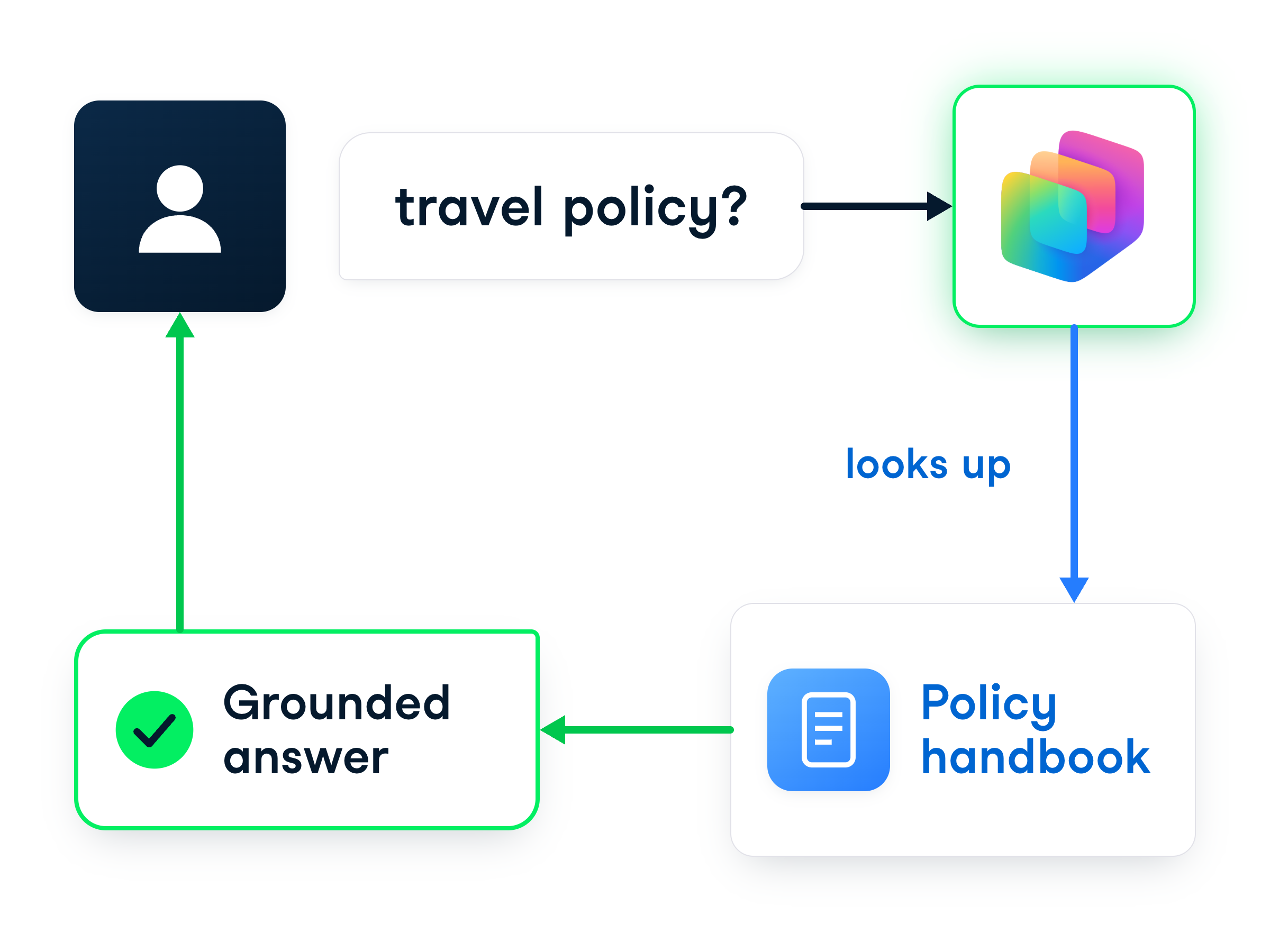
Policy Lookup: question to agent to source to grounded answer


  • Answers HR policy questions
  • Travel, expenses, and remote work
  • Question → policy handbook → grounded answer
Building Agents with Microsoft Copilot Studio

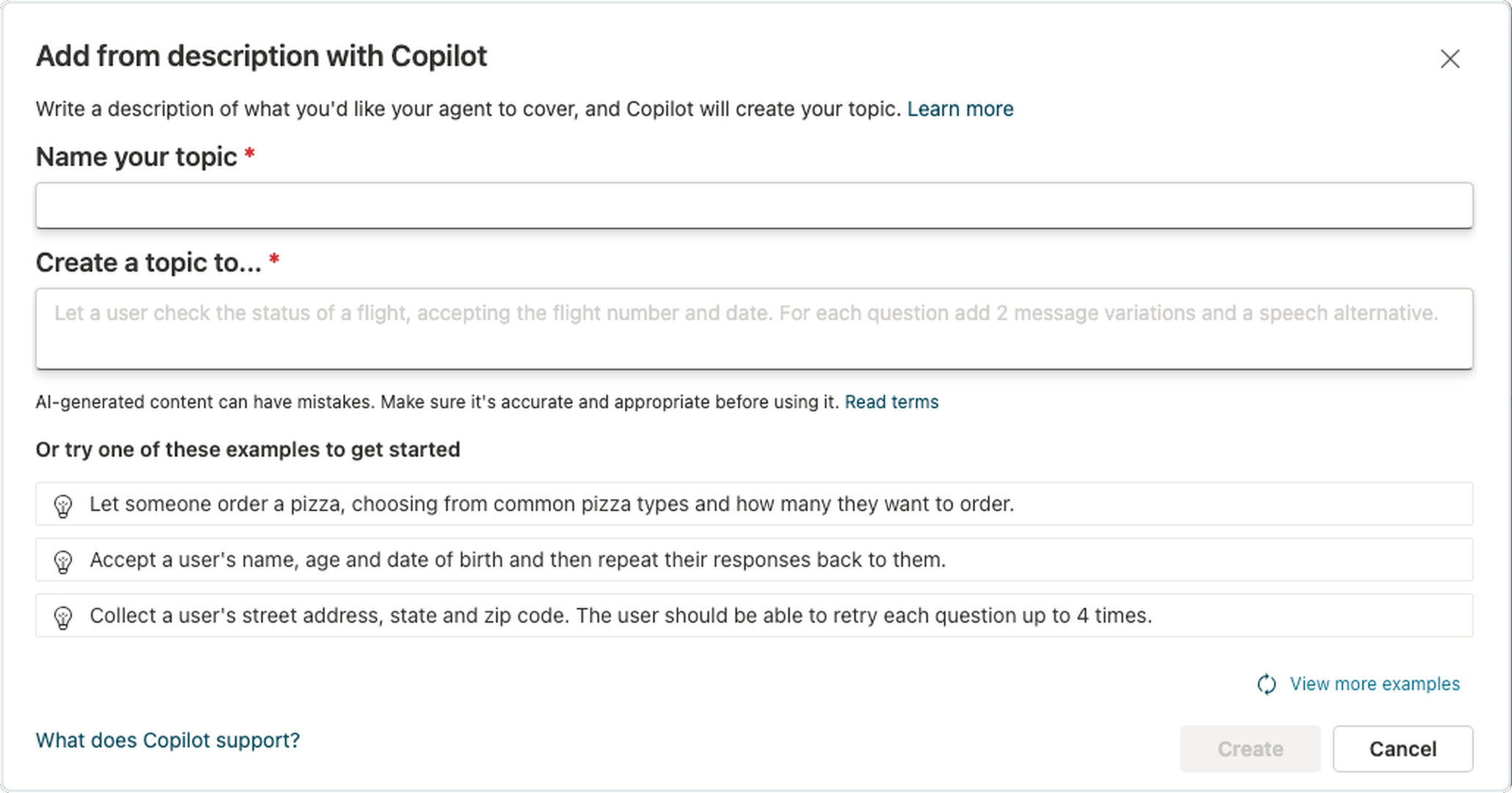
Create the topic and its description


  • Topics → Add a topic → from description with Copilot
  • Describe several policy areas
  • Add missing examples → Save


Add a topic from a description, with Copilot drafting it

Building Agents with Microsoft Copilot Studio

Attach the handbook


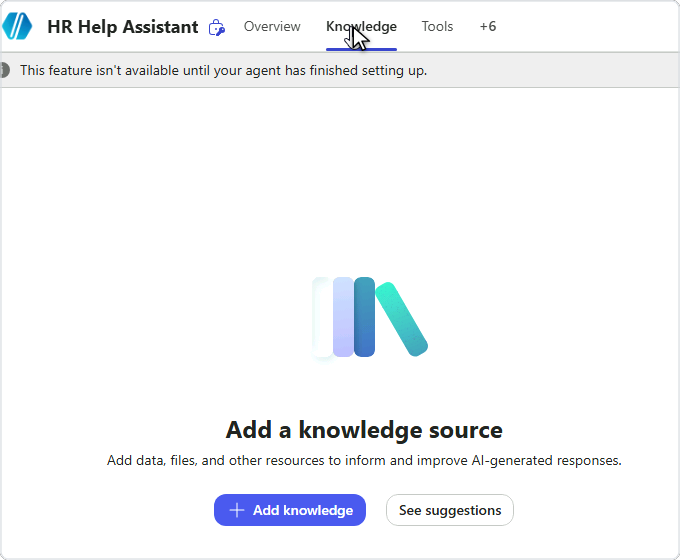
Copilot Studio agent Knowledge tab with the Add knowledge button


  • Knowledge tab → Add knowledge
  • Upload the policy handbook
  • Web Search off → the file is the only source
Building Agents with Microsoft Copilot Studio

Generate the grounded answer


  • The agent looks up the handbook
  • Then writes from retrieved content, not general knowledge
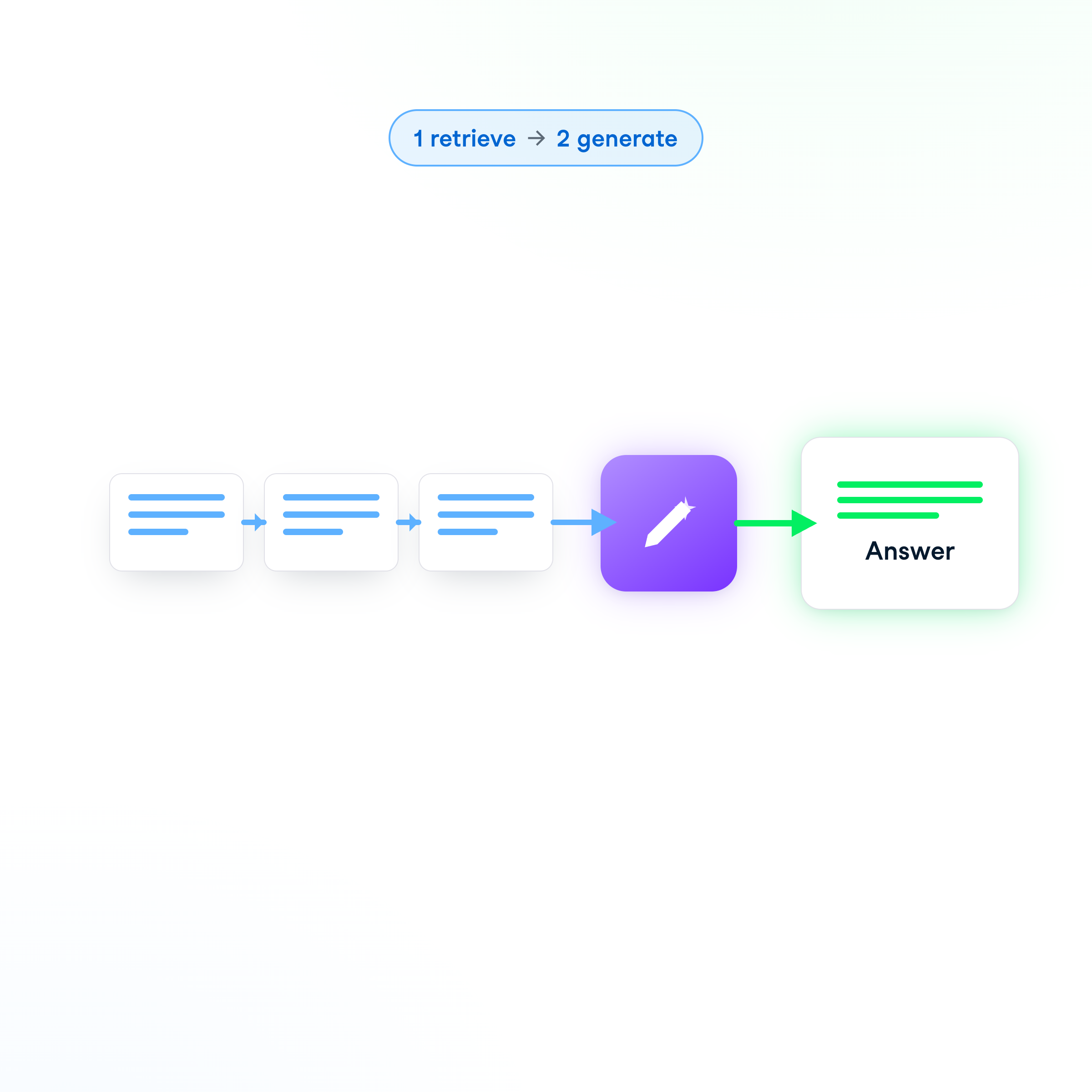
  • Order matters: retrieve first, generate second


Retrieve first, then generate from retrieved content

Building Agents with Microsoft Copilot Studio

Test the Policy Lookup assistant


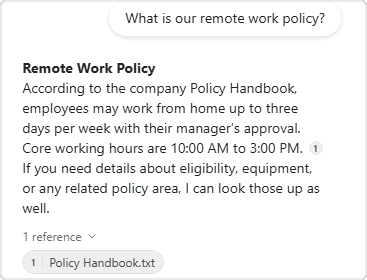
A grounded answer about the remote work policy, with a reference to the policy handbook


  • Open the Test panel
  • Ask "what is our remote work policy"
  • Reference names the handbook
  • No answer yet? Indexing takes 5 to 10 minutes
Building Agents with Microsoft Copilot Studio

Assistant two: Onboarding Packet


  • Does a bit more than the first
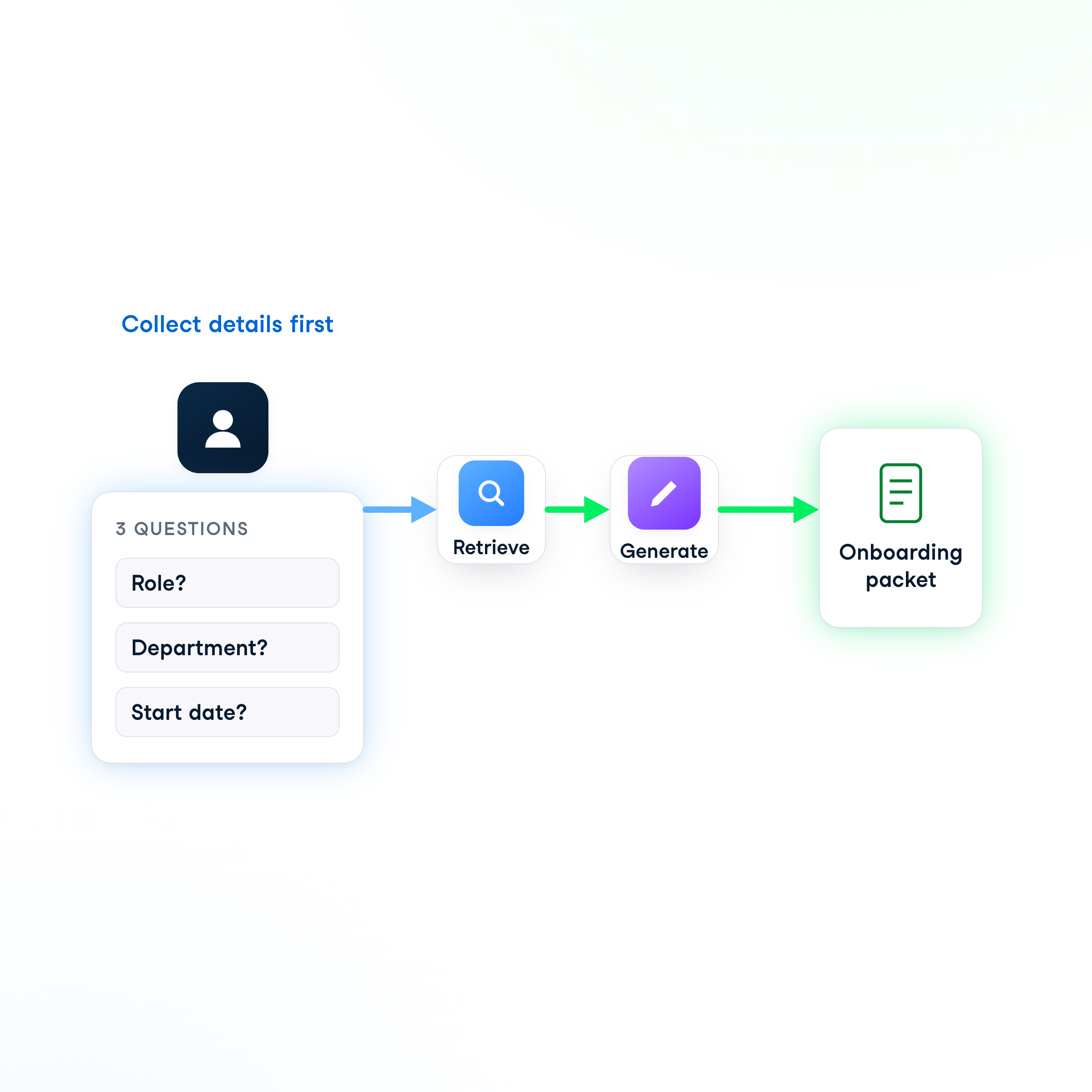
  • Gathers a few details first
  • Same generate step, with a collection step out front

Collect details, retrieve, generate an onboarding packet

Building Agents with Microsoft Copilot Studio

Collect the inputs

$$

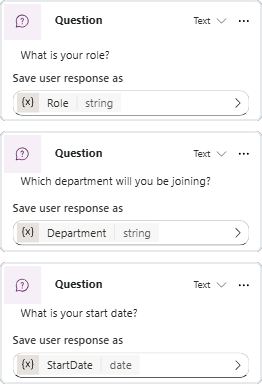
Three Question nodes for role, department and start date, each saving its answer to a variable


  • Three question steps: role, department, start date
  • Each question step can save its answer to a variable
  • Collect all three before the summary
Building Agents with Microsoft Copilot Studio

Tailor it to the department


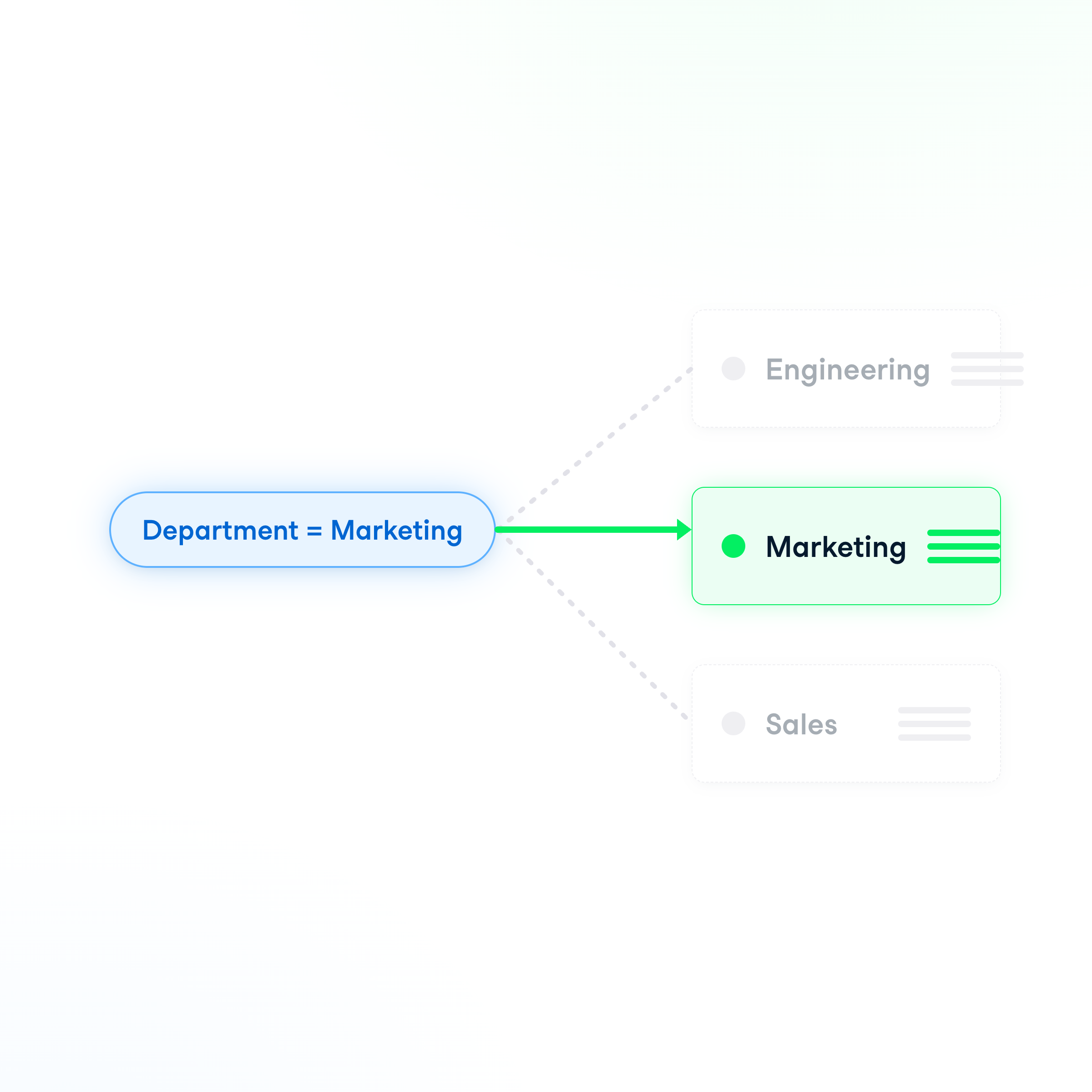
  • The department answer decides the reply
  • Often a separate welcome per department
  • Marketing's welcome ≠ Engineering's

The department variable selects the right checklist

Building Agents with Microsoft Copilot Studio

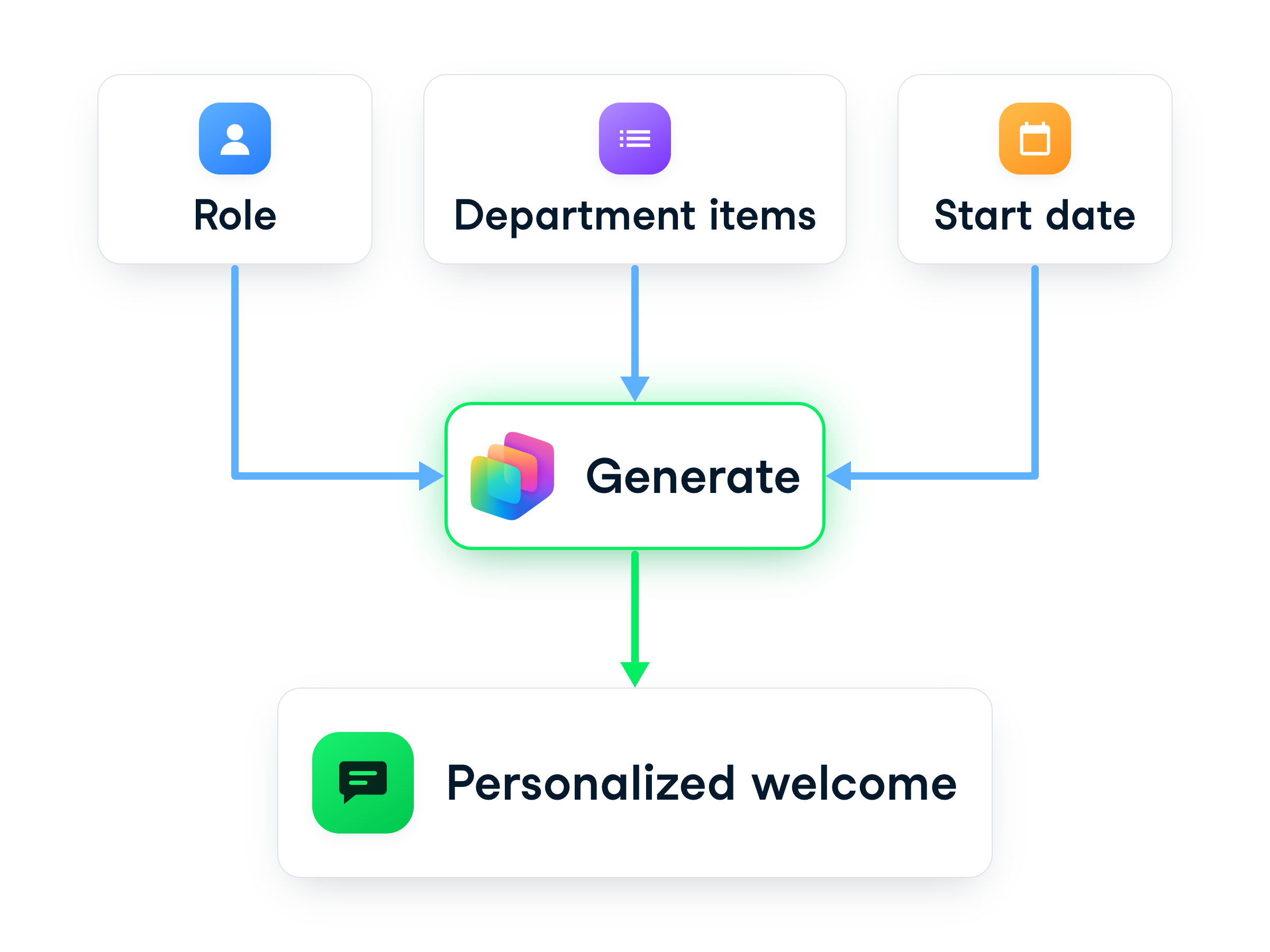
Generate the personalized welcome


Role, start date, and department items converge into a personalized summary


  • The closing reply is generated
  • Built from the new hire's answers
  • Wording varies from run to run
Building Agents with Microsoft Copilot Studio

Let's practice!

Building Agents with Microsoft Copilot Studio

Preparing Video For Download...