What is Copilot Studio?

Building Agents with Microsoft Copilot Studio

Nia Joseph

AI Product Manager, Microsoft

Meet your instructor

 

Nia Joseph, AI Product Manager at Microsoft


  • Nia Joseph → AI Product Manager, Microsoft
  • Works on AI-assisted products
  • Best way to learn a tool is to build something real with it
Building Agents with Microsoft Copilot Studio

What you'll learn


  • Ch 1 → Get oriented and build your first agent
  • Ch 2 → Give it the ability to act, with flows
  • Ch 3 → Ground it in your documents and data
  • Ch 4 → Publish, monitor, and hand it off


Microsoft Copilot Studio

Building Agents with Microsoft Copilot Studio

So what is Copilot Studio?


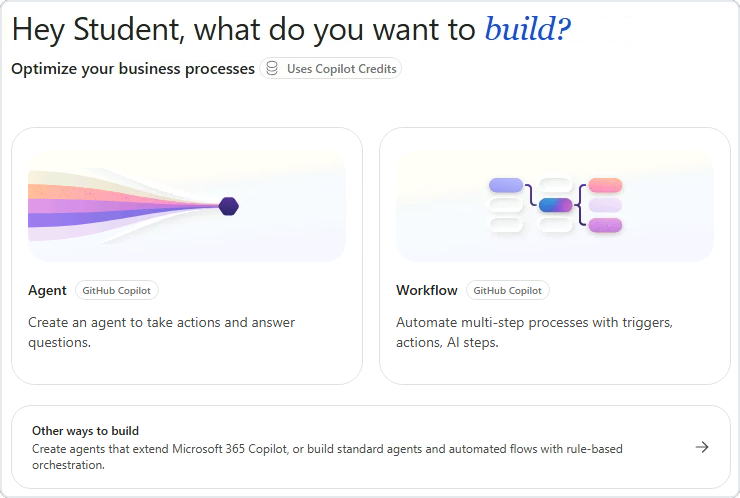
Copilot Studio Home, the low-code workspace for building agents and workflows


  • Low-code workspace for building AI agents
  • An agent → design once, reuse for everyone
  • Sits alongside Microsoft 365: Outlook, SharePoint, Excel
Building Agents with Microsoft Copilot Studio

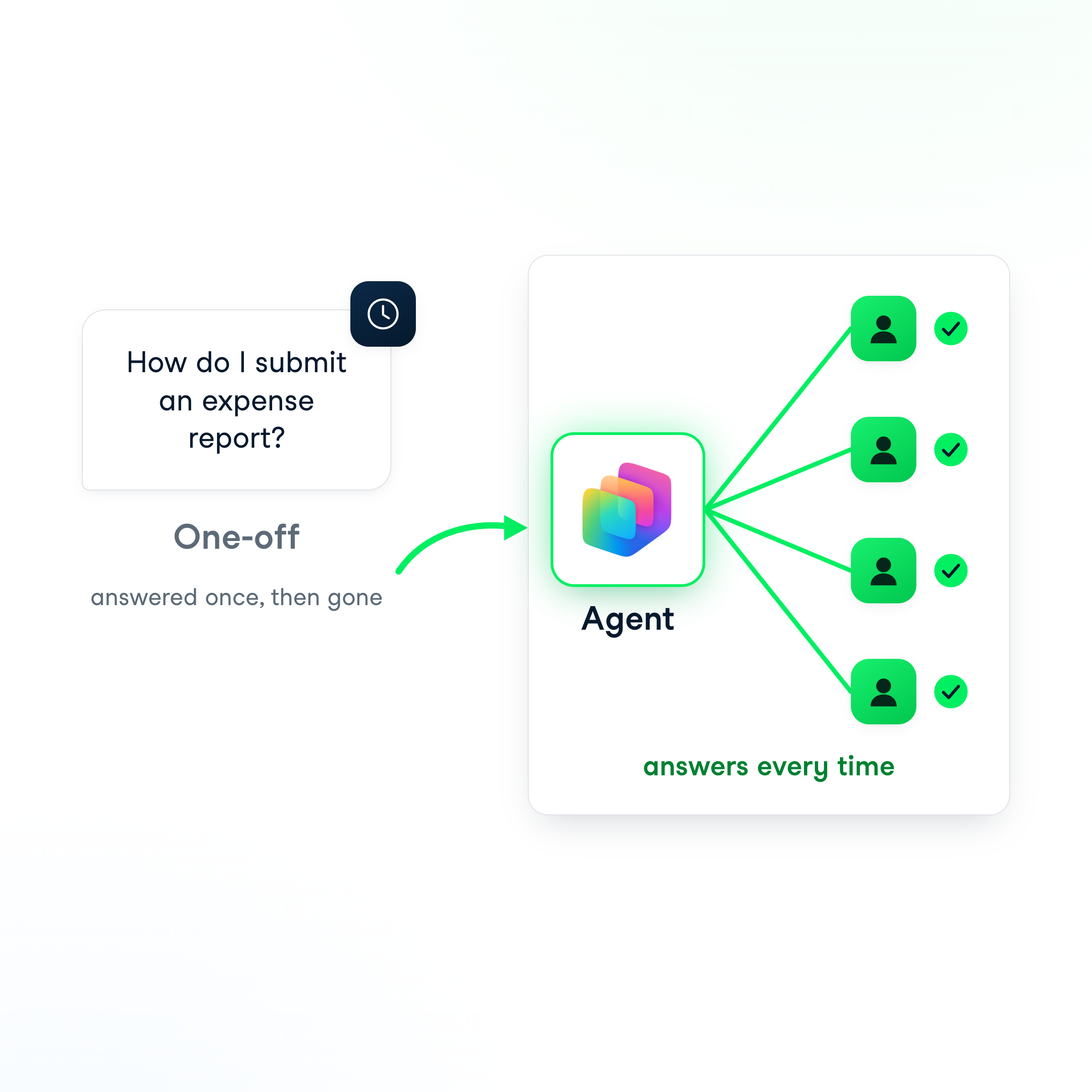
An agent, not a one-off answer


  • One-off prompt → one answer, then gone
  • An agent → answers every time, the same way
  • Best for questions that keep coming up

An agent answers every time, unlike a one-off prompt

Building Agents with Microsoft Copilot Studio

Build in Microsoft 365 Copilot or Copilot Studio?
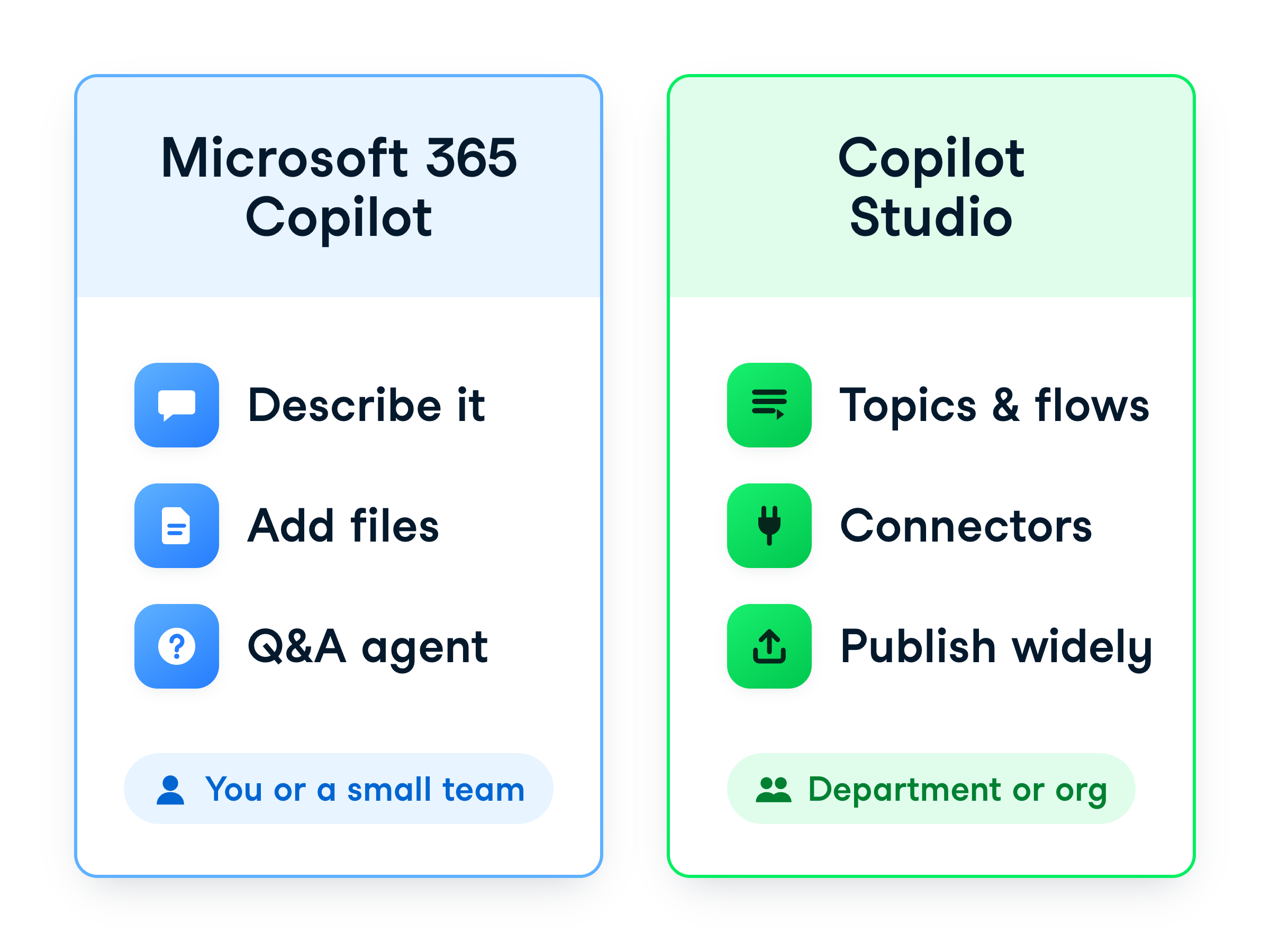
 

Microsoft 365 Copilot builds lightweight Q&A agents for individuals or small teams; Copilot Studio builds agents that take action, with topics, agent flows, connectors and publishing for a department or organization


  • Microsoft 365 Copilot → describe your agent, add files as knowledge
  • Quick to build: lightweight Q&A agents for individuals or small teams
  • Copilot Studio → topics, agent flows, connectors, and broad publishing
Building Agents with Microsoft Copilot Studio

Getting around Studio


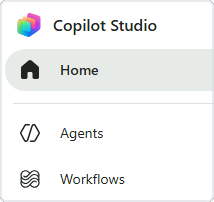
Copilot Studio left rail with Home, Agents and Workflows


  • Home → where you land
  • Agents → where your assistants live
  • Workflows → multi-step automations
  • Inside an agent → areas run across the top
Building Agents with Microsoft Copilot Studio

Two kinds of agent


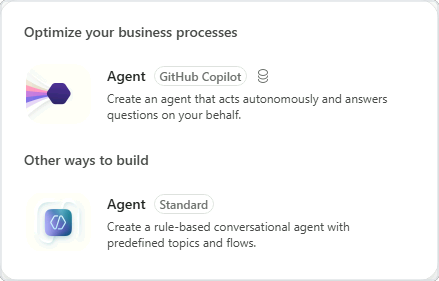
The New agent menu: an Agent tagged GitHub Copilot that uses credits, and the Standard agent under Other ways to build


  • The arrow beside New agent → both options
  • GitHub Copilot tag and coin icon → uses credits, skip it
  • Other ways to build → Agent (Standard)
Building Agents with Microsoft Copilot Studio

Let's practice!

Building Agents with Microsoft Copilot Studio

Preparing Video For Download...