Streaming data using Azure Event Hubs

Develop Azure Event-based and Message-based Solutions

Fiodar Sazanavets

Senior Software Engineer and Microsoft MVP

Introduction to Event Hubs
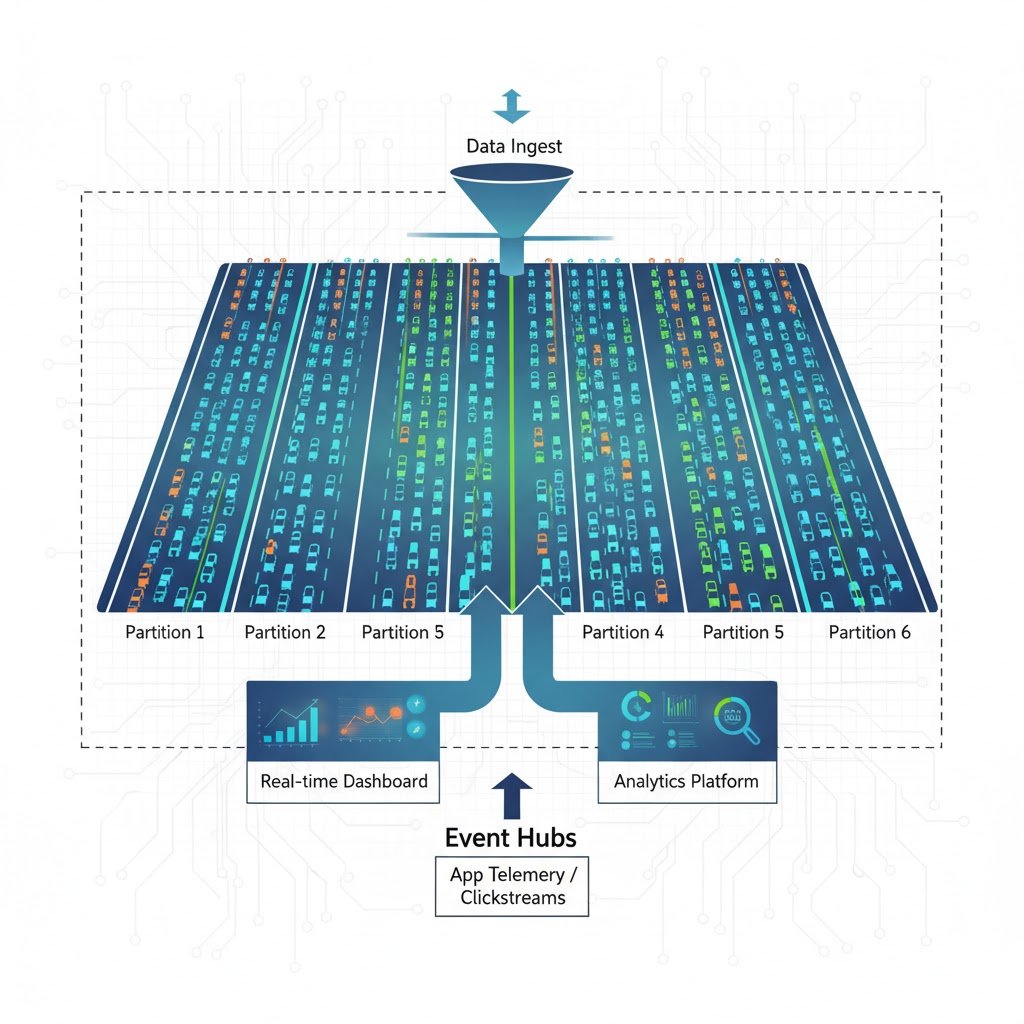
Event Hub motorway

Develop Azure Event-based and Message-based Solutions

Event Hubs overview

  • Fully managed real-time data integration service.
  • Designed for streaming large volumes of data.
  • Used in telemetry, logs, and app events.
  • Ideal for big data scenarios and analytics pipelines.

Event Hubs Logo

Develop Azure Event-based and Message-based Solutions

Comparing Event Hubs to Event Grid

  • Different purpose to Event Grid
  • Event Grid is designed for event-driven architecture
  • Event Hubs focuses collecting and streaming high-throughput event data for processing and analytics.

Event Grid vs Event Hubs

Develop Azure Event-based and Message-based Solutions

How Event Hubs work at scale

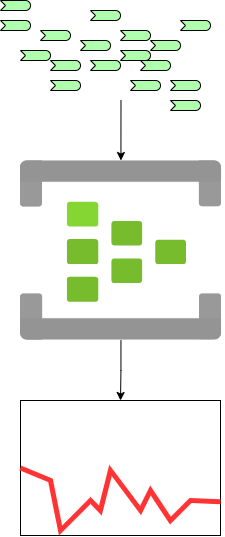
Event Hubs at scale

  • Millions of events ingested every second.
  • Events are stored in temporary partitions.
  • Events are used for analytics, visualization, or storage.
Develop Azure Event-based and Message-based Solutions

Event Hubs work at scale

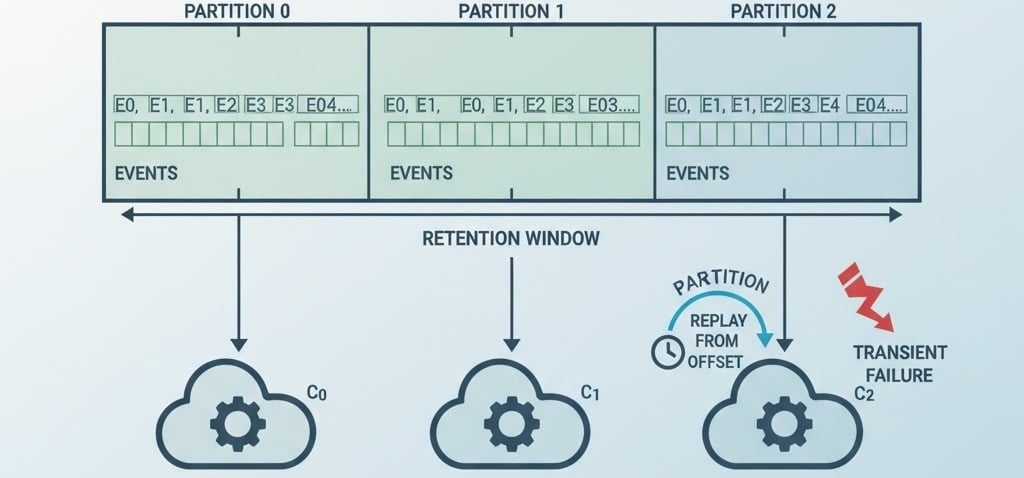
  • High-throughput data ingestion by using partitions
  • Partitioning enable parallel processing
  • Support for replaying events from a specific offset or time
  • Events are still delivered event if a transient failure occurs

Event Hubs Partitions

Develop Azure Event-based and Message-based Solutions

Integrating Event Hubs with Event Grid
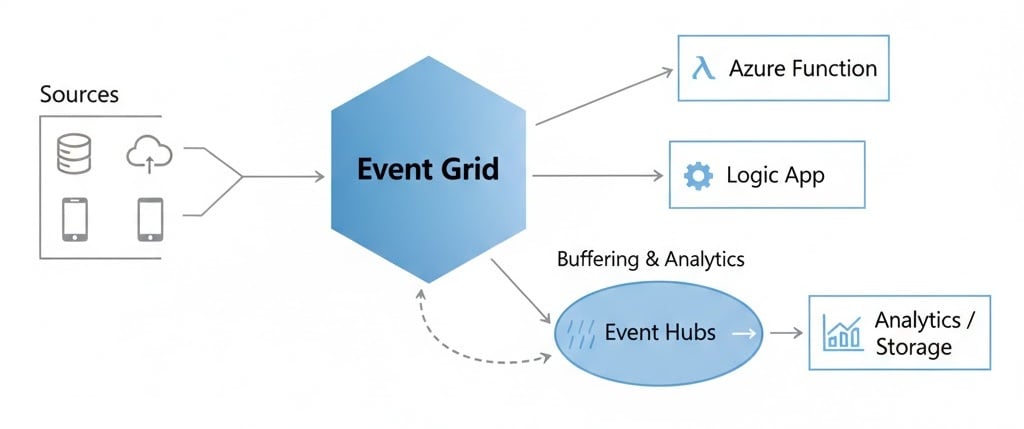
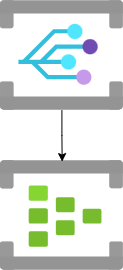
Event Grid with Event Hubs

Develop Azure Event-based and Message-based Solutions

Integrating Event Hubs with Event Grid
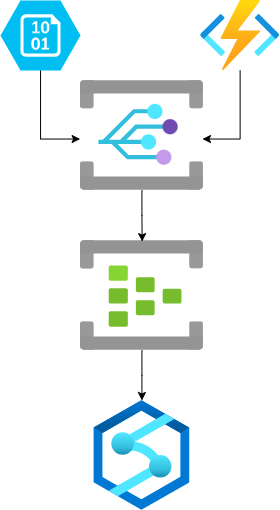
  • Event Grids is designed for event-driven architecture.
  • Event Hubs:
    • Are for event data analytics, storage, and visualization.
    • Integrate seamlessly with Azure Stream Analytics, Databricks, or Kafka.
    • Support event buffering.

Event Grid with Event Hubs

Develop Azure Event-based and Message-based Solutions

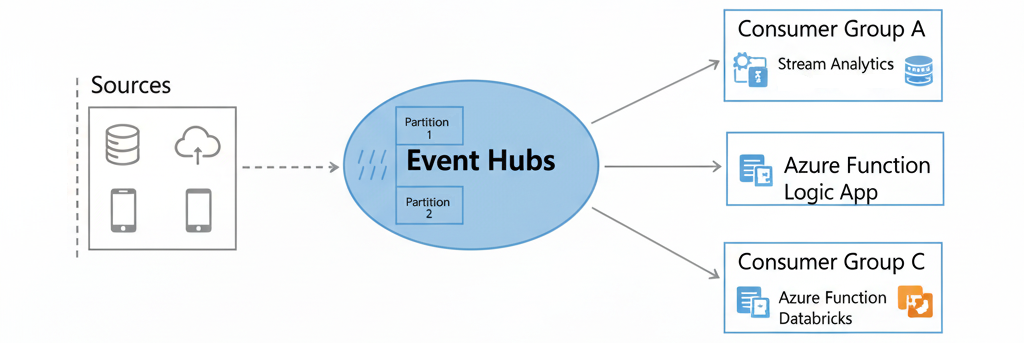
Connecting Event Hubs consumers

  • Target services act as consumers of an Event Hub.

  • Consumers read events from partitions.

  • Clients connect using:

    • The Event Hubs namespace,
    • The Event Hub name,
    • An access key for authentication.

Event Hubs consumers

Develop Azure Event-based and Message-based Solutions

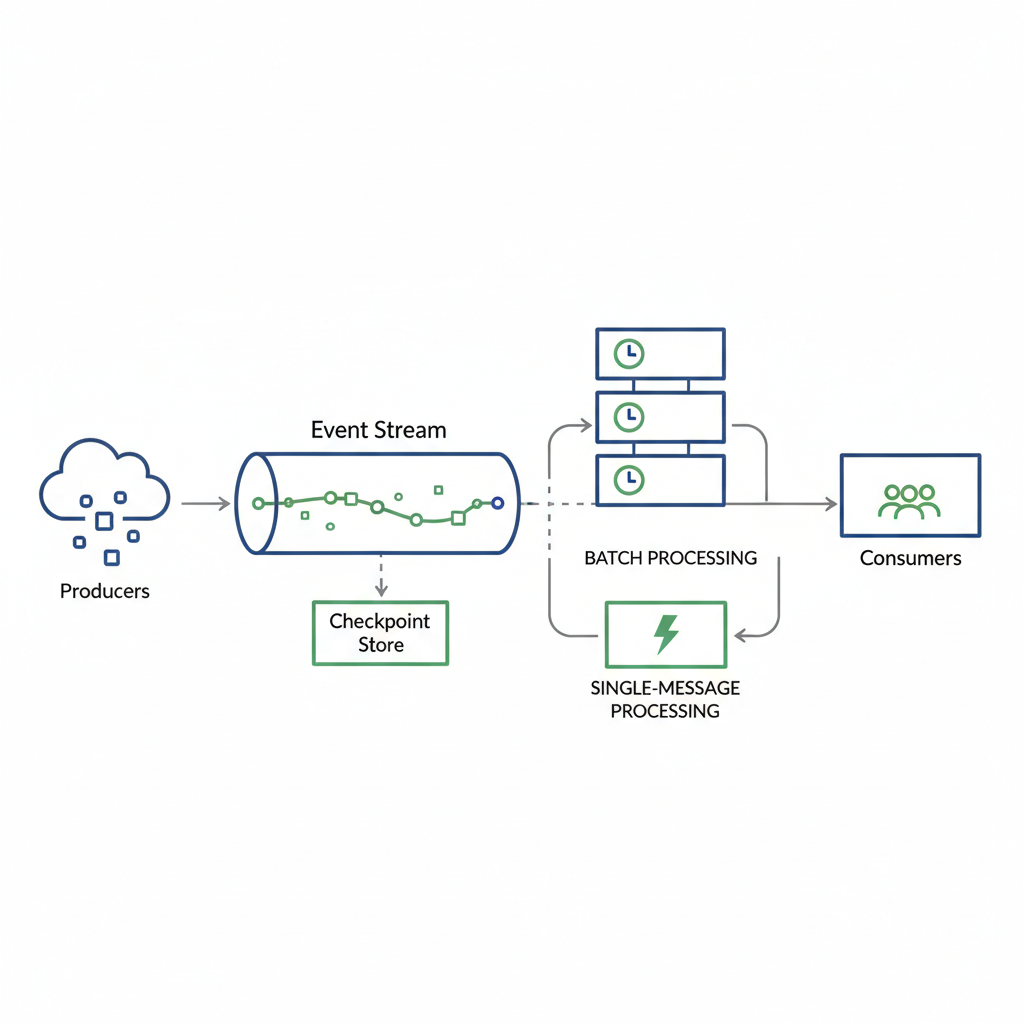
Advanced Event Hubs features

  • Checkpointing allows consumers to resume processing from where they left off.

  • Events can be processed in batches for higher throughput.

  • Events can also be handled one by one for low-latency scenarios.

Advanced Event Hubs features

Develop Azure Event-based and Message-based Solutions

Let's practice!

Develop Azure Event-based and Message-based Solutions

Preparing Video For Download...