Area charts and legend controls

Visualizations in Sigma

Mandy Gray

Solutions and Enablement Lead, Aimpoint Digital

Tracking call volumes and fraud rates
Risk_management_team.png

Manage call volumes and track how often merchants appear in fraud calls

Visualizations in Sigma

Tracking call volumes and fraud rates
Metrics_over_time_and_teams.png

  • Track metrics over time
  • Break out metrics by team
  • Need insights beyond standard line or multi-line charts
Visualizations in Sigma

Tracking call volumes and fraud rates

 

Calls_split_by_teams.png

  • Breakout of calls handled by team over time
  • Proportion of total calls each team handles monthly
  • Help to answer questions:
    • Is call activity spread evenly across teams?
    • Is one merchant consistently the source of most fraud reports?
Visualizations in Sigma

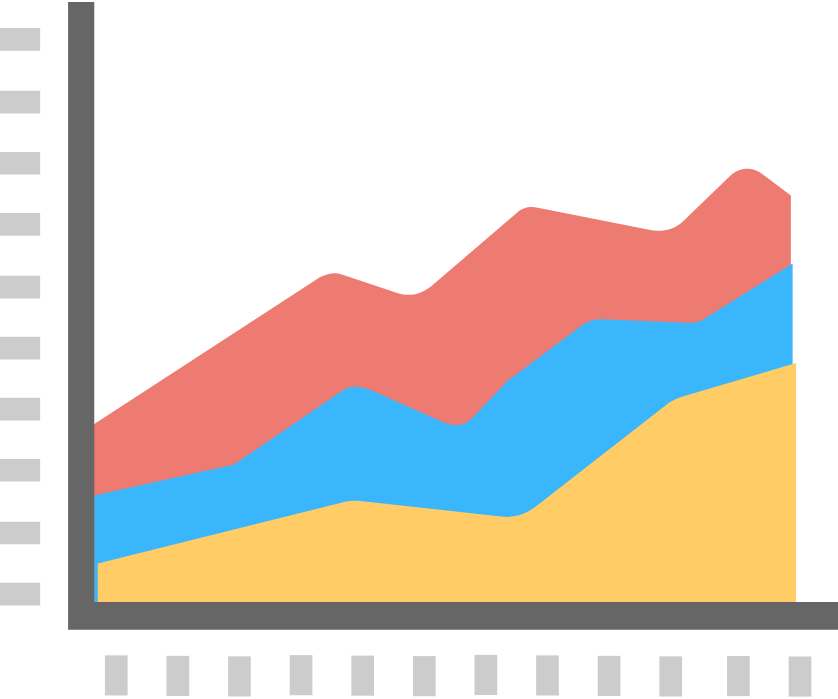
Area charts show proportions clearly

Area_chart.png

Visualizations in Sigma

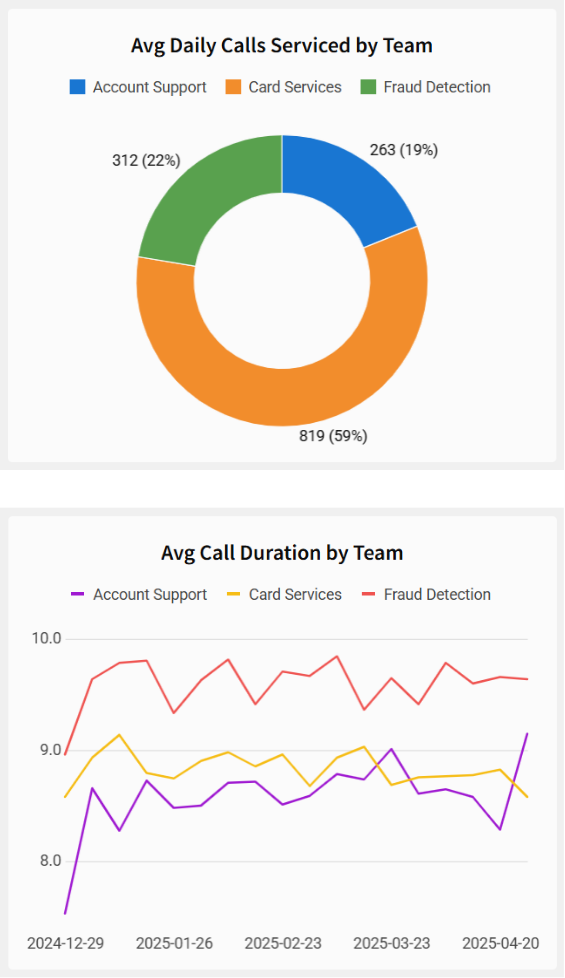
Coordinating colors across charts

1.3-no legend control.png

  • Manage many metrics simultaneously
  • Struggle to keep up with busy dashboards
  • Inconsistent color schemes cause confusion
Visualizations in Sigma

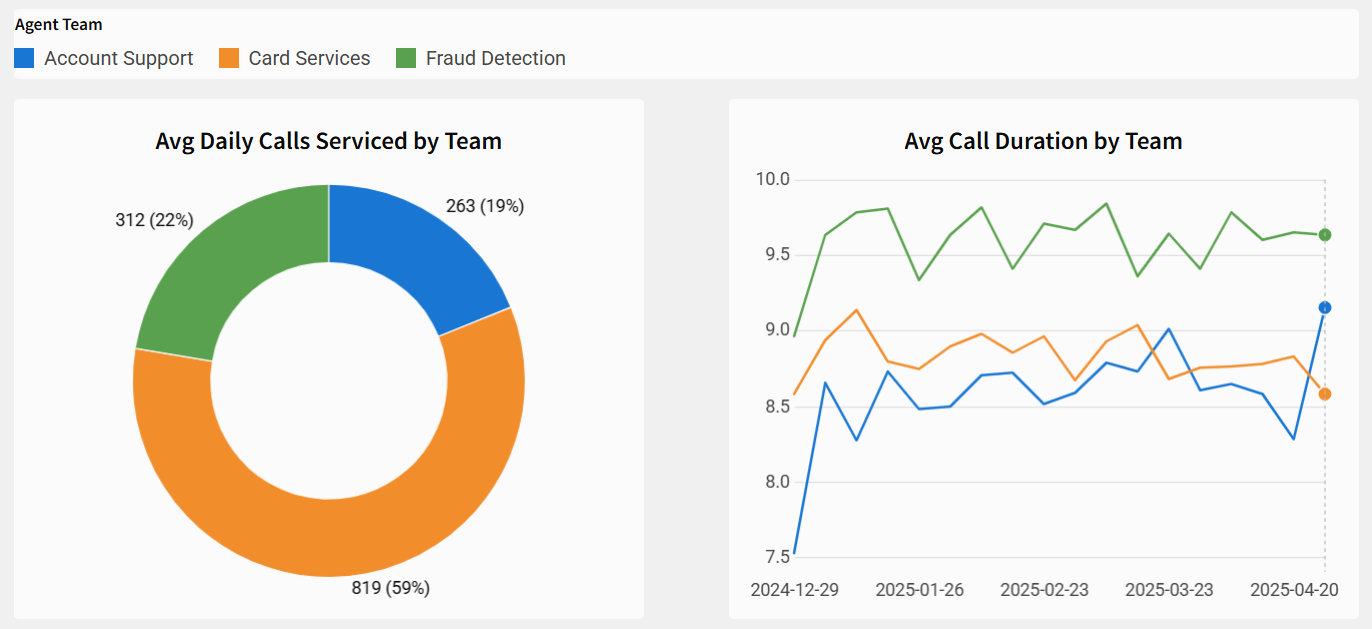
Legend Control centralizes colors

1.3-w legend control.png

  • Sigma's Legend Control
  • Centralizes color management
  • Ensures consistent chart colors
Visualizations in Sigma

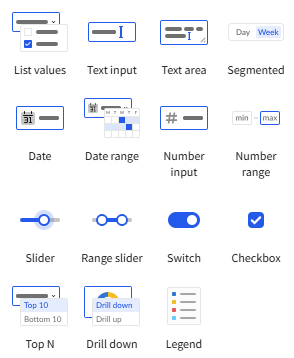
Sigma control elements

  • Control influences other workbook elements
  • Examples:
    • date filters
    • checkboxes
    • list boxes


  • See Introduction to Sigma course for a refresher

1.3 - sigma controls.png

Visualizations in Sigma

Let's practice!

Visualizations in Sigma

Preparing Video For Download...