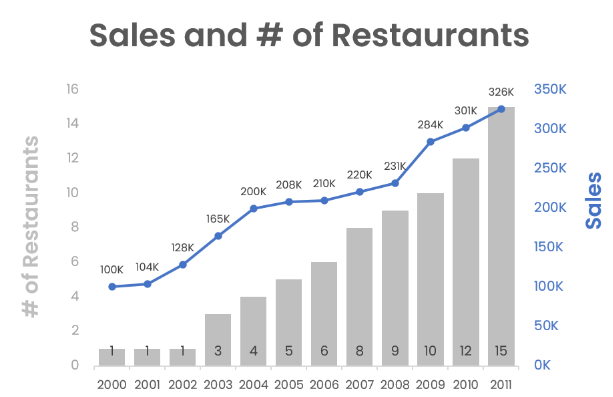
Multiple y-axis and combo charts
Visualizations in Sigma
Mandy Gray
Solutions and Enablement Lead, Aimpoint Digital
Compare multiple data columns

Compare two or more columns in one chart
Examples:
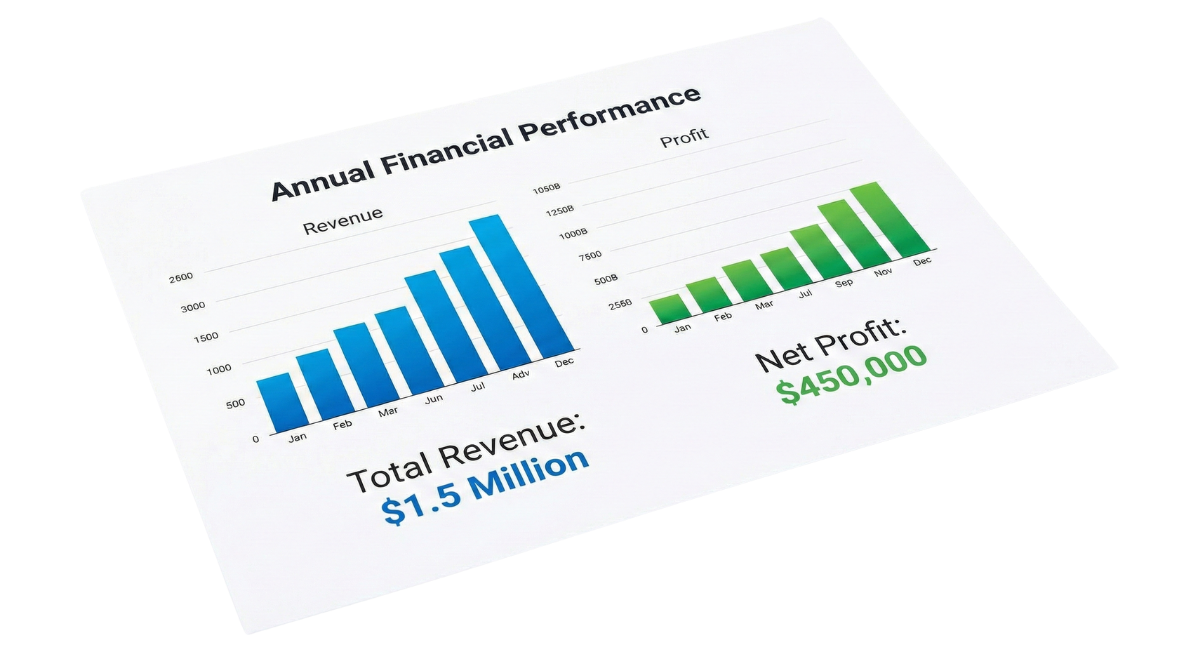
revenue vs profit
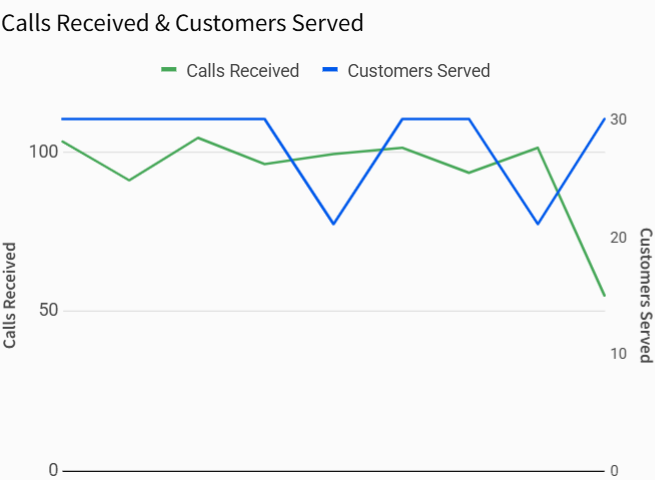
customers served vs calls received
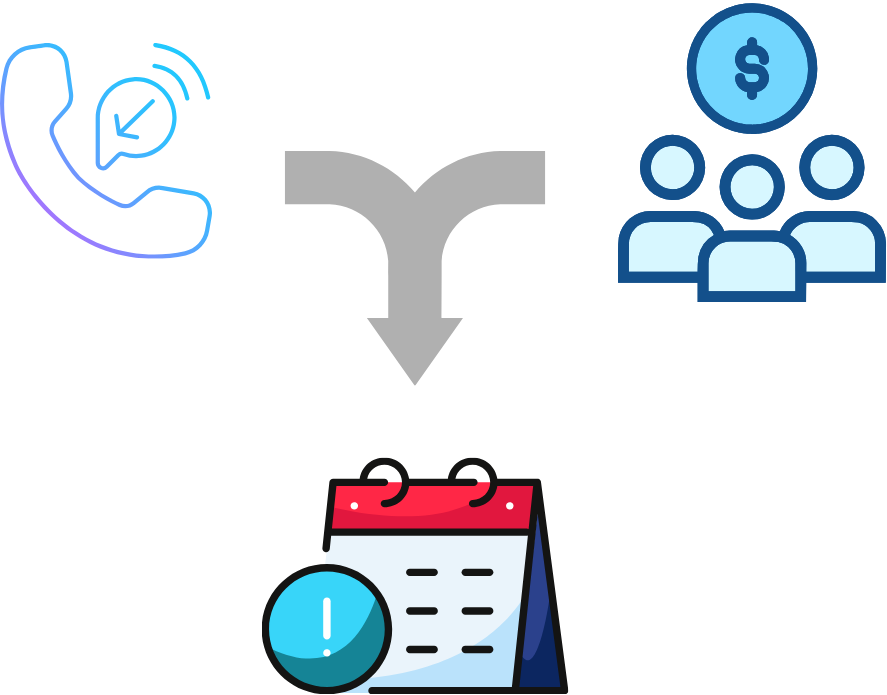
Question: do calls and customers increase proportionately?
Compare multiple data columns
Columns must share an x-axis to compare
Example: calls received and customers served
Compare multiple data columns
Columns must share an x-axis to compare
Example: calls received and customers served
Use a common column like [Call Date] for x-axis
Y-axis needed for interpretation
Need y-axis to interpret both columns
Challenge: data points with different scales
revenue and profit
Challenge: data points with different units
calls and customers
Format y-axis accordingly
Understand units and scale before choosing chart type
Format y-axis based on data characteristics
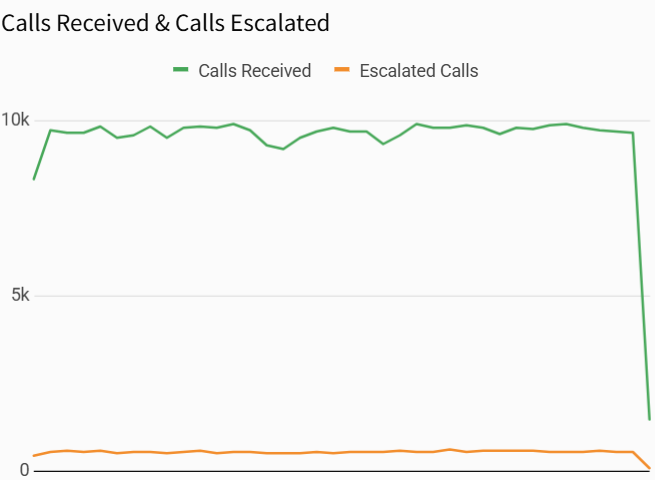
Same units (e.g., calls received and calls escalated) can share one y-axis
Different scales need separate y-axes
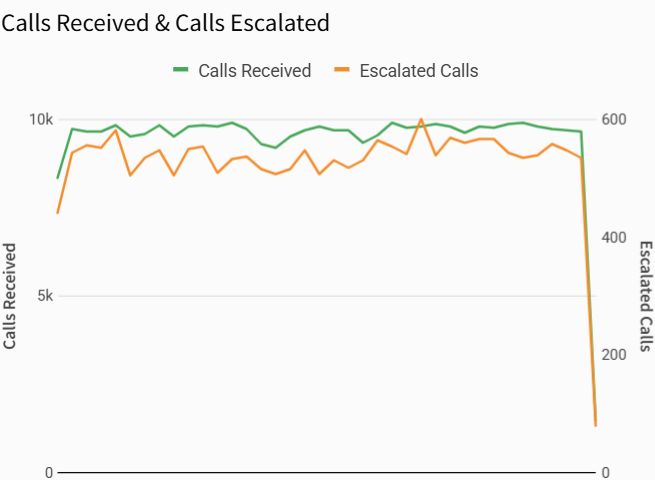
Different scales require separate y-axes
Use a second axis for smaller-scale data (e.g., escalated calls)
Apply different colors and labels
Different units require two y-axes
Different units require separate y-axes
Move one data column to a second y-axis
Prevents misinterpretation of values
Combo charts
Most Sigma charts with y-axis support multiple fields
Combo charts mix line, bar, area, or points on one chart
Combo charts
Combo charts suit time-based data
Combine bars and lines
Enhance insight without clutter
Combo charts
Not all data fits shared y-axis or combo charts
Consider use case and audience carefully
Shared axis charts may confuse some users
Let's practice!
Visualizations in Sigma
Preparing Video For Download...