Context-powered prompts

Software Development with Cursor

Francesca Donadoni

AI Curriculum Manager, DataCamp

@ References
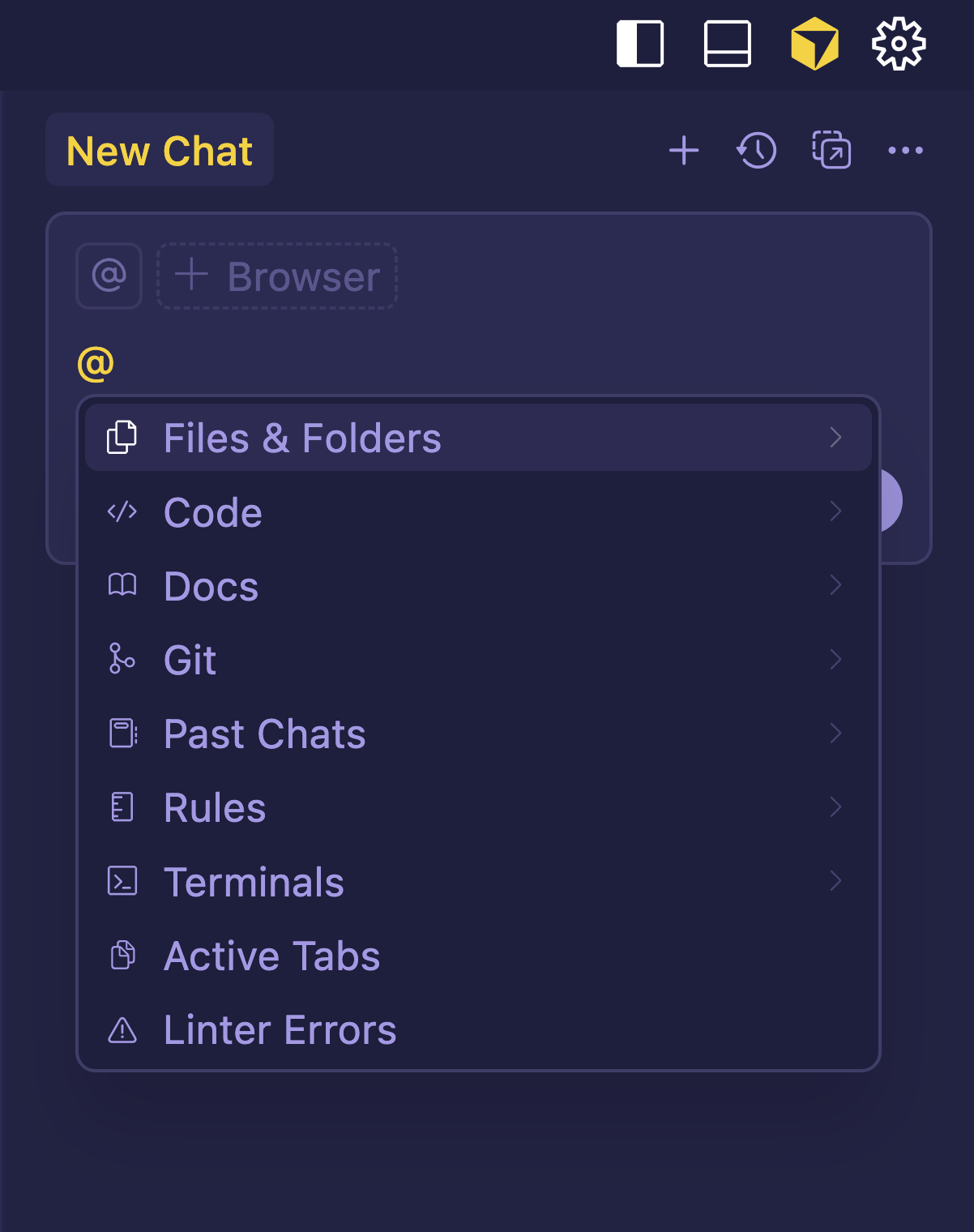
  • @ references to reference
    • files
    • folders
    • documentation
  • Can be added as part of any prompt

at references

Software Development with Cursor

@ References

  • Referencing:
    • Anchors the AI to real project data
    • Points it to specific files, folders, or docs

referencing files.png

Software Development with Cursor

More @ References

$$

  • @file: to point to a specific file
  • @folder: to provide an overview of a folder's contents
  • @code: to highlight a particular code snippet
  • @cursor rules: to follow predefined coding conventions
  • @past chats: to recall previous discussions or decisions
Software Development with Cursor

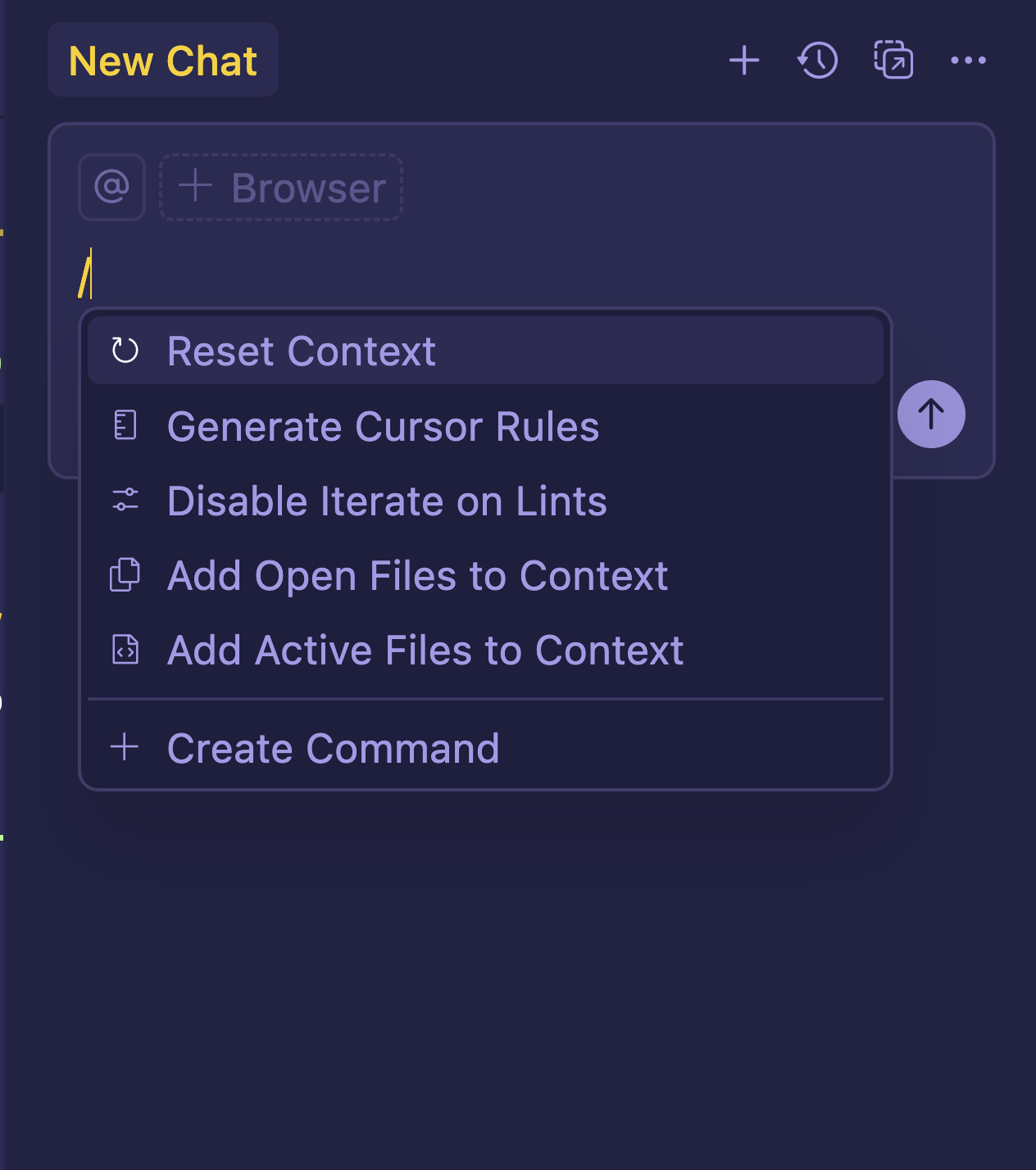
Slash Commands

  • Offer quick control over context

managing context.png

Software Development with Cursor

Slash Commands

$$

  • /Reset Context resets context to the default state
  • /Generate Cursor Rules creates rule files for consistent AI behavior
  • /Disable Iterate on Lints stops automatic lint fixes
  • /Add Open Files to Context adds all open editor tabs
  • /Add Active Files to Context adds only visible files in view

slash commands.png

Software Development with Cursor

Let's practice!

Software Development with Cursor

Preparing Video For Download...