Congratulations!

Microsoft Copilot in Excel

James Chapman

AI Curriculum Manager, DataCamp

Chapter 1

copilot-logo.jpg

  • Chat → asking questions and requesting explanations
  • Allow editing → making edits to your workbooks

Data cleaning

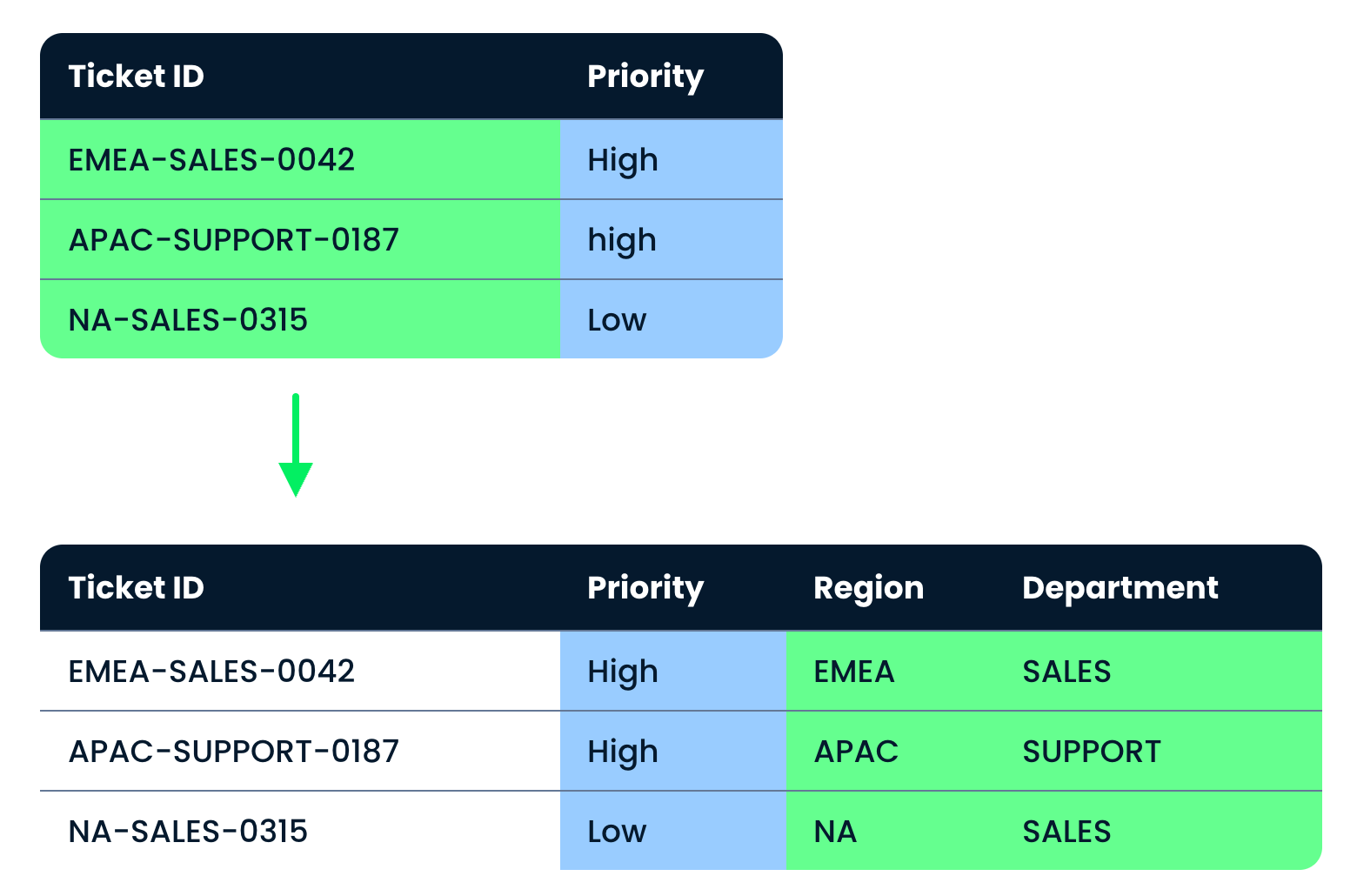
$$ The Tickets table before and after cleaning, with Region and Department added and Priority standardized
Microsoft Copilot in Excel

Chapter 2

XLOOKUPs

=XLOOKUP(lookup_value, lookup_array, return_array)
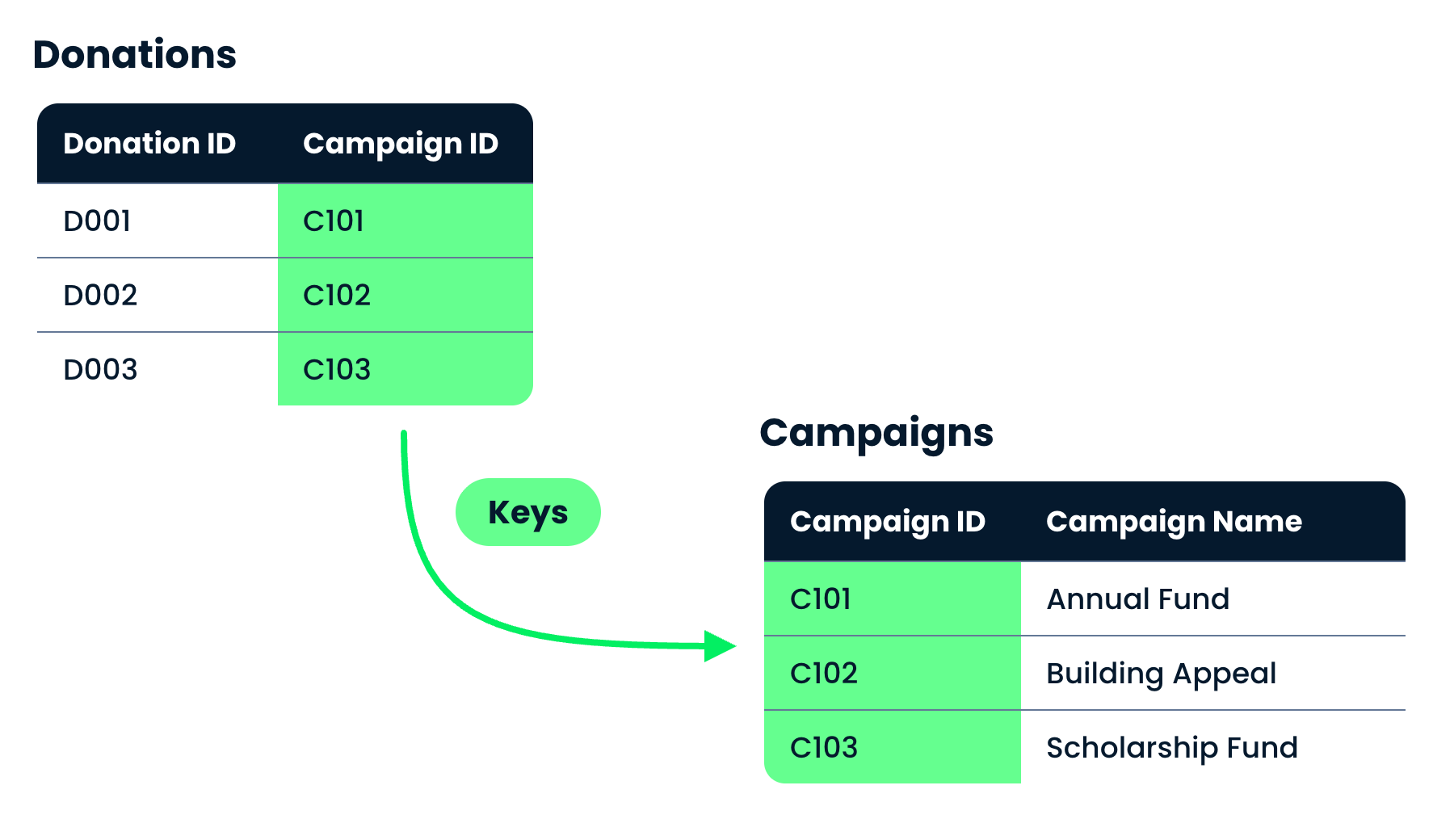
Donations and Campaigns linked by the Campaign ID key

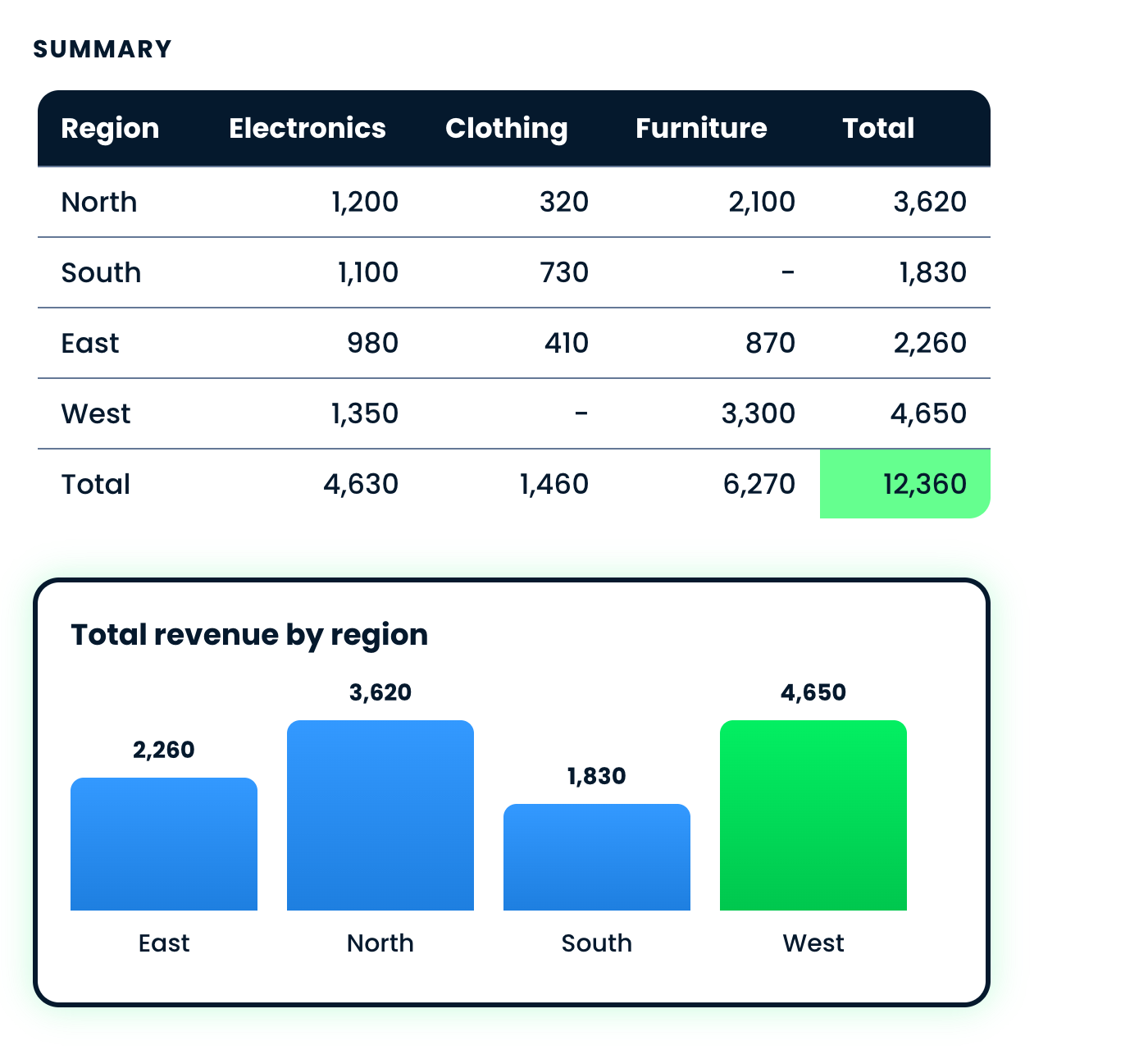
Summaries A pivot of revenue by region and category, with a bar chart of the regional totals

Microsoft Copilot in Excel

Chapter 3

Conditional formatting

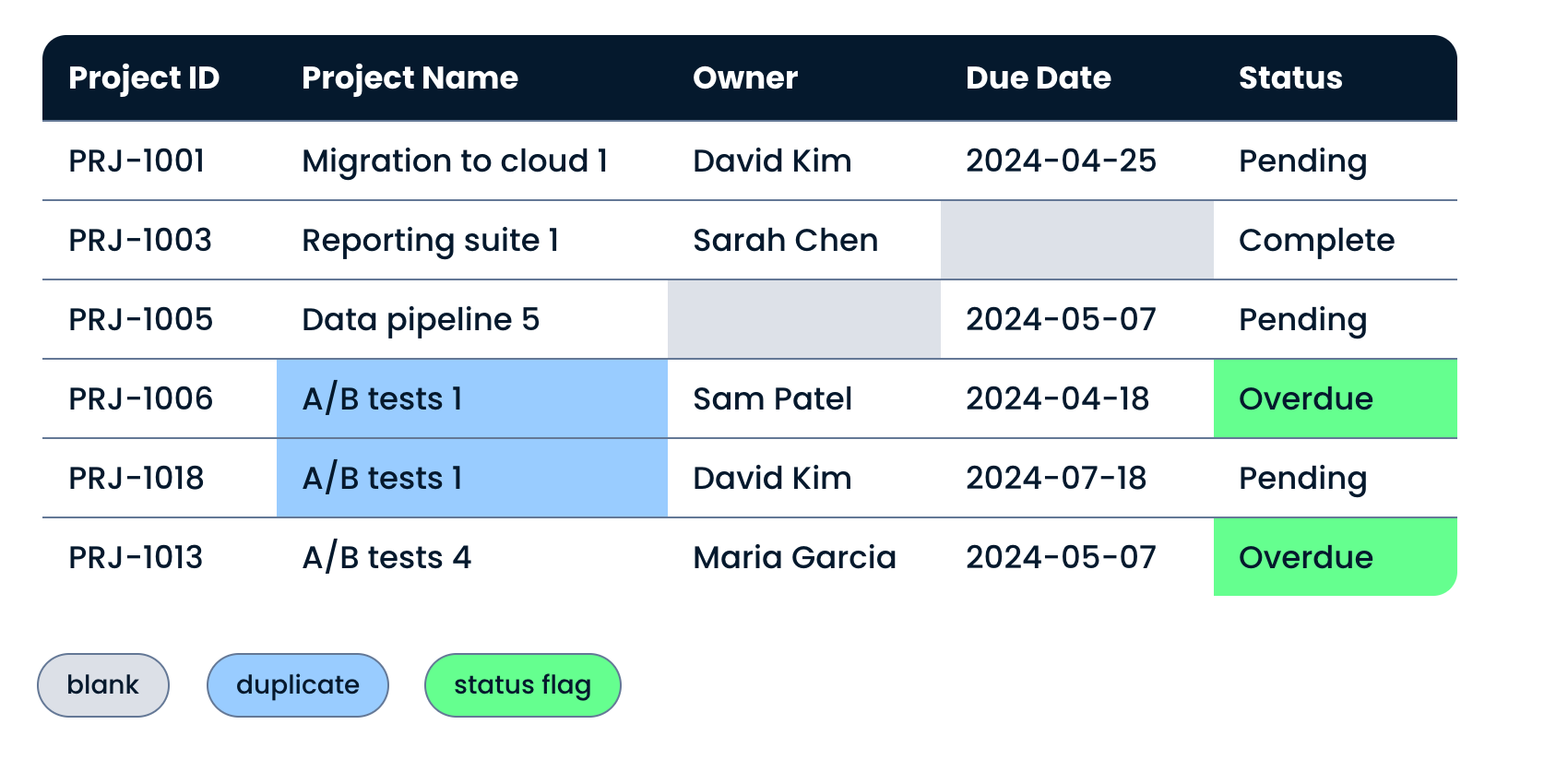
The same Projects table with formatting marking blanks, duplicates and the overdue status

  • See data at a glance
  • Identify data issues

Multi-step analysis
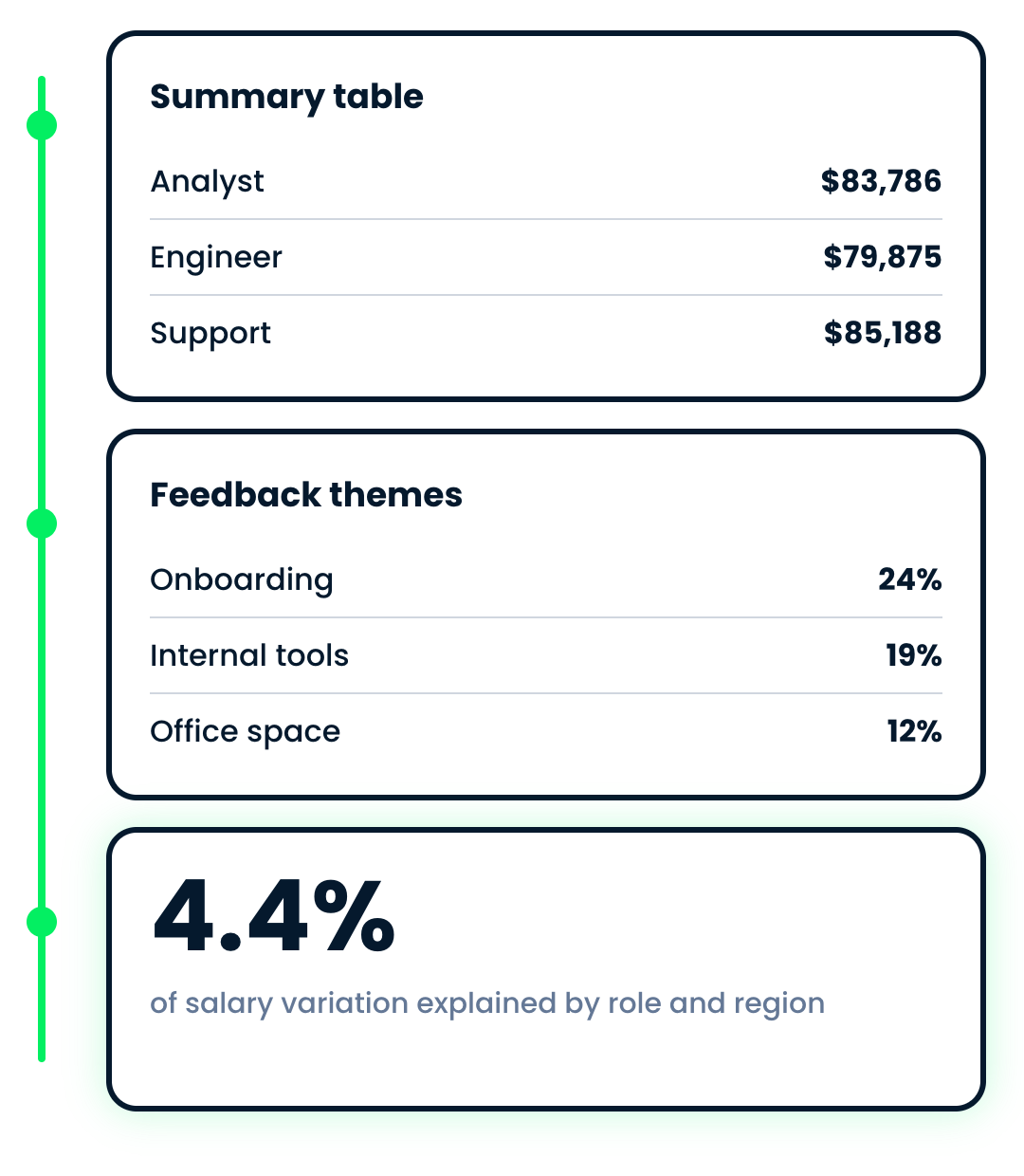
Three outputs from one multi-step analysis: a summary table, ranked feedback themes and a model statistic

Microsoft Copilot in Excel

Where next?


Try Copilot for personal projects:

  • Finance budgeting
  • Tracking inventory
  • Fitness tracking
Microsoft Copilot in Excel

Let's practice!

Microsoft Copilot in Excel

Preparing Video For Download...