Advanced analysis: multi-step analytical workflows

Microsoft Copilot in Excel

James Chapman

AI Curriculum Manager, DataCamp

Beyond formulas

Beyond one formula → comparing spend, revenue, units, and region
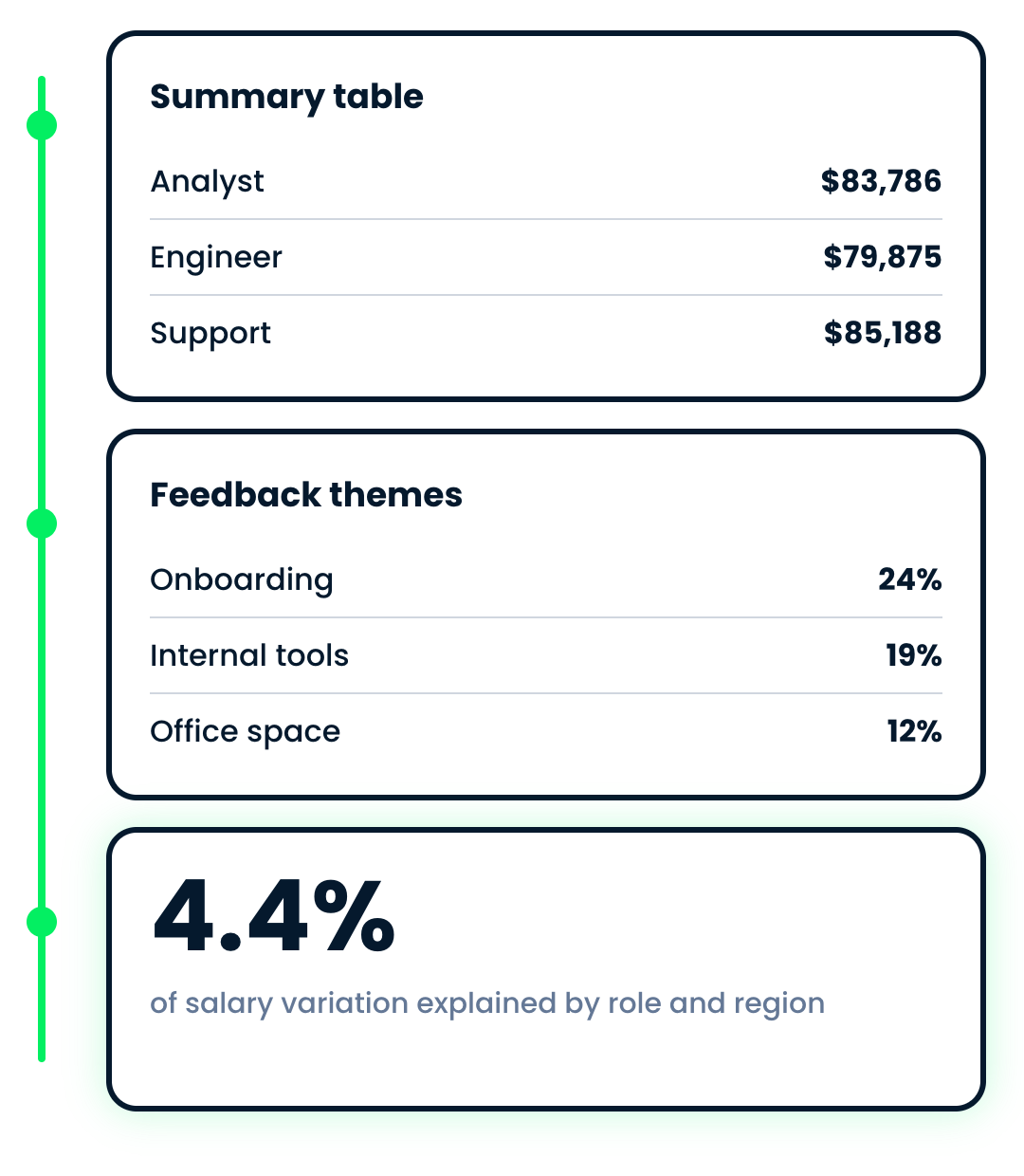
Three outputs from one multi-step analysis: a summary table, ranked feedback themes and a model statistic


Examples of advanced analysis tasks:

  • Calculations across many variables
  • Visualizing distributions
  • Summarizing free-text data


→ These need multi-step exploration, not single formulas

Microsoft Copilot in Excel

How Copilot performs multi-step analysis


Investigate the correlation between the variables in the workbook

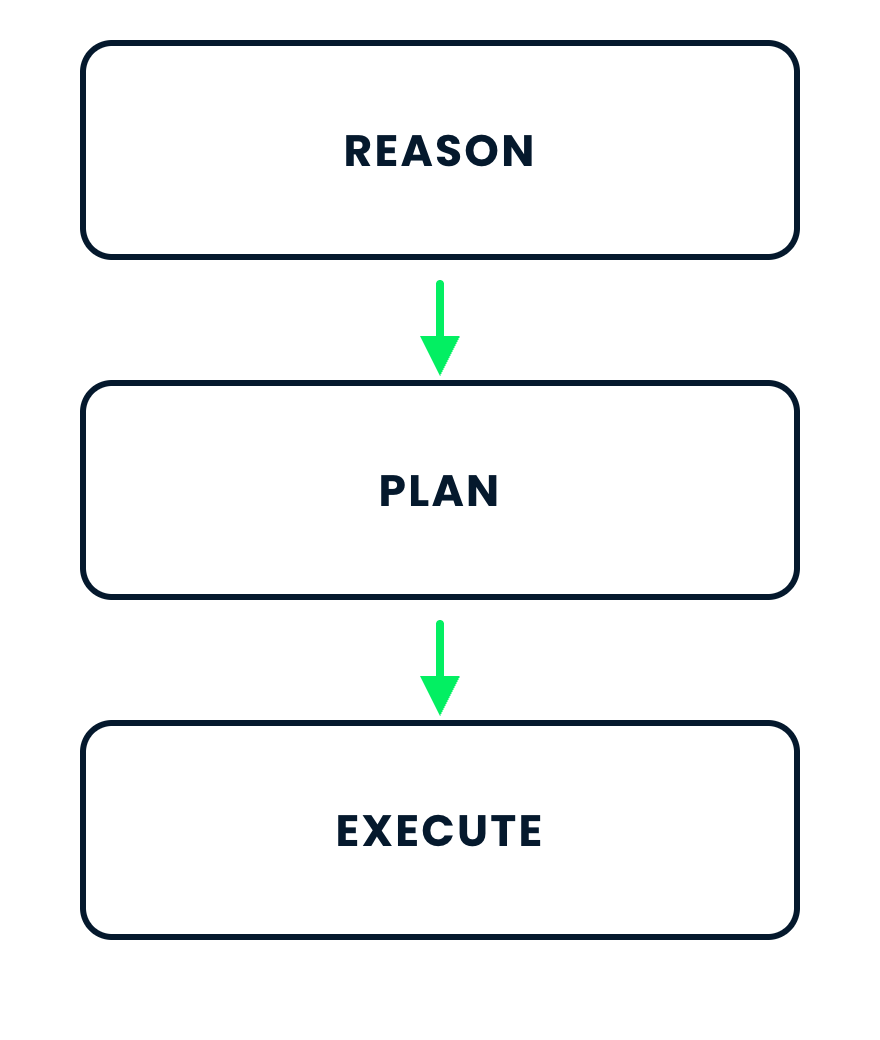
  • Copilot reasons, plans, creates formulas, and shows charts, tables, statistics
  • Inspect any step
  • Use Chat only to avoid direct edits

$$

Copilot's three stages: reason, then plan, then execute

Microsoft Copilot in Excel

Example: Investigating correlation

  • An employee pulse survey - fifty responses, one row each
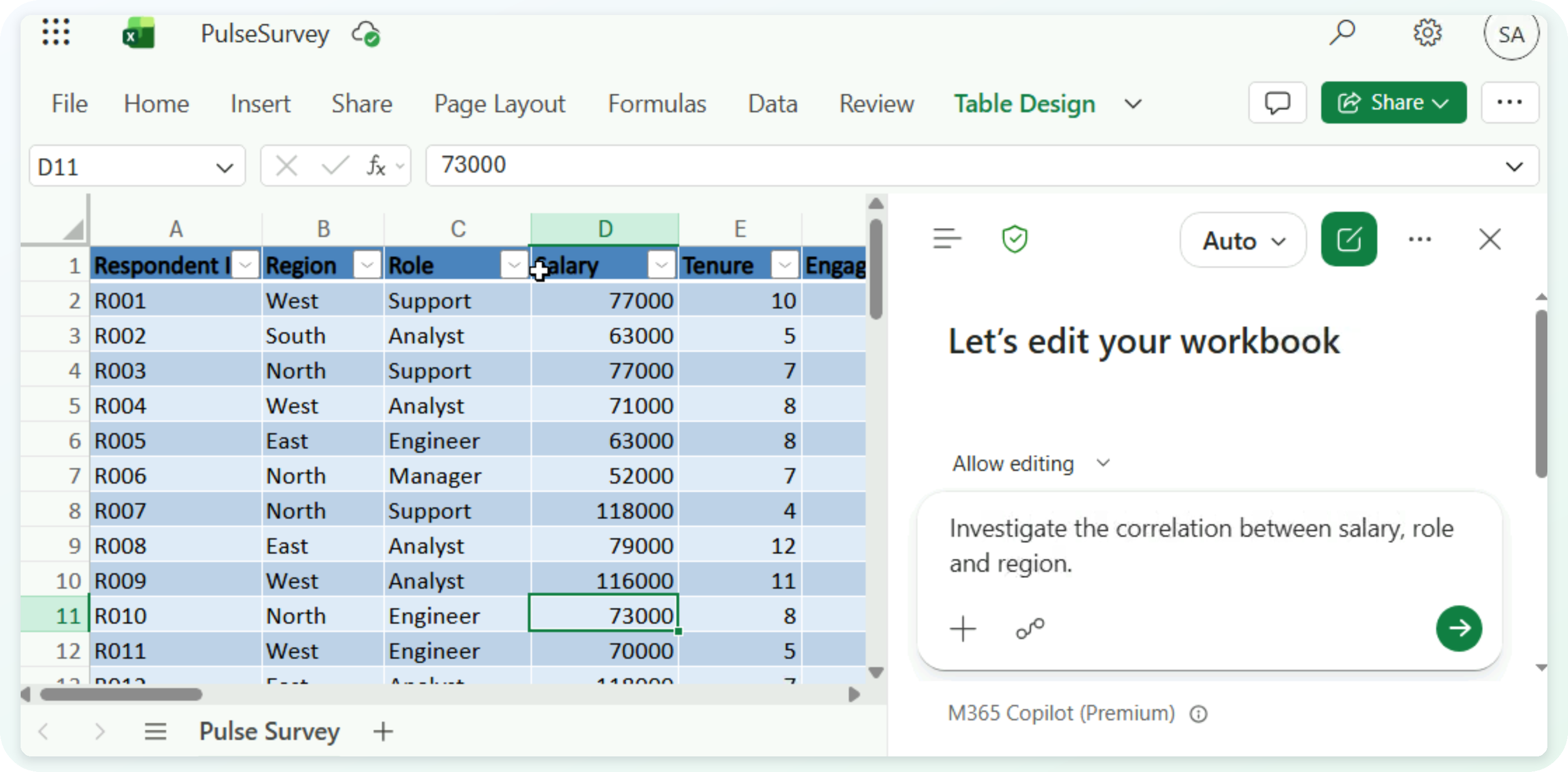
The PulseSurvey workbook with the correlation request typed into the Copilot pane

Microsoft Copilot in Excel

Example: Investigating correlation

$$
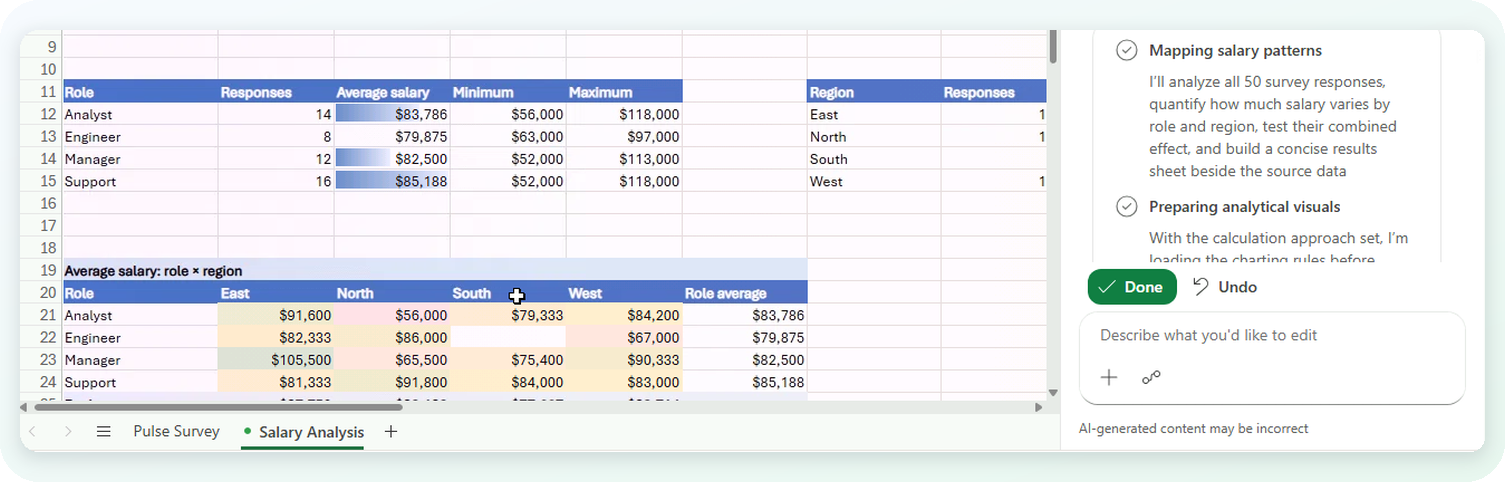
Copilot's plan for the analysis, open beside the Salary Analysis sheet it built

  • Copilot works to a plan, and writes to a separate sheet
Microsoft Copilot in Excel

Example: Investigating correlation

$$

"Role and region jointly explain only 4.4% of salary variation, and neither association is statistically significant in this small, uneven sample."
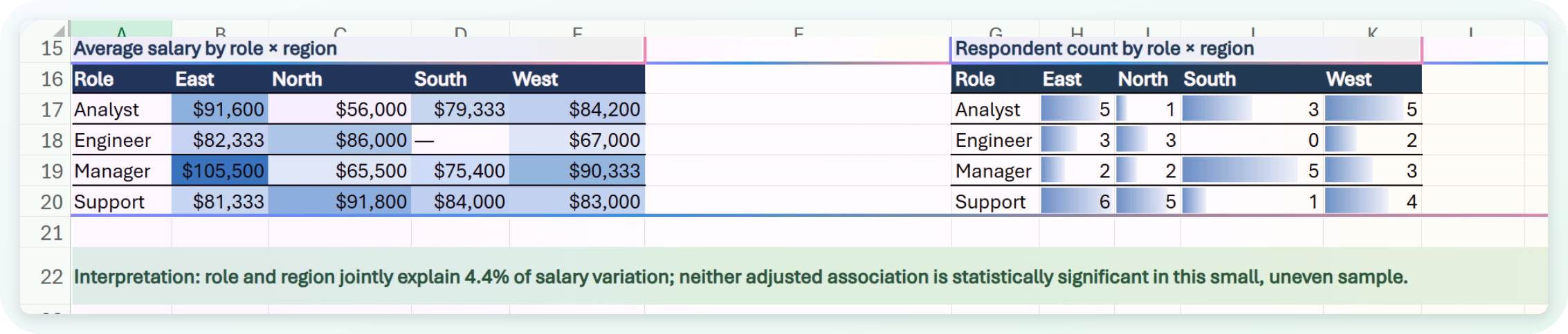
The role by region matrices and the interpretation row Copilot wrote underneath them

  • It reports what it found and how confident it is
Microsoft Copilot in Excel

Example: Summarizing free-text into themes

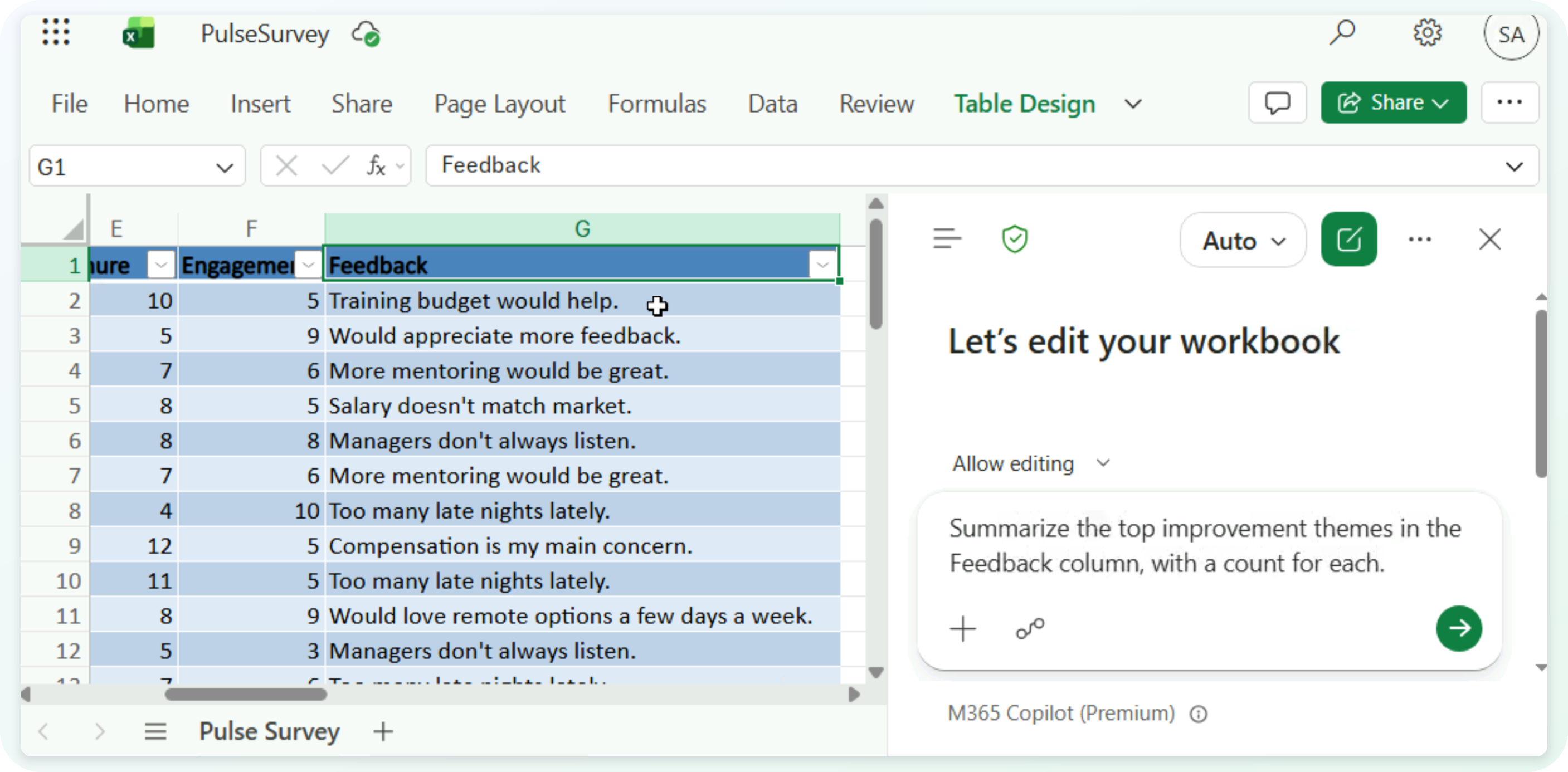
  • Ask for themes and a count for each

The same survey scrolled to its Feedback column, with the themes request typed into Copilot

Microsoft Copilot in Excel

Example: Summarizing free-text into themes

$$
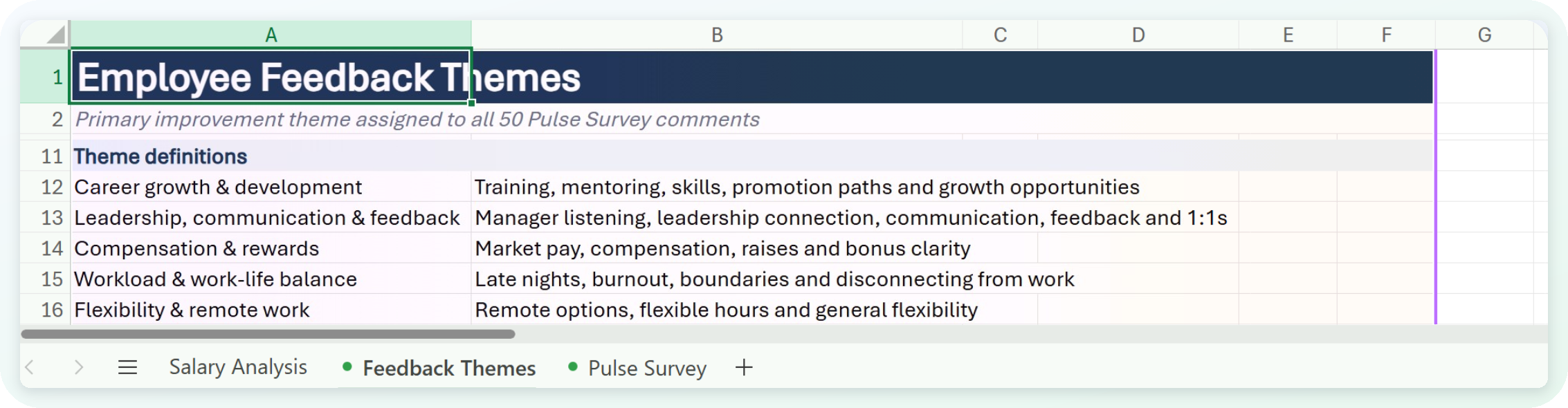
The Feedback Themes sheet, showing what each theme Copilot found actually covers

  • The buckets decide the answer - check them, not just the ranking
Microsoft Copilot in Excel

Let's practice!

Microsoft Copilot in Excel

Preparing Video For Download...