Lookups You Can Trust

Microsoft Copilot in Excel

James Chapman

AI Curriculum Manager, DataCamp

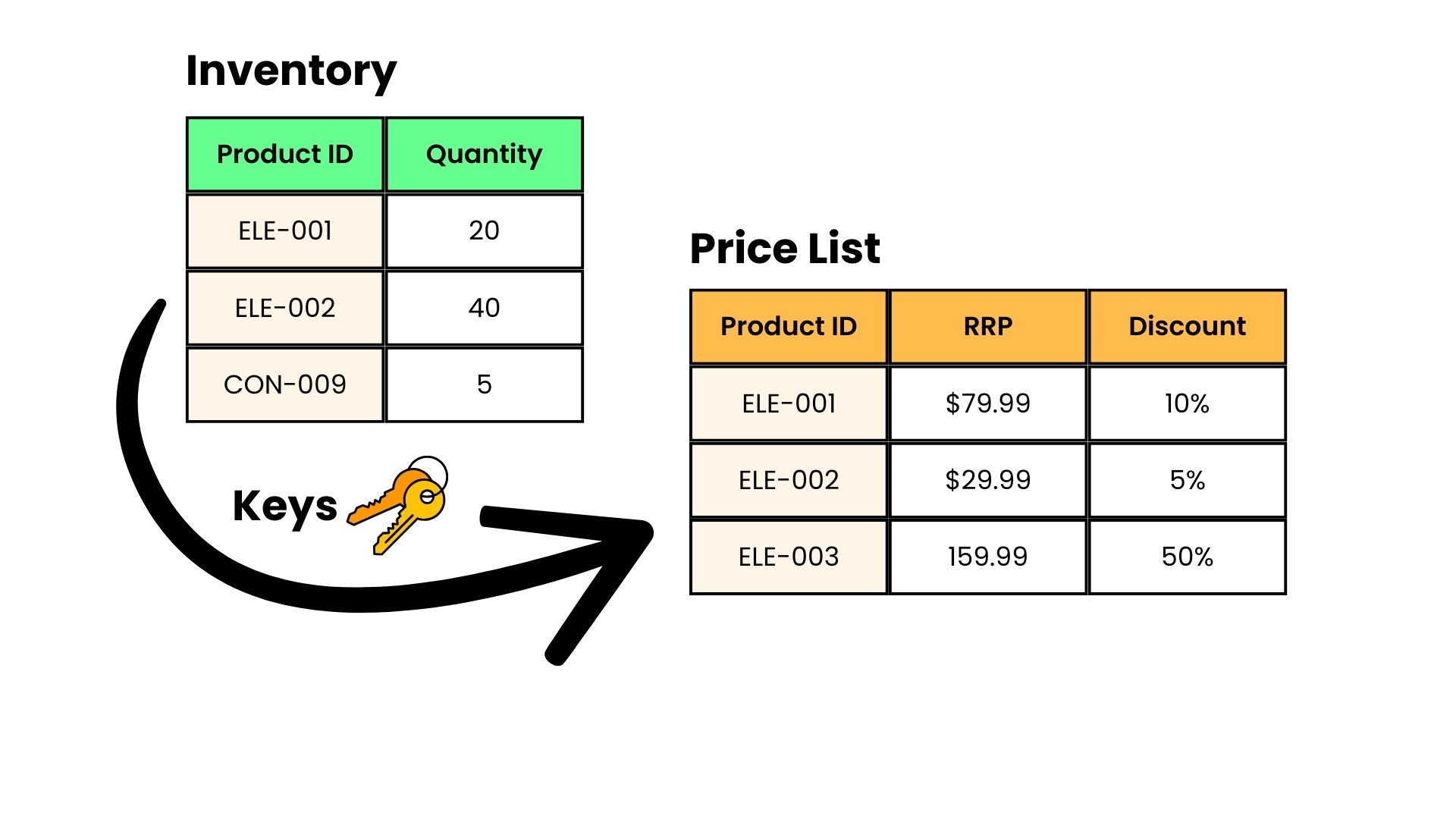
Connecting data from two places

  • Best Practice: Separate data into clear, modular domains to be combined during analysis
  • Copilot often combines data using XLOOKUP formulas

connecting_data.jpg

Microsoft Copilot in Excel

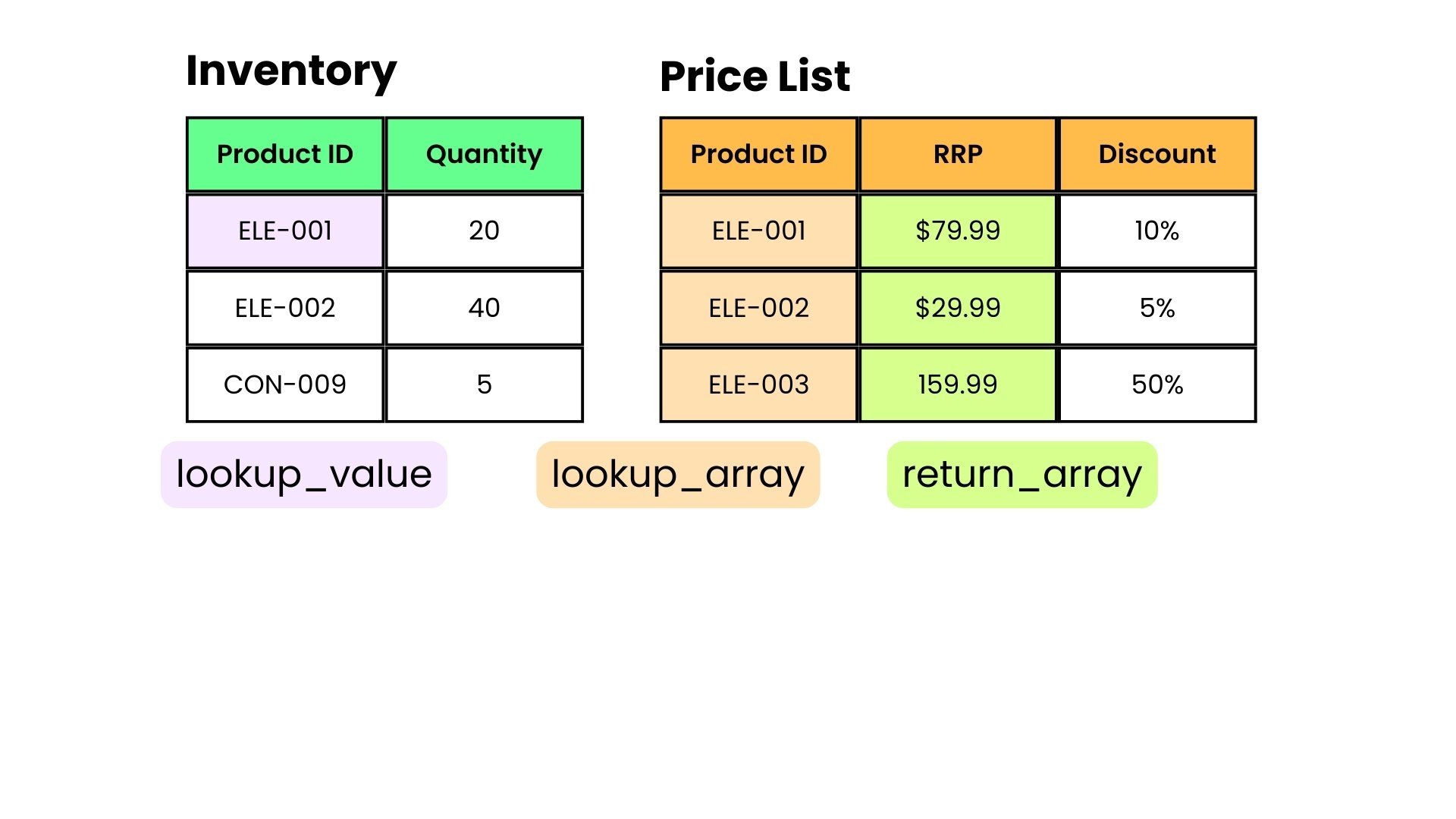
How XLOOKUP works

=XLOOKUP(lookup_value, lookup_array, return_array)
xlookup1.jpg

Microsoft Copilot in Excel

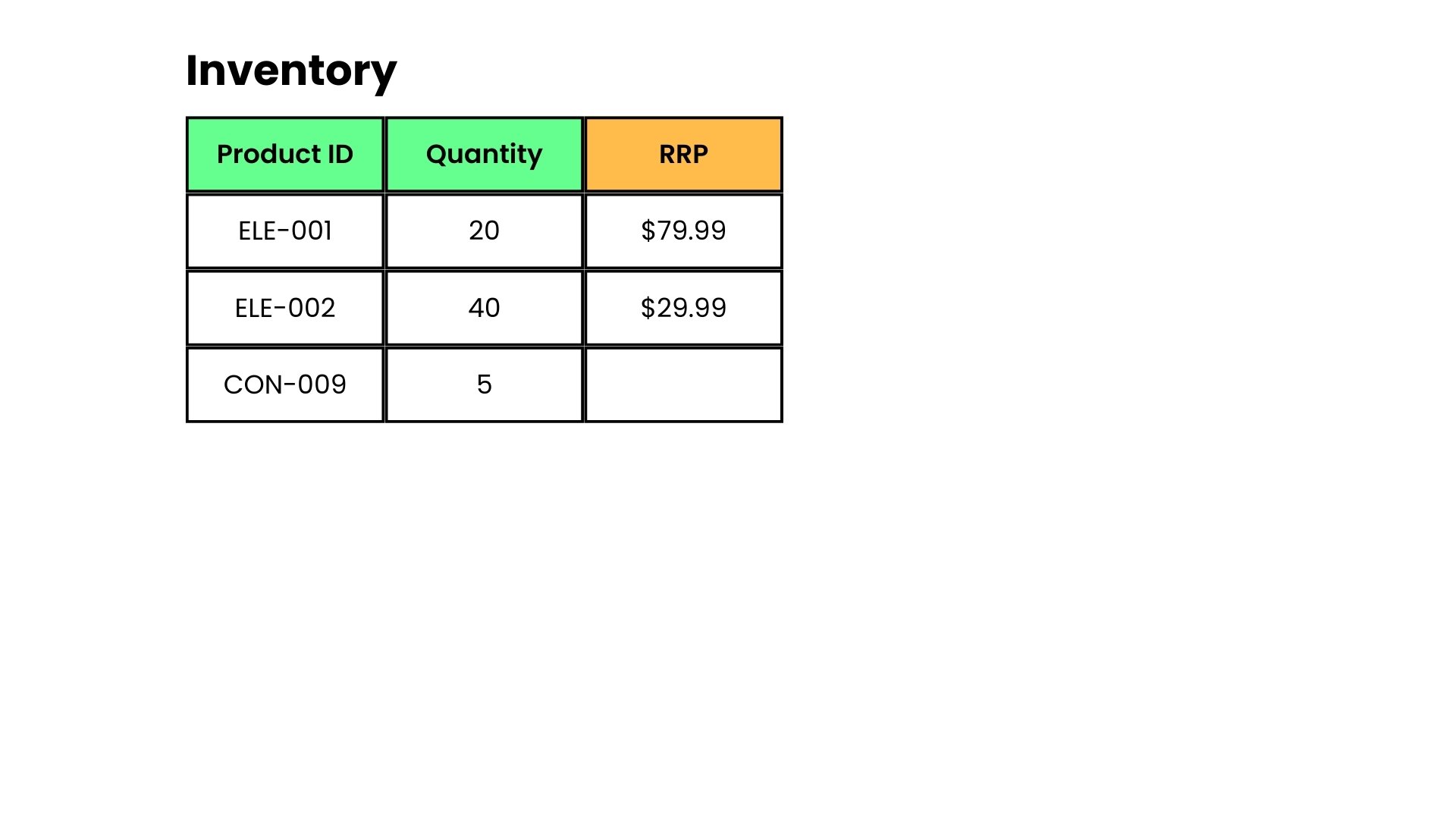
How XLOOKUP works

=XLOOKUP(lookup_value, lookup_array, return_array)
xlookup2.jpg

Microsoft Copilot in Excel

Verification checklist

checklist.png


  1. Results: Verify the matches look correct
  2. Formula: Check the tables and ranges in the formula
  3. Blanks: Could mean the item isn't in the lookup list
  4. Duplicates: Could mean the key appears twice in the lookup list
Microsoft Copilot in Excel

Let's practice!

Microsoft Copilot in Excel

Preparing Video For Download...