Unlocking AI-enabled analysis

Microsoft Copilot in Excel

James Chapman

AI Curriculum Manager, DataCamp

Meet your instructor...

$$

susanth_intro.jpg

Microsoft Copilot in Excel

What is Copilot in Excel?

$$

$$

The Microsoft Copilot logo

$$

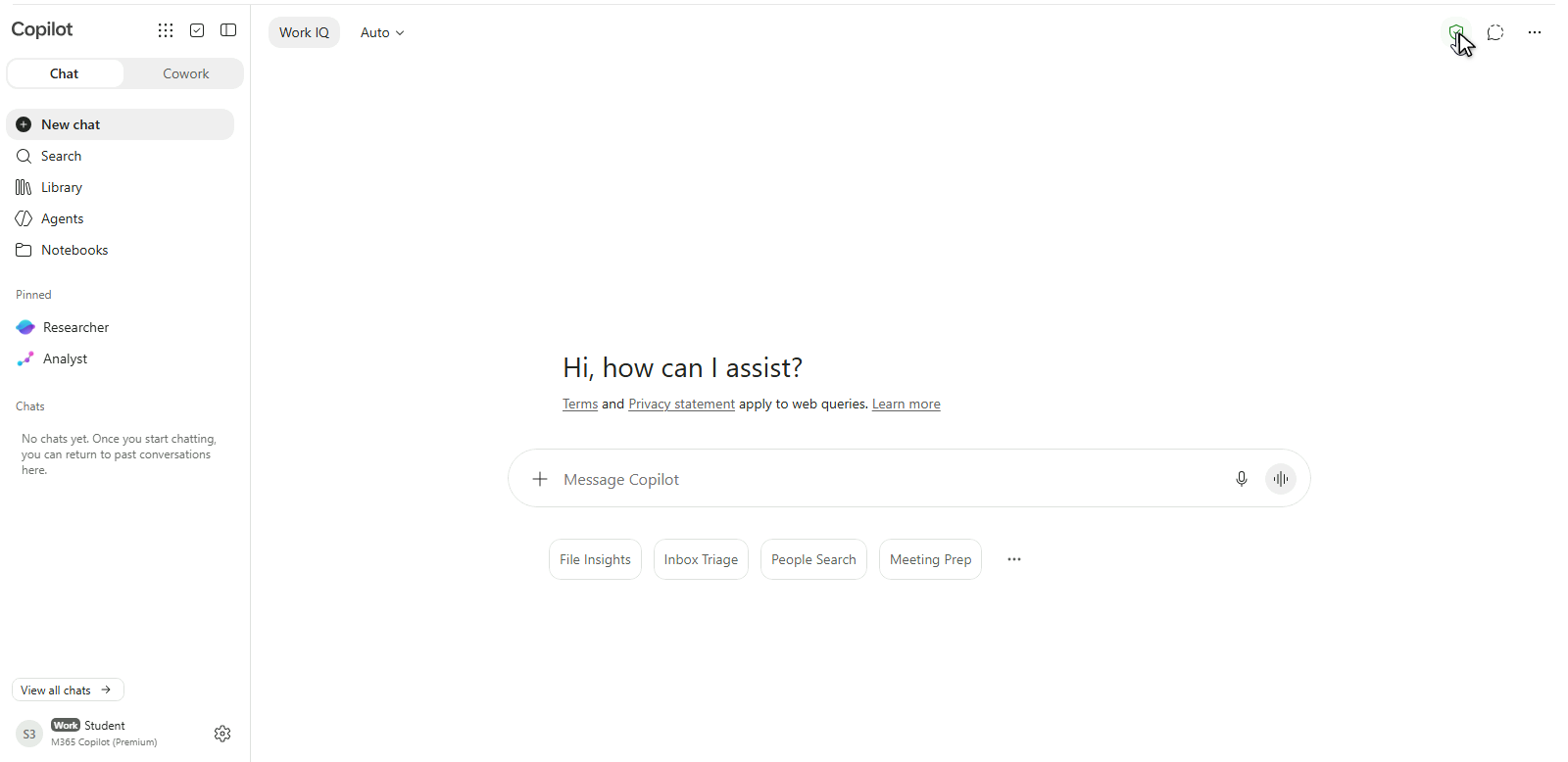
The Microsoft Copilot chat app, signed in with a work account

Microsoft Copilot in Excel

What is Copilot in Excel?

$$

  • Copilot → productivity companion across MS apps
Microsoft Copilot in Excel

What is Copilot in Excel?

$$

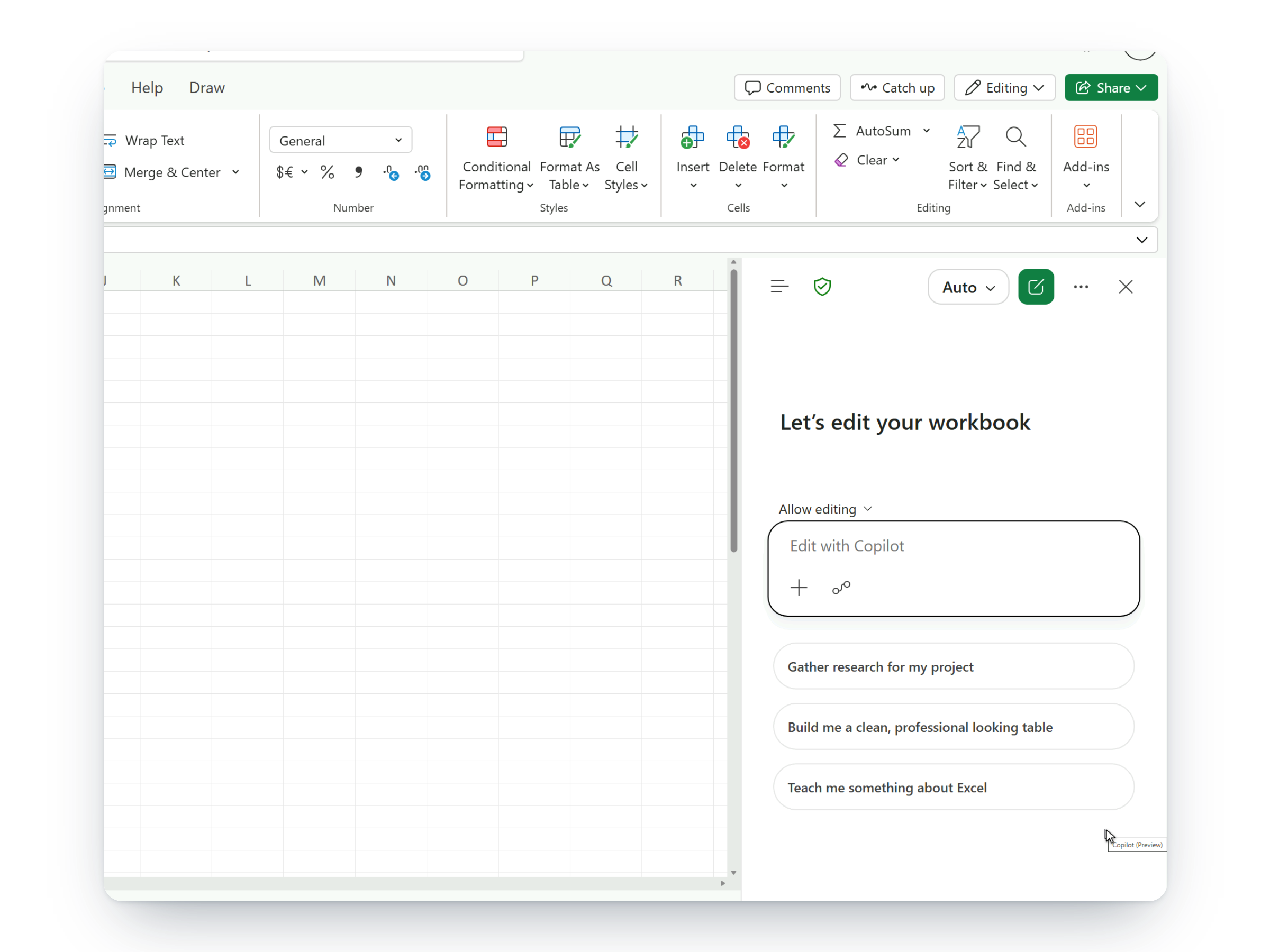
Copilot open in Excel for the web, current interface

$$

  • Copilot → productivity companion across MS apps
  • Copilot in Excel = AI built into Excel
  • Generate data, explain formulas, perform analyses


Goal → Augment your existing Excel workflows to boost productivity

Microsoft Copilot in Excel

Chatting versus doing

  • Chat = ask questions about data, and explanations of formulas
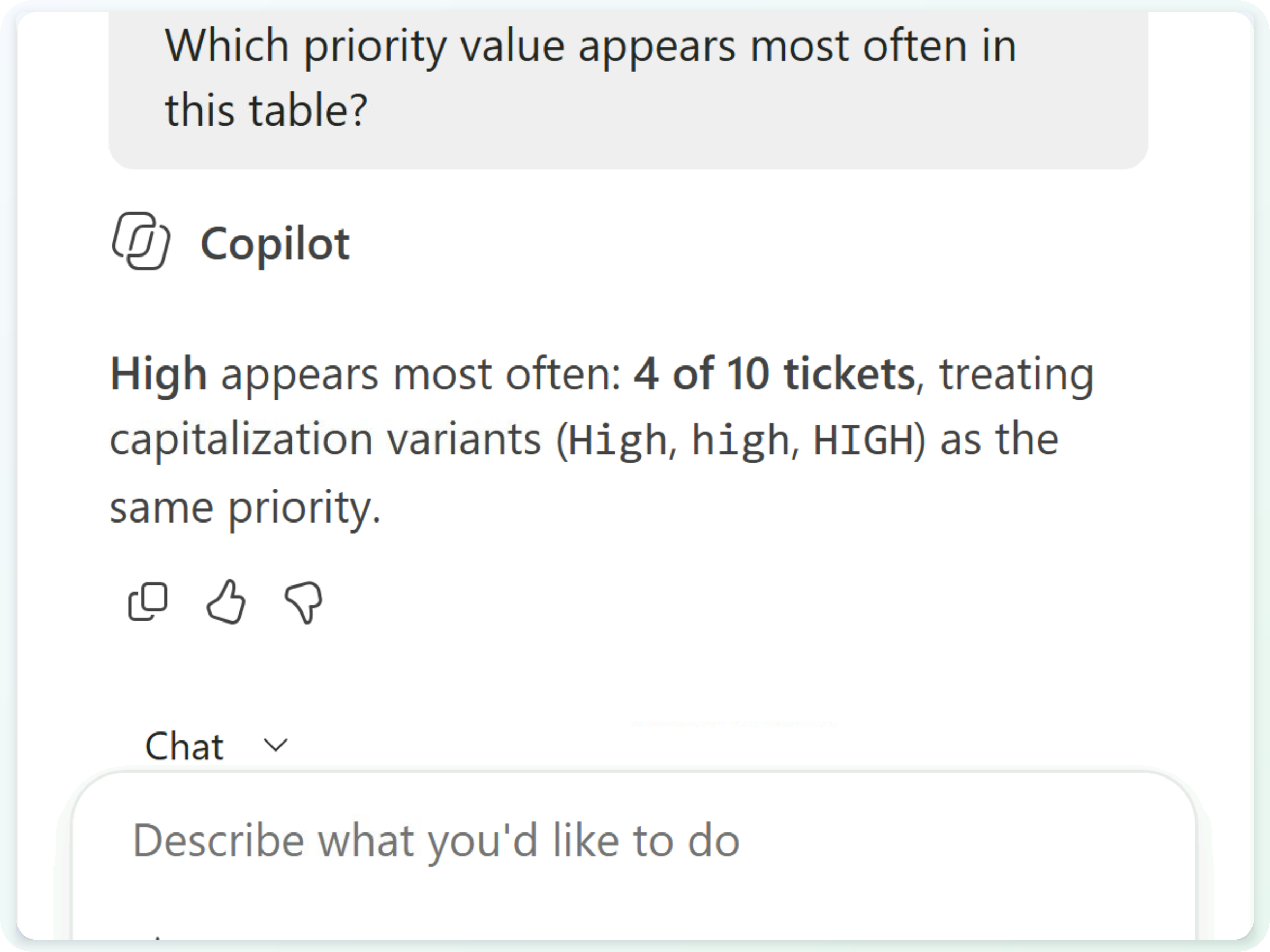
A question asked in Chat only mode and Copilot's answer, with the table unchanged

  • Allow editing = act to edit and create data and charts directly in the workbook
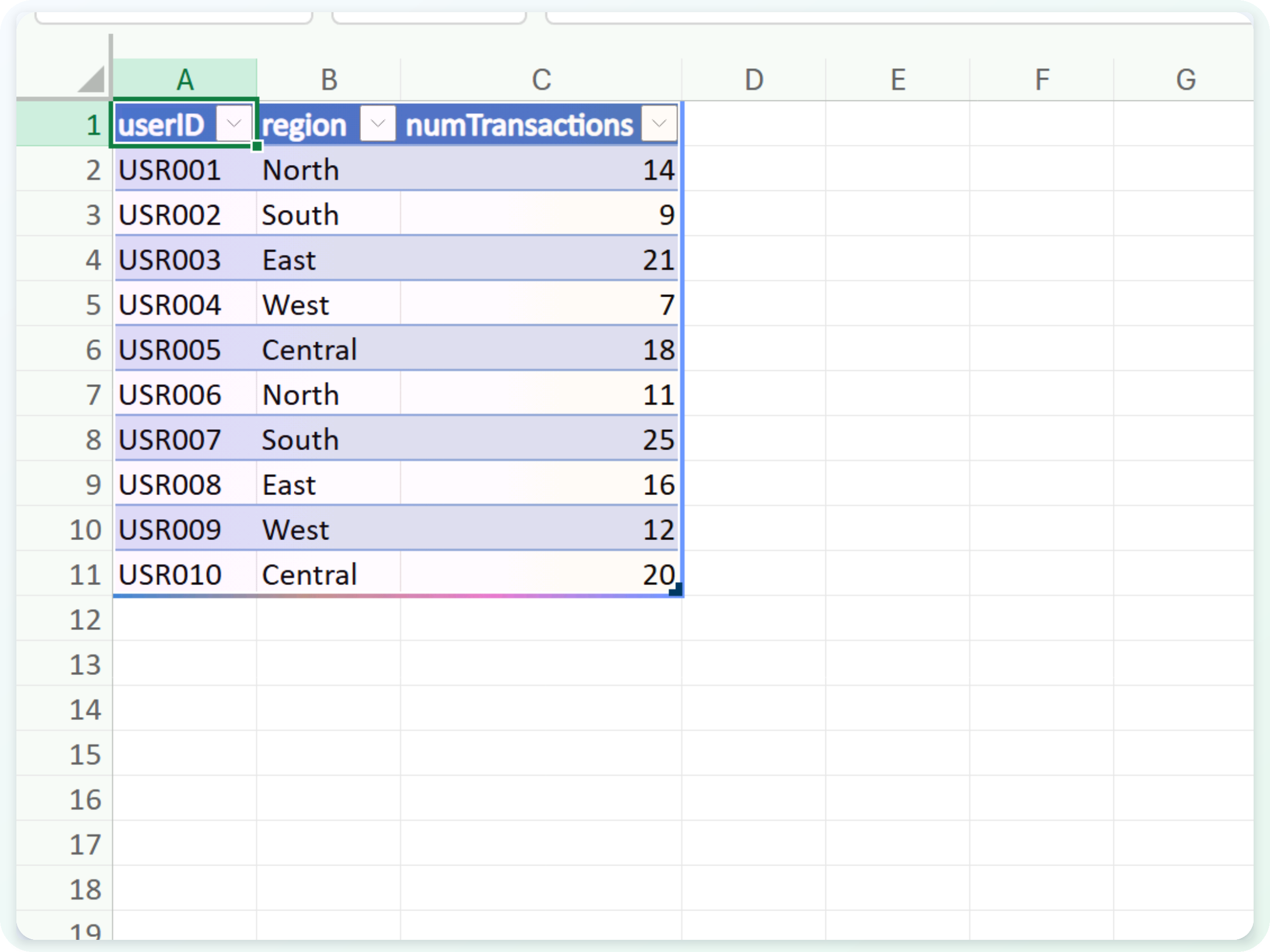
The table Copilot wrote directly into the worksheet

Microsoft Copilot in Excel

OneDrive to rule them all


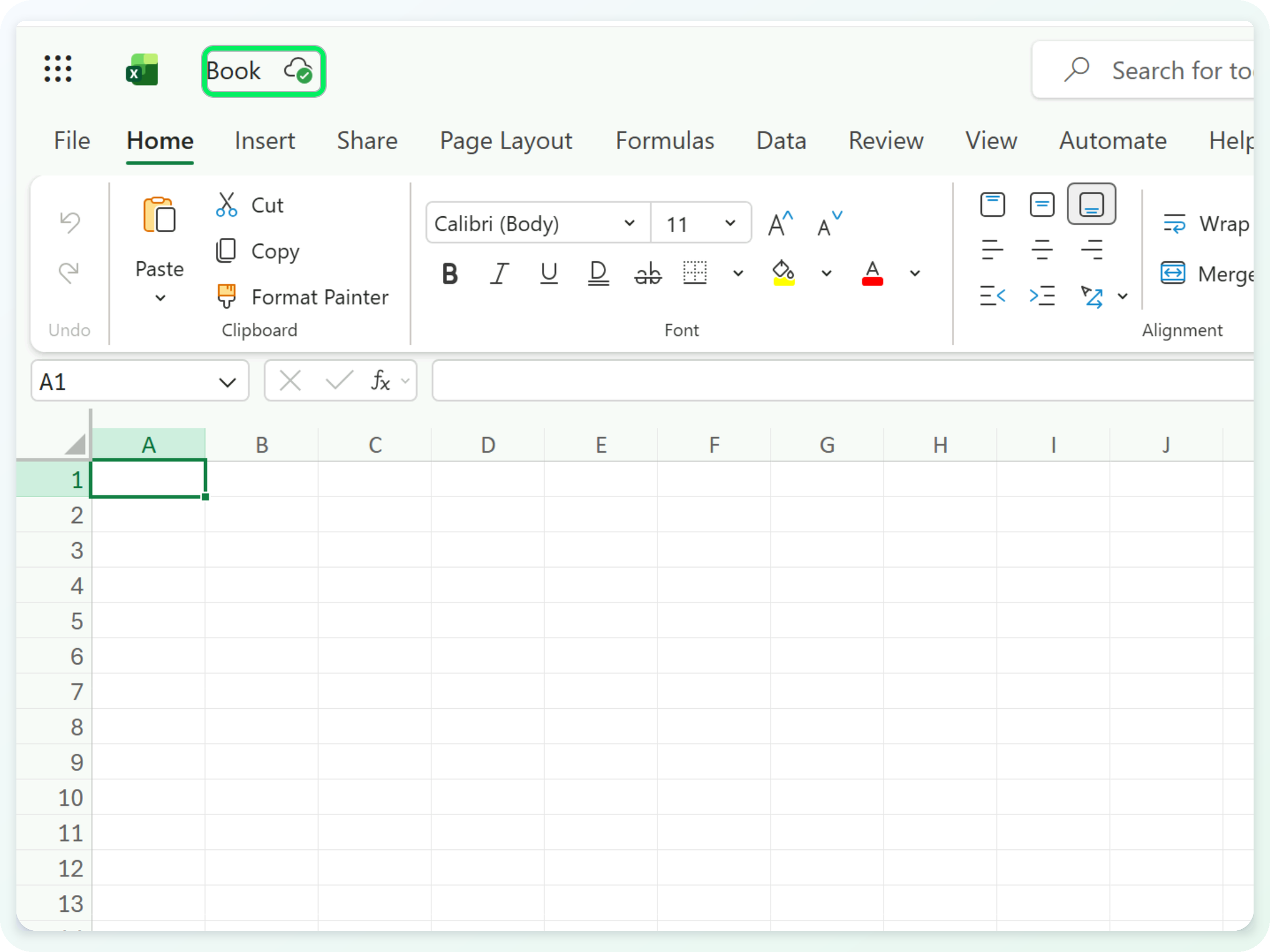
  • Your workbook must be saved to OneDrive
  • That is what gives Copilot access to your worksheets
  • In the browser, this happens automatically
  • On desktop, switch AutoSave on

$$

The workbook title bar, with the OneDrive save indicator

Microsoft Copilot in Excel

Example: Generating mock data


  • Open Copilot from the button in the lower-right corner
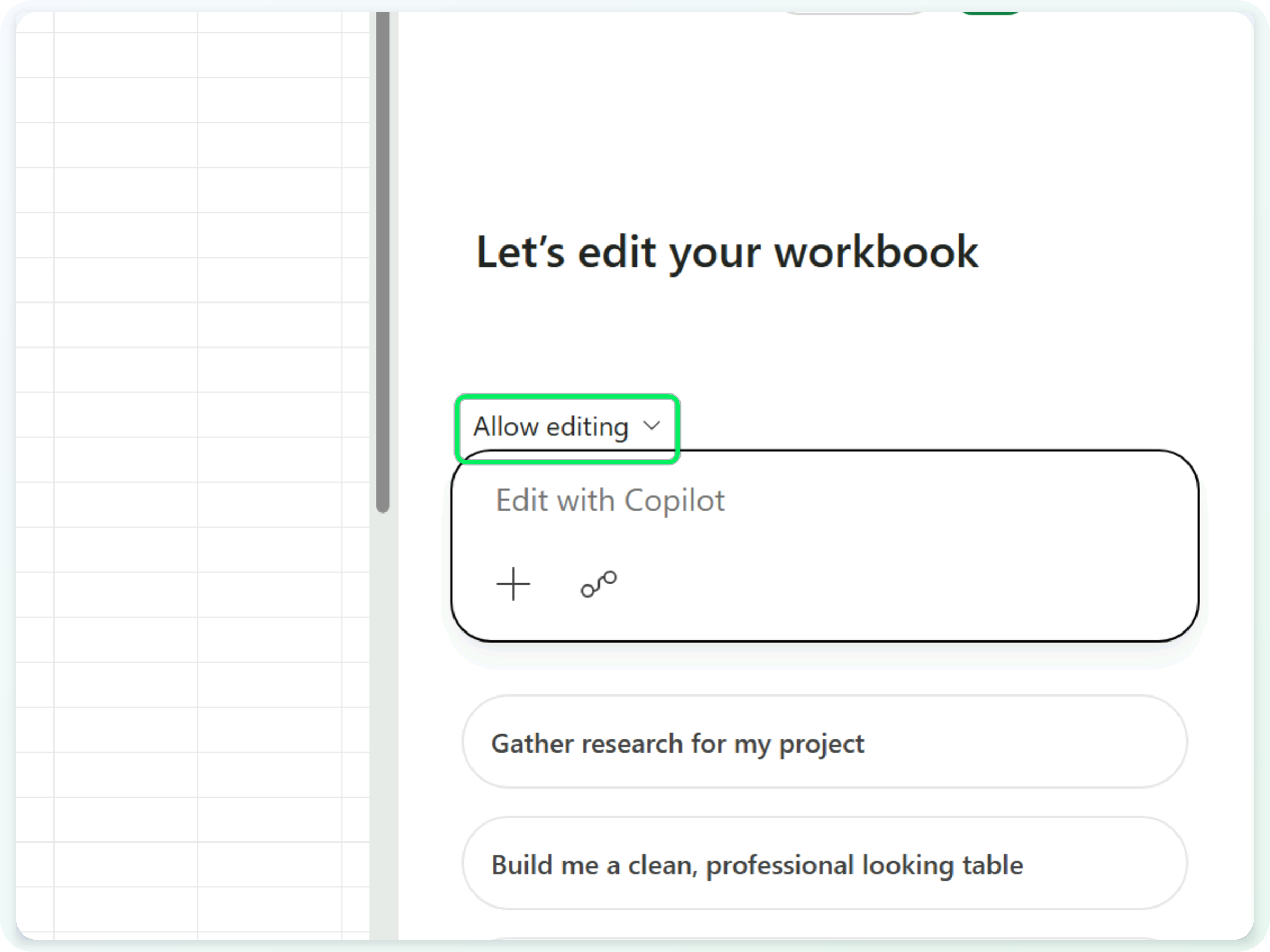
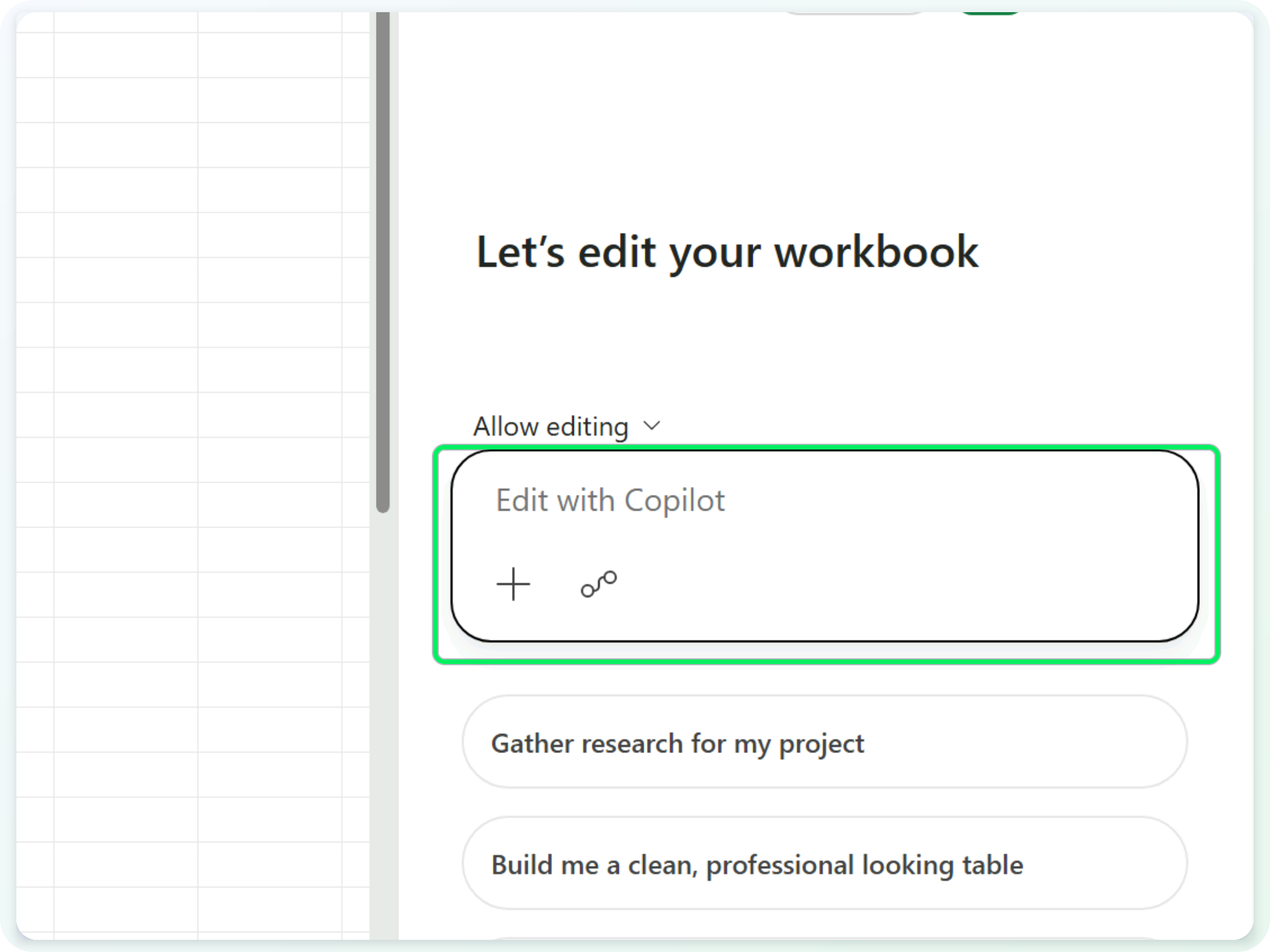
  • Check the mode reads Allow editing so Copilot can write to the sheet

$$

The Copilot pane, with the Allow editing mode control

Microsoft Copilot in Excel

Example: Generating mock data


  • Open Copilot from the button in the lower-right corner
  • Check the mode reads Allow editing so Copilot can write to the sheet
  • Then describe the table you want in a prompt:

Create a table with three columns called userID, region, and numTransactions, and ten rows of data

$$

The Copilot pane, with the prompt box highlighted

Microsoft Copilot in Excel

Example: Generating mock data


  • Open Copilot from the button in the lower-right corner
  • Check the mode reads Allow editing so Copilot can write to the sheet
  • Then describe the table you want - columns and row count

Create a table with three columns called userID, region, and numTransactions, and ten rows of data

$$

The ten-row table Copilot wrote straight into the sheet

Microsoft Copilot in Excel

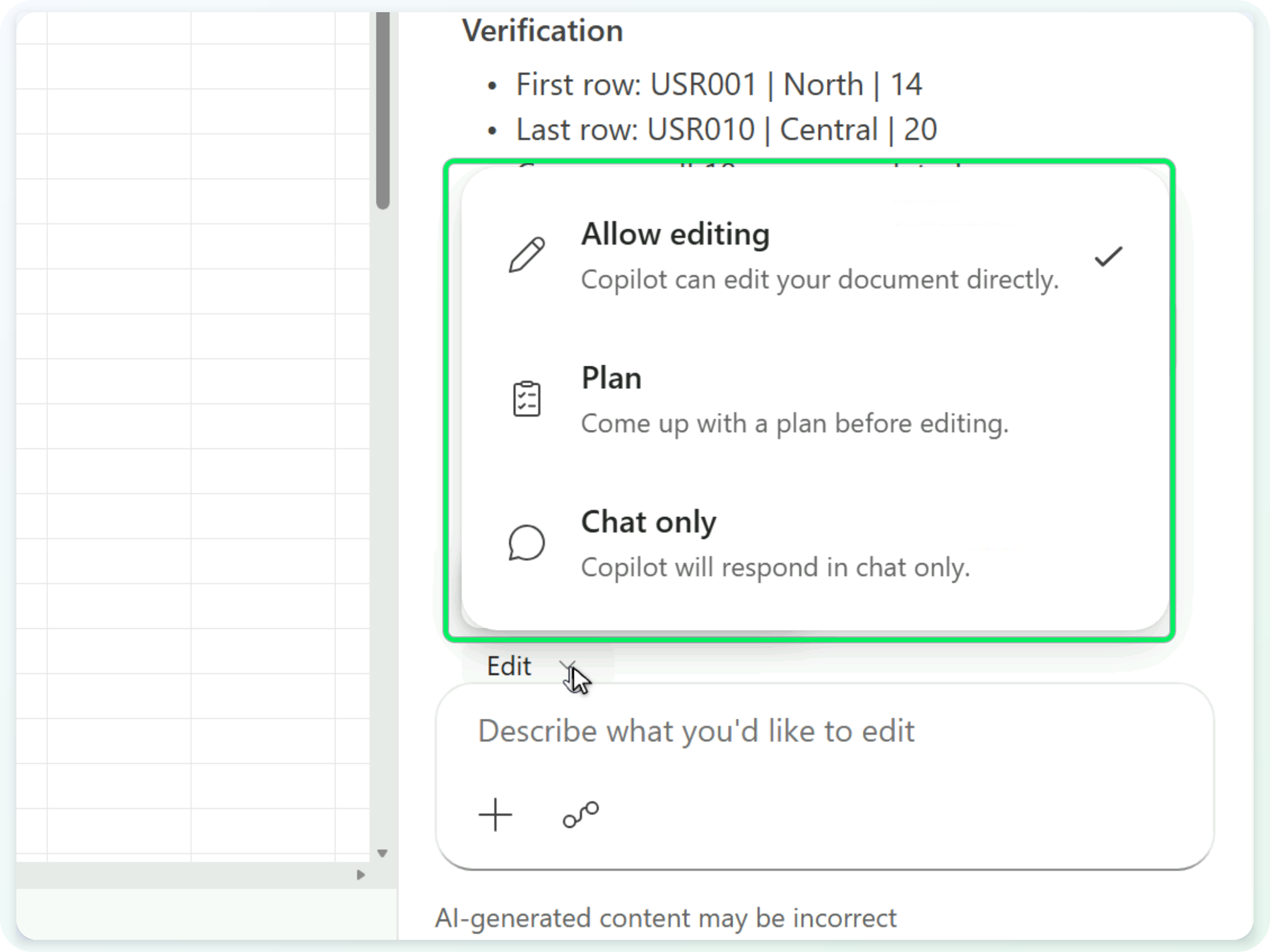
Three Copilot modes


  • Allow editing → Copilot edits the workbook directly
  • Plan → it proposes a plan before editing
  • Chat only → it answers without touching your data

$$

The Copilot mode menu - Allow editing, Plan, Chat only

Microsoft Copilot in Excel

Example: Formula explanation


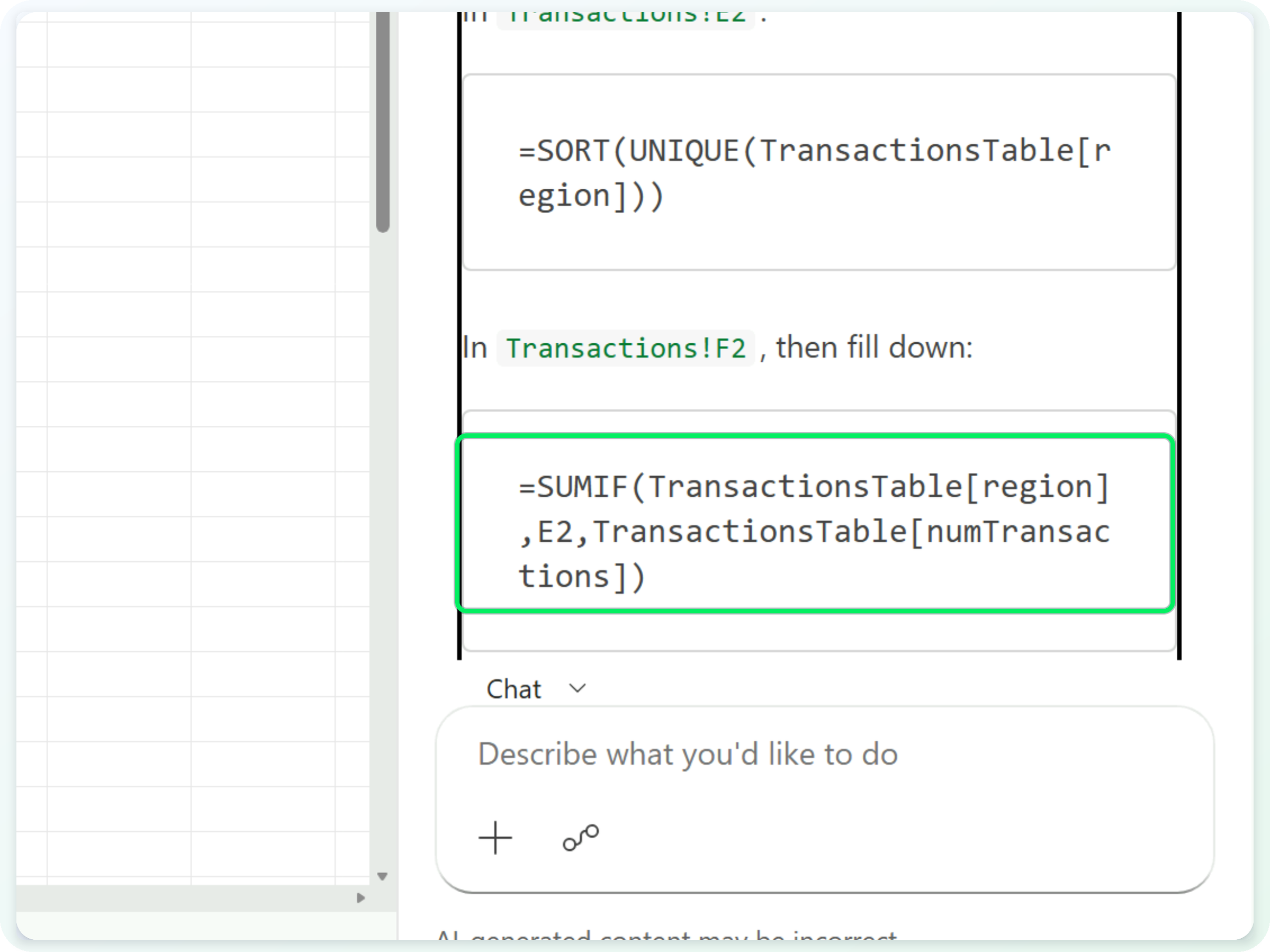
  • Ask Copilot to write and explain a formula
  • You can insert the formula from the chat when you are ready
  • Switch to Chat only if you do not want it inserted

$$

Copilot's SUMIF formula

Microsoft Copilot in Excel

Let's practice!

Microsoft Copilot in Excel

Preparing Video For Download...