Sleek summaries and charts in minutes

Microsoft Copilot in Excel

James Chapman

AI Curriculum Manager, DataCamp

From raw data to impactful insights
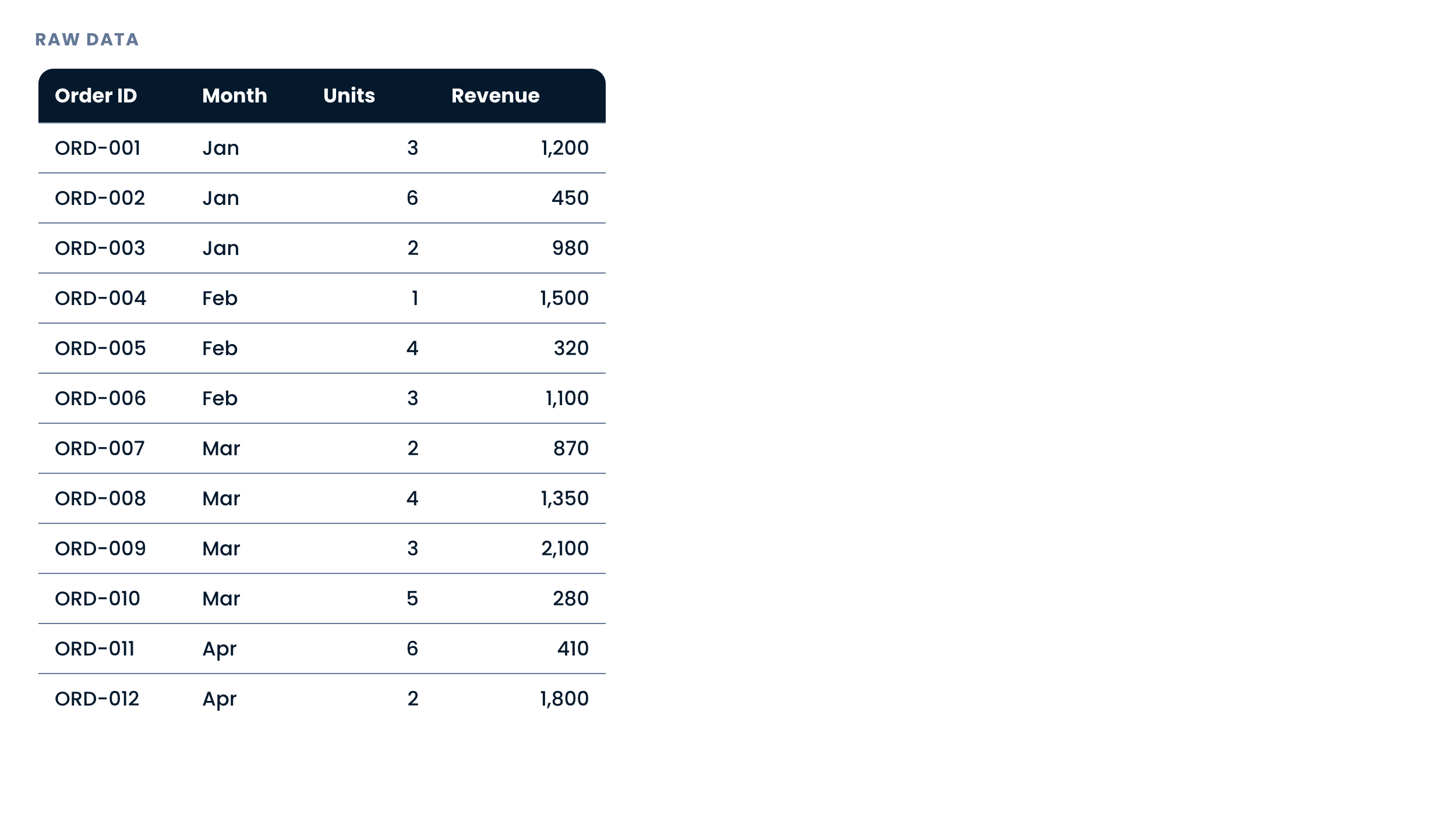
The Orders table with twelve rows of raw order data, including the month of each order

Microsoft Copilot in Excel

From raw data to impactful insights

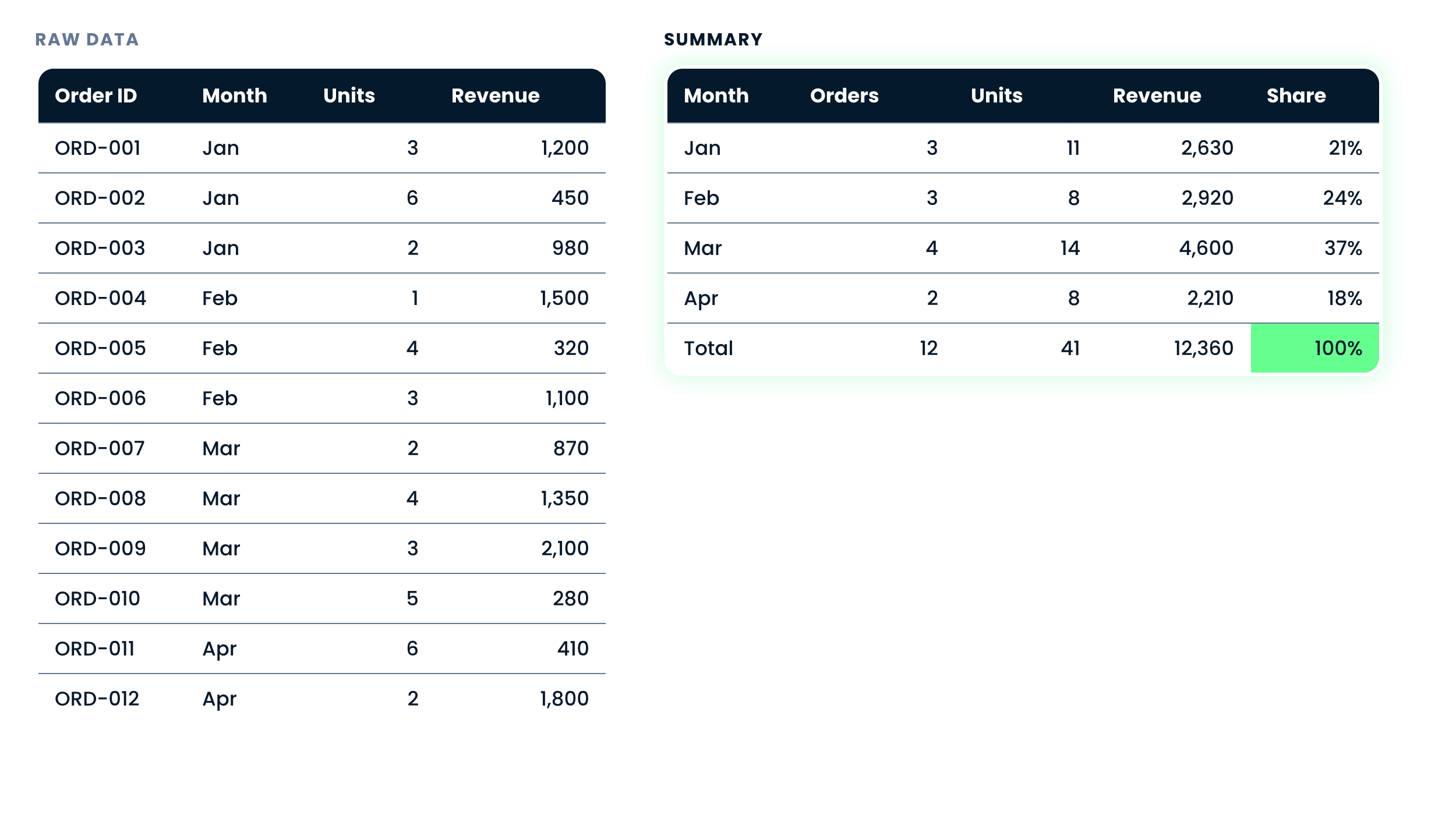
The same orders summarized into a pivot of revenue by month

Microsoft Copilot in Excel

From raw data to impactful insights

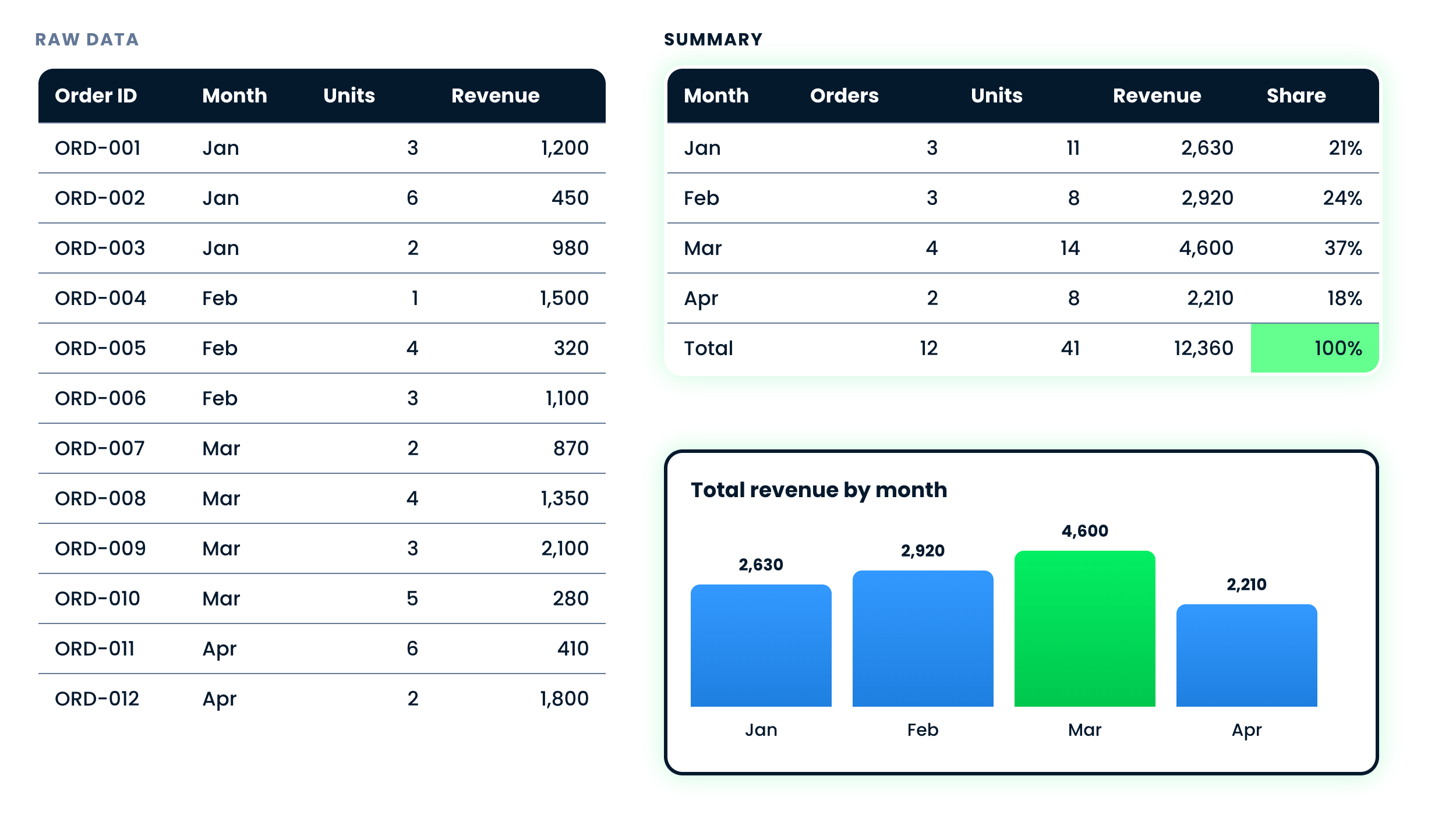
The pivot alongside a bar chart of total revenue by month

Microsoft Copilot in Excel

A life without Copilot

$$

Building a summary by hand: insert a pivot, pick the fields, choose a chart, polish

Microsoft Copilot in Excel

A life with Copilot

$$

Building a summary with Copilot: describe, check, refine, publish

Microsoft Copilot in Excel

Example: Building a summary and chart

Total revenue by month

  • Ask for the summary and the chart in one prompt
  • Copilot groups, aggregates, then charts the result
  • Read the summary before the chart - the chart is built from it
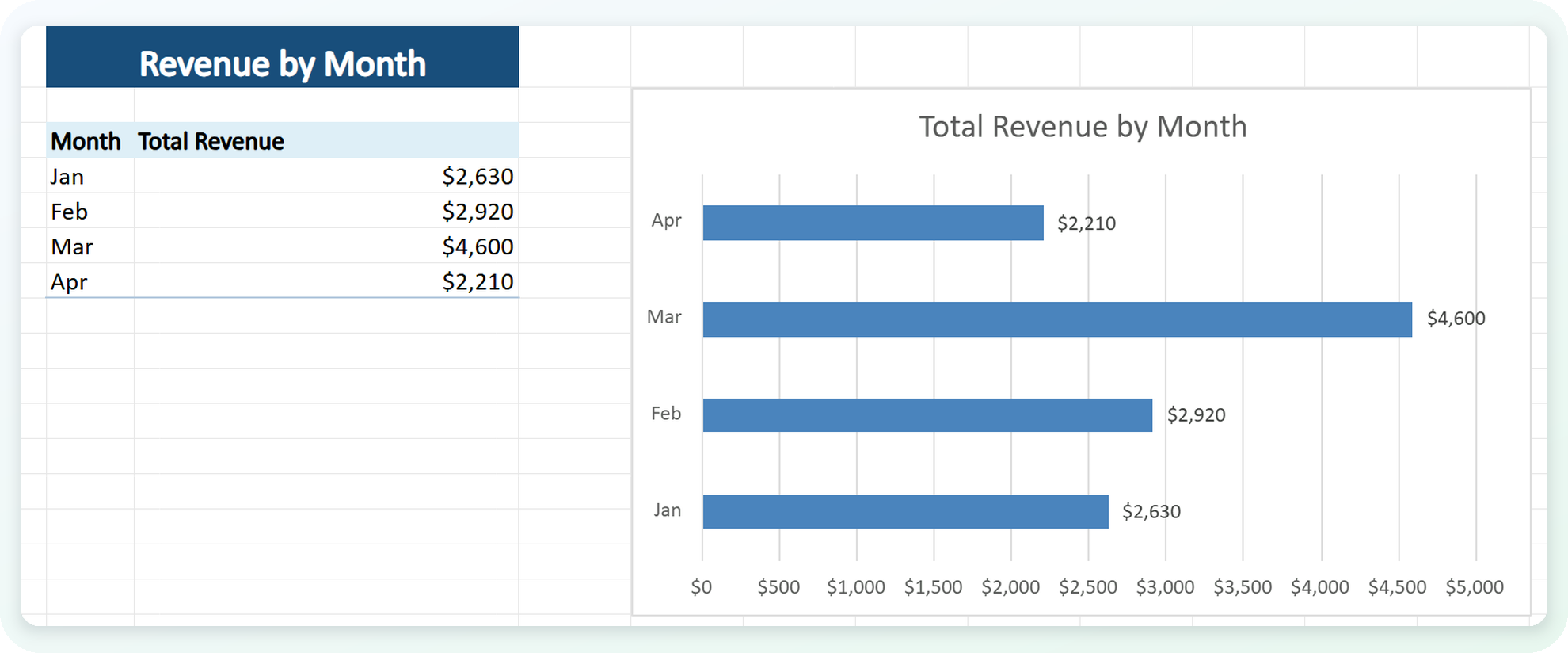
A revenue-by-month summary and bar chart Copilot built from one prompt

Microsoft Copilot in Excel

Example: Verifying the result

  • Click a summary cell and read the formula
  • Grouping: is it Month, or another column?
  • Aggregation: is it a sum, or an average?
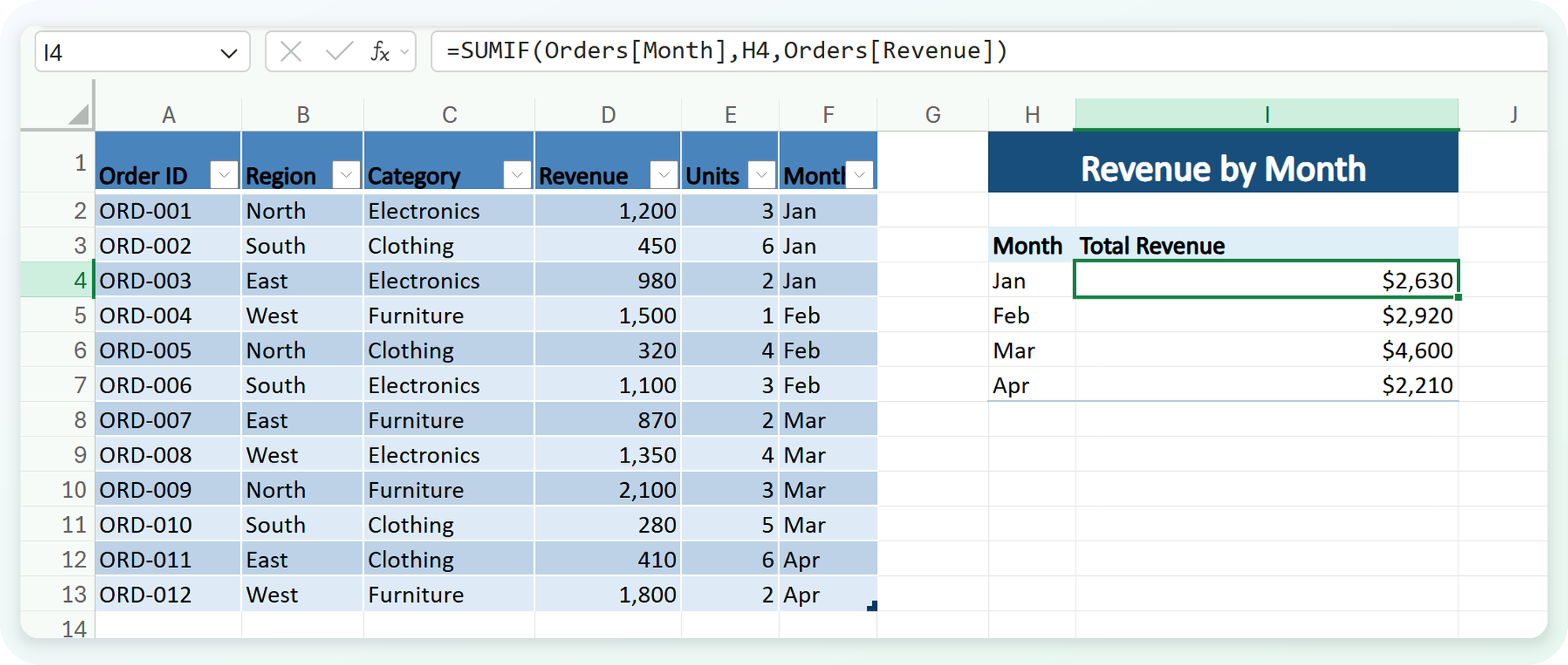
The formula behind a summary value, showing the grouping and the aggregation

Microsoft Copilot in Excel

Putting on the finishing touches

$$

$$
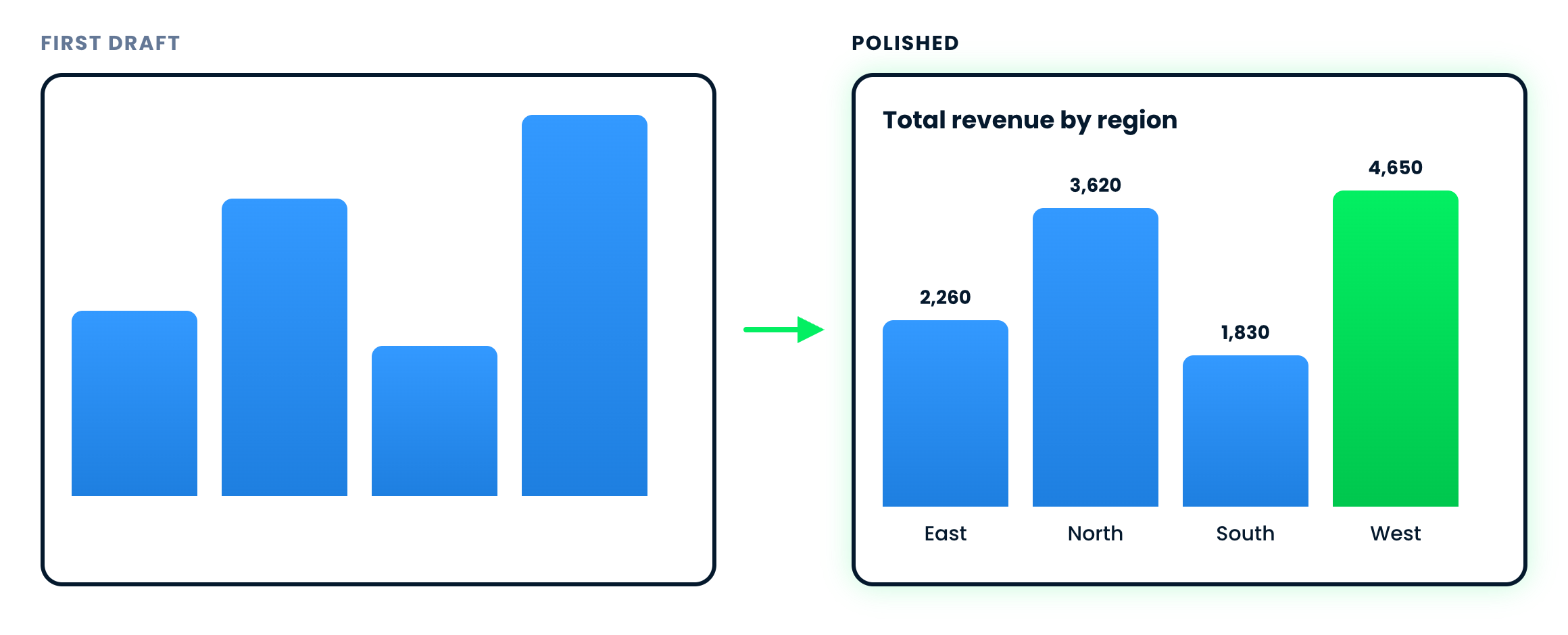
Copilot's first chart beside the polished version, with a title, value labels and one bar picked out


  • Treat the chart as a first draft, not the final version
  • Quick improvements: chart title, axis labels, legend, chart type, sort order, color
  • These edits are what take it the rest of the way
Microsoft Copilot in Excel

Let's practice!

Microsoft Copilot in Excel

Preparing Video For Download...