Opérations avancées

Introduction à TensorFlow en Python

Isaiah Hull

Visiting Associate Professor of Finance, BI Norwegian Business School

Aperçu des opérations avancées

  • Nous avons couvert les opérations de base dans TensorFlow
    • add(), multiply(), matmul() et reduce_sum()
  • Dans cette leçon, nous abordons des opérations avancées
    • gradient(), reshape() et random()
Introduction à TensorFlow en Python

Aperçu des opérations avancées

Opération Usage
gradient() Calcule la pente d'une fonction en un point
reshape() Refaçonne un tenseur (p. ex. 10x10 → 100x1)
random() Remplit un tenseur avec des valeurs tirées d'une loi de probabilité
Introduction à TensorFlow en Python

Trouver l'optimum

  • Dans beaucoup de problèmes, on cherche l'optimum d'une fonction.

    • Minimum : valeur la plus basse d'une fonction de perte.
    • Maximum : valeur la plus haute d'une fonction objectif.
  • On peut y arriver avec l'opération gradient().

    • Optimum : trouver un point où le gradient = 0.
    • Minimum : variation du gradient > 0
    • Maximum : variation du gradient < 0
Introduction à TensorFlow en Python

Calculer le gradient

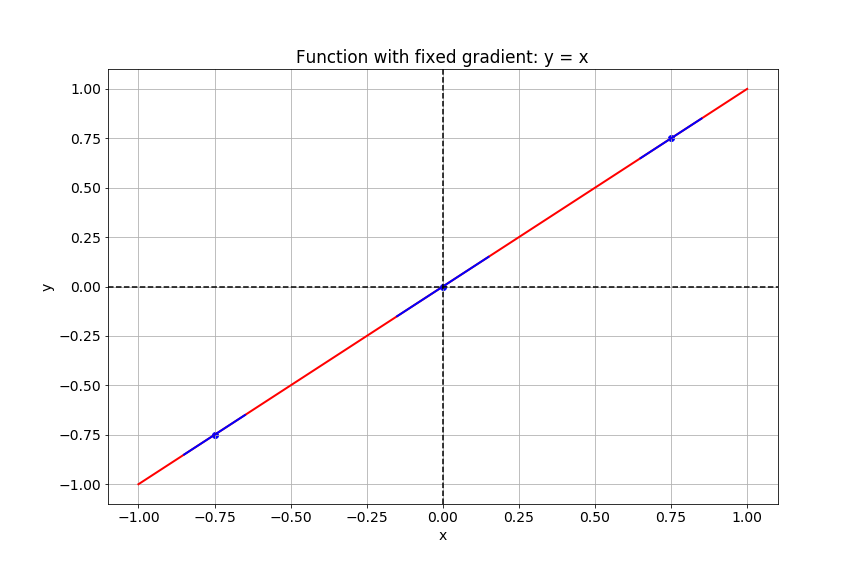
Cette diapositive montre la courbe de la fonction y égal x.

Introduction à TensorFlow en Python

Calculer le gradient

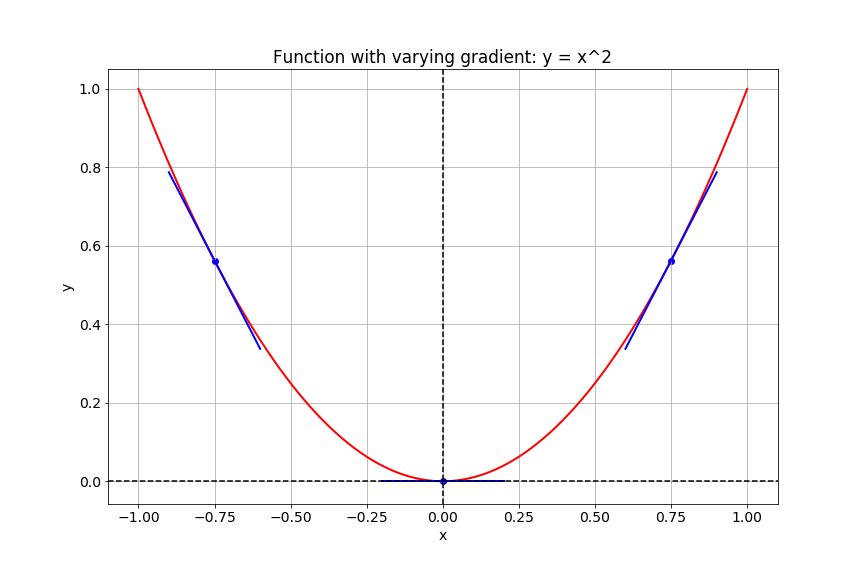
Cette diapositive montre la courbe de la fonction y égal x au carré.

Introduction à TensorFlow en Python

Gradients dans TensorFlow

# Import tensorflow under the alias tf
import tensorflow as tf

# Define x
x = tf.Variable(-1.0)
# Define y within instance of GradientTape
with tf.GradientTape() as tape:
    tape.watch(x)
    y = tf.multiply(x, x)
# Evaluate the gradient of y at x = -1
g = tape.gradient(y, x)
print(g.numpy())
-2.0
Introduction à TensorFlow en Python

Les images comme tenseurs

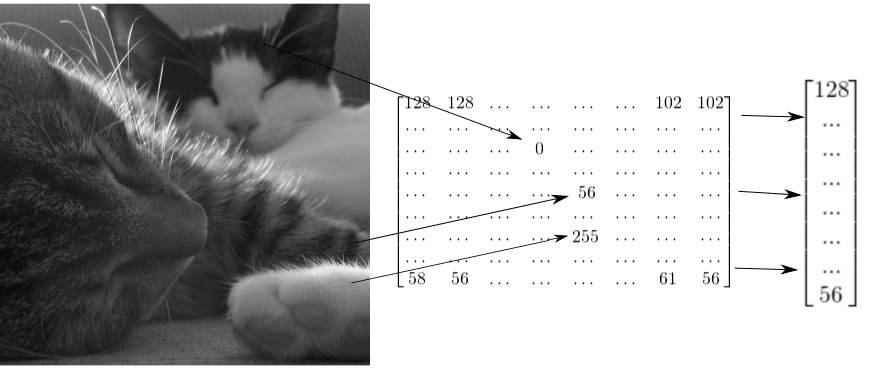
La diapositive montre comment une image de deux chats peut être représentée par un tenseur 2D, puis remodelée en vecteur 1D.

Introduction à TensorFlow en Python

Remodeler une image en niveaux de gris

# Import tensorflow as alias tf
import tensorflow as tf

# Generate grayscale image
gray = tf.random.uniform([2, 2], maxval=255, dtype='int32')

# Reshape grayscale image
gray = tf.reshape(gray, [2*2, 1])
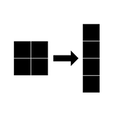
L'image montre une image en niveaux de gris 2 par 2 remodelée en vecteur 4 par 1.

Introduction à TensorFlow en Python

Remodeler une image couleur

# Import tensorflow as alias tf
import tensorflow as tf

# Generate color image
color = tf.random.uniform([2, 2, 3], maxval=255, dtype='int32')

# Reshape color image
color = tf.reshape(color, [2*2, 3])
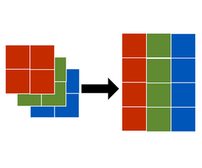
La figure montre une image couleur 2 par 2 par 3 remodelée en matrice 2 par 3.

Introduction à TensorFlow en Python

Passons à la pratique !

Introduction à TensorFlow en Python

Preparing Video For Download...