Créer une application Shiny « Hello, world »

Créer des applications web avec Shiny en R

Kaelen Medeiros

Data Scientist

Parties d'une application Shiny

library(shiny)

ui <- fluidPage()
server <- function(input, output, session) { }
shinyApp(ui = ui, server = server)
  • Charger shiny
  • Créer l'UI avec une fonction HTML
  • Définir une fonction pour créer le serveur
  • Lancer l'app
Créer des applications web avec Shiny en R

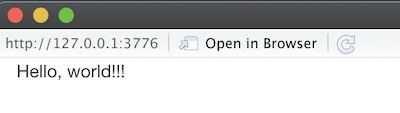
Hello, world!!!

library(shiny)

ui <- fluidPage(
    "Hello, world!!!"
)

server <- function(input, output, 
                   session) {

}

shinyApp(ui = ui, server = server)

Une page web vide affichant la chaîne de caractères « Hello, world!!! »

Créer des applications web avec Shiny en R

Poser une question (avec un input !)

ui <- fluidPage(
    textInput("name", "Enter a name:"),

textOutput("q")
)
server <- function(input, output) {
output$q <- renderText({ paste("Do you prefer dogs or cats,", input$name, "?") })
}

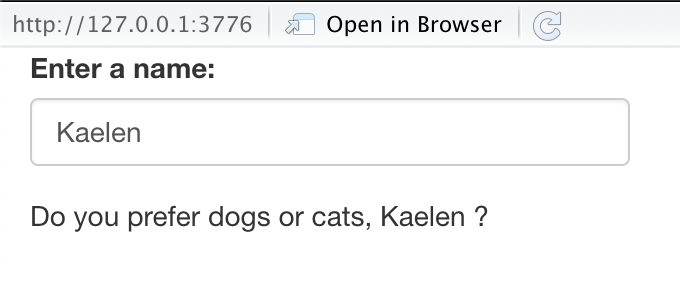
Une application web où l'utilisateur saisit un nom, puis affiche « Do you prefer dogs or cats, name? »

Créer des applications web avec Shiny en R

Passons à la pratique !

Créer des applications web avec Shiny en R

Preparing Video For Download...