Stop - délai - déclencheur

Créer des applications web avec Shiny en R

Ramnath Vaidyanathan

VP of Product Research

Isoler des actions (1/3)
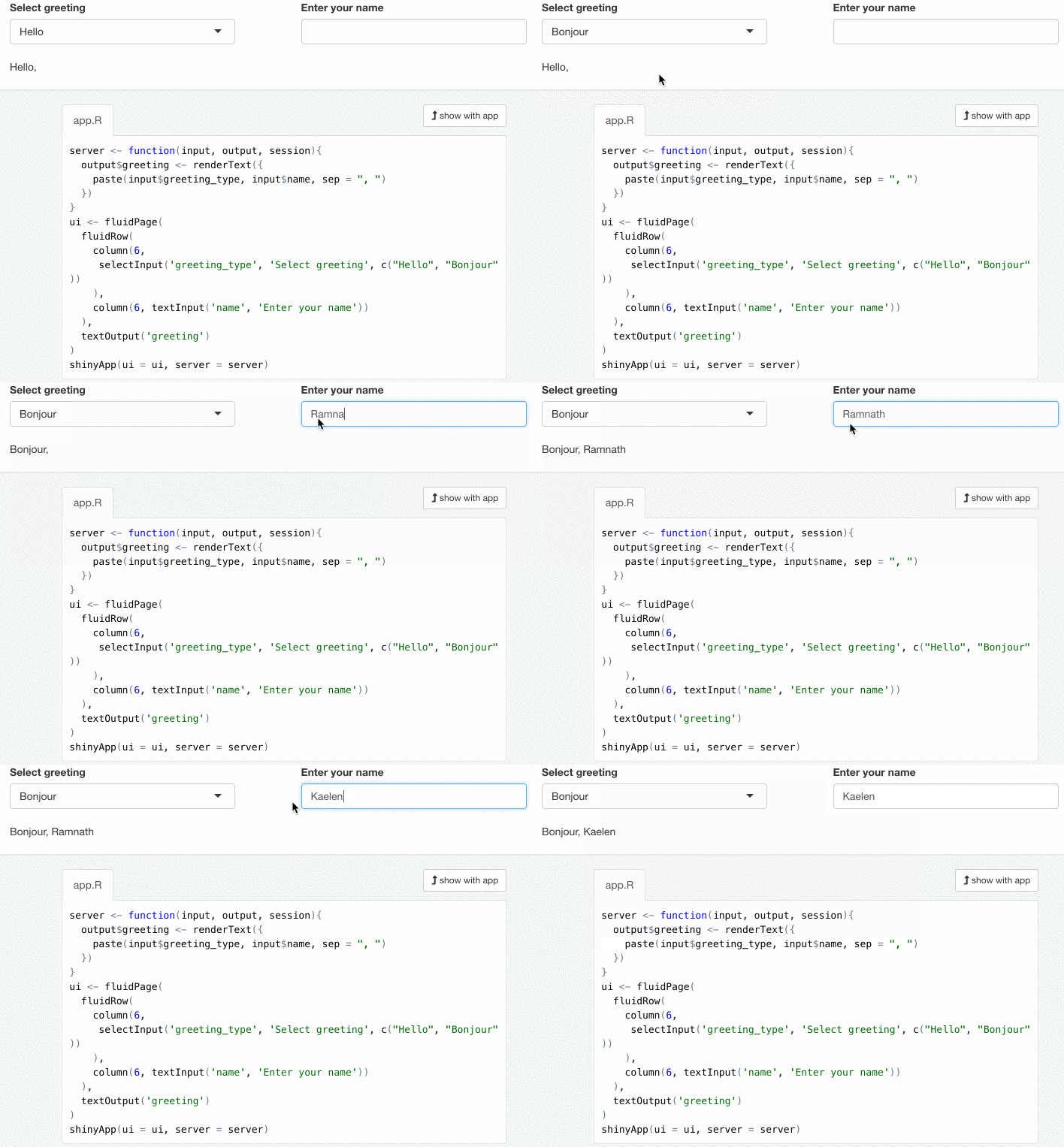
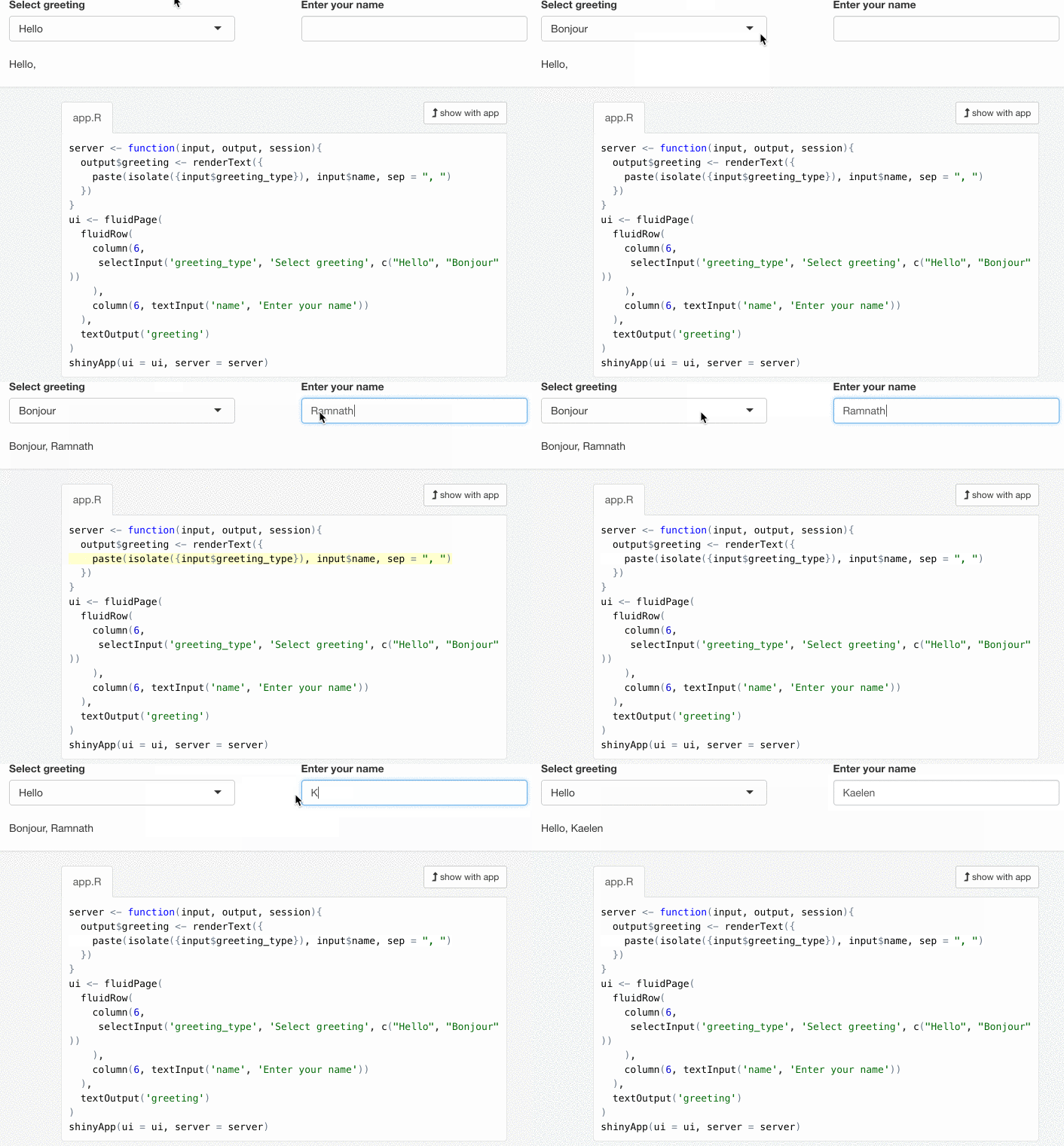
Une application où l'utilisateur peut choisir un type de salutation et saisir son nom, et reçoit en retour une salutation personnalisée.

Créer des applications web avec Shiny en R

Isoler des actions (2/3)

Une application où l'utilisateur peut choisir un type de salutation et saisir son nom, et reçoit en retour une salutation personnalisée.

Créer des applications web avec Shiny en R

Isoler des actions (3/3)

server <- function(input, output, session){
  output$greeting <- renderText({
    paste(

isolate(
input$greeting_type
)
, input$name, sep = " ,") }) }
Créer des applications web avec Shiny en R

Retarder des actions (1/3)

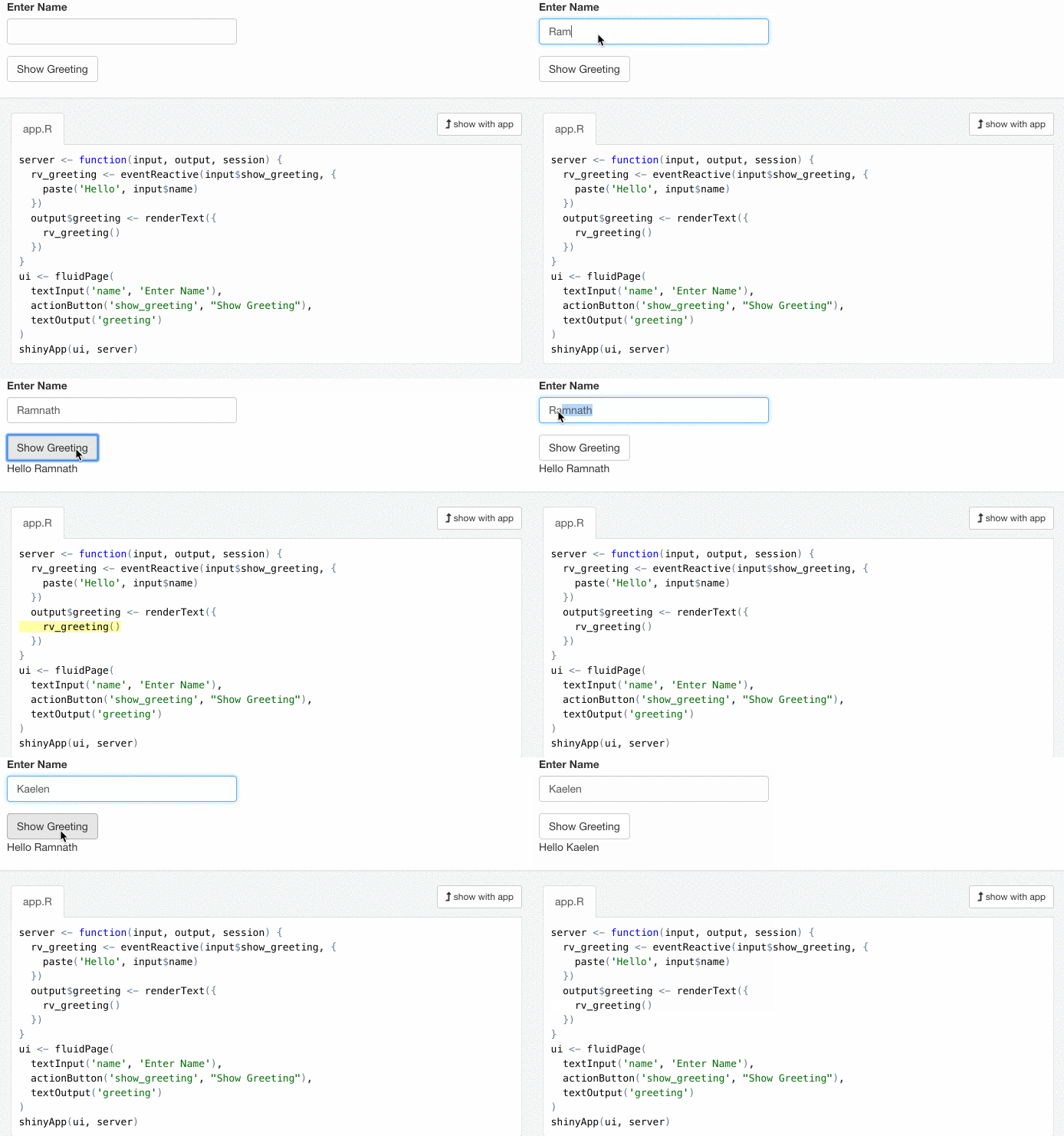
Une application où l'utilisateur peut saisir son nom et reçoit en retour une salutation personnalisée.

Créer des applications web avec Shiny en R

Une application où l'utilisateur peut saisir son nom et reçoit en retour une salutation personnalisée.

Créer des applications web avec Shiny en R

Retarder des actions (3/3)

server <- function(input, output, session){
  rv_greeting <- eventReactive(input$show_greeting, {
    paste("Hello", input$name)
  })
  output$greeting <- renderText({
    rv_greeting()
  })
}
Créer des applications web avec Shiny en R

Déclencher des actions (1/2)

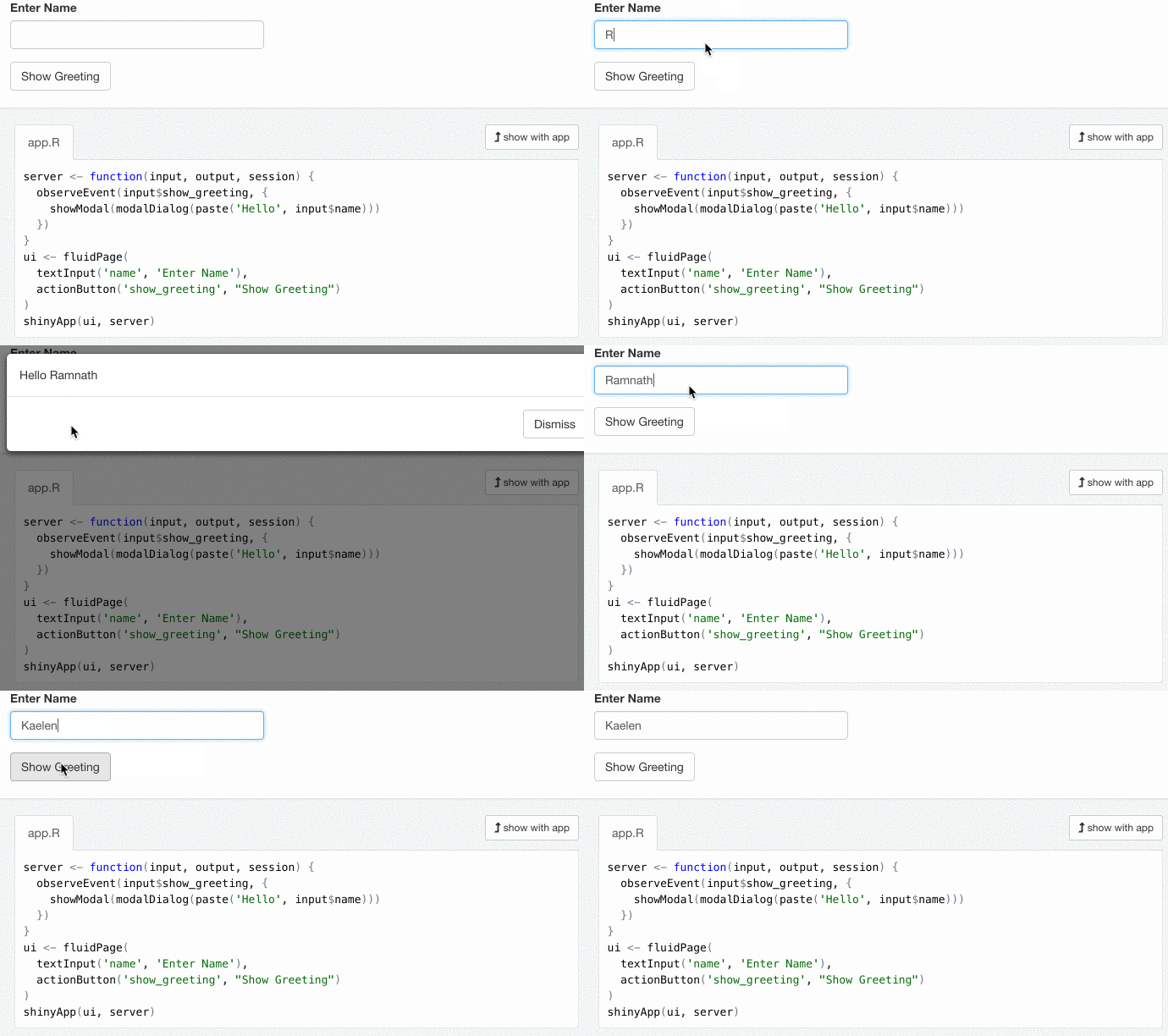
Une application où l'utilisateur peut saisir son nom, cliquer sur un bouton, et reçoit en retour une salutation personnalisée dans une boîte de dialogue modale

Créer des applications web avec Shiny en R

Déclencher des actions (2/2)

server <- function(input, output, session){
  observeEvent(input$show_greeting, {
    showModal(modalDialog(paste("Hello", input$name)))
  })
}
Créer des applications web avec Shiny en R

Passons à la pratique !

Créer des applications web avec Shiny en R

Preparing Video For Download...