Créer des applications web avec Shiny en R
Ramnath Vaidyanathan
VP of Product Research
Saisie utilisateur via l'interface du navigateur, en général
ui <- fluidPage(
  titlePanel('Greeting'),

  textInput('name', 'Enter Name')

)
server <- function(input, output, session){

}

shinyApp(ui = ui, server = server)
ui <- fluidPage( titlePanel('Greeting'),
textInput('name', 'Enter Name')
) server <- function(input, output, session){ } shinyApp(ui = ui, server = server)
Sortie affichée dans le navigateur, comme un graphique ou un tableau de valeurs
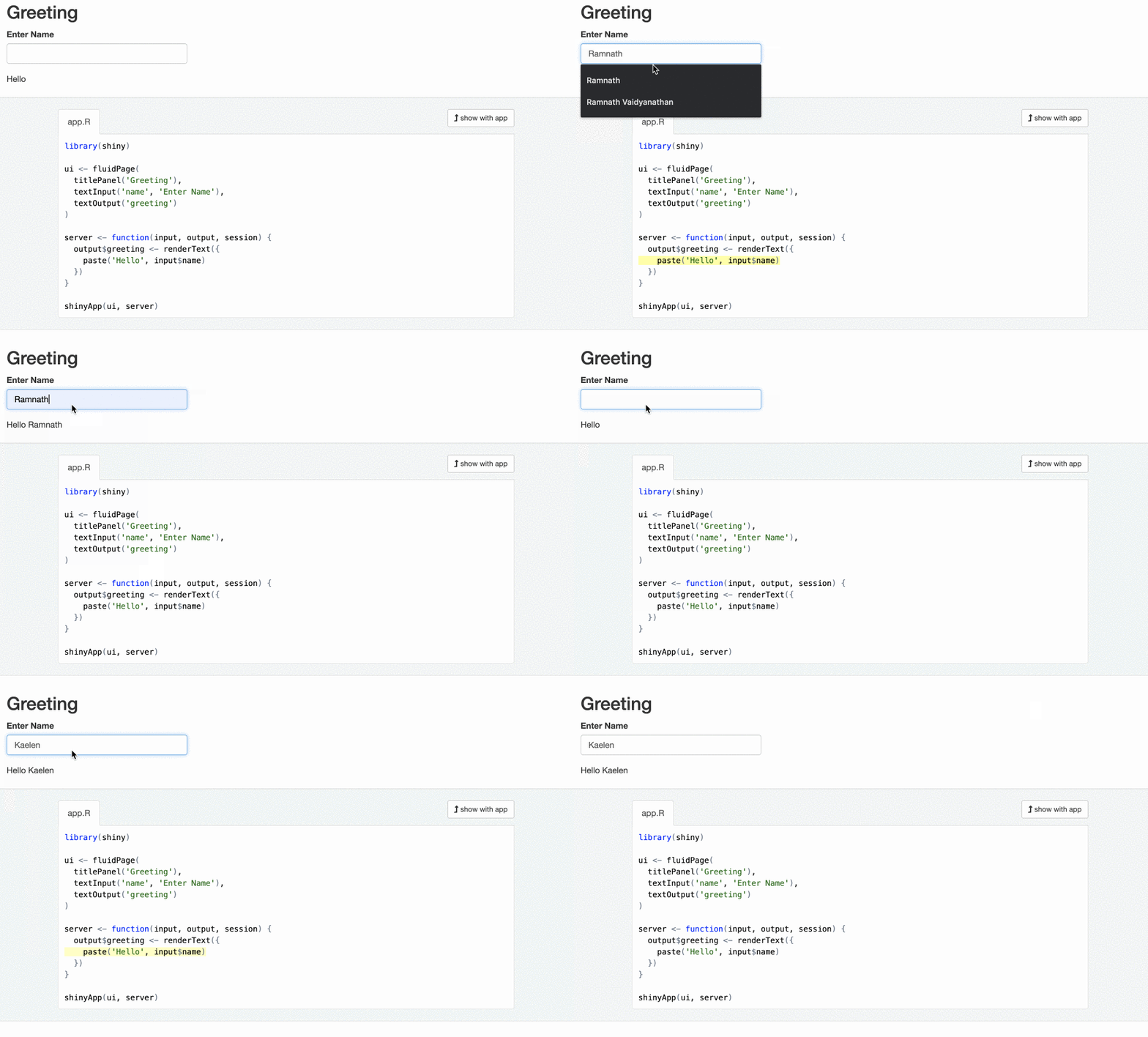
ui <- fluidPage(
  titlePanel('Greeting'),
  textInput('name', 'Enter Name'),
  textOutput('greeting')
)

server <- function(input, output, session){

  output$greeting <- renderText({
    paste("Hello", input$name)
  })

}
ui <- fluidPage( titlePanel('Greeting'), textInput('name', 'Enter Name'), textOutput('greeting') )
server <- function(input, output, session){
output$greeting <- renderText({ paste("Hello", input$name) })
}
Intermédiaire qui dépend de sources réactives et/ou met à jour des points de terminaison réactifs.
server <- function(input, output, session){
  output$plot_trendy_names <- plotly::renderPlotly({
    babynames %>%
      filter(name == input$name) %>%
      ggplot(val_bnames, aes(x = year, y = n)) +
      geom_col()
  })
  output$table_trendy_names <- DT::renderDT({
     babynames %>%
      filter(name == input$name)
  })
}
Les expressions réactives sont paresseuses et mises en cache.
server <- function(input, output, session){
  rval_babynames <- reactive({
    babynames %>%
      filter(name == input$name)
  })
  output$plot_trendy_names <- plotly::renderPlotly({
     rval_babynames() %>%
      ggplot(val_bnames, aes(x = year, y = n)) +
      geom_col()
  })
  output$table_trendy_names <- DT::renderDT({
     rval_babynames()
  })
}