Erste Schritte mit csvkit
Datenverarbeitung in der Shell

Susan Sun
Data Person
Was ist csvkit?
csvkit:
- ist eine Suite von Kommandozeilen-Tools
- wird in Python von Wireservice entwickelt
- bietet Funktionen zum Verarbeiten und Bereinigen von CSV-Dateien
- hat Datenfunktionen, die mit Python, R und SQL mithalten
- Dokumentation: https://csvkit.readthedocs.io/en/latest/
csvkit-Installation
Installiere csvkit mit dem Python-Paketmanager pip:
pip install csvkit
Aktualisiere csvkit auf die neueste Version:
pip install --upgrade csvkit
Vollständige Anleitung:
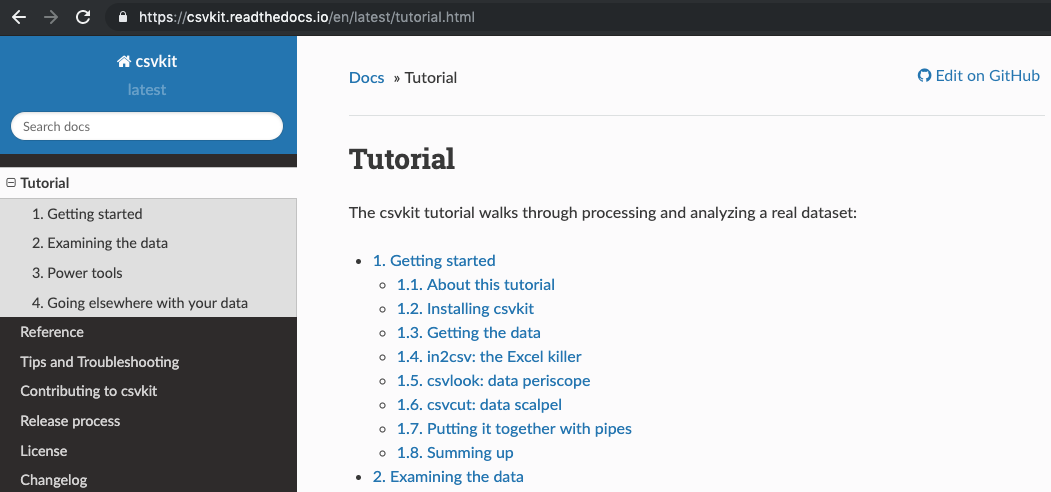
Im csvkit-Handbuch stöbern
Webbasierte Dokumentation: https://csvkit.readthedocs.io/en/latest/tutorial.html
in2csv: Dateien in CSV konvertieren
Webbasierte Dokumentation:
https://csvkit.readthedocs.io/en/latest/scripts/in2csv.html
Kommandozeilen-Dokumentation:
in2csv --helpin2csv -h
usage: in2csv [-h] [-d DELIMITER] [-t] [-q QUOTECHAR] [-u {0,1,2,3}] [-b]
              [-p ESCAPECHAR] [-z FIELD_SIZE_LIMIT] [-e ENCODING] [-L LOCALE]
              [-S] [--blanks] [--date-format DATE_FORMAT]
              [--datetime-format DATETIME_FORMAT] [-H] [-K SKIP_LINES] [-v]
in2csv: Dateien in CSV konvertieren
Syntax:
in2csv SpotifyData.xlsx > SpotifyData.csv
Gibt das erste Excel-Blatt in der Konsole aus und speichert nicht
in2csv SpotifyData.xlsx
> leitet die Ausgabe um und speichert sie als neue Datei SpotifyData.csv
> SpotifyData.csv
in2csv: Dateien in CSV konvertieren
Verwende die Option --names oder -n, um alle Blattnamen in SpotifyData.xlsx auszugeben.
in2csv -n SpotifyData.xlsx
Worksheet1_Popularity
Worksheet2_MusicAttributes
Verwende die Option --sheet gefolgt vom Blatt "Worksheet1_Popularity", das konvertiert werden soll.
in2csv SpotifyData.xlsx --sheet "Worksheet1_Popularity" > Spotify_Popularity.csv
in2csv: Dateien in CSV konvertieren
in2csv gibt keine Protokolle in der Konsole aus.
in2csv SpotifyData.xlsx --sheet "Worksheet1_Popularity" > Spotify_Popularity.csv
Plausibilitätscheck:
ls
SpotifyData.xlsx Spotify_Popularity.csv backup bin
csvlook: Datenvorschau in der Kommandozeile
csvlook: rendert ein CSV in der Kommandozeile in einem Markdown-kompatiblen, fester Breite-Format
Dokumentation:
csvlook -h
usage: csvlook [-h] [-d DELIMITER] [-t] [-q QUOTECHAR] [-u {0,1,2,3}] [-b]
               [-p ESCAPECHAR] [-z FIELD_SIZE_LIMIT] [-e ENCODING] [-L LOCALE]
               [-S] [--blanks] [--date-format DATE_FORMAT]
csvlook: Datenvorschau in der Kommandozeile
Syntax:
csvlook Spotify_Popularity.csv
| track_id               | popularity |
| ---------------------- | ---------- |
| 118GQ70Sp6pMqn6w1oKuki |          7 |
| 6S7cr72a7a8RVAXzDCRj6m |          7 |
| 7h2qWpMJzIVtiP30E8VDW4 |          7 |
| 3KVQFxJ5CWOcbxdpPYdi4o |          7 |
| 0JjNrI1xmsTfhaiU1R6OVc |          7 |
| 3HjTcZt29JUHg5m60QhlMw |          7 |
csvstat: Deskriptivstatistik für CSV-Dateien
csvstat: gibt beschreibende Statistiken zu allen Spalten in CSV aus (z. B. Mittelwert, Median, Anzahl einzigartiger Werte)
Dokumentation:
csvstat -h
usage: csvstat [-h] [-d DELIMITER] [-t] [-q QUOTECHAR] [-u {0,1,2,3}] [-b]
               [-p ESCAPECHAR] [-z FIELD_SIZE_LIMIT] [-e ENCODING] [-S] [-H]
               [-K SKIP_LINES] [-v] [-l] [--zero] [-V] [--csv] [-n]
csvstat: Deskriptivstatistik für CSV-Dateien
Syntax:
csvstat Spotify_Popularity.csv
  1. "track_id"

        Type of data:          Text
        Contains null values:  False
        Unique values:         24
        Longest value:         22 characters
        Most common values:    118GQ70Sp6pMqn6w1oKuki (1x)
                               6S7cr72a7a8RVAXzDCRj6m (1x)
Lass uns üben!
Datenverarbeitung in der Shell

