Datenverarbeitung in der Shell
Susan Sun
Data Person
Python
Dokumentation:
man python
...
-V , --version
Prints the Python version number of the executable and exits.
python --version
Python 3.5.2
Beispiel: systemeigenes Python nutzen
which python
/usr/bin/python
So startest du eine interaktive Python-Sitzung im Terminal:
python
Python 3.5.2 (default, Nov 23 2017, 16:37:01)
[GCC 5.4.0 20160609] on linuxType "help", "copyright", "credits" or
"license" for more information.
>>>
In der interaktiven Sitzung nur Python-Syntax verwenden:
>>> print('hello world')
hello world
So beendest du Python und kehrst zum Terminal zurück:
>>> exit()
$
Interaktive Python-Sitzung:
Alternative:
.py-Skriptpython + Dateiname ausMethode 1
.py-Datei mit einem Terminal-Editor (z. B. nano, Vim, Emacs)
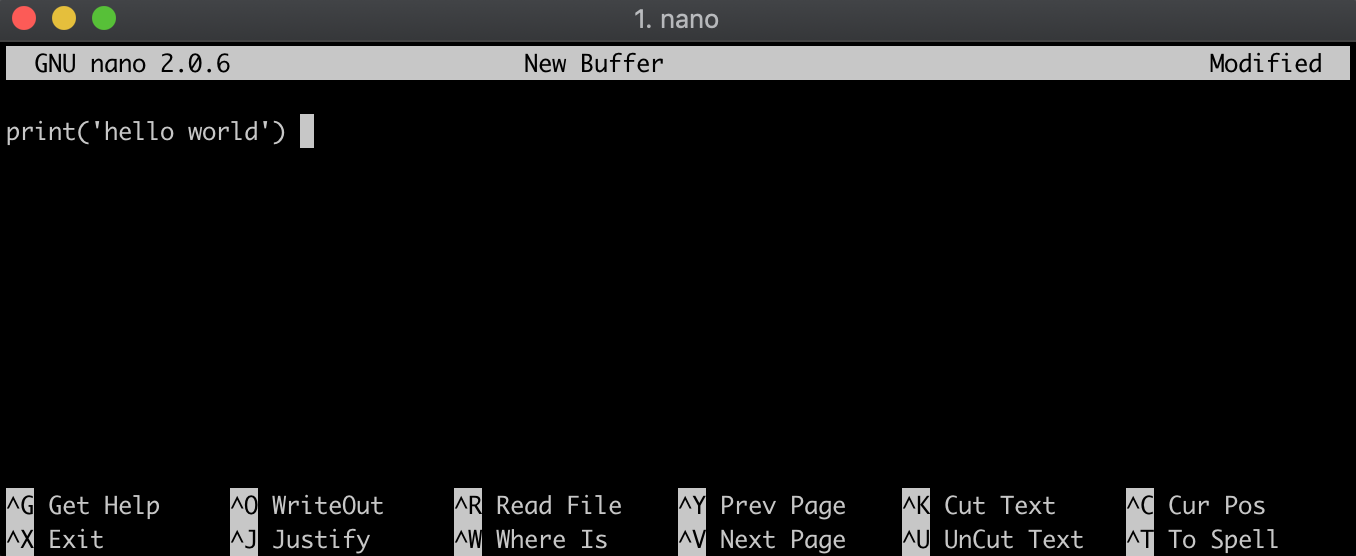
Methode 2
.py-Datei, indem du die Python-Syntax per echo in hello_world.py schreibst; die Datei entsteht dabei direkt.echo "print('hello world')" > hello_world.py
Inhalt kurz prüfen:
cat hello_world.py
print('hello world')
Stelle sicher, dass du im selben Verzeichnis wie die .py-Datei bist:
ls
hello_world.py
Führe die .py-Datei mit python vor dem Dateinamen aus:
python hello_world.py
hello world
Datenverarbeitung in der Shell