Sharing files through a website

Einführung in AWS Boto mit Python

Maksim Pecherskiy

Data Engineer

Serving HTML Pages
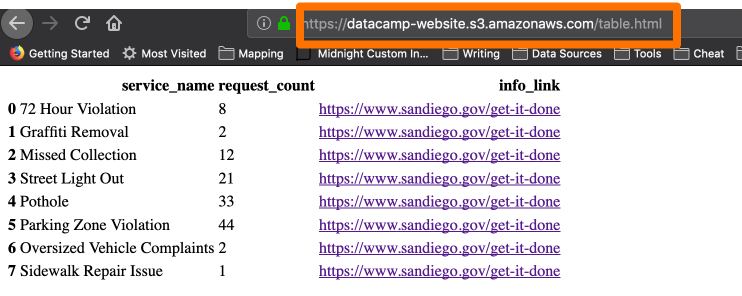
S3 serving HTML

Einführung in AWS Boto mit Python

HTML table in Pandas

Convert DataFrame to html

df.to_html('table_agg.html')
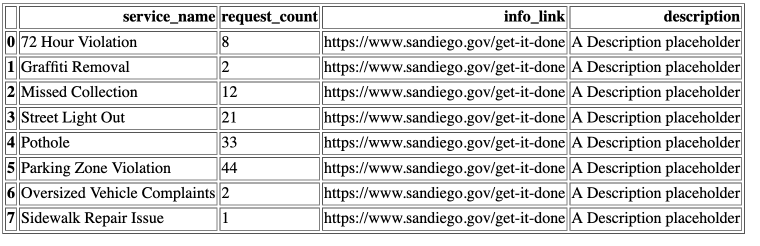
DataFrame to HTML

Einführung in AWS Boto mit Python

HTML Table in Pandas with links

Convert DataFrame to html

df.to_html('table_agg.html', render_links=True)
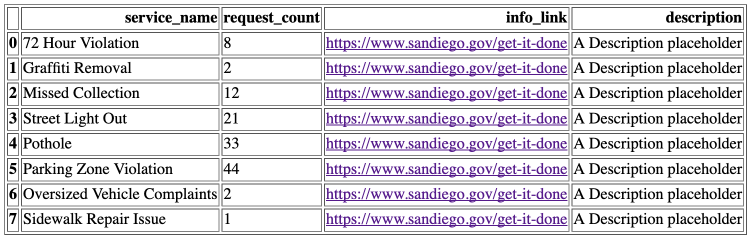
DataFrame to HTML

Einführung in AWS Boto mit Python

Certain columns to HTML

Convert DataFrame to html

df.to_html('table_agg.html', 
           render_links=True,
           columns['service_name', 'request_count', 'info_link'])
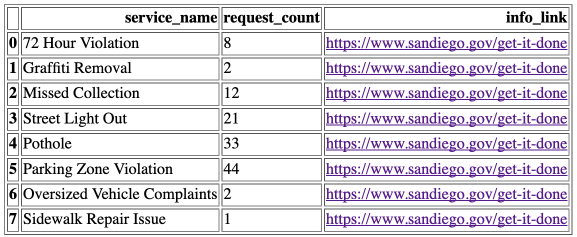
DataFrame to HTML

Einführung in AWS Boto mit Python

Borders

Convert DataFrame to html

df.to_html('table_agg.html', 
           render_links=True,
           columns['service_name', 'request_count', 'info_link'],
           border=0)
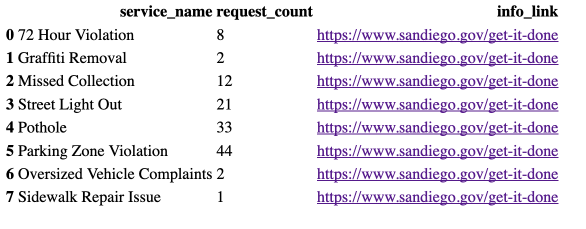
DataFrame to HTML borders

Einführung in AWS Boto mit Python

Uploading an HTML file to S3

Upload an HTML file to S3

s3.upload_file(
  Filename='./table_agg.html', 
  Bucket='datacamp-website',

Key='table.html',
ExtraArgs = { 'ContentType': 'text/html', 'ACL': 'public-read'} )
Einführung in AWS Boto mit Python

Accessing HTML file

S3 Object URL Template

https://{bucket}.{key}
https://datacamp-website.table.html
Einführung in AWS Boto mit Python

HTML Page

HTML page

Einführung in AWS Boto mit Python

Uploading other types of content

Upload an image file to S3

s3.upload_file(
  Filename='./plot_image.png', 
  Bucket='datacamp-website',
  Key='plot_image.png',

ExtraArgs = { 'ContentType': 'image/png', 'ACL': 'public-read'} )
Einführung in AWS Boto mit Python

IANA Media Types

  • JSON : application/json
  • PNG : image/png
  • PDF : application/pdf
  • CSV : text/csv
1 http://www.iana.org/assignments/media-types/media-types.xhtml
Einführung in AWS Boto mit Python

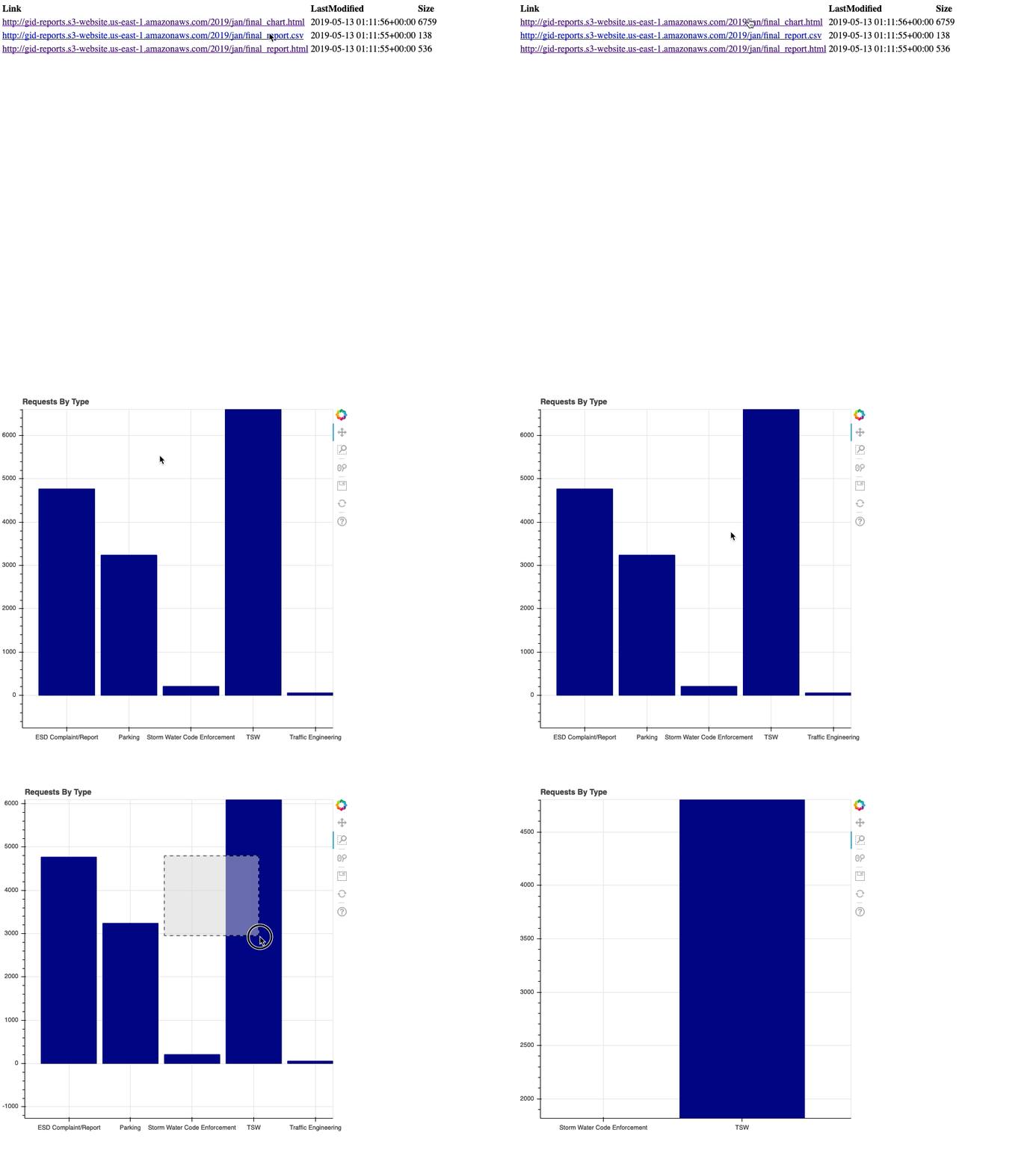
Generating an index page

# List the gid-reports bucket objects starting with 2019/
r = s3.list_objects(Bucket='gid-reports', Prefix='2019/')

# Convert the response contents to DataFrame objects_df = pd.DataFrame(r['Contents'])

Index page

Einführung in AWS Boto mit Python

Generating an index page

# Create a column "Link" that contains website url + key
base_url = "http://datacamp-website."
objects_df['Link'] = base_url + objects_df['Key']
# Write DataFrame to html
objects_df.to_html('report_listing.html', 
                   columns=['Link', 'LastModified', 'Size'],
                   render_links=True)
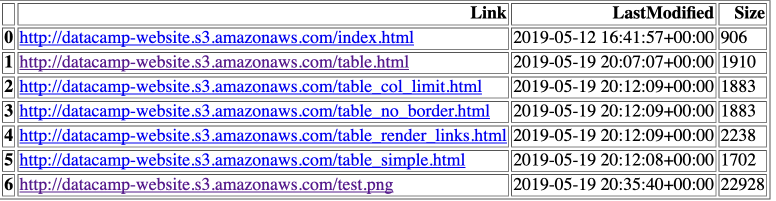
Generating an index page

Einführung in AWS Boto mit Python

Uploading index page

Upload an HTML file to S3

s3.upload_file(
  Filename='./report_listing.html', 
  Bucket='datacamp-website',
  Key='index.html',
  ExtraArgs = {
    'ContentType': 'text/html', 
    'ACL': 'public-read'}
)

https://datacamp-website.index.html

Einführung in AWS Boto mit Python

Review

  • HTML Table in Pandas (df.to_html('table.html'))
  • Upload HTML file (ContentType: text/html)
  • Upload Image file (ContentType: image/png)
  • Share the URL for our html page!
Einführung in AWS Boto mit Python

Let's practice!

Einführung in AWS Boto mit Python

Preparing Video For Download...