Introduction to Amazon DynamoDB
Using Data Stores in AWS

Dunieski Otano
AWS Solutions Architect
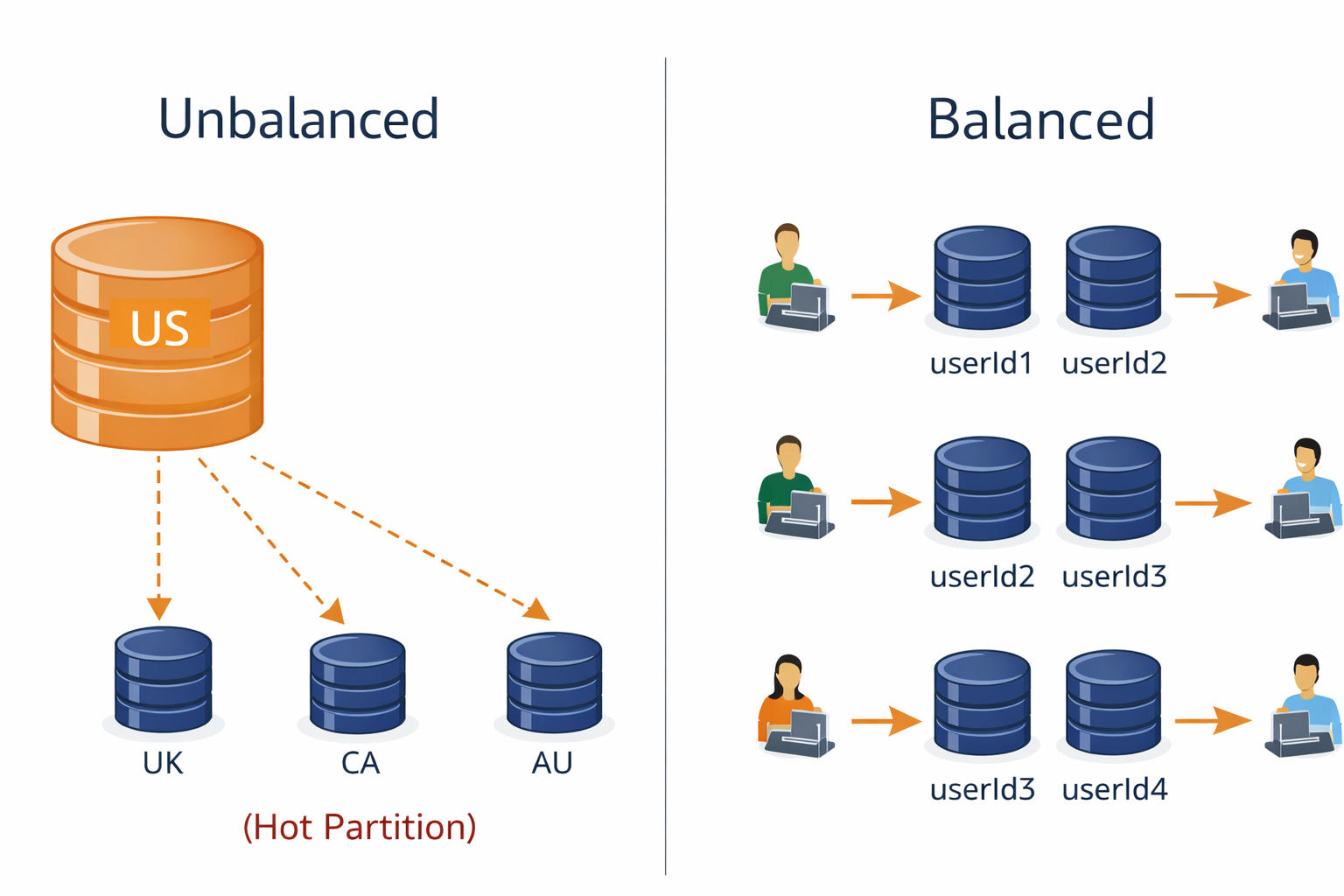
The hot partition problem
- Imagine a restaurant with one busy cashier and three idle ones
- That's what happens with poor partition key design
- Hot partition = one partition receives disproportionate traffic while others sit idle.
- Solution: High-cardinality partition keys: attributes with many unique values that distribute data evenly
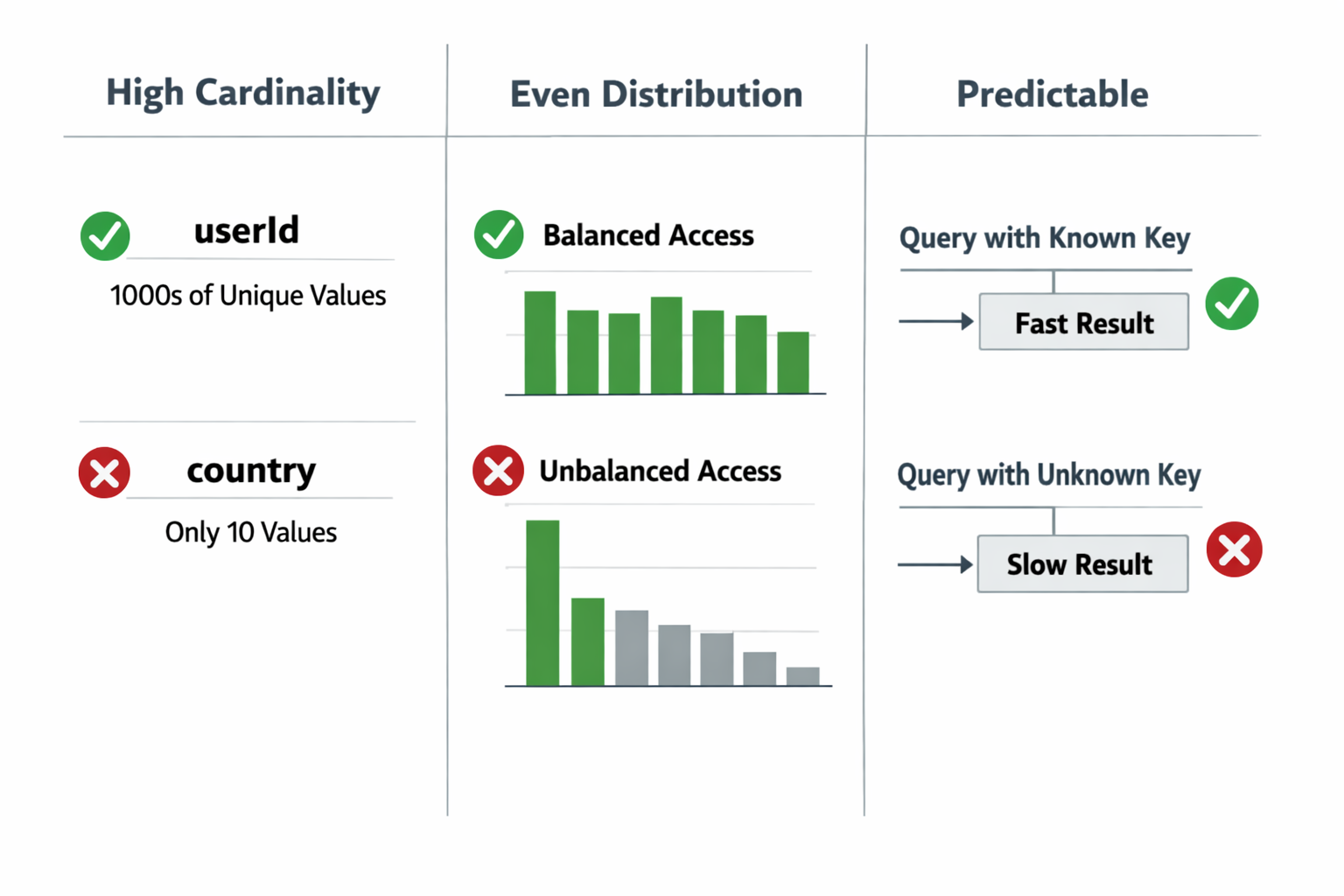
What makes a good partition key
- High cardinality: Many unique values
- userId, orderId, sessionId - Yes
- country, status, category - No
- Even distribution: Balanced access patterns
- Predictable: Known at query time
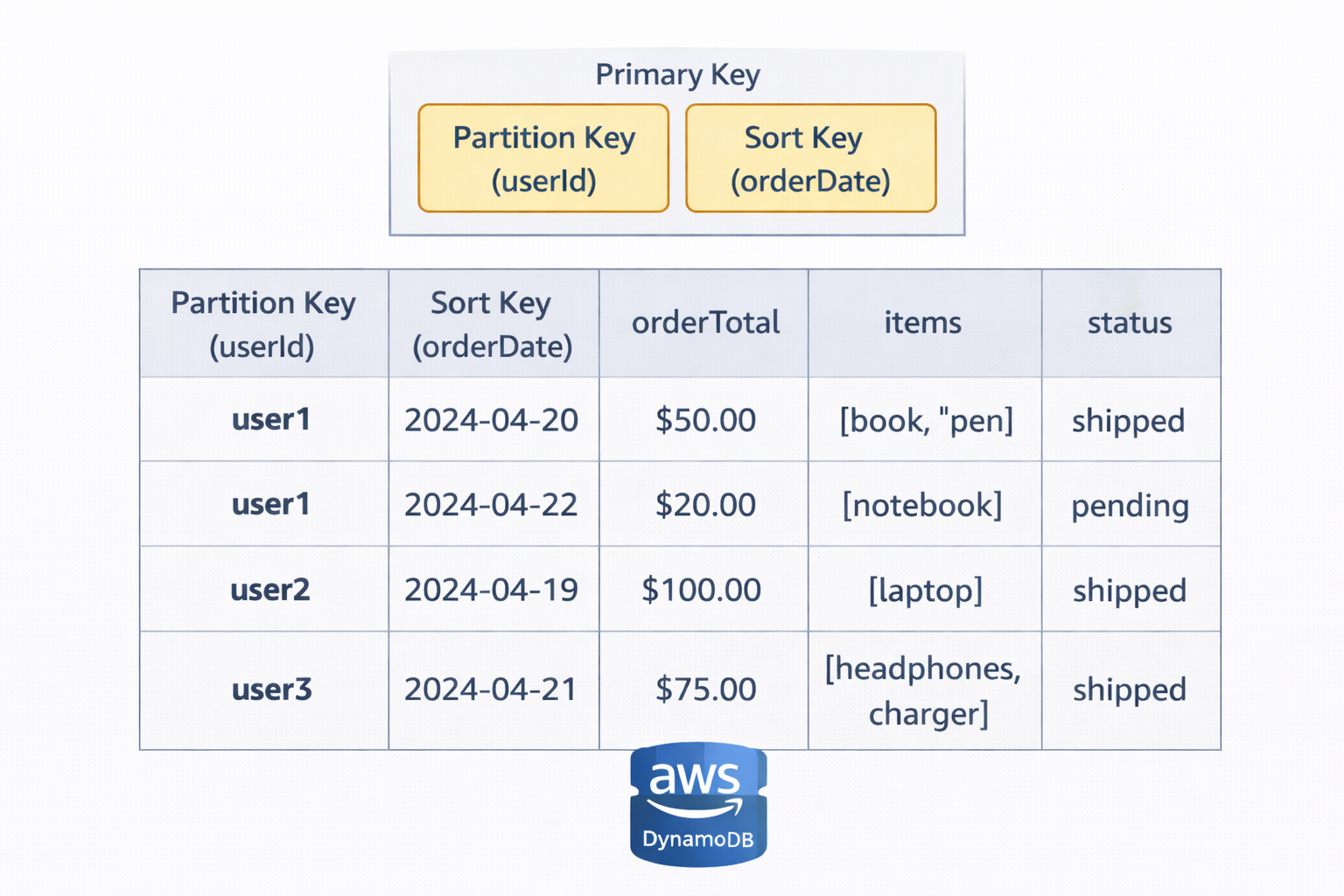
DynamoDB table structure
- Partition key (required): Determines data distribution
- Sort key (optional): Enables range queries (e.g. userId + orderDate)
- Attributes: Additional data fields
- Primary key = Partition key OR Partition key + Sort key
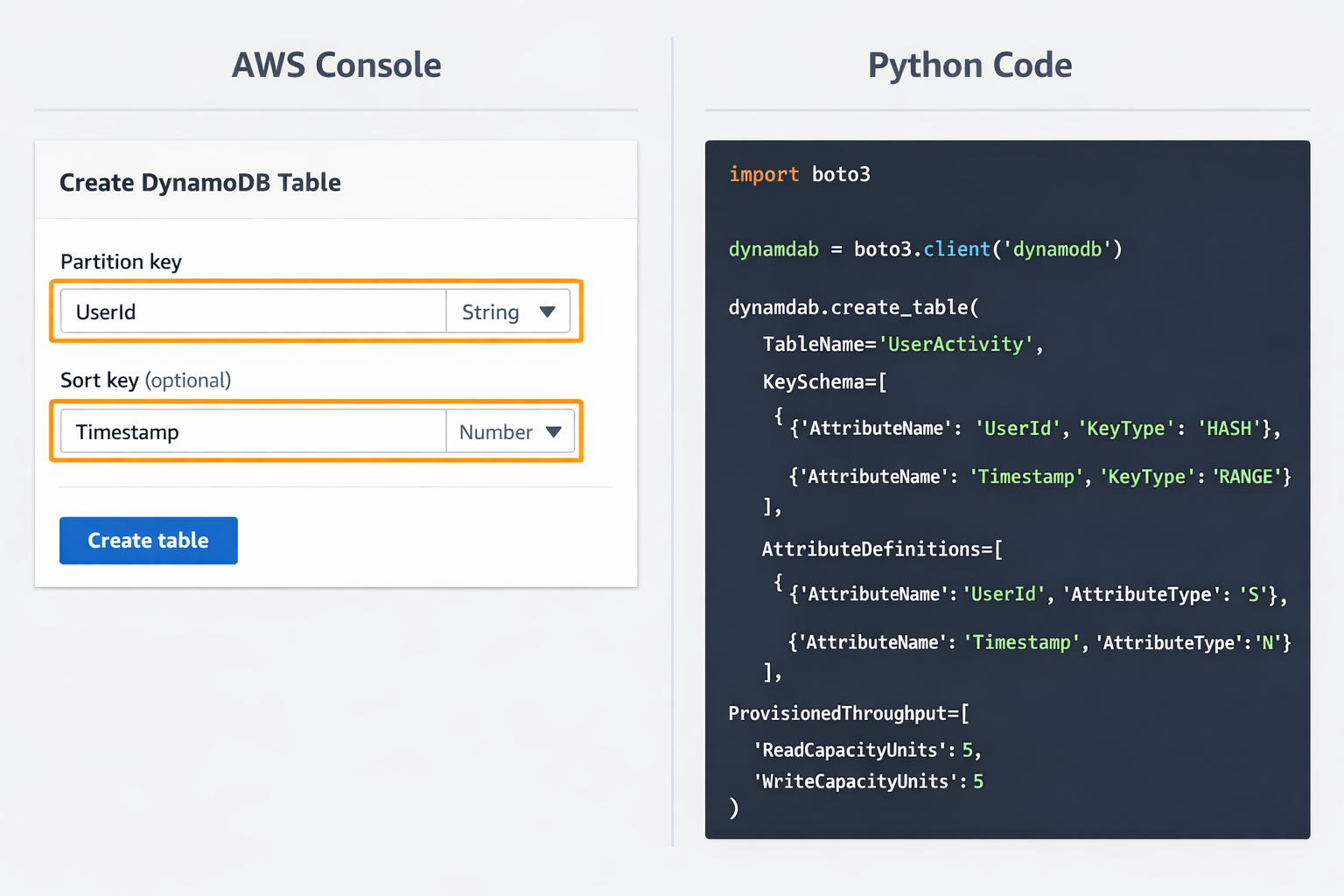
Creating your first table
- AWS Console: Quick setup for testing
- boto3 (Python): Programmatic table creation
- Key decisions: Partition key, sort key, billing mode
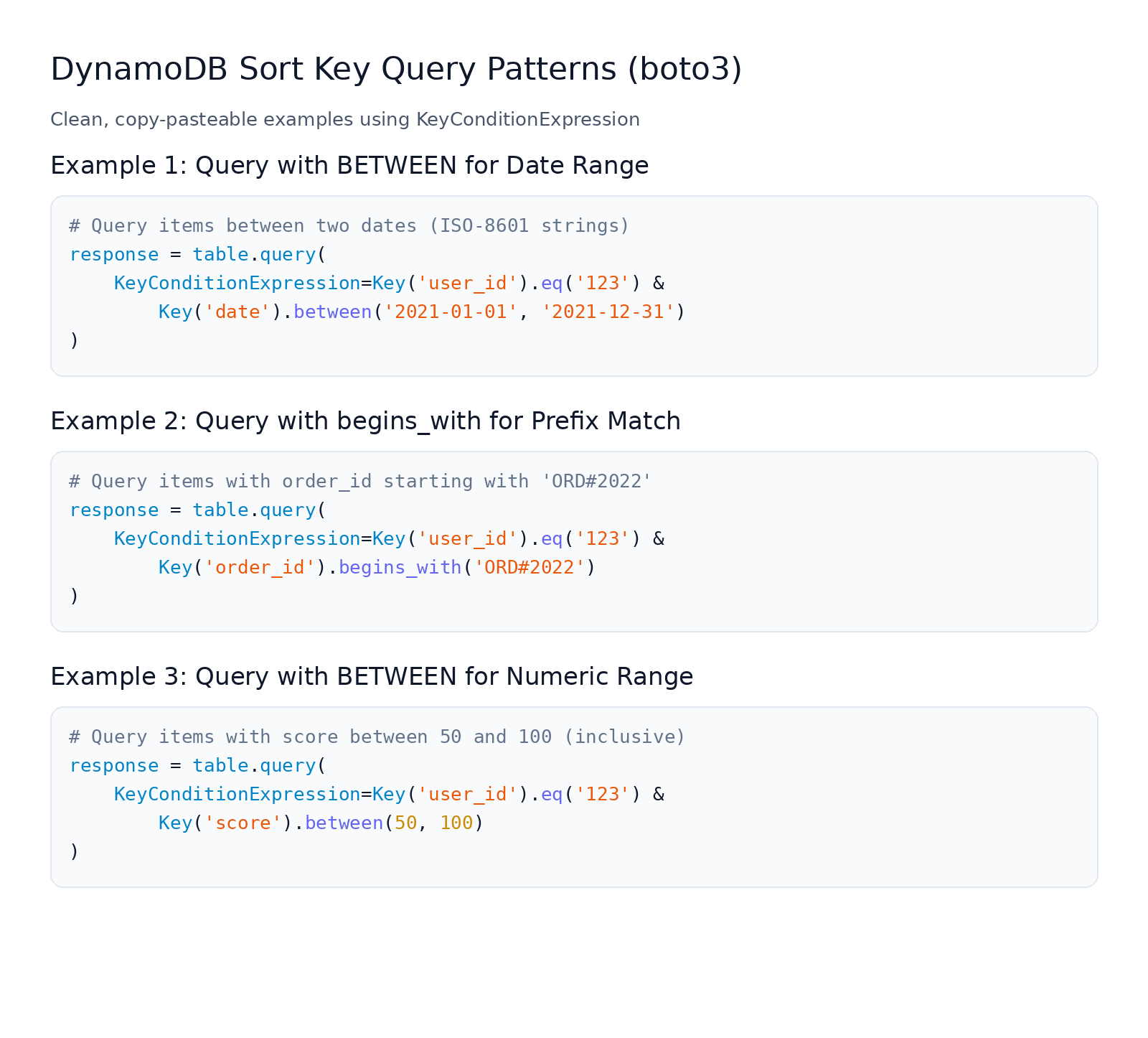
Composite keys and sort key queries
- Composite key: Partition key + Sort key
- Range queries: Query within date ranges, numeric ranges
- Operators: =, <, >, <=, >=, BETWEEN, begins_with
- Example: Get orders for user in last 30 days > $100
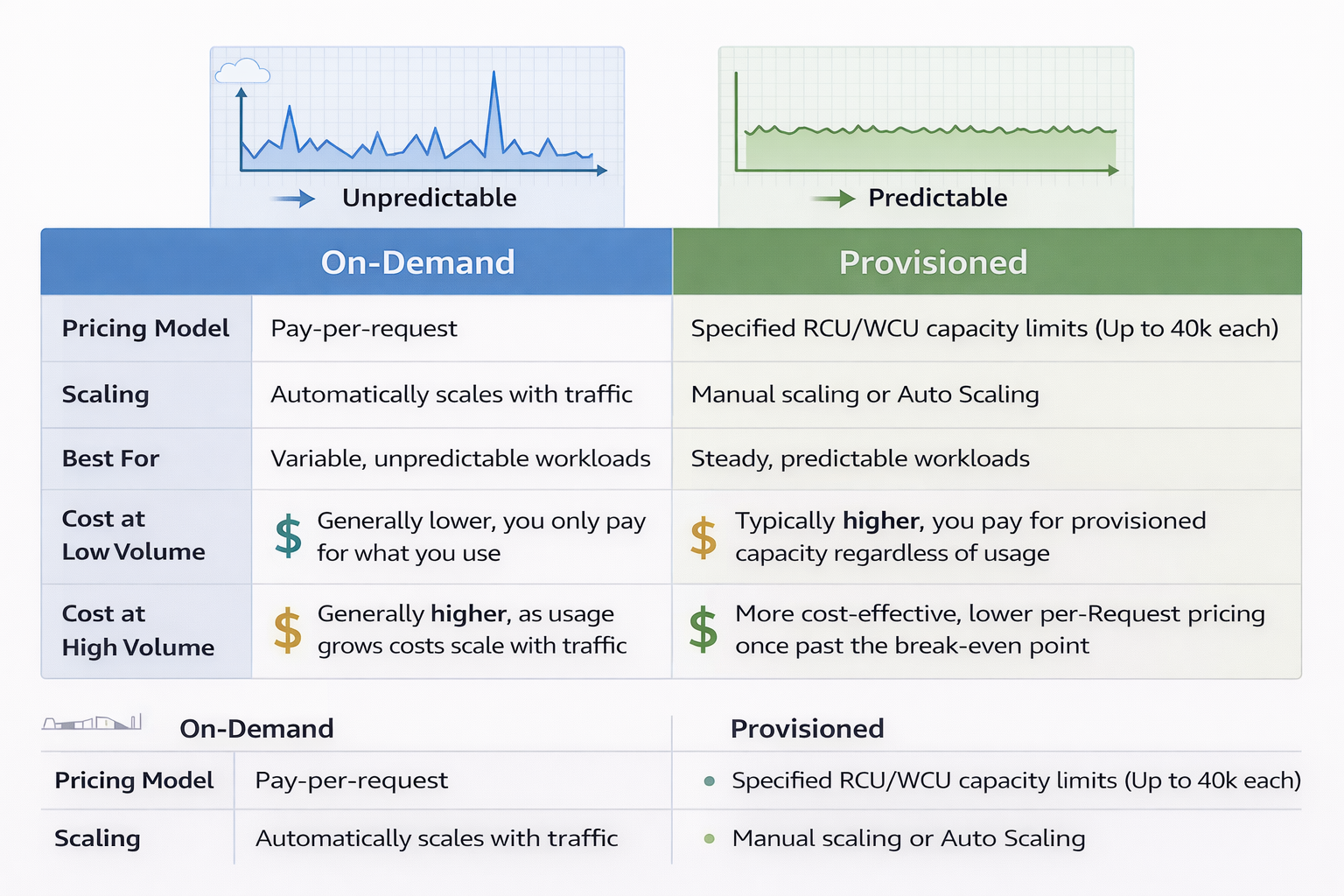
Capacity modes: on-demand vs provisioned
- On-Demand: Pay per request, auto-scales
- Best for: Unpredictable traffic, new applications
- Provisioned: Set RCU/WCU, lower cost at scale
- Best for: Predictable traffic, cost optimization
- Can switch modes once per 24 hours
Let's practice!
Using Data Stores in AWS
 Preparing Video For Download...