DynamoDB indexes, streams, and optimization
Using Data Stores in AWS

Dunieski Otano
AWS Solutions Architect
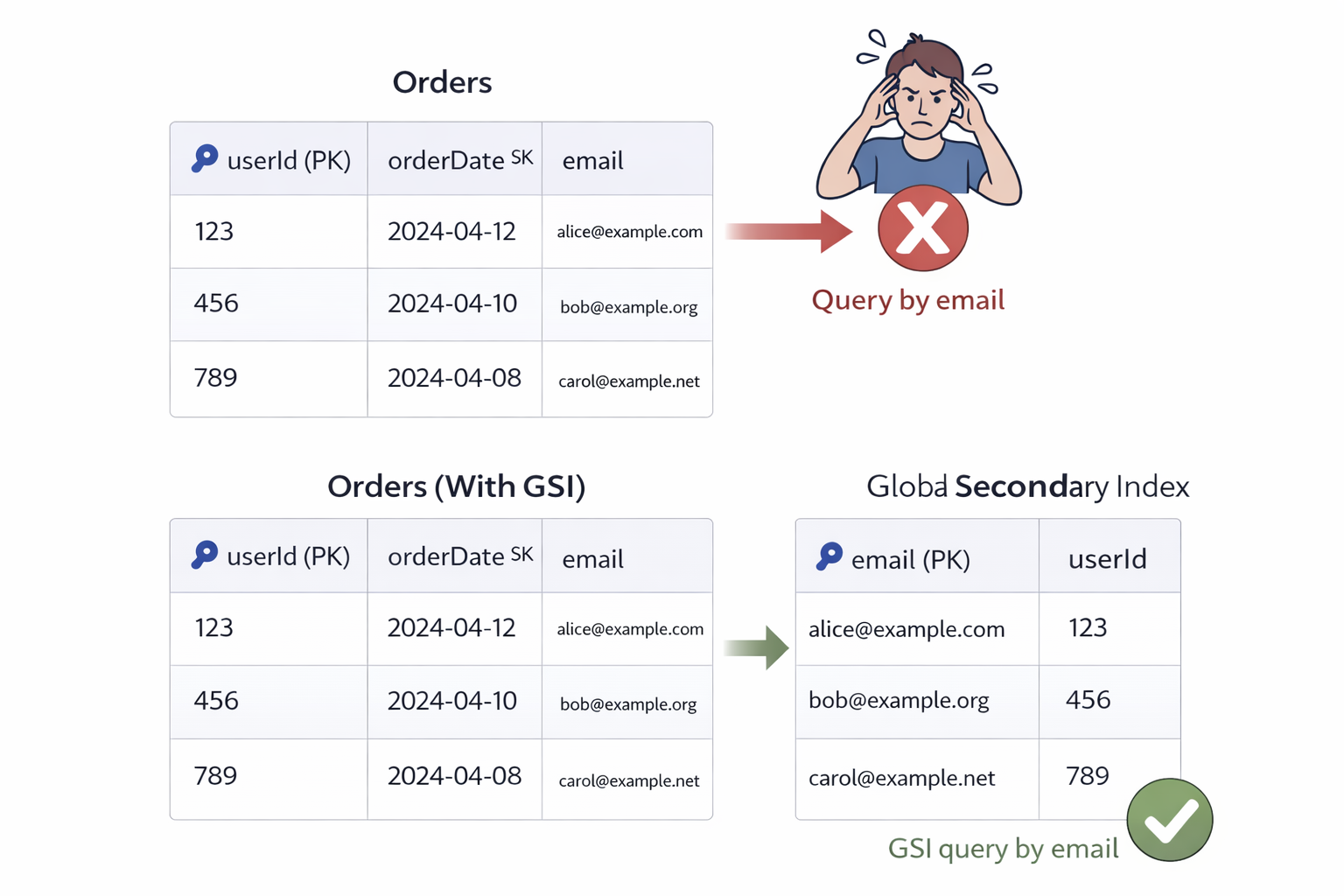
The query that couldn't be done
- Table: userId (partition key), orderDate (sort key)
- Need: Find orders by email address
- Problem: Can't query on non-key attributes
- Solution: Global Secondary Index
- Indexes enable multiple access patterns
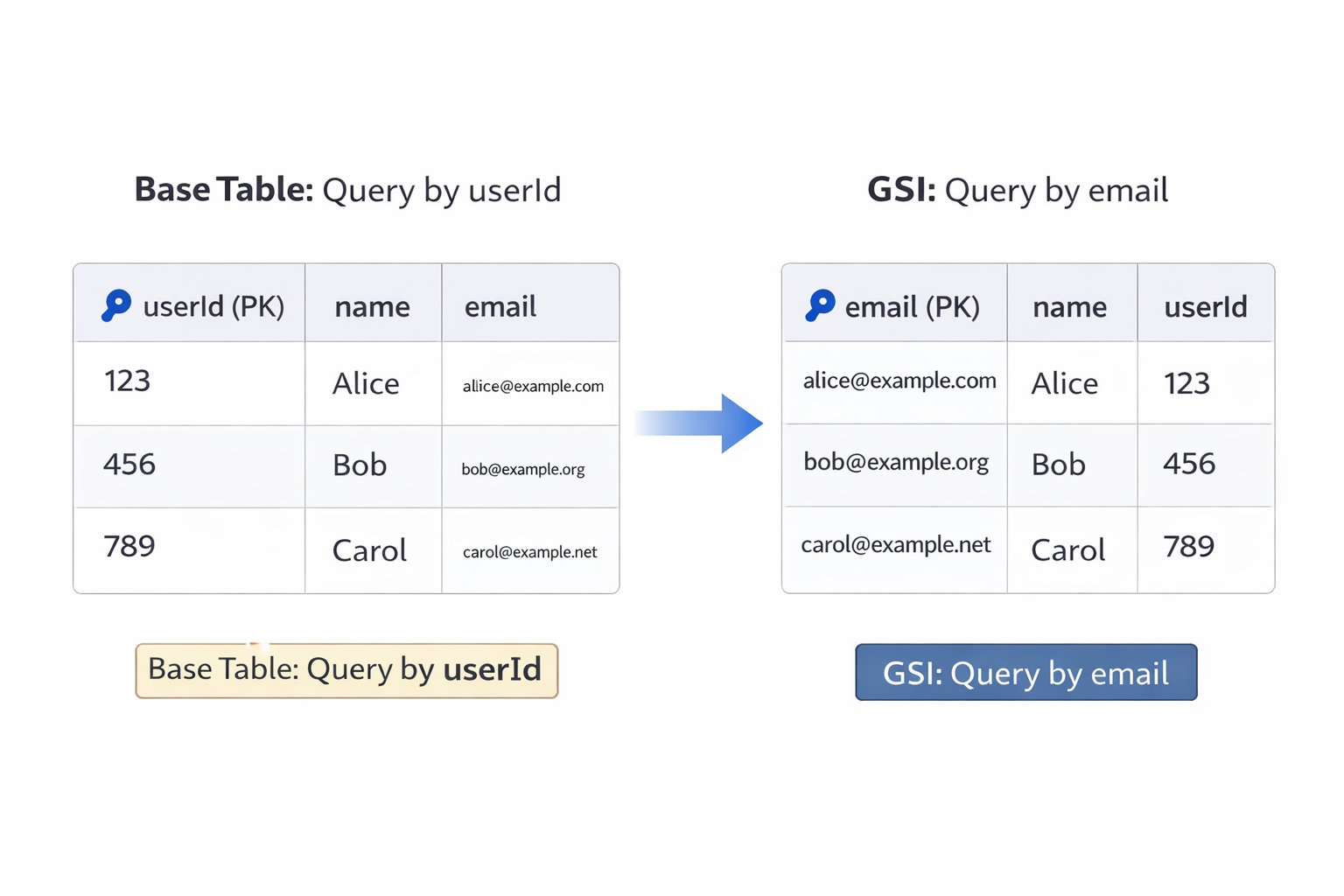
Global Secondary Index (GSI)
- Different partition key from base table
- Can be added anytime after table creation
- Eventually consistent reads only
- Use case: Query on non-primary key attributes
Local Secondary Index (LSI)
- Same partition key, different sort key
- Must be created at table creation time
- Supports strongly consistent reads
- Use case: Alternative sort orders within partition
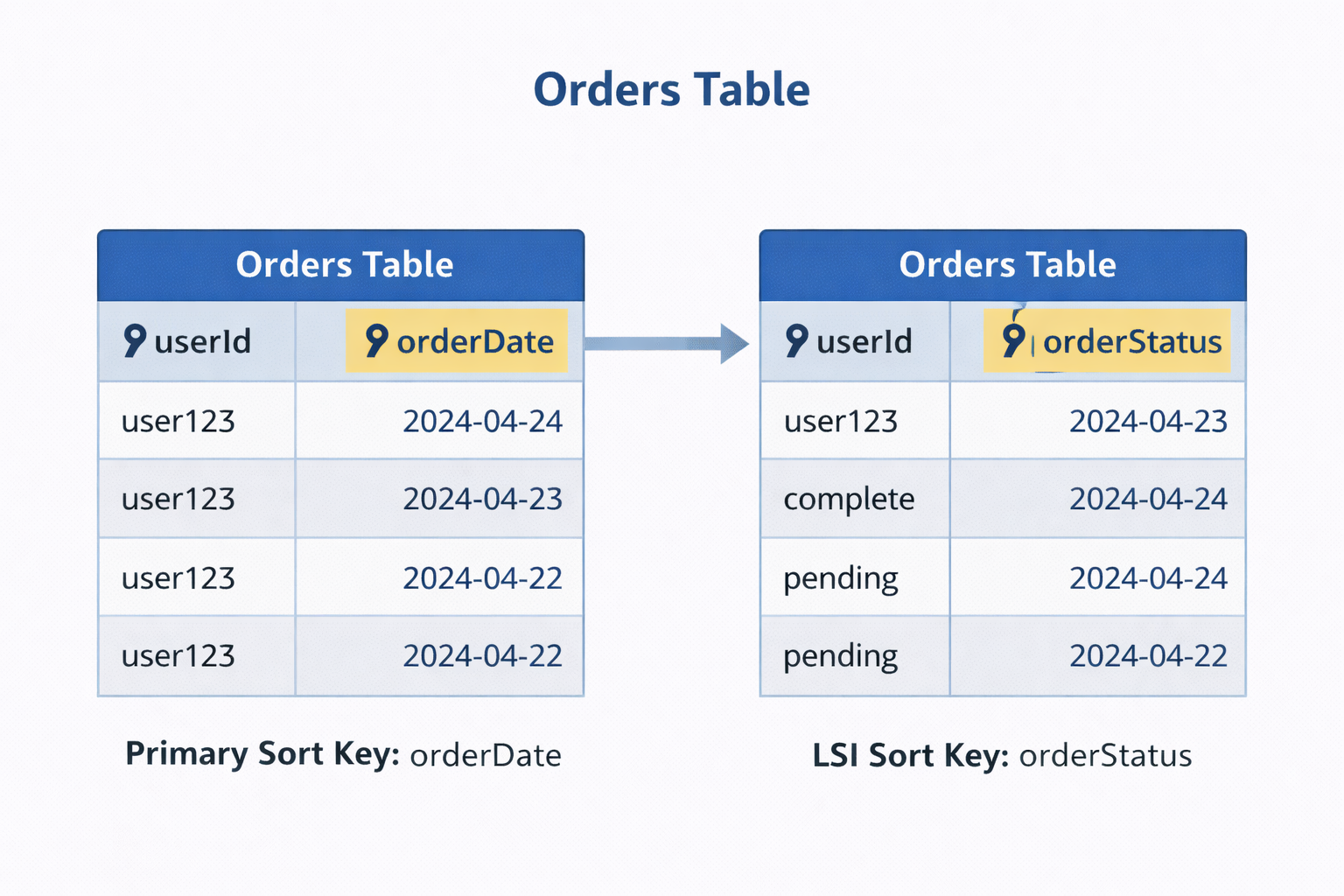
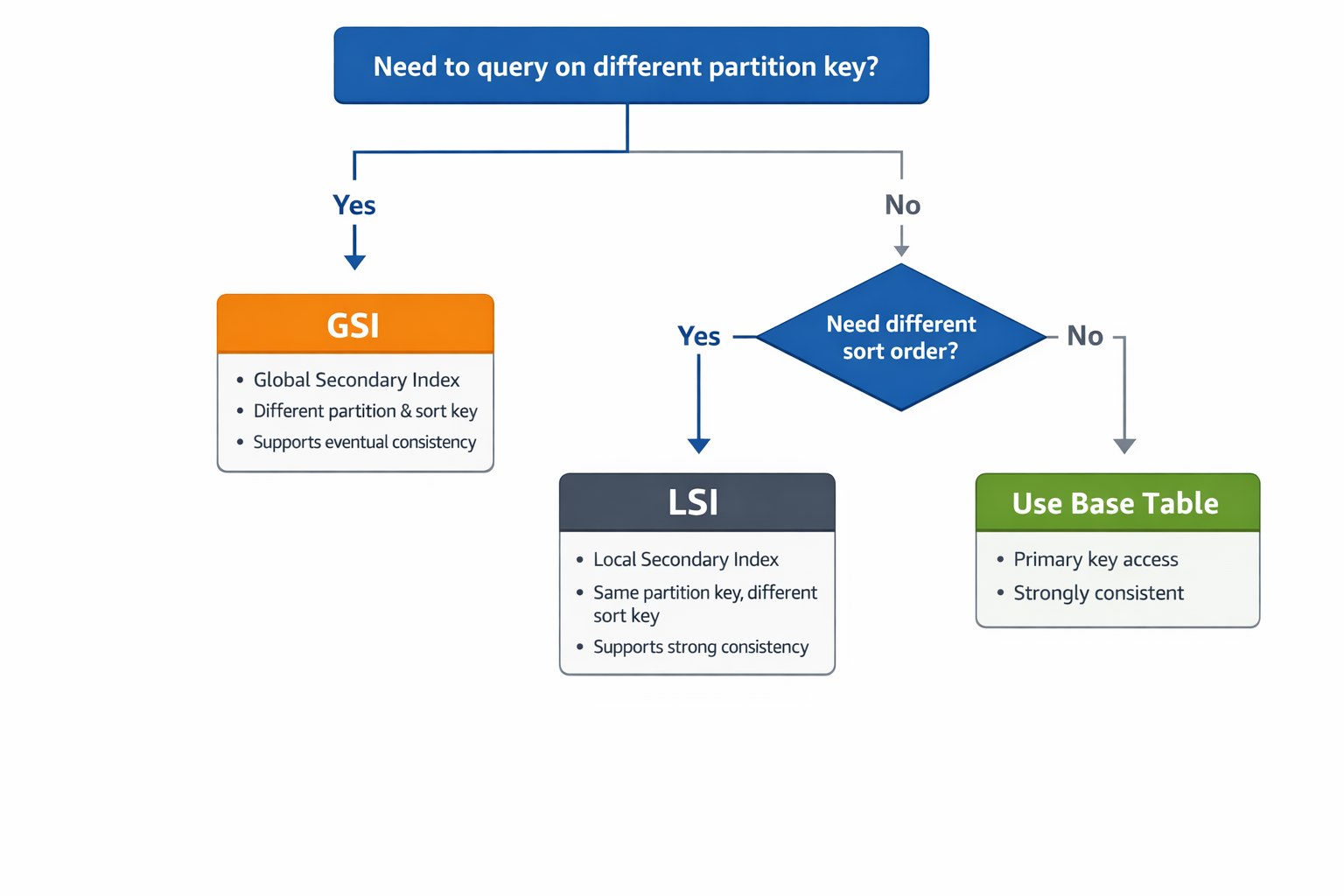
GSI vs LSI - when to use each
- GSI: Different partition key, add anytime, eventual consistency
- LSI: Same partition key, create at table creation, strong consistency
- Most common: GSI for flexible access patterns
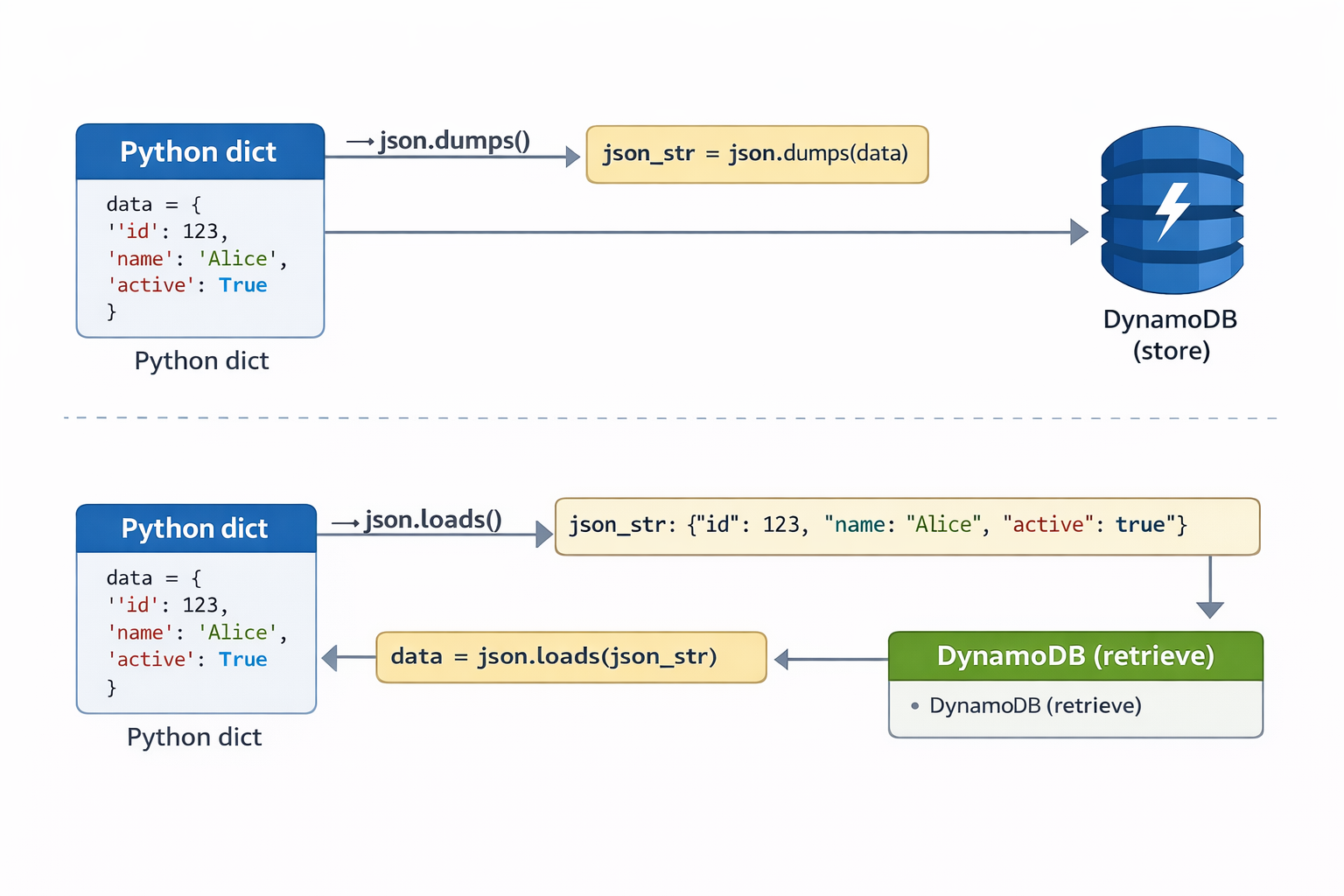
Data serialization for DynamoDB
- Problem: DynamoDB doesn't store Python objects
- Solution: Serialize to JSON or binary
- JSON: Simple data (dicts, lists) - json.dumps()
- Base64: Binary data (images, tokens)
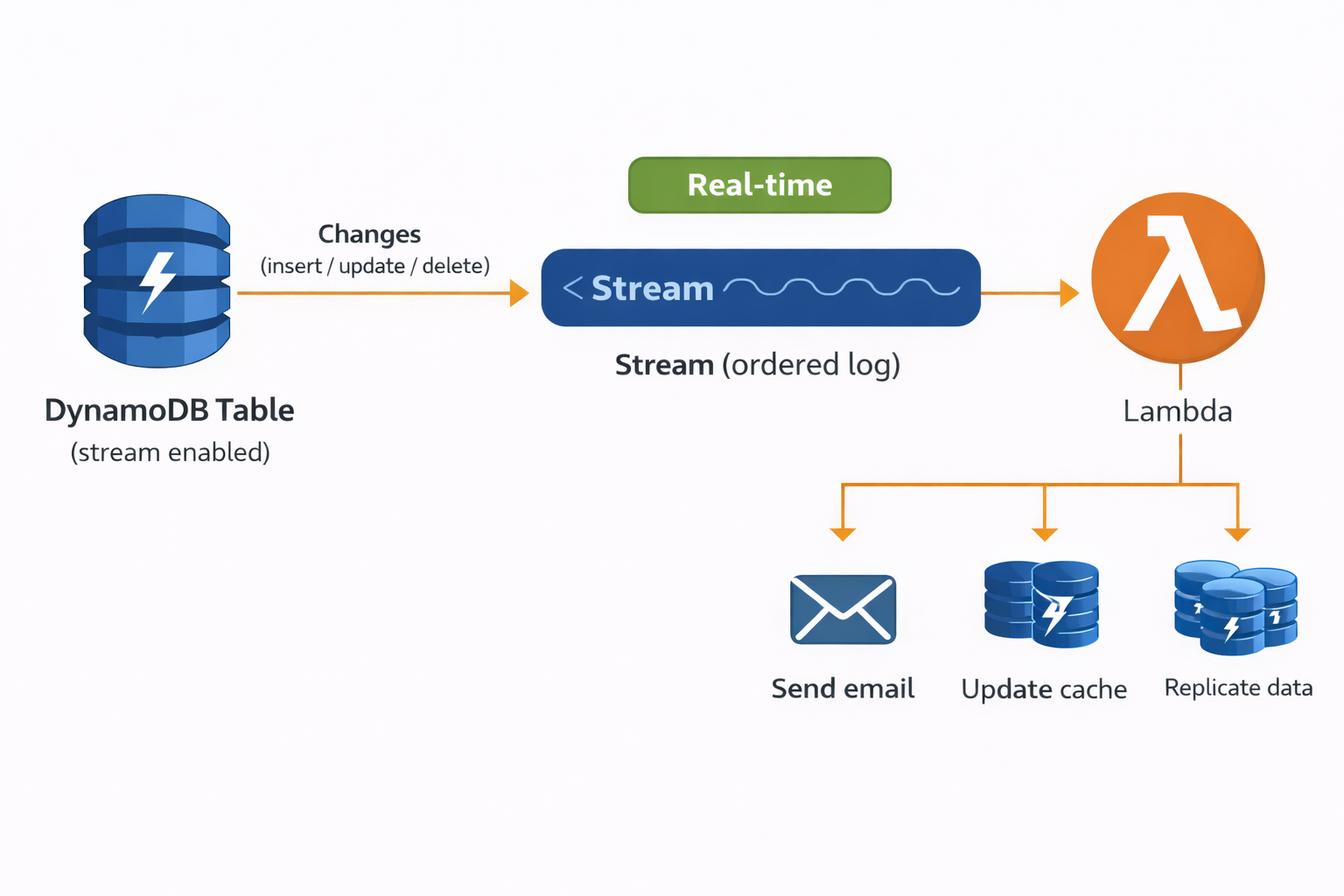
DynamoDB Streams for change data capture
- Streams: Ordered log of all table changes
- Captures: Inserts, updates, deletes
- Use cases: Audit logs, replication, triggers
- Process with Lambda for real-time reactions
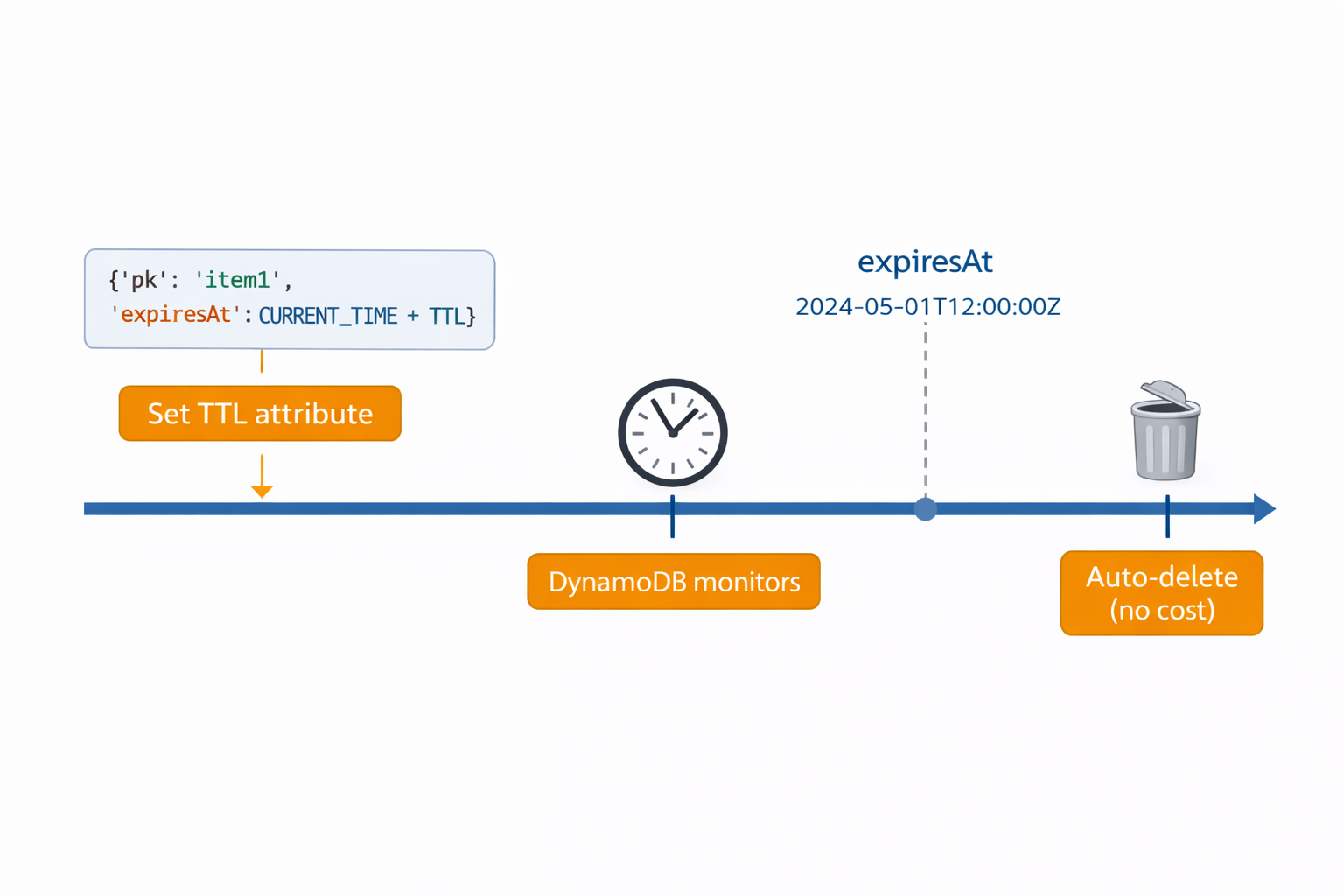
Time-to-Live for automatic expiration
- TTL: Automatic item deletion after expiration
- Set Unix timestamp in TTL attribute
- Perfect for: Sessions, temporary tokens, cache
- No cost for TTL deletions
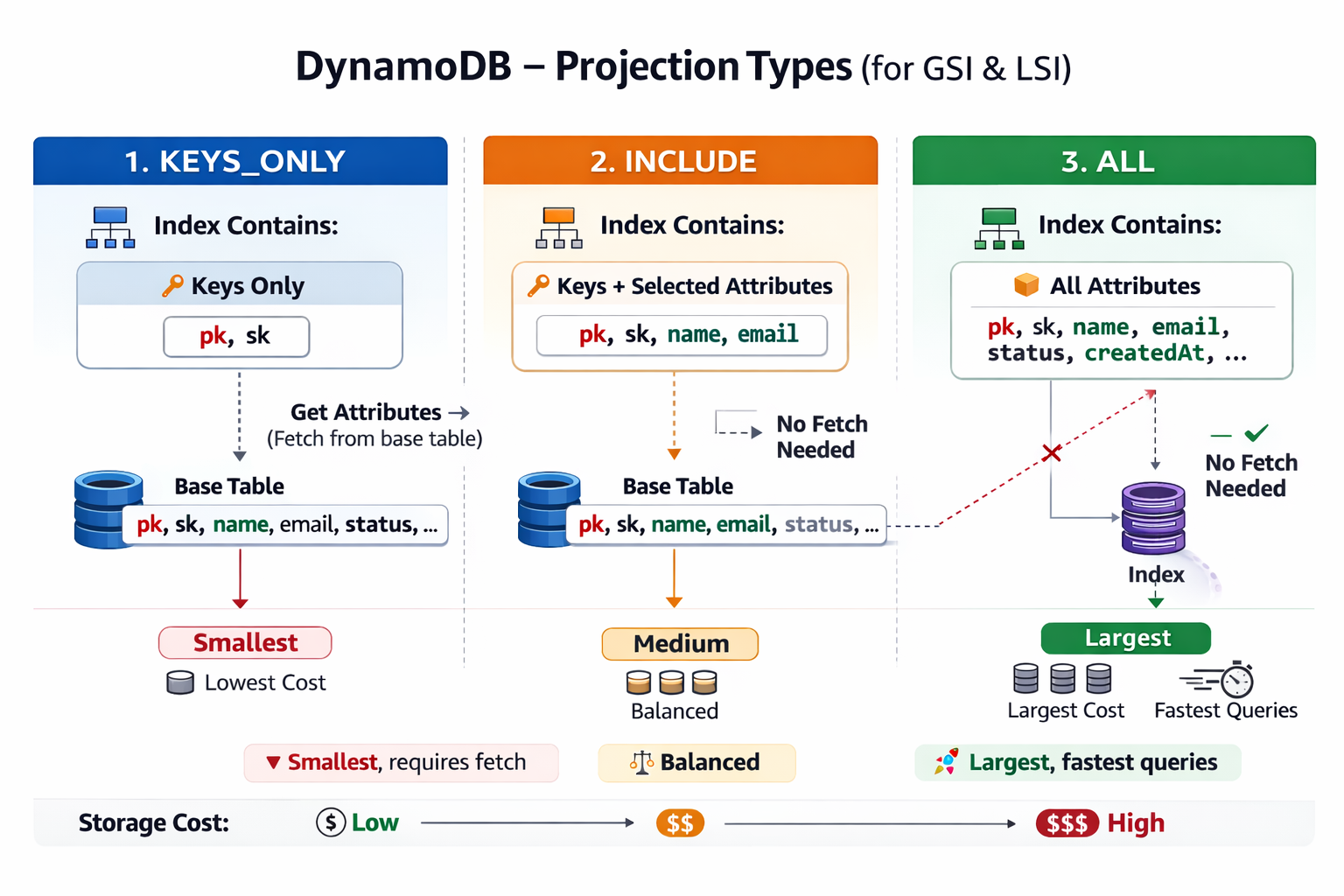
Index projection types and query performance
- KEYS_ONLY: Only key attributes, smallest size
- INCLUDE: Keys + specified attributes
- ALL: All attributes, largest size, no fetches
- Trade-off: Storage cost vs query performance
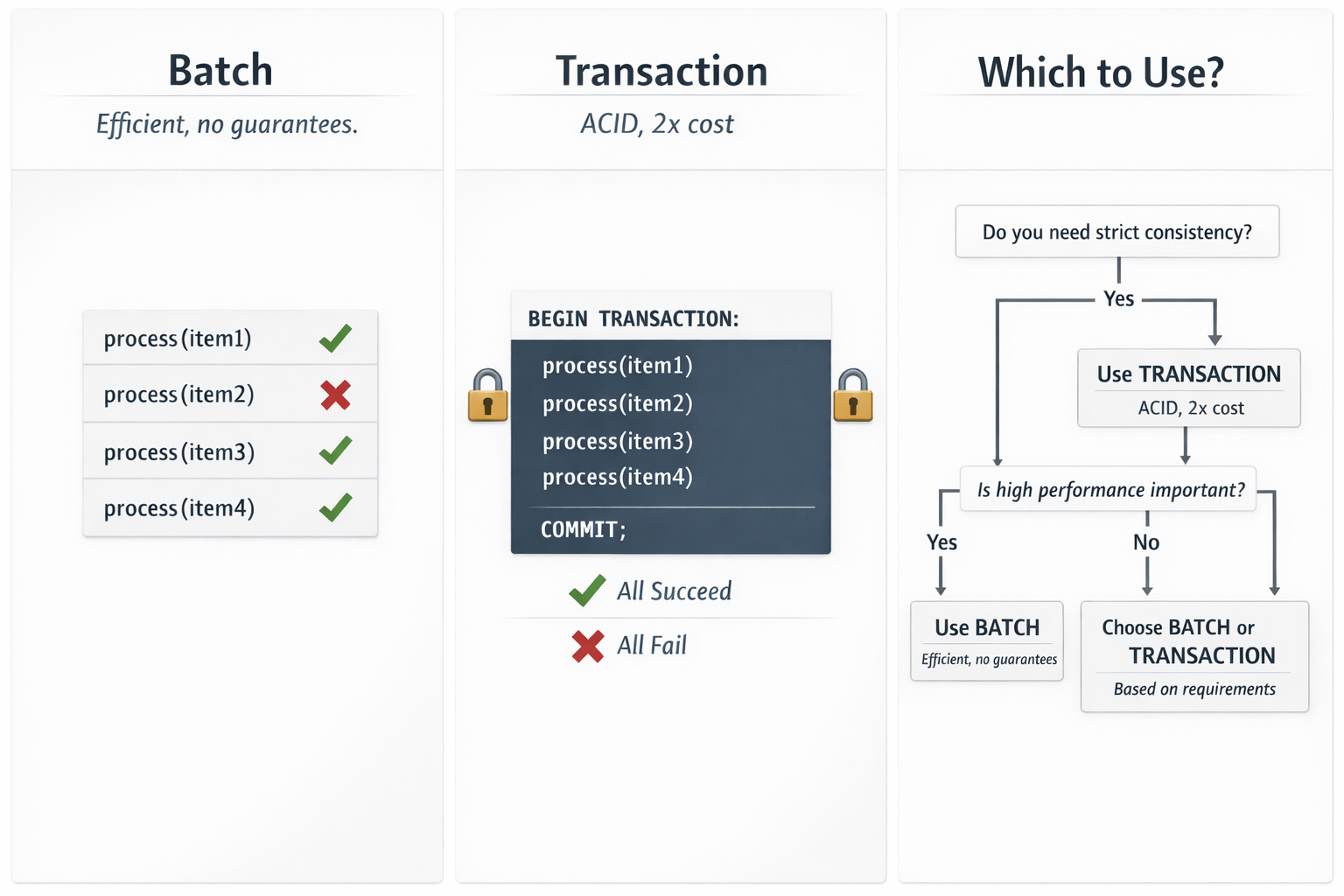
Batch operations and transactions
- BatchGetItem: Read up to 100 items, 16MB max
- BatchWriteItem: Write up to 25 items
- TransactWriteItems: ACID across up to 100 items
- Use for: Efficiency (batch) or consistency (transactions)
Let's practice!
Using Data Stores in AWS
 Preparing Video For Download...