Case Study: Building a notification system

Introducción a AWS Boto en Python

Maksim Pecherskiy

Data Engineer

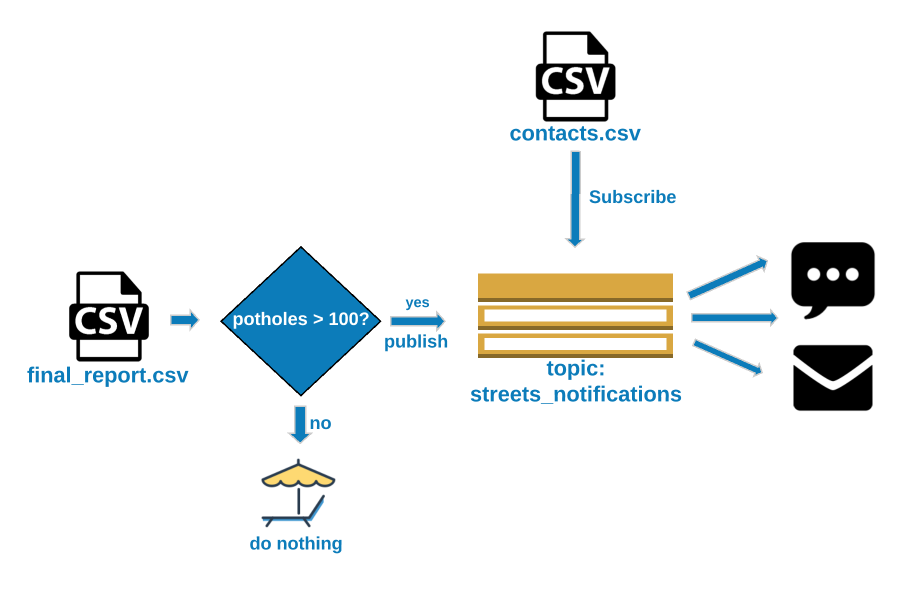
Final product

Final product
Final product
Introducción a AWS Boto en Python

Final product

Final product

Introducción a AWS Boto en Python

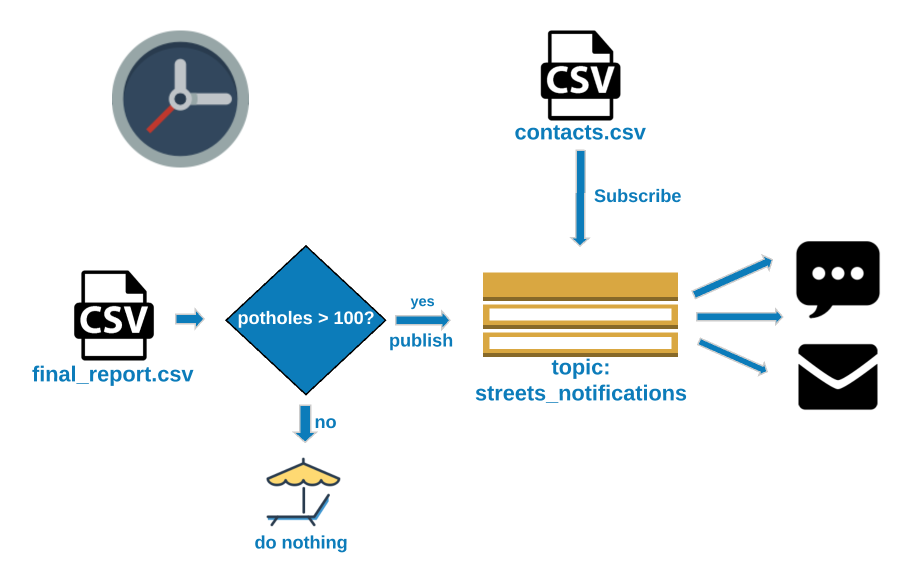
Final product

Final product

Introducción a AWS Boto en Python

Final product

Final product

Introducción a AWS Boto en Python

Building the notification system

Topic Set Up

  • Create the topic
  • Download the contact list csv
  • Create topics for each service
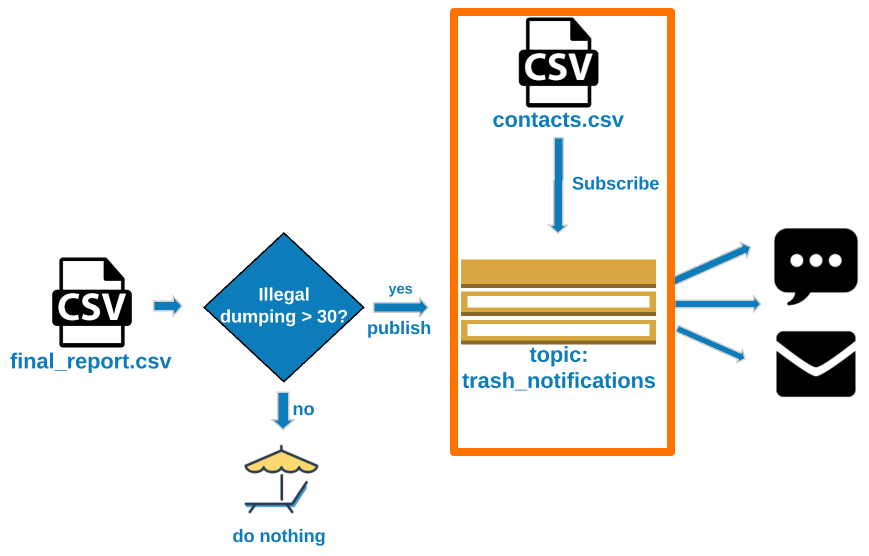
  • Subscribe the contacts to their respective topics
Introducción a AWS Boto en Python

Building the notification system

Get the aggregated numbers

  • Download the monthly get it done report
  • Get the count of Potholes
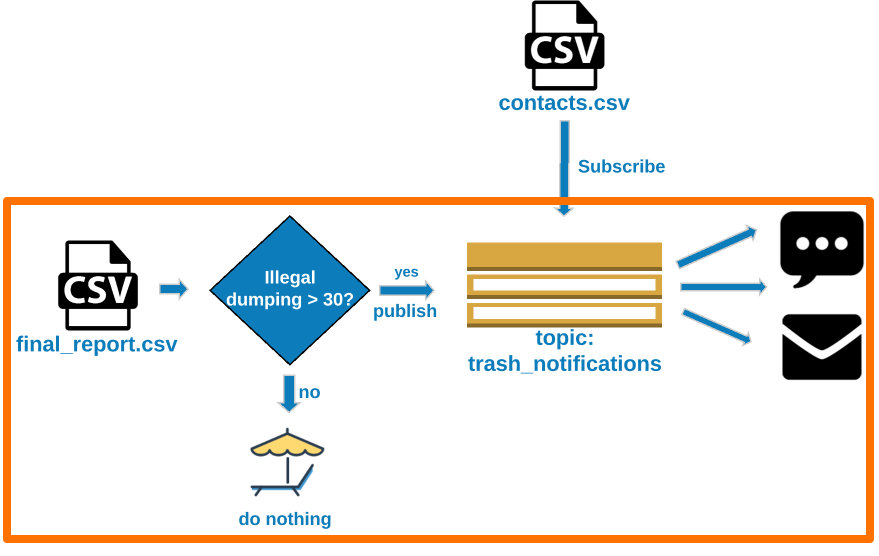
  • Get the count of Illegal dumping notifications

Send Alerts

  • If potholes exceeds 100, send alert
  • If illegal dumping exceeds 30, send alert
Introducción a AWS Boto en Python

Topic set up

Initialize SNS client

sns = boto3.client('sns', 
                   region_name='us-east-1',
                   aws_access_key_id=AWS_KEY_ID, 
                   aws_secret_access_key=AWS_SECRET)

Create topics and store their ARNs

trash_arn = sns.create_topic(Name="trash_notifications")['TopicArn']
streets_arn = sns.create_topic(Name="streets_notifications")['TopicArn']
Introducción a AWS Boto en Python

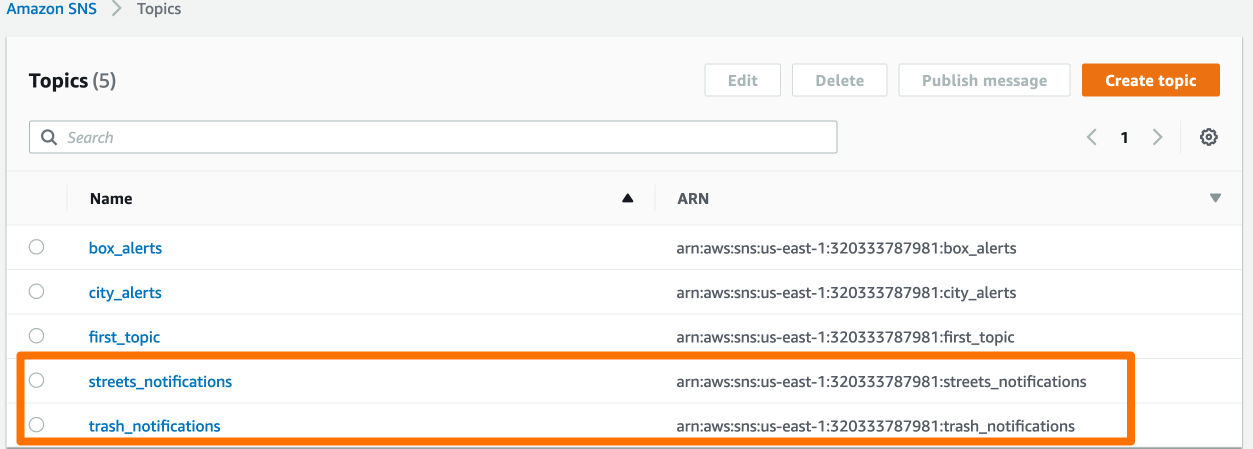
Topic set up

Topic set up

Introducción a AWS Boto en Python

Subscribing users to topics

contacts = pd.read_csv('http://gid-staging.contacts.csv')
Introducción a AWS Boto en Python

Subscribing users to topics

contacts.csv

Name Email Phone Department
John Smith [email protected] +11224567890 trash
Fanny Mae [email protected] +11234597890 trash
Janessa Goldsmith [email protected] +11534567890 streets
Evelyn Monroe [email protected] +11234067890 streets
Max Pe [email protected] +11234517890 streets
Introducción a AWS Boto en Python

Subscribing users to topics

Create subscribe_user method

def subscribe_user(user_row):

if user_row['Department'] == 'trash': sns.subscribe(TopicArn = trash_arn, Protocol='sms', Endpoint=str(user_row['Phone'])) sns.subscribe(TopicArn = trash_arn, Protocol='email', Endpoint=user_row['Email'])
else: sns.subscribe(TopicArn = streets_arn, Protocol='sms', Endpoint=str(user_row['Phone'])) sns.subscribe(TopicArn = streets_arn, Protocol='email', Endpoint=user_row['Email'])

Apply the subscribe_user method to every row

contacts.apply(subscribe_user, axis=1)
Introducción a AWS Boto en Python

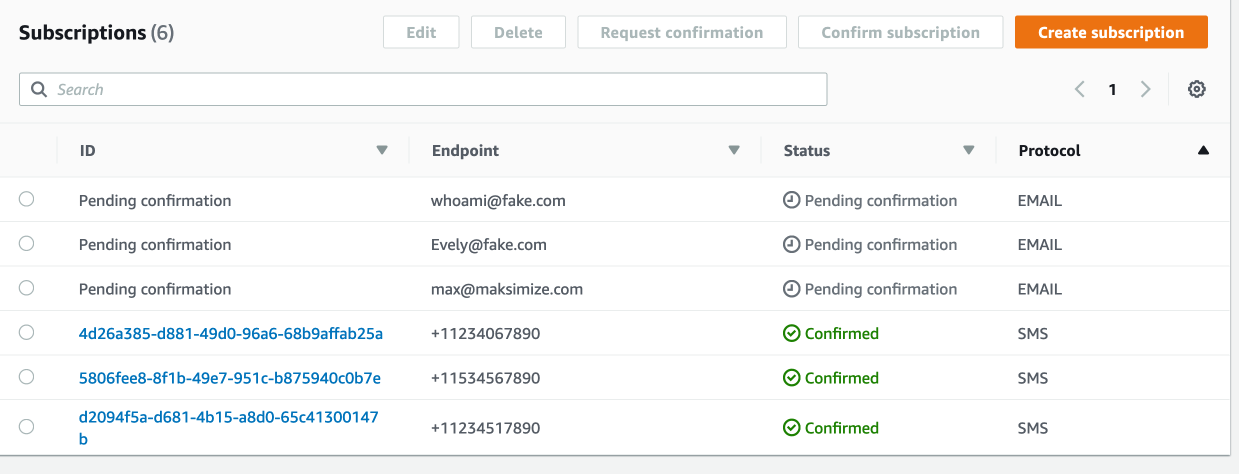
Subscribing users to topics

Subscribing users to topic

Introducción a AWS Boto en Python

Get the aggregated numbers

Load January's report into a DataFrame

df = pd.read_csv('http://gid-reports.2019/feb/final_report.csv')
Introducción a AWS Boto en Python

Get the aggregated numbers

service_name count
Illegal Dumping 2580
Potential Missed Collection 150
Pothole 1170
Traffic Sign - Maintain 210
Traffic Signal Head Turned 60
Traffic Signal Light Out 120
Introducción a AWS Boto en Python

Get the aggregated numbers

Set the index so we can access counts by service name directly

df.set_index('service_name', inplace=True)

Get the aggregated numbers

trash_violations_count = df.at['Illegal Dumping', 'count']
streets_violations_count = df.at['Pothole', 'count']
Introducción a AWS Boto en Python

Send Alerts

if trash_violations_count > 100:

# Construct the message to send message = "Trash violations count is now {}".format(trash_violations_count)
# Send message sns.publish(TopicArn = trash_arn, Message = message, Subject = "Trash Alert")
Introducción a AWS Boto en Python

Send alerts

if streets_violations_count > 30:

    # Construct the message to send
    message = "Streets violations count is now {}".format(streets_violations_count)

# Send message sns.publish(TopicArn = streets_arn, Message = message, Subject = "Streets Alert")
Introducción a AWS Boto en Python

Final Result

Final Result

Introducción a AWS Boto en Python

Let's practice!

Introducción a AWS Boto en Python

Preparing Video For Download...