Automating Checks with Hooks

Software Development with Claude Code

Dani Zysman

AI Curriculum Manager @ DataCamp

The Manual Problem

recraft: half: A developer at a desk looking tired, manually running the same command over and over

  • Hooks trigger when Claude runs a specific action
  • Hooks run automatically: great for repeatable tasks
  • Hooks prevent skipping steps in a process
Software Development with Claude Code

What Are Hooks?

  • Tools:
    • Reading/writing files
    • Running a command
  • Hooks:

    • User-defined shell commands that run automatically
    • Configured in .claude/settings.json
    • Think of them as "if this, then that" for Claude Code

    Use /hooks to list what's active

Software Development with Claude Code

The Project So Far

music-analytics-api/
  app.py
  routes.py
  test_routes.py    
  CLAUDE.md
  .claude/
    agents/
    skills/
    settings.json    # <- Hook configuration
Software Development with Claude Code

Hook Types & Workflow

Hook workflow diagram

PreToolUse: fires before the tool runs → Use it to inspect or block dangerous operations

PostToolUse: fires after the tool completes → Use it to run tests, lint checks, or log results

Software Development with Claude Code

Configuring a Hook

{
  "hooks": {
    "PostToolUse": [
      {
        "matcher": "Write|Edit",
        "hooks": [
          {
            "type": "command",
            "command": "cd $CLAUDE_PROJECT_DIR && python -m pytest --tb=short -q"
          }
        ]
      }
    ]
  }
}
Software Development with Claude Code

Capturing Hook Output

def pytest_terminal_summary(terminalreporter, exitstatus, config):
    passed = len(terminalreporter.stats.get('passed', []))
    failed = len(terminalreporter.stats.get('failed', []))

    if failed:
        title = "pytest FAILED"
        message = f"{failed} failed {passed} passed"
    else:
        title = "pytest PASSED"
        message = f"All {passed} tests passed!"

    with open("/tmp/pytest_results.log", "a") as f:
        f.write(f"{title}: {message}\n")
Software Development with Claude Code

Hook Output Log

[23:07:35] pytest FAILED: ❌; 2 failed, 15 passed

[23:07:38] pytest PASSED: ✅ All 17 tests passed!

[23:08:09] pytest PASSED: ✅ All 17 tests passed!

[23:08:12] pytest PASSED: ✅ All 17 tests passed!

Software Development with Claude Code

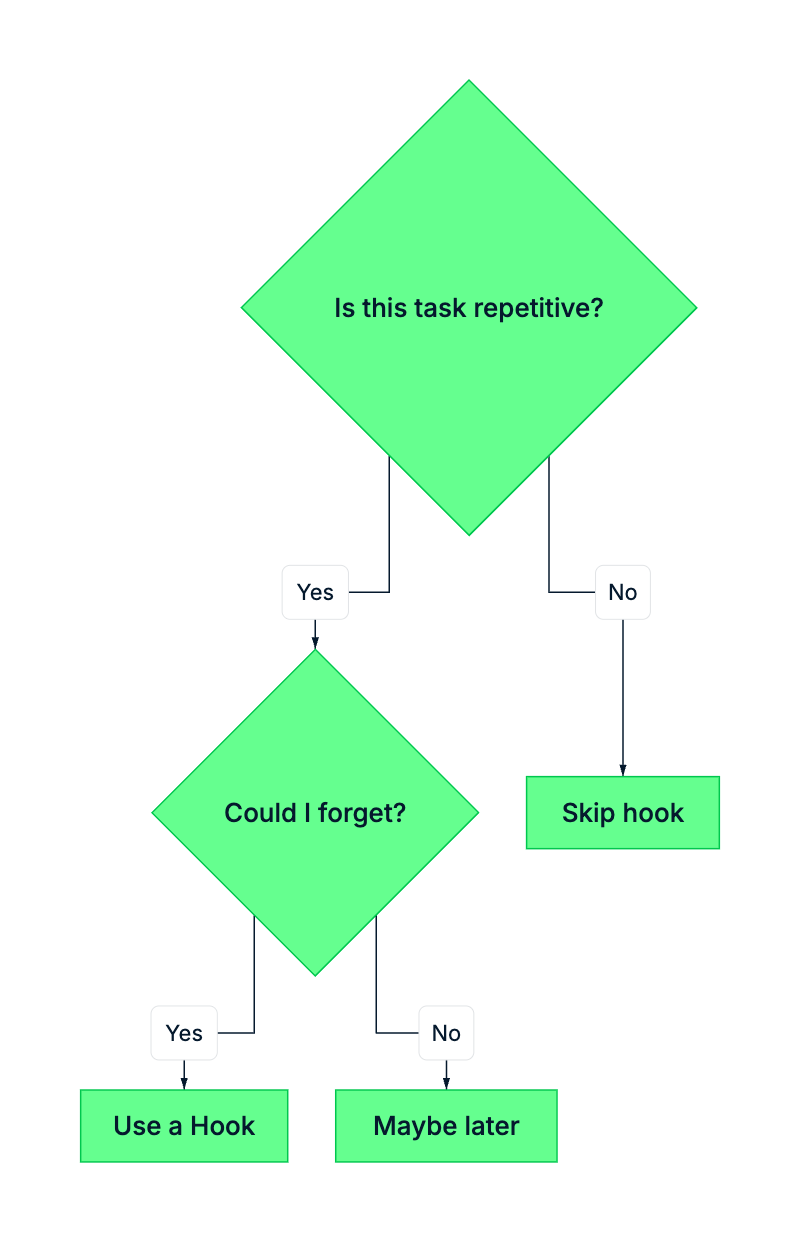
When to Use Hooks

Decision flowchart for when to use hooks

  • Good candidates:
    • Tests after file edits
    • Linting checks
    • Safety blocks
Software Development with Claude Code

Chapter 2 Recap

Feature Invoke List Config Path
Agents @agent-name /agents .claude/agents/name.md
Skills /skill-name /skills .claude/skills/name/SKILL.md
Hooks (automatic) /hooks .claude/settings.json
Software Development with Claude Code

Let's Practice!

Software Development with Claude Code

Preparing Video For Download...