Creating Skills

Software Development with Claude Code

Dani Zysman

AI Curriculum Manager @ DataCamp

What Are Skills?
A toolbox with labeled instruction cards

  • Reusable instructions Claude follows on demand
  • Define once, use everywhere
  • Invoked with /skill-name or automatically
Software Development with Claude Code

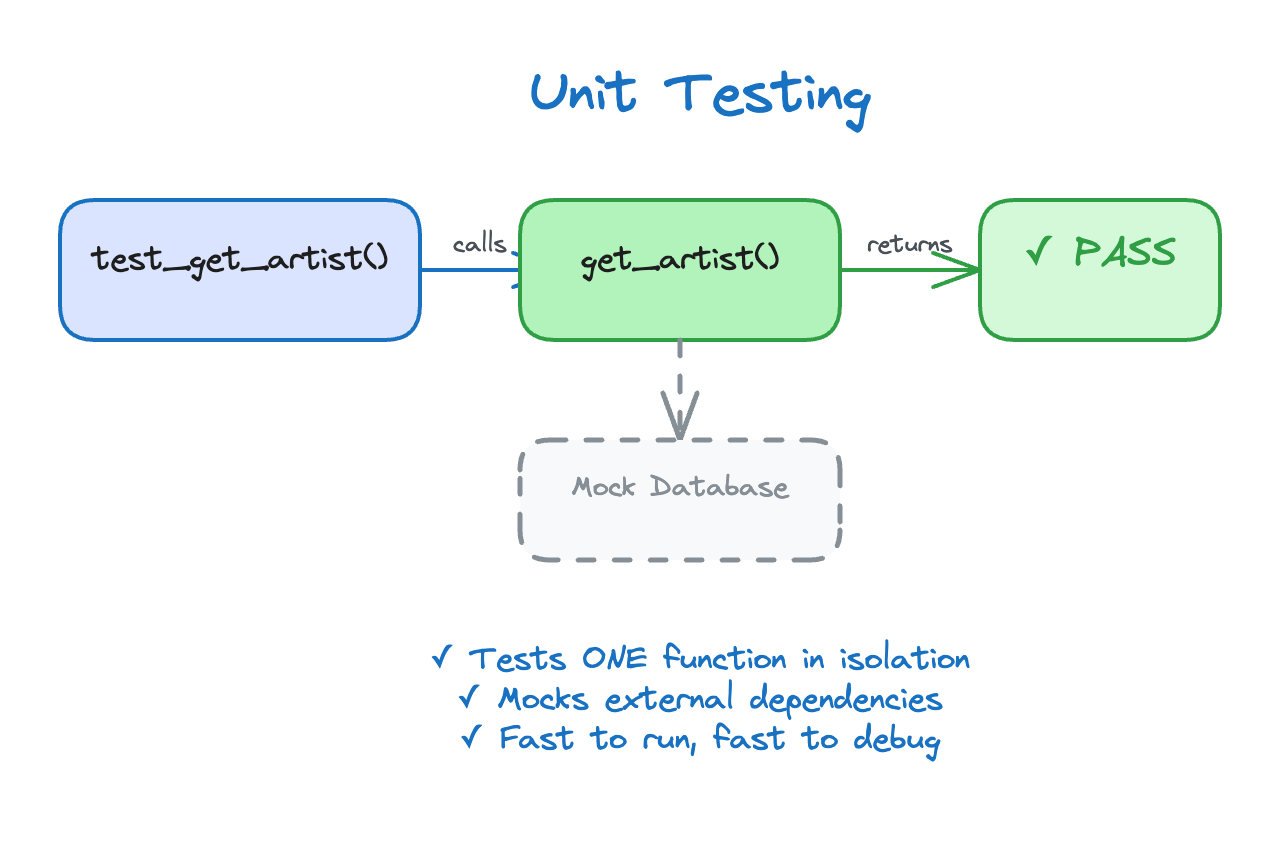
Unit Testing as a Skill

Unit test concept showing function tested in isolation

Software Development with Claude Code

Where Skills Live

Personal skills (all projects):

~/.claude/
  /skills/
    /my-skill/
      SKILL.md

Project skills (this project):

project/
  /.claude/
    /skills/
      /unit-tests/
        SKILL.md
Software Development with Claude Code

SKILL.md Anatomy

___
# SKILL.md
name: unit-tests
description: Generate pytest unit tests for Python functions
___

When asked to write unit tests:
1. Identify the function's inputs and outputs
2. Write tests for normal cases first
3. Add edge cases (empty input, invalid data)
4. Use descriptive test names
5. Run pytest to verify tests pass

Frontmatter = name + description | Body = step-by-step instructions

Software Development with Claude Code

Creating a Skill Manually

Recipe to create a skill:

  1. In your project root directory create a new one mkdir -p .claude/skills/unit-tests
  2. Open the file: code .claude/skills/unit-tests/SKILL.md (or editor of your choice)
  3. Write or paste the frontmatter and instructions
  4. Save the file
  5. Start claude and check if your skill is available with /skills
Software Development with Claude Code

The Project So Far

music-analytics-api/
  app.py
  routes.py
  models.py
  CLAUDE.md
  .claude/
    agents/
      code-reviewer.md
    skills/              # <- Skills folder
      unit-tests/
        SKILL.md
Software Development with Claude Code

When to Use Skills

  • Good for skills:
    • Repetitive workflows with consistent steps
    • Team coding standards to enforce
    • Multi-step workflows that need to be reproducible
    • Patterns that should be followed every time
  • Not good for skills:
    • One-time tasks
    • Simple questions about code
    • Tasks that vary significantly each time
    • Quick file lookups
Software Development with Claude Code

Skills vs. Agents

Feature Skills Agents
What they are Instructions Claude follows Specialized assistants
How they work Claude executes the steps Agent works independently
Location .claude/skills/ .claude/agents/
Invocation /skill-name or automatic @agent-name or automatic

Both extend Claude Code - use skills for workflows, agents for expertise

Software Development with Claude Code

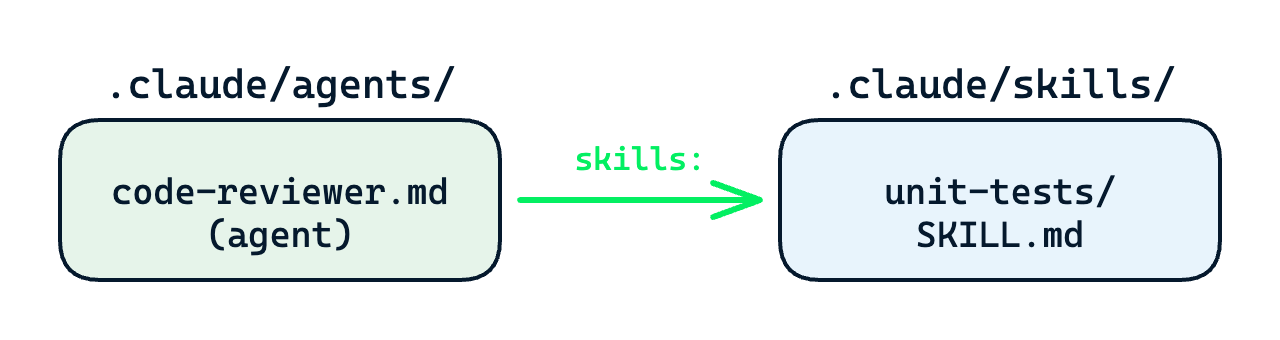
Agents + Skills Together

Agent file declaring skills it has access to

Software Development with Claude Code

Let's Practice!

Software Development with Claude Code

Preparing Video For Download...