Congratulations!

Intermediate Workflow Automation with n8n

Yaron Been

Marketing Automation Architect

Chapter 1: Event-Driven Workflows
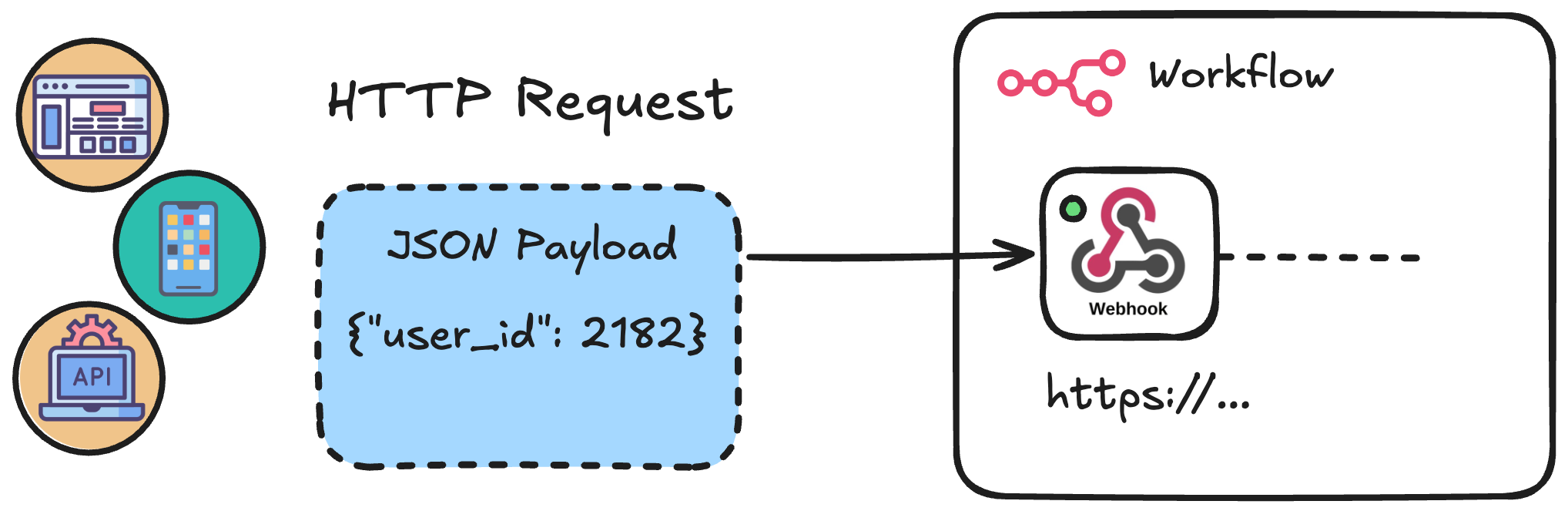
 

External systems (a website, mobile app, and API) sending an HTTP request with a JSON payload to a Webhook node inside an n8n workflow

Intermediate Workflow Automation with n8n

Chapter 1: Scheduled Workflows

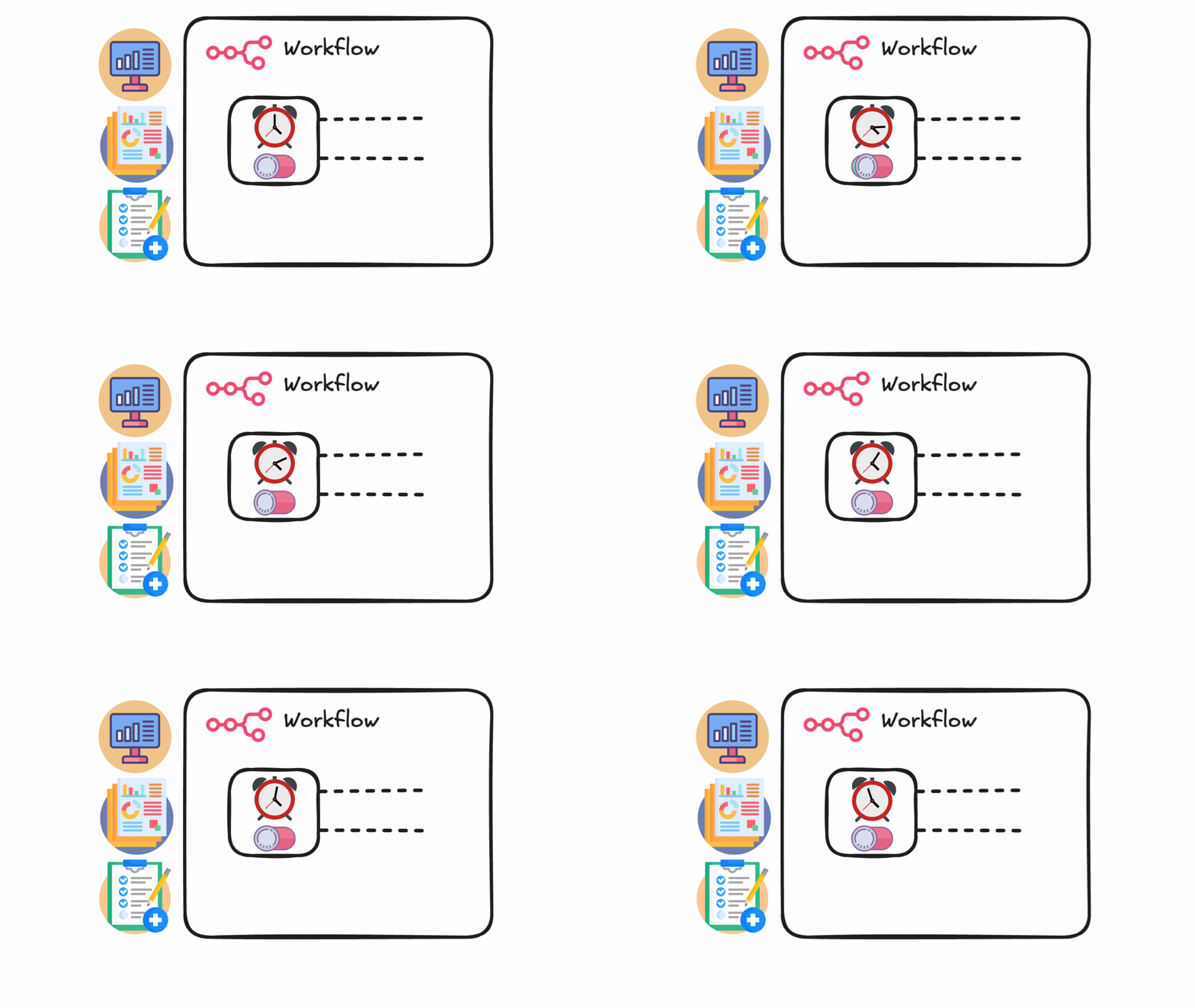
Workflow with a Schedule Trigger node (clock icon) connected to downstream processing nodes, surrounded by icons representing dashboards, reports, and checklists

Intermediate Workflow Automation with n8n

Chapter 2: Working with APIs

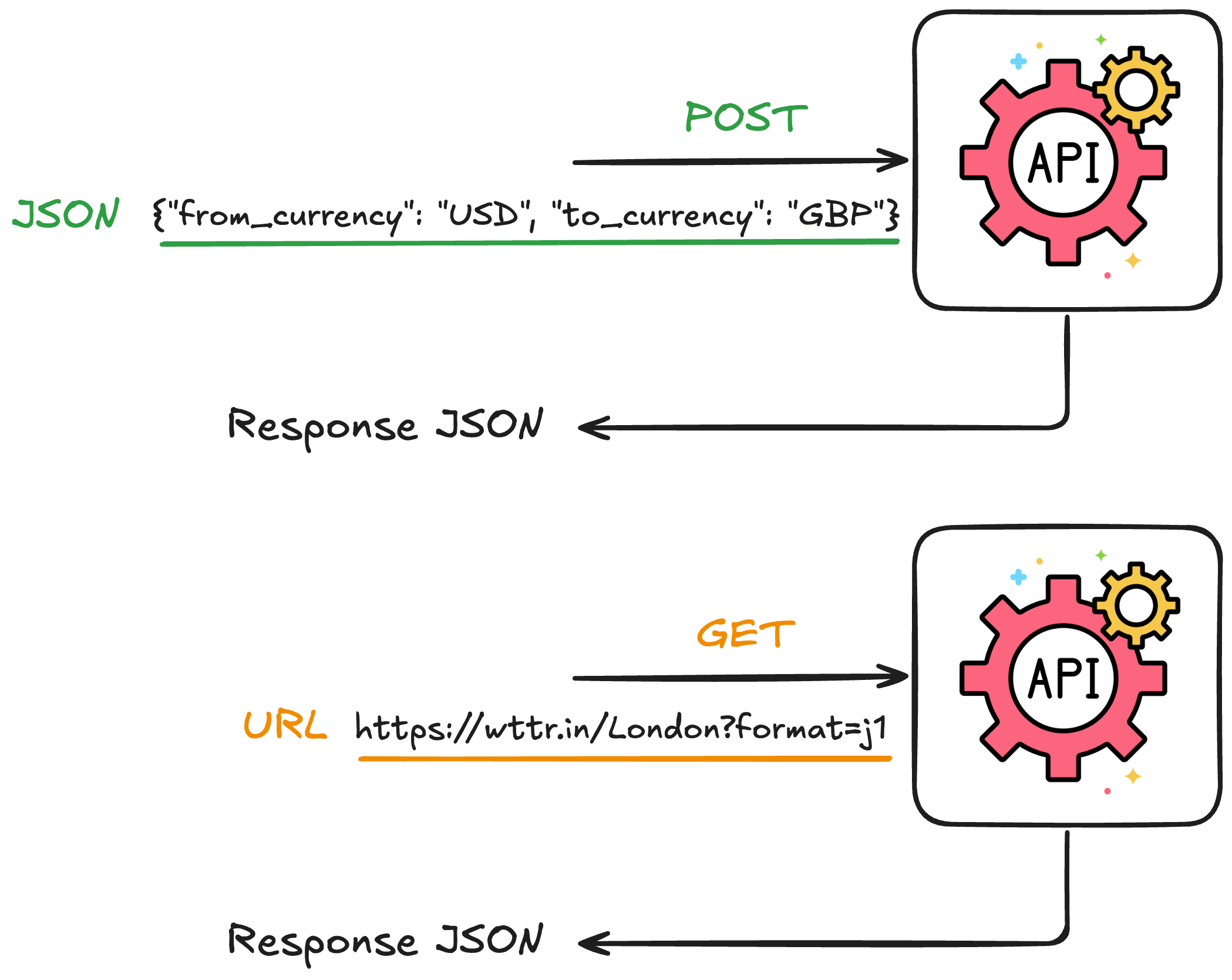
Comparison of POST and GET requests: POST sends a JSON body with currency data to an API and receives a response; GET sends a URL like wttr.in/London?format=j1 and receives weather data back

Intermediate Workflow Automation with n8n

Chapter 2: Code Nodes and Data Tables
JavaScript and Python language icons side by side, representing the two languages available in n8n Code nodes

  • Code Nodes → Complex data transformations or conditional logic
The n8n Data Table node icon, a coral-colored grid representing a table

Data tables: persistent tables inside n8n

  • Create, tables, define columns, modify rows
  • Embedded in n8n, so no database setup
Intermediate Workflow Automation with n8n

Chapter 3: Batching and Processing


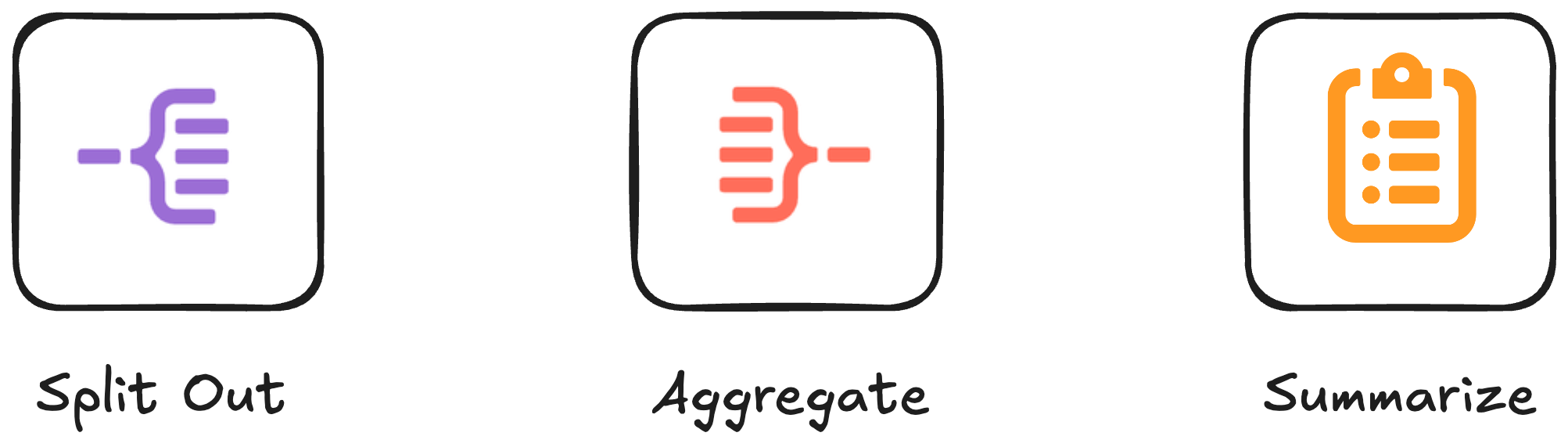
Three n8n node icons side by side: Split Out (purple, one becomes many), Aggregate (red, many become one), and Summarize (orange clipboard, many become stats)

  • Split Out → "one becomes many"
  • Aggregate → "many become one"
  • Summarize → "many become stats"
Intermediate Workflow Automation with n8n

Chapter 3: Sub-workflows and modularity
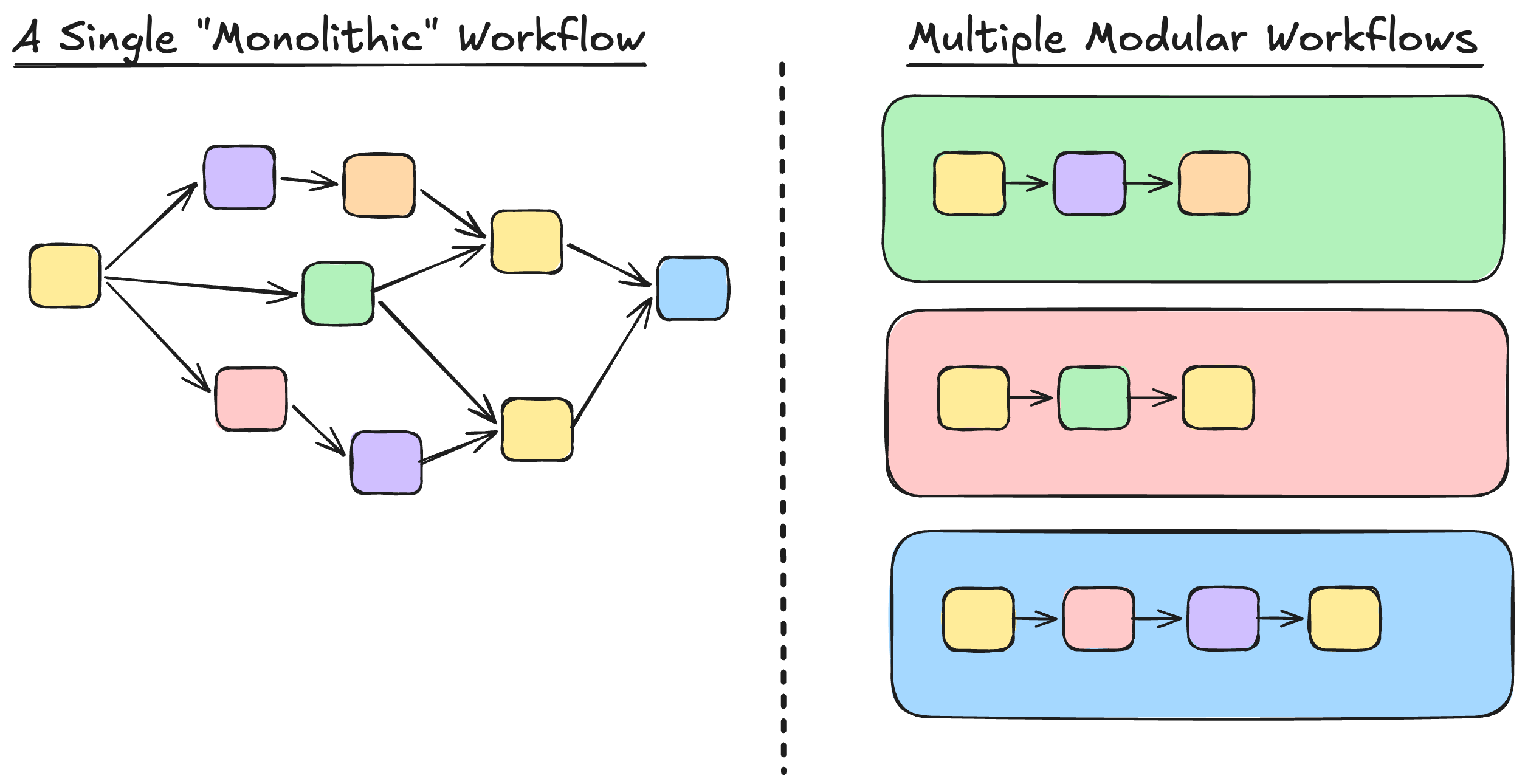
Comparison of a single monolithic workflow with many interconnected nodes versus multiple modular workflows, each containing a simple linear chain of nodes

Intermediate Workflow Automation with n8n

Chapter 3: Sub-workflows and modularity
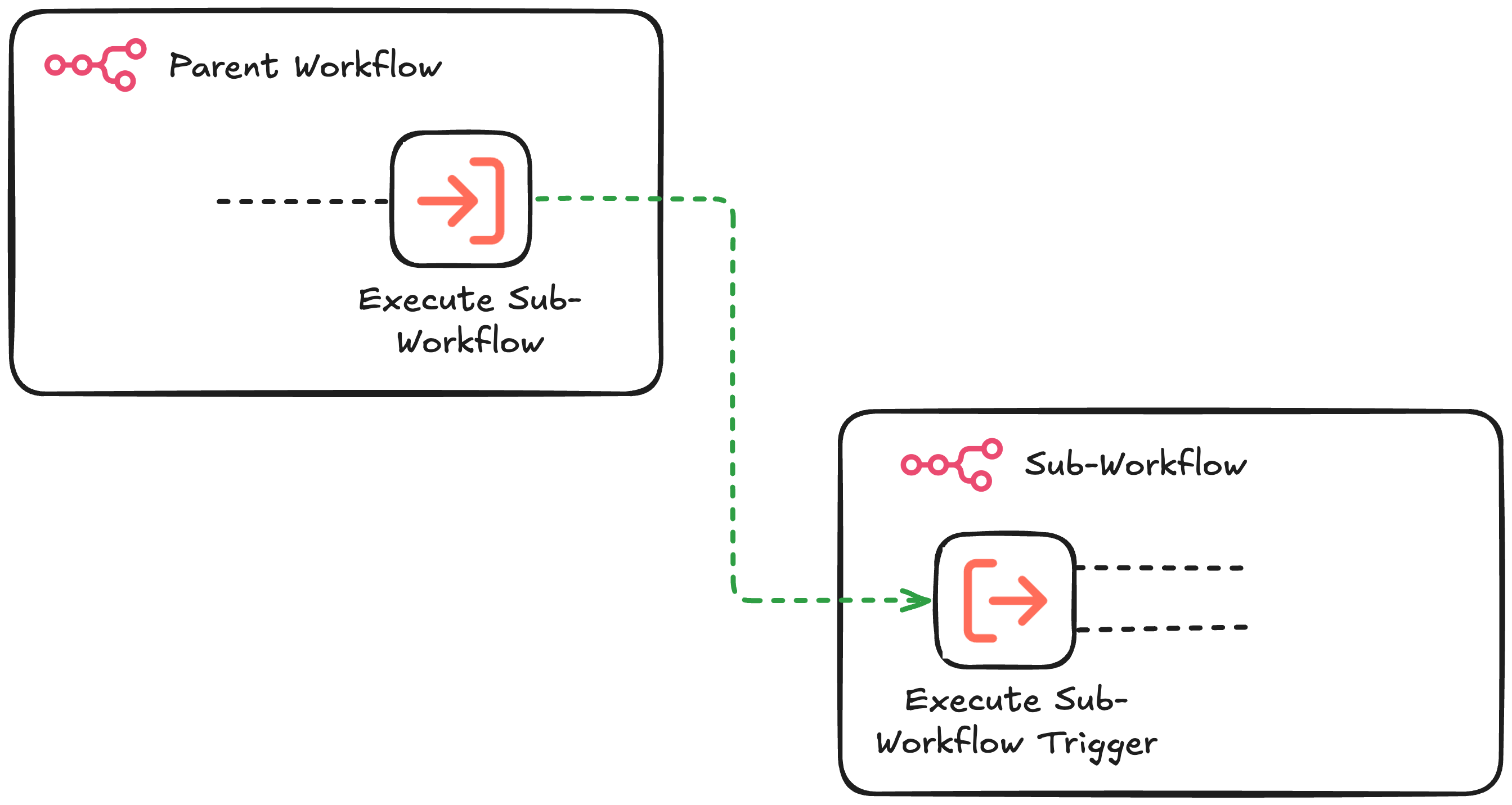
Sub-workflow pattern: a Parent Workflow contains an Execute Sub-Workflow node that calls a separate Sub-Workflow, which starts with an Execute Sub-Workflow Trigger node

Intermediate Workflow Automation with n8n

Chapter 4: Error Handling and Validation
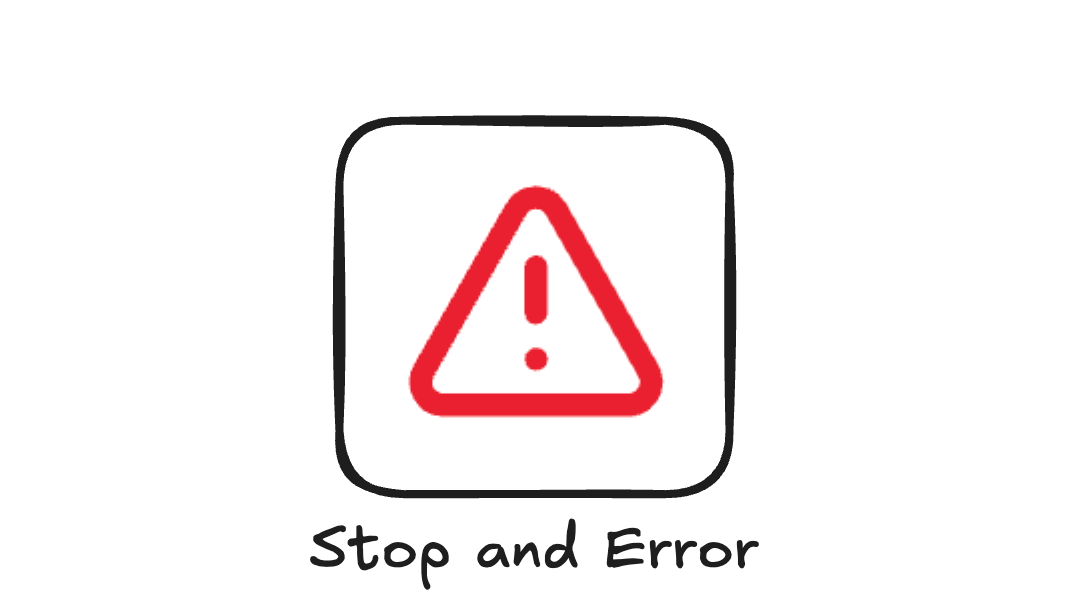
The n8n Stop and Error node icon, a red warning triangle with an exclamation mark, used as a circuit breaker to halt workflow execution

  • Circuit breaker → controlled errors


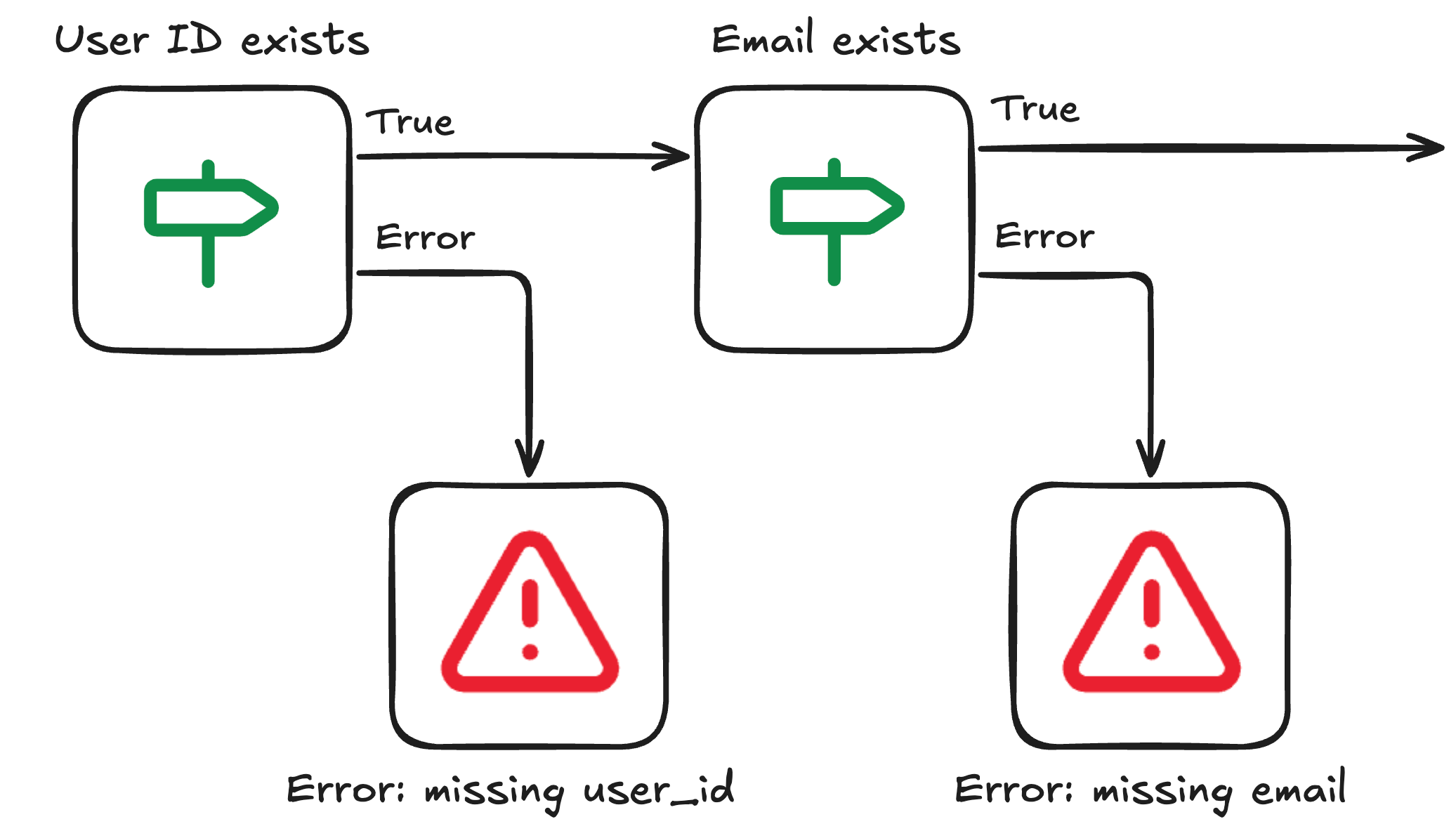
Chained validation pattern: an If node checks if User ID exists, routing to a Stop and Error for missing user_id on failure, then a second If node checks if Email exists, routing to a Stop and Error for missing email on failure, with valid data continuing through the True branches

Intermediate Workflow Automation with n8n

Congratulations!

Intermediate Workflow Automation with n8n

Preparing Video For Download...