Splitting, Aggregating, and Summarizing Data

Intermediate Workflow Automation with n8n

Yaron Been

Marketing Automation Architect

Splitting Out: Dealing with Nested Data
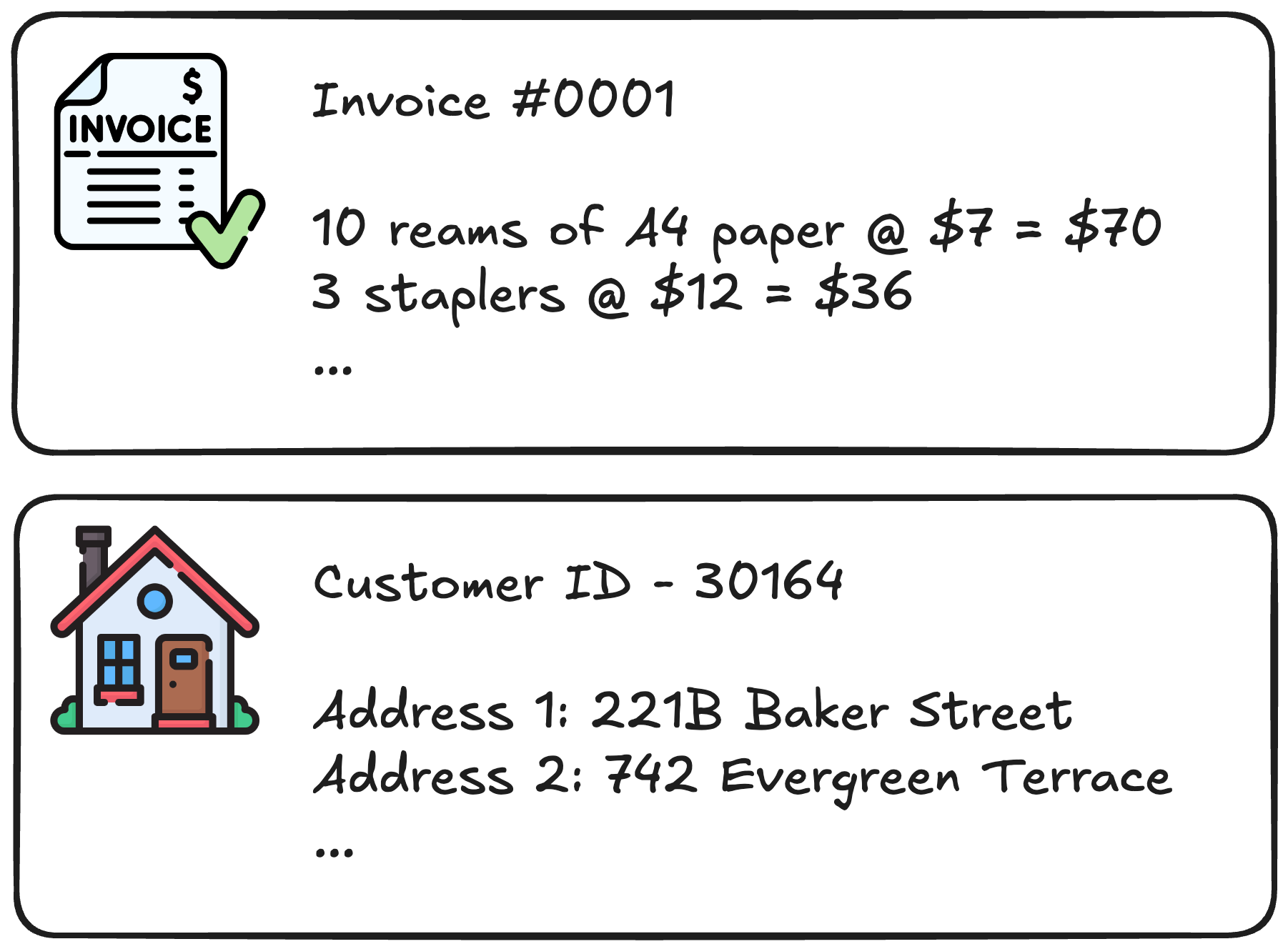
 

Two examples of nested data: an invoice with multiple line-item charges, and a customer record with multiple addresses

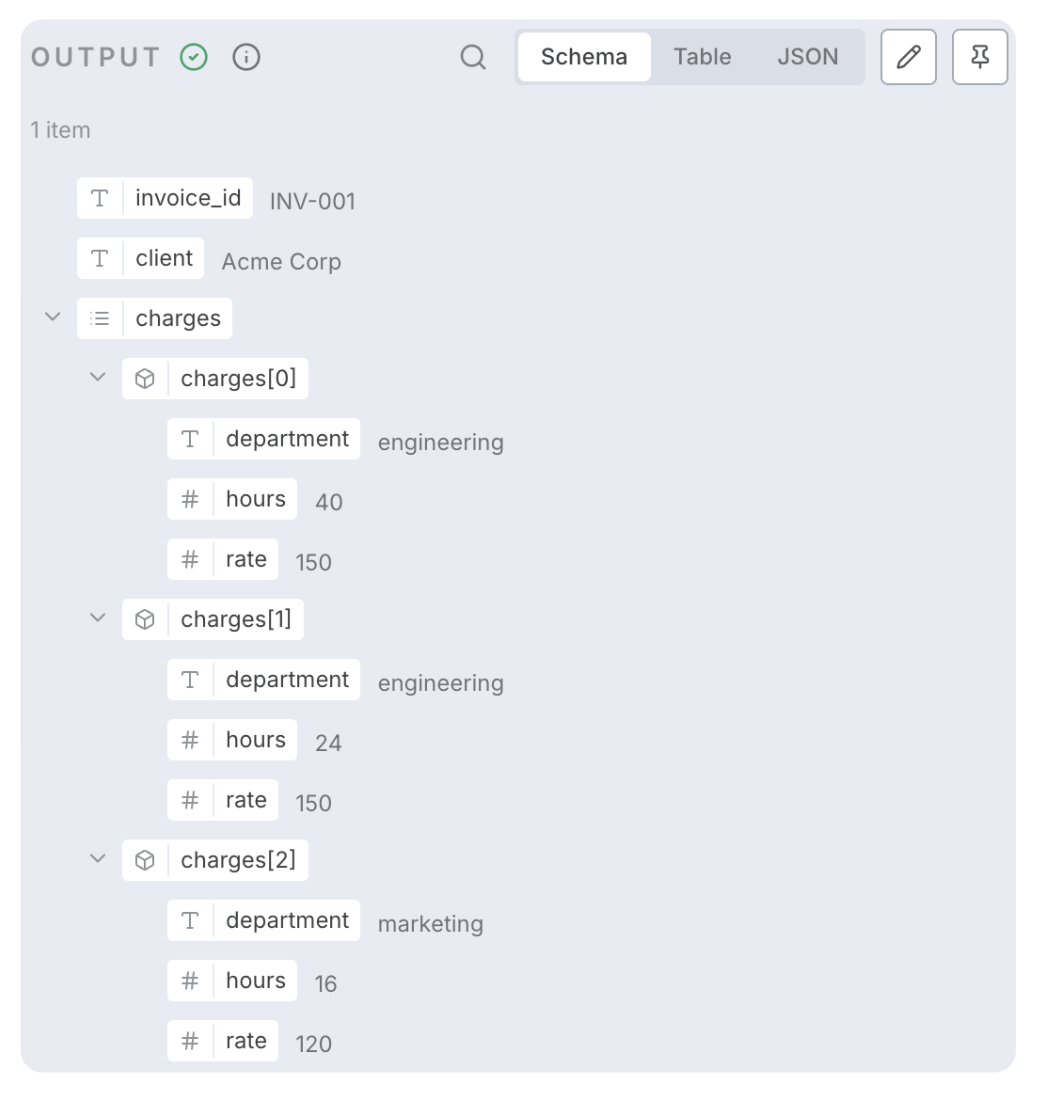
n8n Output panel in Schema view showing a nested JSON structure: invoice_id INV-001 for Acme Corp with a charges array containing three items, each with department, hours, and rate fields

Intermediate Workflow Automation with n8n

Split, Process, and Reassemble


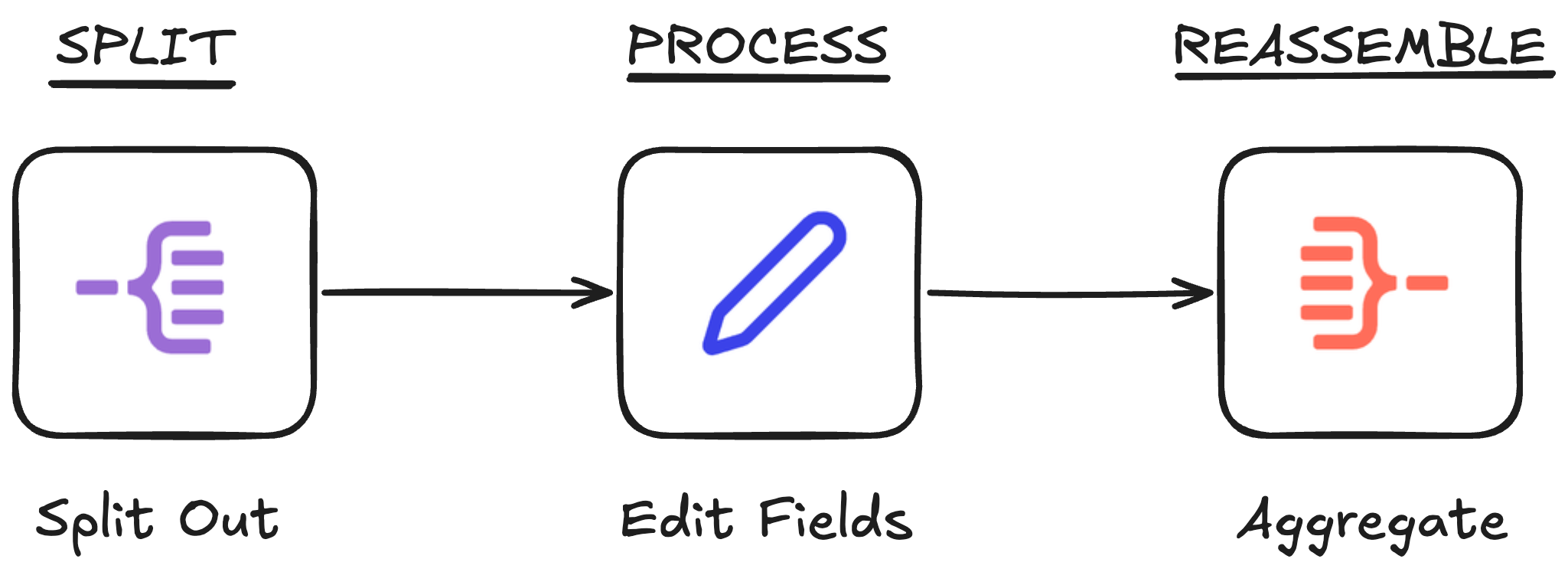
Three-step workflow pattern: Split Out node (purple icon) splits nested data into individual items, Edit Fields node (blue pencil icon) processes each item, and Aggregate node (red icon) reassembles them

Intermediate Workflow Automation with n8n

Summary


Three n8n node icons side by side: Split Out (purple, one becomes many), Aggregate (red, many become one), and Summarize (orange clipboard, many become stats)

  • Split Out → "one becomes many"
  • Aggregate → "many become one"
  • Summarize → "many become stats"
Intermediate Workflow Automation with n8n

Let's practice!

Intermediate Workflow Automation with n8n

Preparing Video For Download...