Labels en legenda's toevoegen

Introductie tot Data Science in Python

Hillary Green-Lerman

Lead Data Scientist, Looker

Wat hebben we net geplot?
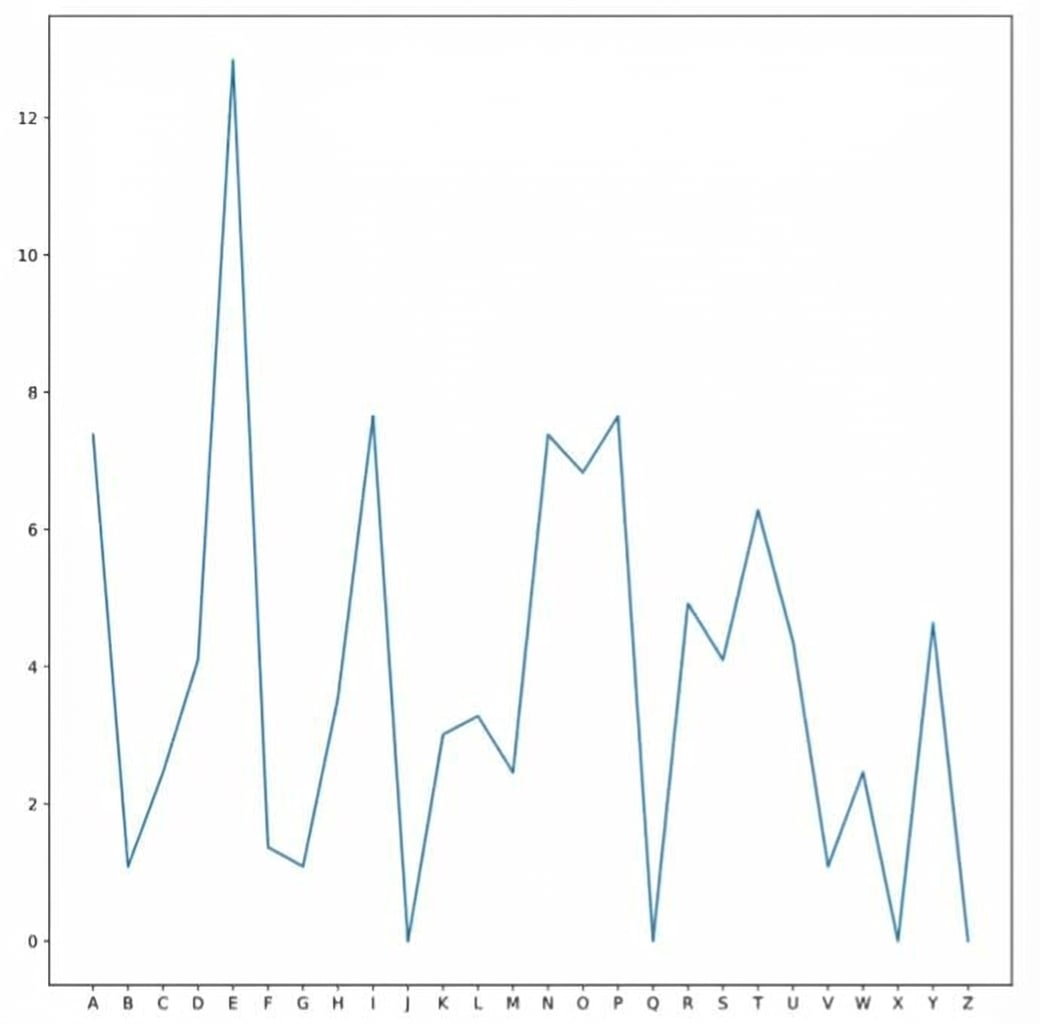
from matplotlib import pyplot as plt

plt.plot(ransom.letter,
         ransom.frequency)

plt.show()

Introductie tot Data Science in Python

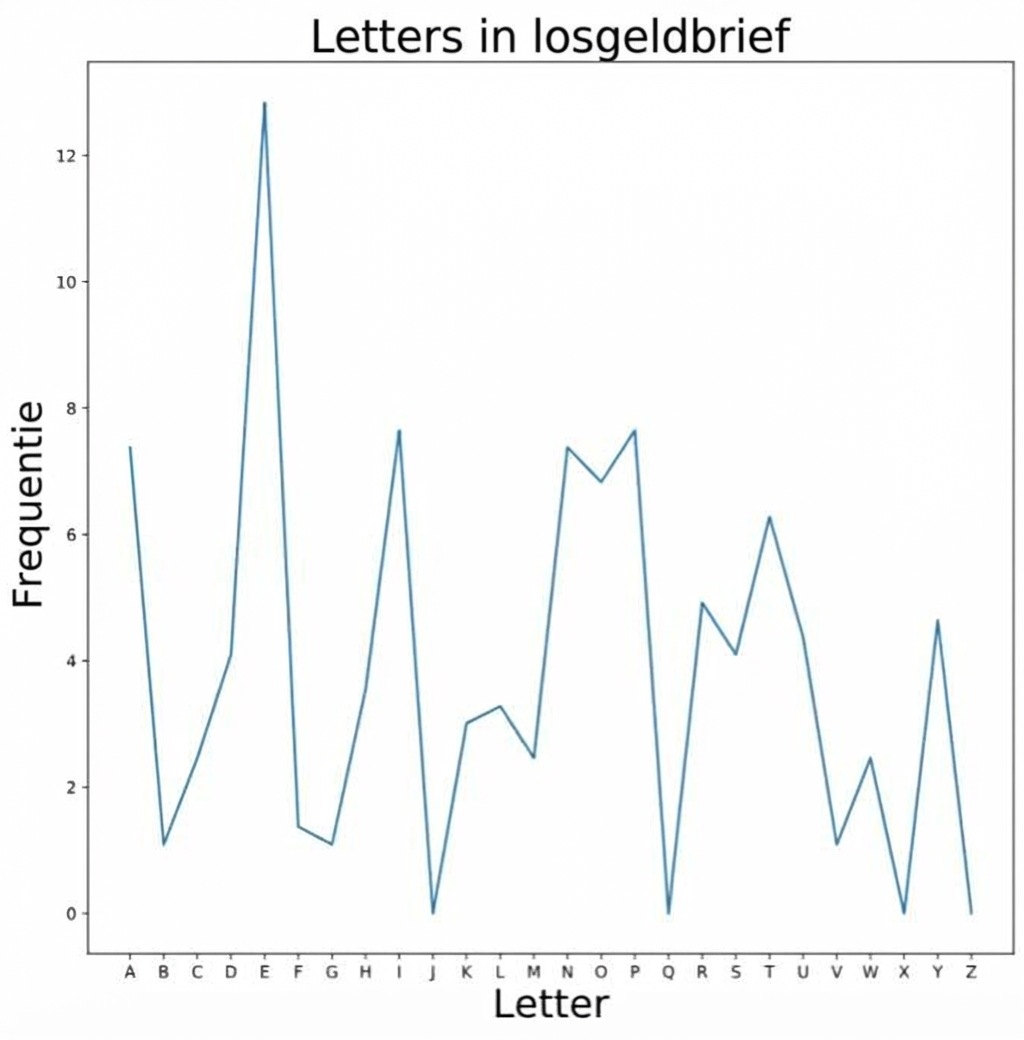
Assen en titellabels

plt.xlabel("Letter")
plt.ylabel("Frequentie")
plt.title("Losgeldbrief Letters")

Labels overal voor plt.show()

Introductie tot Data Science in Python

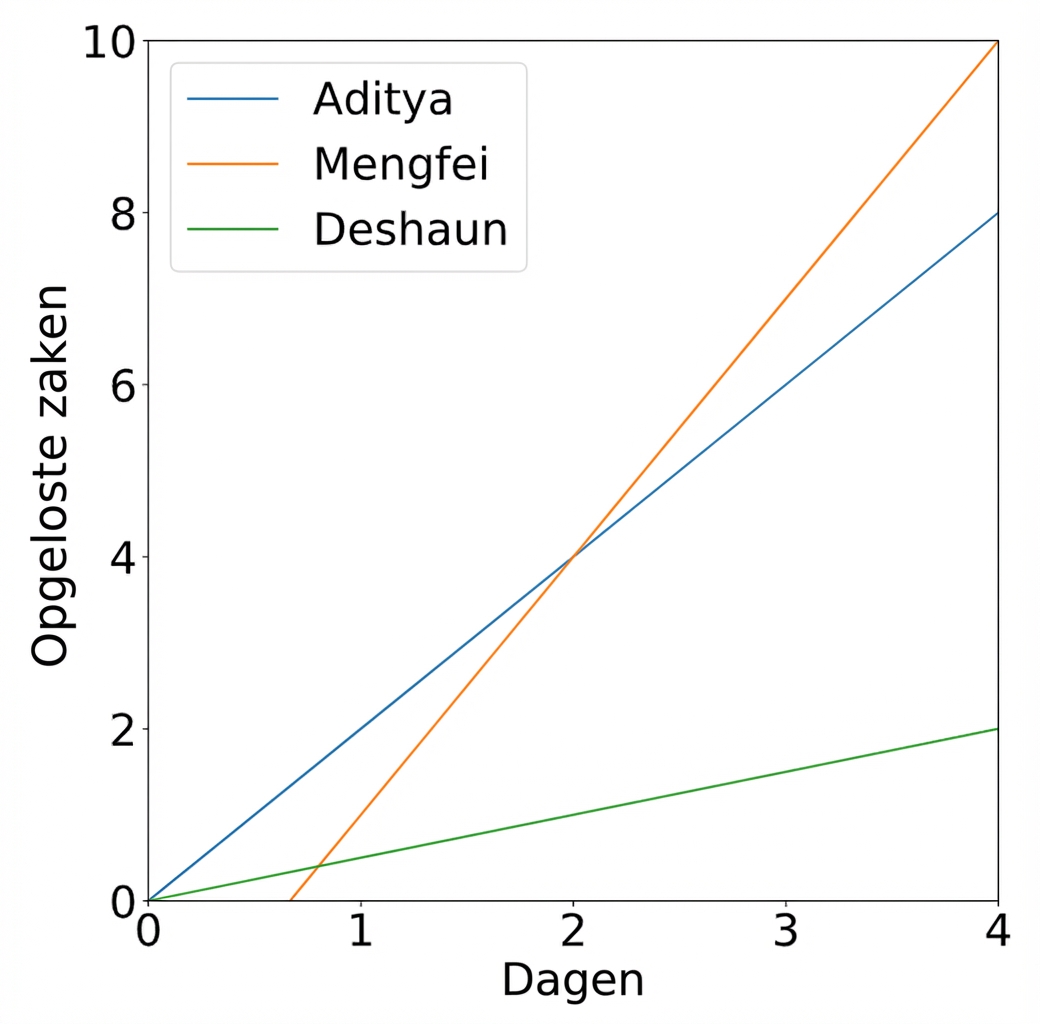
Legenda's

plt.plot(aditya.days,
         aditya.cases,
         label="Aditya")
plt.plot(deshaun.days,
         deshaun.cases,
         label="Deshaun")
plt.plot(mengfei.days,
         mengfei.cases,
         label="Mengfei")
plt.legend()

Introductie tot Data Science in Python

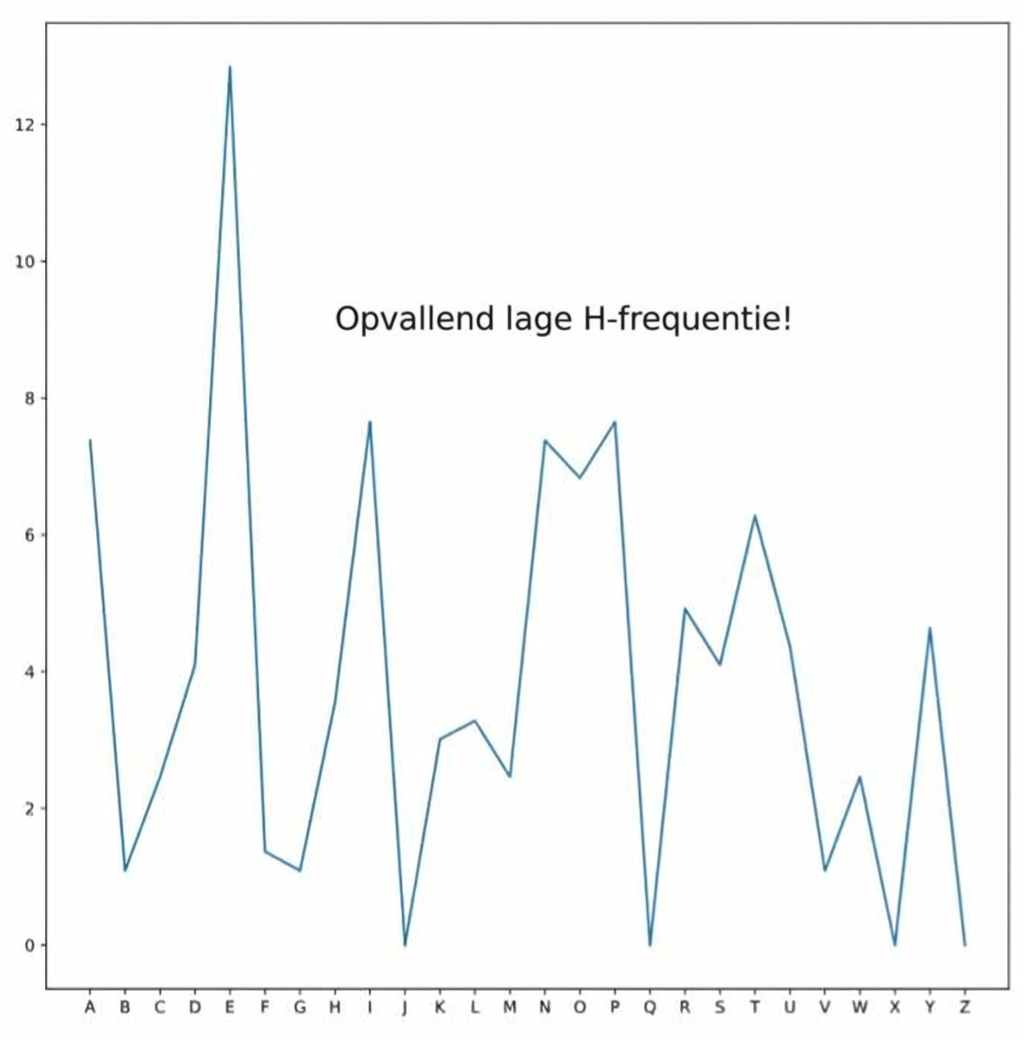
Willekeurige tekst

plt.text(xcoord,
    ycoord,
    "Tekstbericht")
plt.text(5,
    9,
    "Ongebruikelijk lage H-frequentie!")

Introductie tot Data Science in Python

Tekst aanpassen

  • Lettergrootte wijzigen
    plt.title("Grafiektitel", fontsize=20)
    
  • Letterkleur wijzigen
    plt.legend(color="green")
    

https://en.wikipedia.org/wiki/Web_colors

Introductie tot Data Science in Python

Laten we oefenen!

Introductie tot Data Science in Python

Preparing Video For Download...