Understanding Merge Types

Git avanzato

Amanda Crawford-Adamo

Software and Data Engineer

I'm Amanda

A picture of Amanda

Git avanzato

What is git merge?

Git Merge Command:

git merge
  • Combines changes from one branch into another
  • Finds the common base between two branches
  • Use different merge strategies

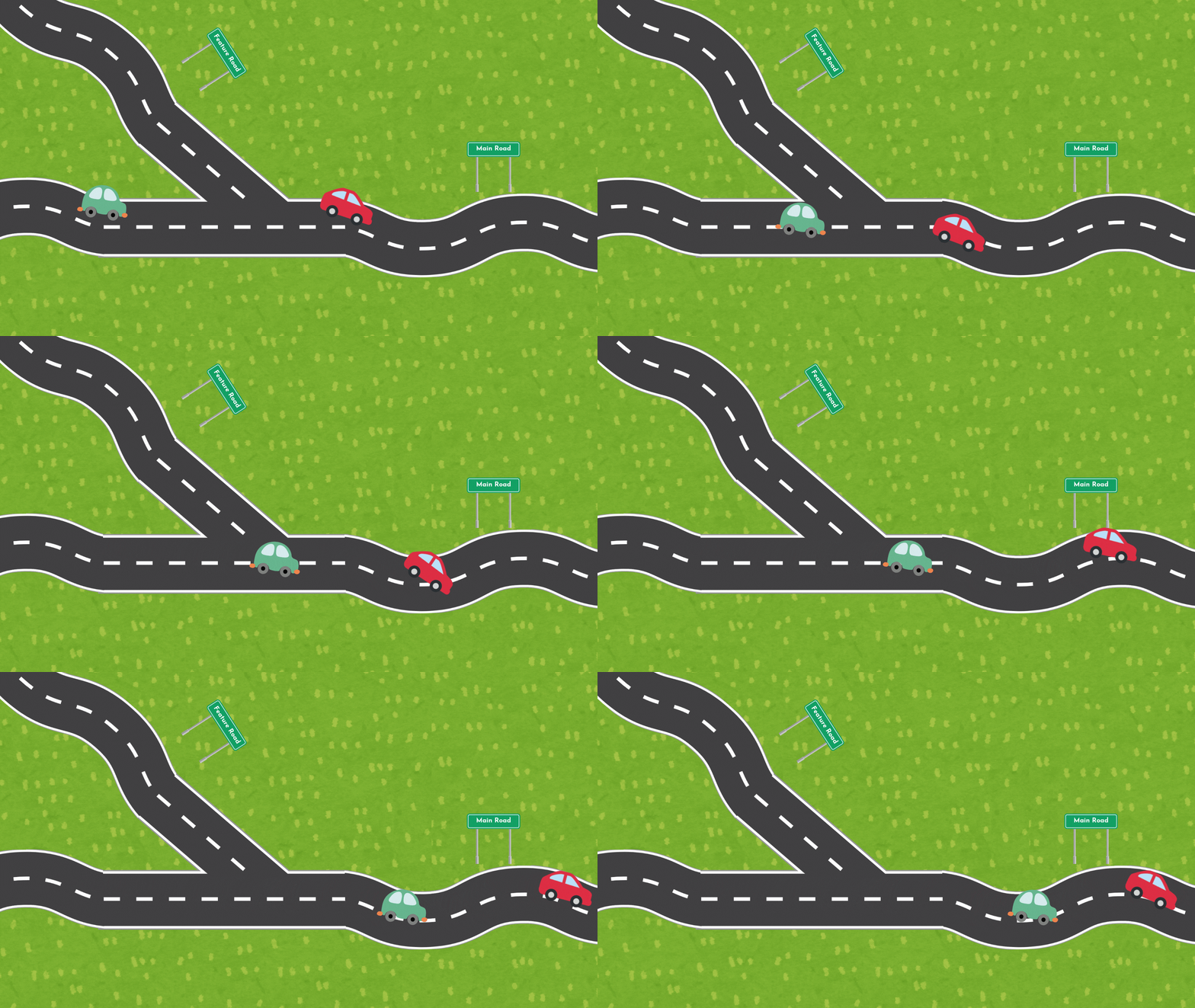
Road where two roads join with two cars intersecting on the same road

Git avanzato

Fast-forward merge

What is fast forward merge?

  • Keep a simple, straight history
  • Ideal for short-lived branches with simple changes

$$

When not to use

  • Need to preserve branch history
  • Complex feature development in long-lived branches
  • Merge conflict between branches - fast forward fails immediately!
Git avanzato

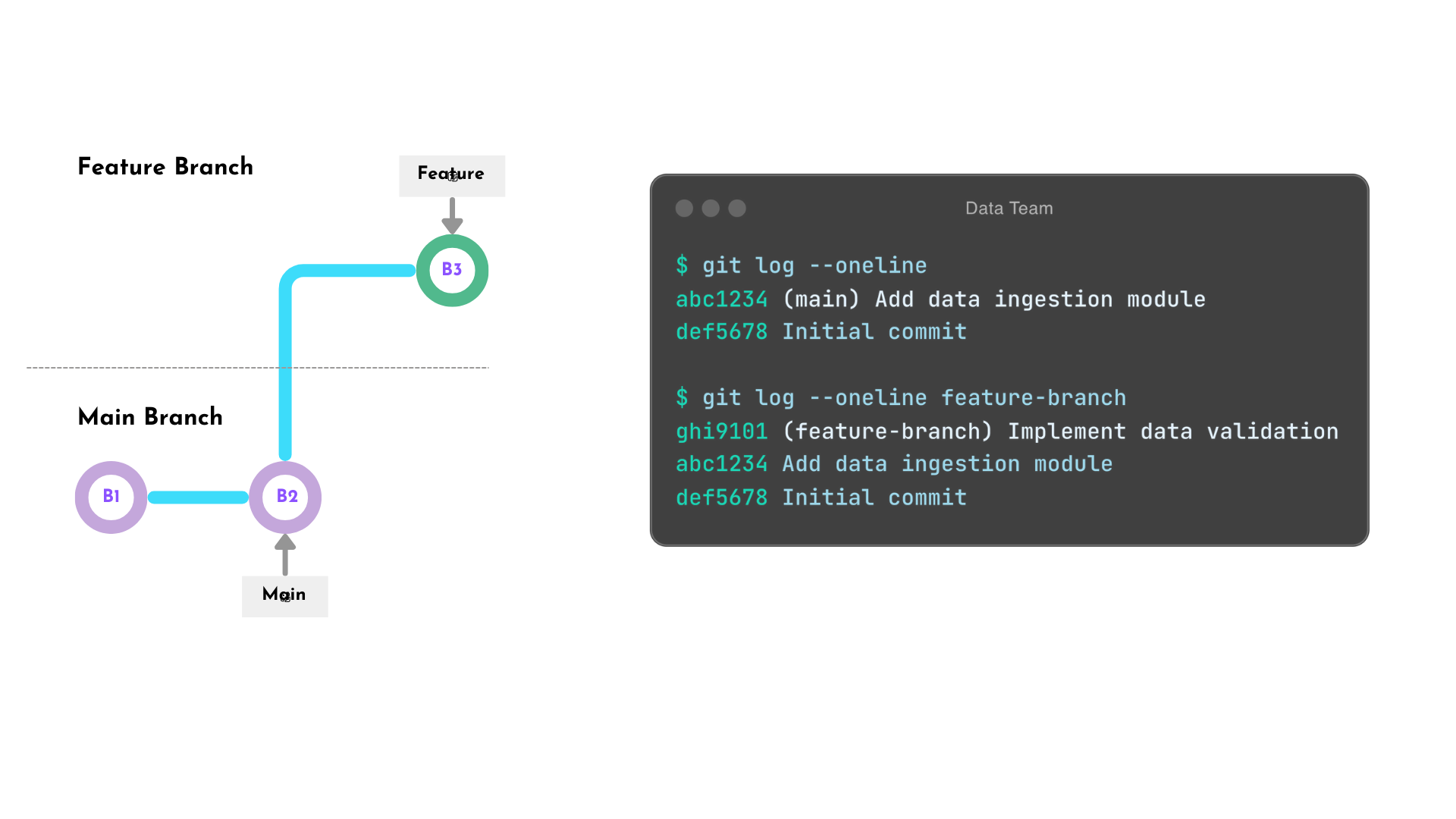
Fast-forward merge (before)

A graph that shows to branches: main and feature branch. Main has two commits. Feature branch diverges after main latest commit with an additional commit in it's branch.

Git avanzato

Fast-forward merge syntax

Git Merge Fast Forward Default

git checkout main
git merge feature_branch

Force Git Merge Fast Forward

git merge <branch> --ff-only

Example

git checkout main
git merge feature_branch --ff-only
Git avanzato

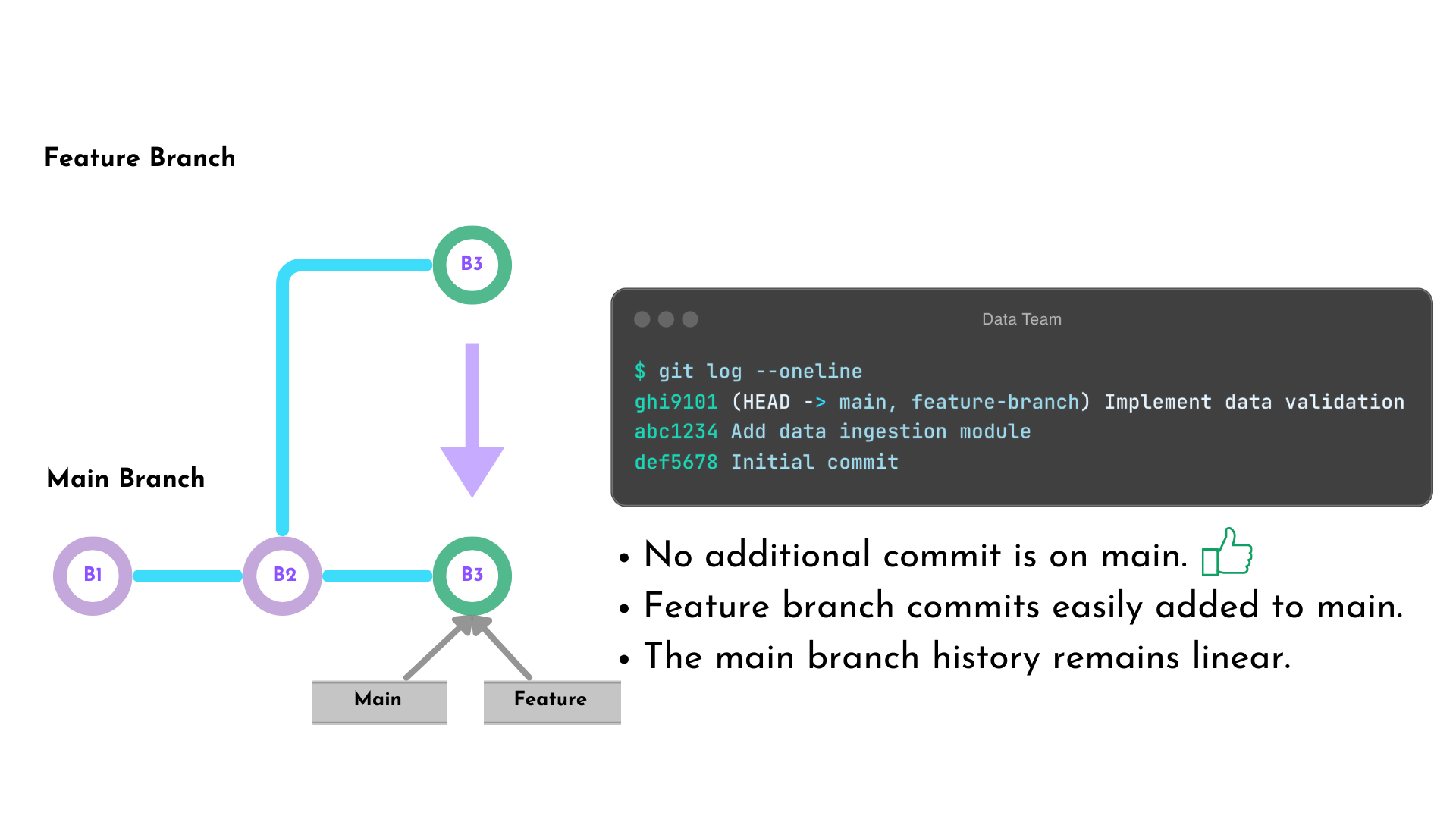
Fast-forward merge (after)

A graph that shows to branches: main and feature branch. Main has three commits. Feature branch diverges after main second commit with an additional commit in it's branch. Main's third commit is a copy of feature branch's latest commit.

Git avanzato

Recursive merge

What is a recursive merge?

  • Creates a merge commit with two parents
  • Preserve the entire project history
  • Ideal for long-lived branches
  • Maintain branching structure

$$

When not to use

  • When you want to maintain a simple and linear history
  • Quick and minor changes
Git avanzato

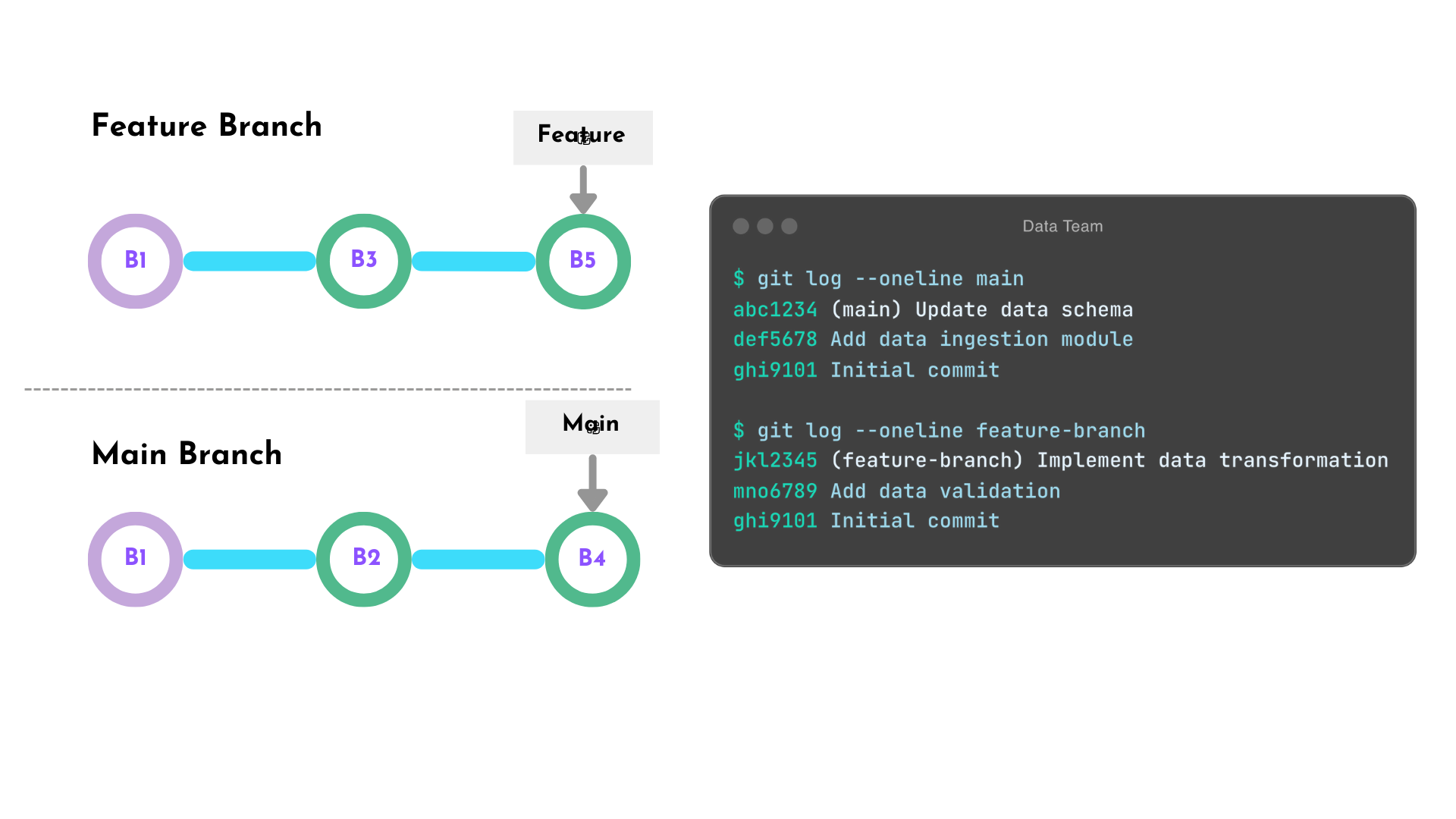
Recursive merge (before)

A graph that shows to branches: main and feature branch. Main has three commits. Feature branch diverges after main first commit with an additional two commit in it's branch.

Git avanzato

Recursive merge syntax

Recursive Merge Command:

git merge --no-ff <branch>

Example

$ git checkout main
Switched to branch 'main'
Your branch is up to date with 'origin/main'.

$ git merge --no-ff feature_branch
Merge made by the 'recursive' strategy.
...
Git avanzato

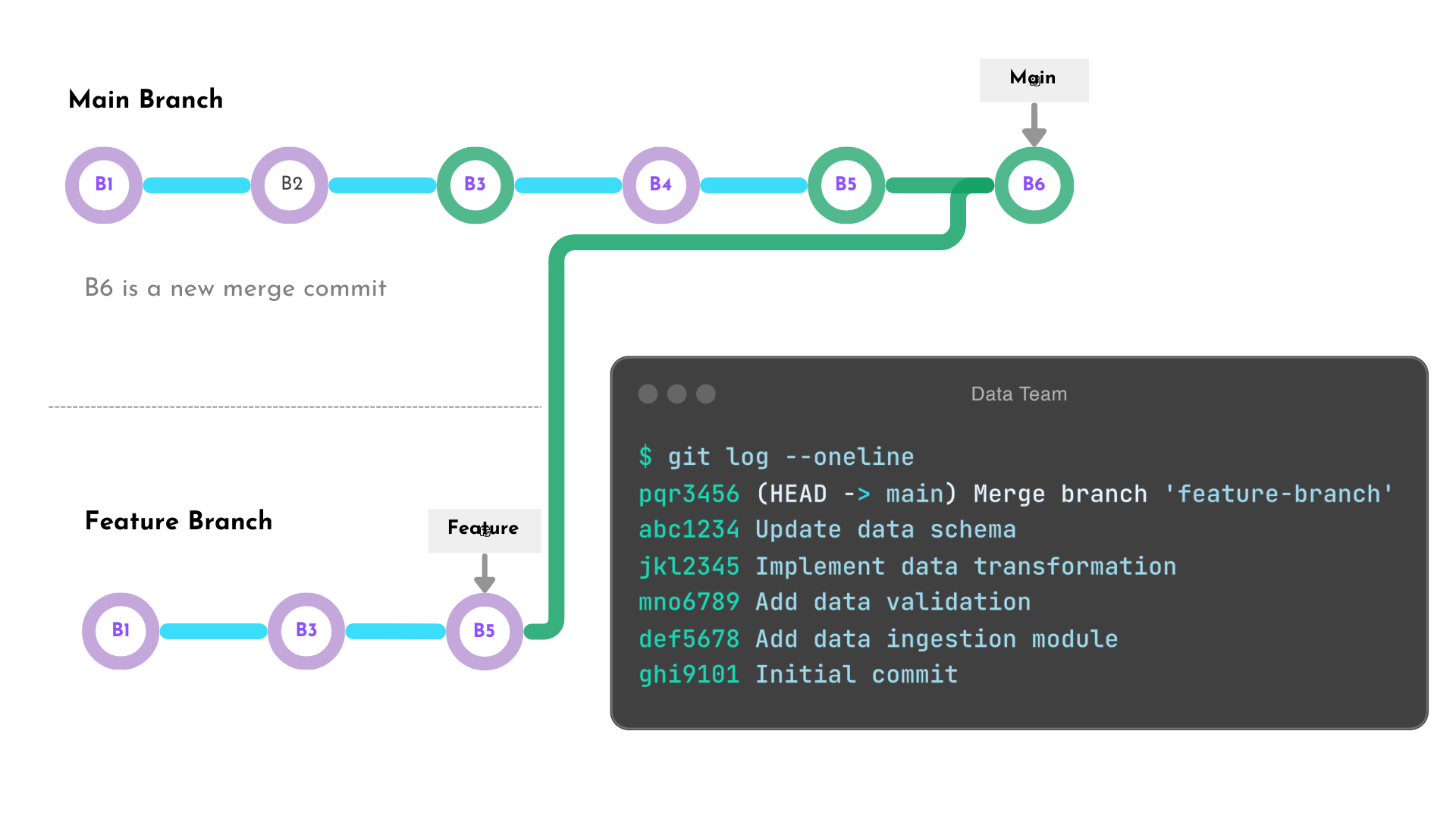
Recursive merge (after)

A graph that shows to branches: main and feature branch. Main has six commits. Feature branch diverges after main latest commit with an additional two commit in it's branch. Main branch is six commits are an interleave of all of main and feature commits combined. Main's latest commit is a merge commit object with two parents: the latest commit in the feature branch and main's previous latest commit.

Git avanzato

Summary

  • Fast forward merges keeps history simple and linear
  • Recursive merges preserves historical context
  • Recursive merges are better for more complex development

Fast Forward Merge Commands

git merge <branch_name> # default command
git merge --ff-only <branch_name> # force fast forward merge

Recursive Merge Command

git merge --no-ff <branch_name>
Git avanzato

Let's practice!

Git avanzato

Preparing Video For Download...