Complex Merge Scenarios

Git avanzato

Amanda Crawford-Adamo

Software and Data Engineer

Flight travel data pipeline repo
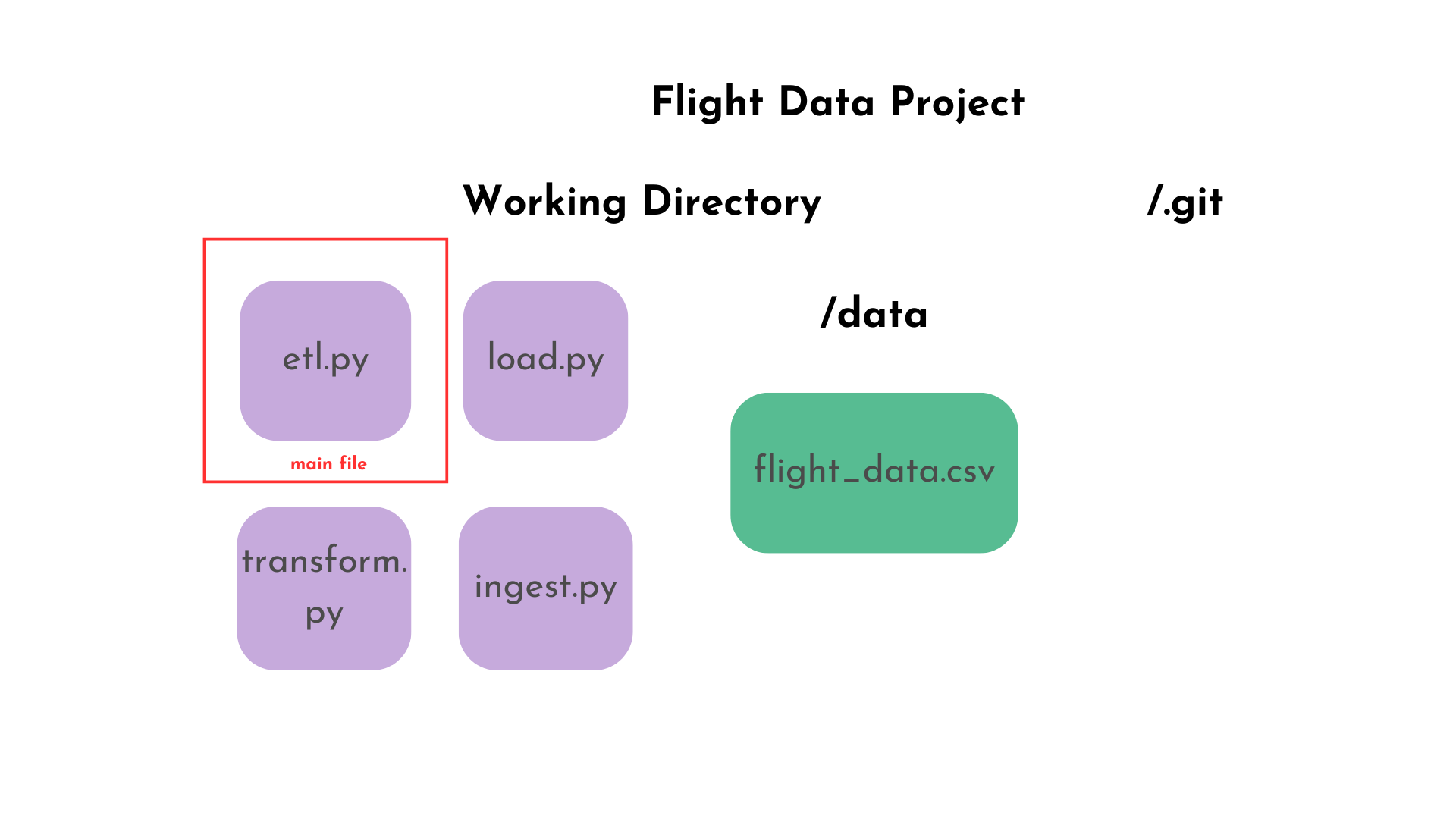
A graph of the flight travel data pipeline repo directory and files. The git working directory has 4 four files: etl.py, load.py, transform.py, and ingest.py. The data directory has the flight_data.csv dat folder. Additionally, the git folder is also shown.

Git avanzato

Git squash merging

$$

Functionality

  • Creates a single new commit on the target branch
  • Combines all changes from the source branch
    • Adds a regular commit with one parent (unlike recursive strategy)
  • Added to target branch (not feature branch)
    • Doesn't preserve the detailed commit history of the source branch

$$

Advantages

  • Clean and linear history
  • Simplifies code review for large features
  • Easier to revert the entire feature
Git avanzato

Merge squash example

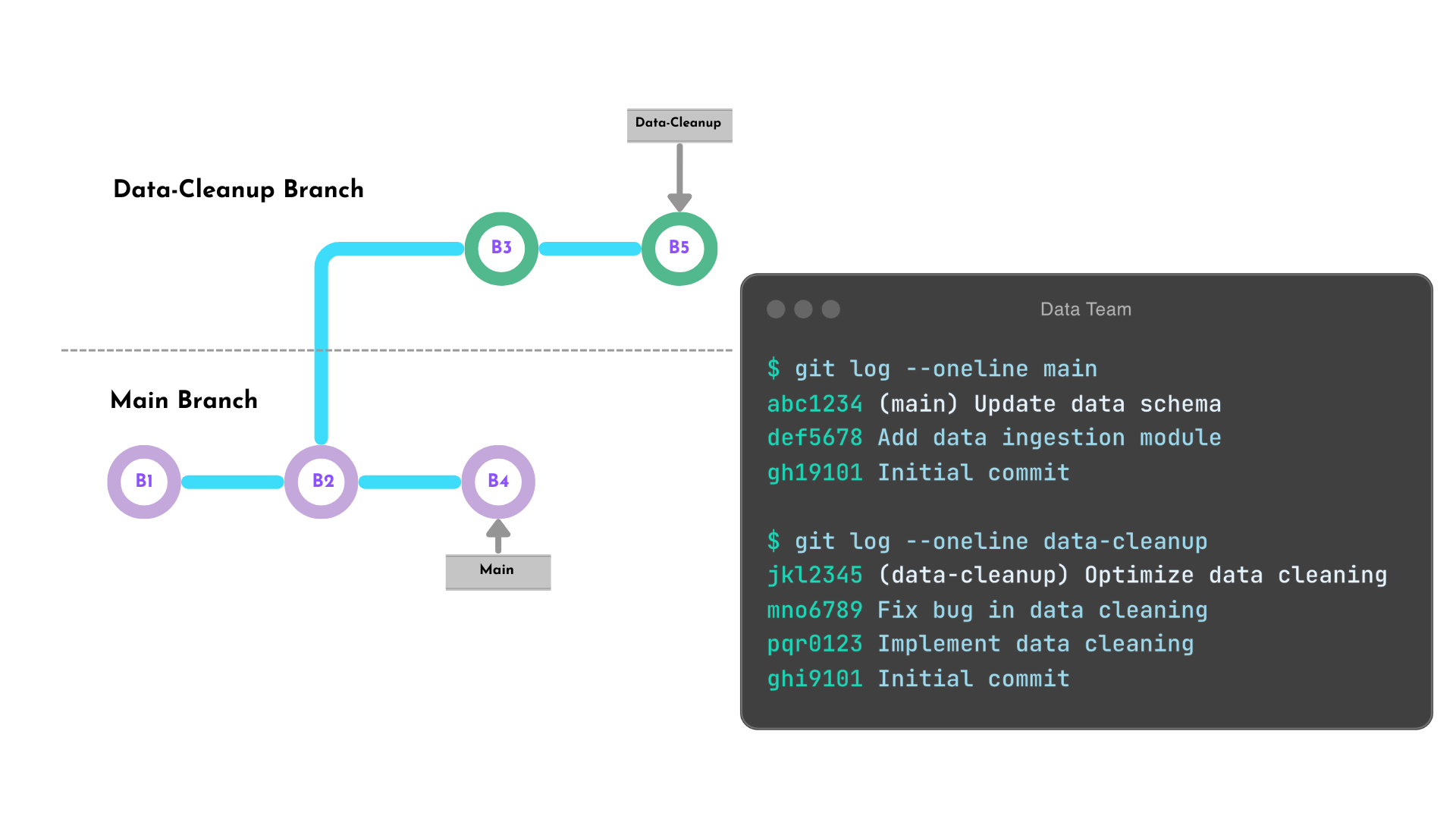
The data-cleanup branch diverges from the main branch after the second commit. The main branch has an additional commit. The data-cleanup has two additional commits.

Git avanzato

Merge squash process

  1. Checkout the main branch

    $ git checkout main
    
  2. Create a squash commit of all data-cleanup changes

    $ git merge --squash data-cleanup
    
  3. Commit the squash commit to main branch history

    $ git commit -m "Implement and optimize data cleanup"
    
Git avanzato

Merge squash result

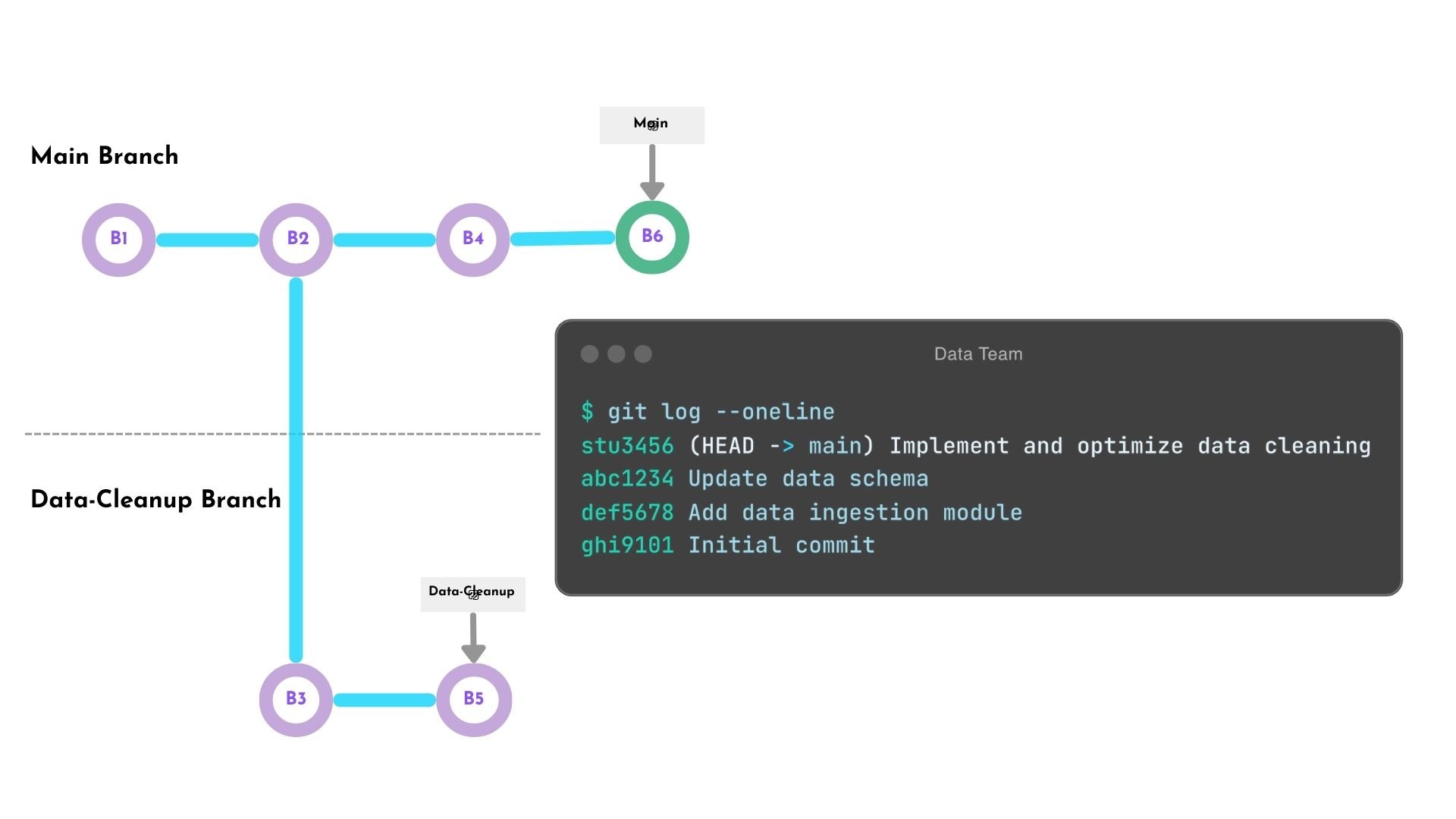
A graph that shows to branches: main and data-cleanup branch. Main four commits. Feature branch diverges after main latest commit with an additional commit in it's branch. Main latest commit is a single parent commit object that contains the squashed commits of the data-cleanup additional commits.

Git avanzato

Git octopus merge

$$

Functionality

  • Merges three or more branches at once
  • Creates a single merge commit with multiple parents
  • Best used when branches don't conflict with each other

$$

Advantages

  • Useful for integrating multiple independent features simultaneously
  • Used for synchronizing several release branches for different versions of a project
Git avanzato

Octopus merge example

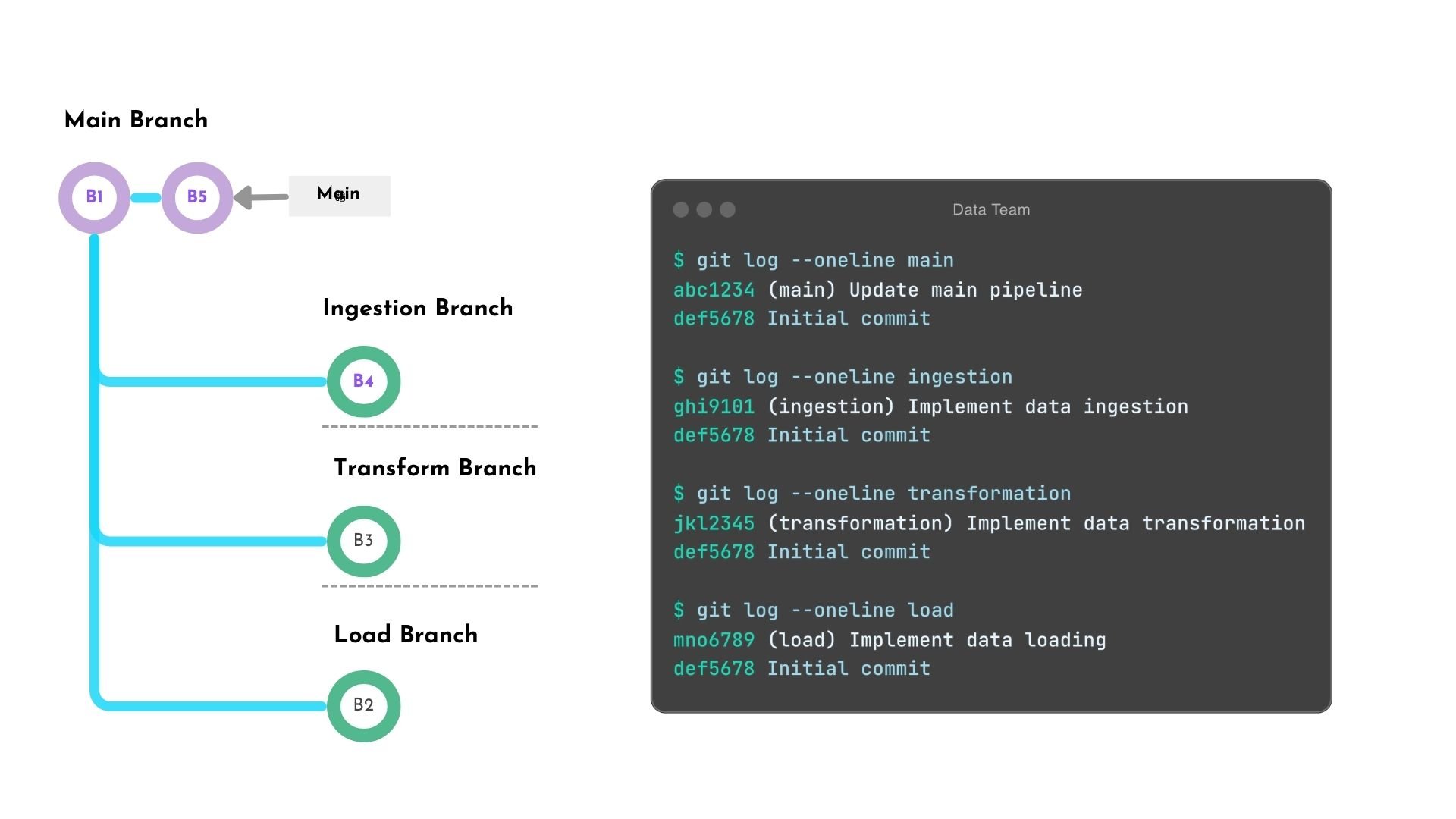
A depiction of four development branches: main, ingestion, transform, and load. The ingestion, transform, and load branch diverges from main branch after the first commit, with each having an additional commit. The main branch has one additional commit as well.

Git avanzato

Octopus merge commands

Git Octopus Merge Command

git merge -s octopus

Example

$ git merge -s octopus ingest transform load
Trying simple merge with ingest
Trying simple merge with transform
Trying simple merge with load
Merge made by the 'octopus' strategy.
...
Git avanzato

Octopus merge result

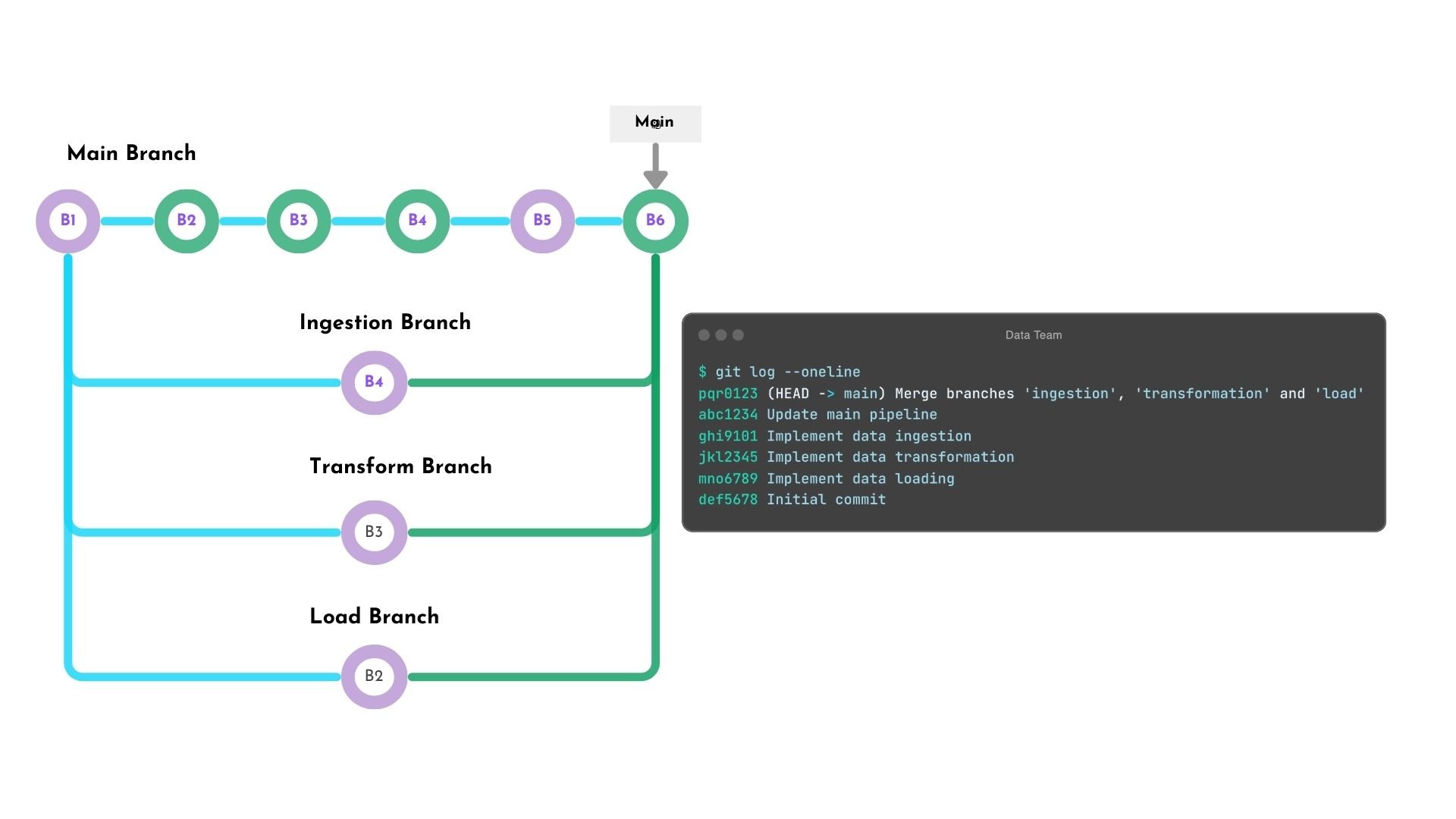
A depiction of four development branches: main, ingestion, transform, and load. The ingestion, transform, and load branch diverges from main branch after the first commit, with each having an additional commit. The main branch has five commits that contains the commits of the other branches. Additionally the last merge commit object with four parents: main's previous latest commit, and the latest commit from the ingest, transform, and load branch.

Git avanzato

Summary

Squash merge

  • Simplifies history, combines multiple commits into one
  • Use squash merges for a clean, simplified history
    git merge --squash <source_branch>
    

Octopus merge

  • Preserves branch structure
  • Merges multiple branches simultaneously
  • Efficiently integrating multiple parallel developments
    git merge -s octopus <branch 1> <branch 2> <branch 3>
    
Git avanzato

Let's practice!

Git avanzato

Preparing Video For Download...