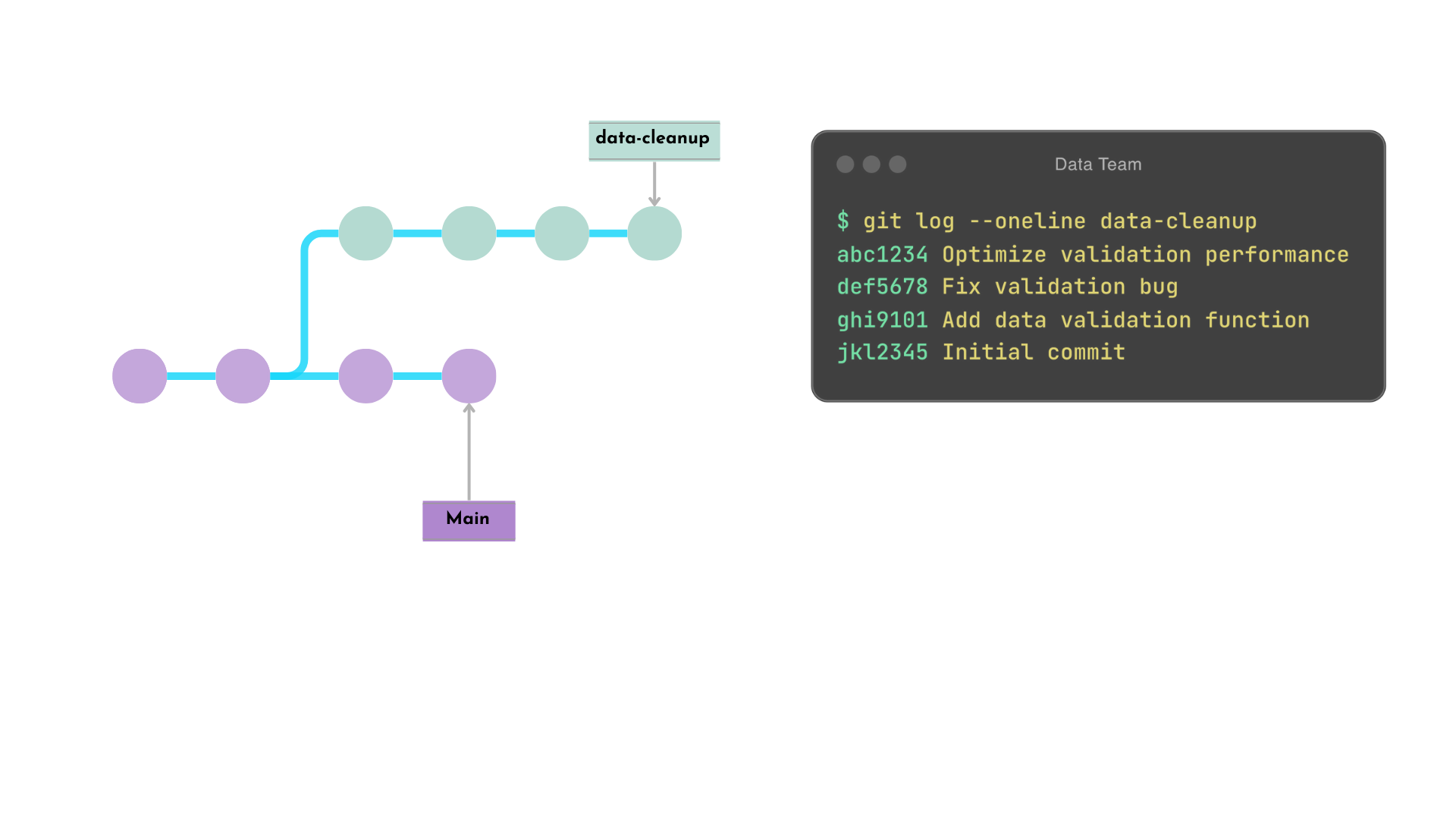
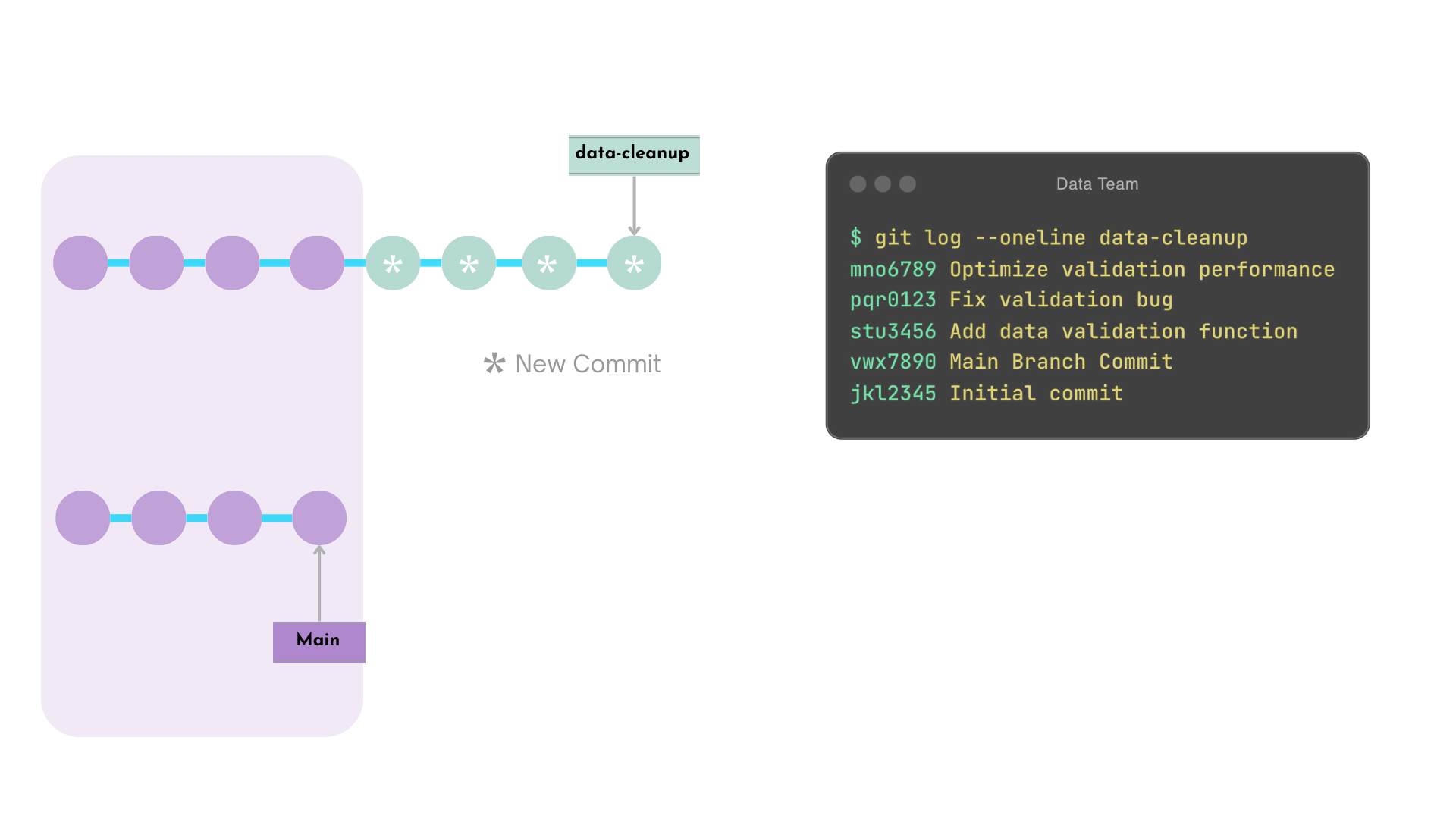
data-cleanup commits are recreated after main's latest commit
Rebased data-cleanup commits get new hashes
Note:
If there are any conflicts, these would need to be resolved manually.
Rebase example - after
Interactive rebase
git rebase -i <commit_hash>
Functionality
Allows developer to make granular changes to multiple commits
Opens an editor
Warning!
Rebasing public branches can disrupt workflows
Do not use rebase on public branches, like main
Establish team rules on when to use rebase
Interactive rebase - before
$$
Here is the data-validation branch history before we edit the commit history.
$ git log --oneline data-validation
abc1234 Optimize validation performance
def5678 Fix validation bug
ghi9101 Add data validation function
xyz1234 New Main Branch Commit
vwx7890 Main Branch Commit
jkl2345 Initial commit
Interactive rebase editor
Here's how we edit the commit history using pick and fixup commands in the open editor.
$ git rebase -i HEAD~3
pick ghi9101 Add data validation function
fixup def5678 Fix validation bug
fixup abc1234 Optimize validation performance

# Rebase xyz1234..abc1234 onto HEAD~3(xyz1234) (3 commands)
#
# Commands:
# p, pick <commit> = use commit
# f, fixup <commit> = like "squash", but discard this commit's log message
...
Interactive rebase - after
Before
$ git log --oneline data-validation
abc1234 Optimize validation performance
def5678 Fix validation bug
ghi9101 Add data validation function
xyz1234 New Main Branch Commit
vwx7890 Main Branch Commit
jkl2345 Initial commit
After
$ git log --oneline data-validatoin
mno6789 Add data validation function
xyz1234 New Main Branch Commit
vwx7890 Main Branch Commit
jkl2345 Initial commit
The following commits are combined into one
abc1234
def5678
ghi9101
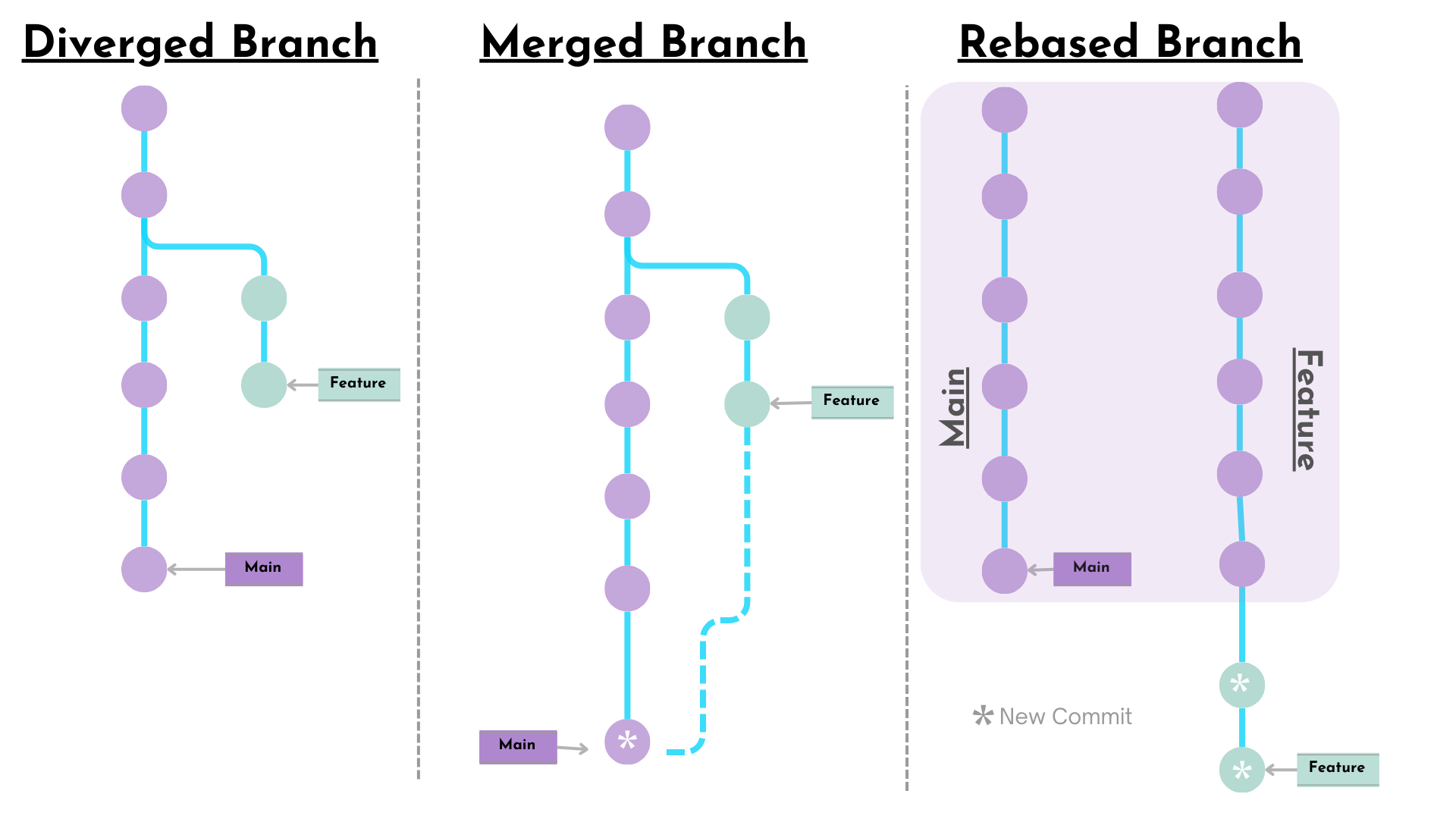
Merge versus rebase
Merge
Preserves full history and branch structure
Maintains context of parallel development
Rebase
Replays commits on top of the target branch
Creates a linear history
Loses some contextual information
When to use merge versus rebase
Merge
For integrating completed features, preserving development context
Rebase
For keeping feature branches updated with main, or for cleaning up before merging