Output

Creare applicazioni web con Shiny in R

Kaelen Medeiros

Data Scientist

Funzioni render

ui <- fluidPage(
  textInput("name", "Enter a name:"),
  selectInput("animal", "Dogs or cats?", choices = c("dogs", "cats")),
  textOutput("question"),
  textOutput("answer")
)

server <- function(input, output, session) {
  output$question <- renderText({
    paste("Do you prefer dogs or cats,", input$name, "?")
  })
  output$answer <- renderText({
    paste("I prefer", input$animal, "!")
  })
}
Creare applicazioni web con Shiny in R

Altre funzioni render

Creare applicazioni web con Shiny in R

Funzioni di output

ui <- fluidPage(
  textInput("name", "Enter a name:"),
  selectInput("animal", "Dogs or cats?", choices = c("dogs", "cats")),

textOutput("question"), textOutput("answer")
)
Creare applicazioni web con Shiny in R

Altre funzioni di output

  • tableOutput() o dataTableOutput
  • imageOutput()
  • plotOutput()
Creare applicazioni web con Shiny in R

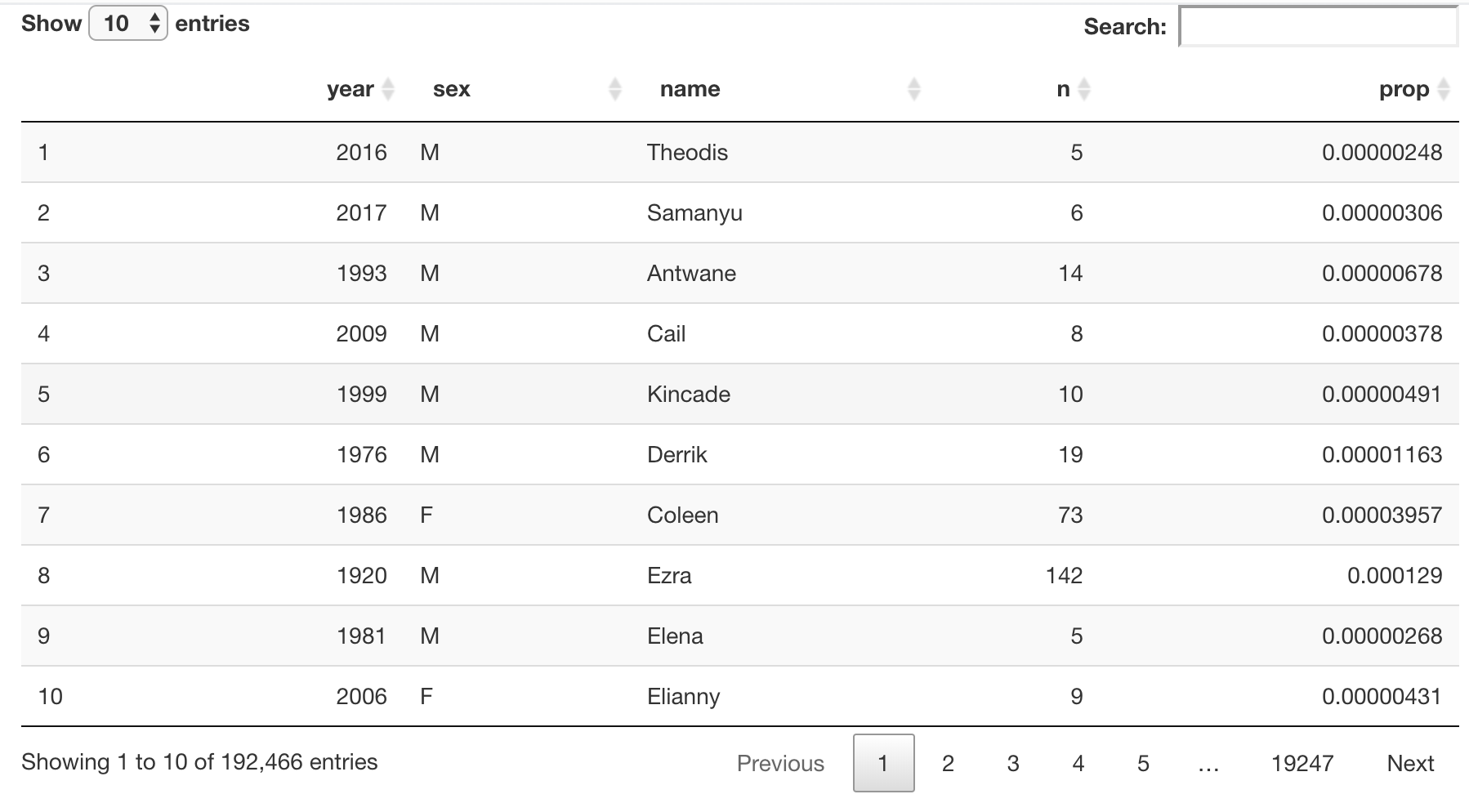
Funzioni output e render non Shiny

library(shiny)
library(babynames)

ui <- fluidPage(
  DT::DTOutput("babynames_table")
)

server <- function(input, output){
  output$babynames_table <- DT::renderDT({
    babynames %>% 
      dplyr::slice_sample(prop = .1) %>%
      DT::datatable()
  })
}

shinyApp(ui = ui, server = server)

Una tabella dati interattiva che mostra un 10% casuale del dataset babynames

Creare applicazioni web con Shiny in R

Let's practice!

Creare applicazioni web con Shiny in R

Preparing Video For Download...