Fighting overfitting

Introduzione al Deep Learning con PyTorch

Jasmin Ludolf

Senior Data Science Content Developer, DataCamp

Reasons for overfitting

  • Overfitting: the model does not generalize to unseen data
    • Model memorizes training data
    • Performs well on training data but poorly on validation data
  • Possible causes:
Problem Solutions
Dataset is not large enough Get more data / use data augmentation
Model has too much capacity Reduce model size / add dropout
Weights are too large Weight decay
Introduzione al Deep Learning con PyTorch

Fighting overfitting

Strategies:

  • Reducing model size or adding dropout layer
  • Using weight decay to force parameters to remain small
  • Obtaining new data or augmenting data
Introduzione al Deep Learning con PyTorch

"Regularization" using a dropout layer

  • Randomly zeroes out elements of the input tensor during training
model = nn.Sequential(nn.Linear(8, 4),
                      nn.ReLU(),
                      nn.Dropout(p=0.5))
features = torch.randn((1, 8))
print(model(features))
tensor([[1.4655, 0.0000, 0.0000, 0.8456]], grad_fn=<MulBackward0>)
  • Dropout is added after the activation function
  • Behaves differently in training vs. evaluation - use model.train() for training and model.eval() to disable dropout during evaluation
Introduzione al Deep Learning con PyTorch

Regularization with weight decay

optimizer = optim.SGD(model.parameters(), lr=0.001, weight_decay=0.0001)

  • Controlled by the weight_decay parameter in the optimizer, typically set to a small value (e.g., 0.0001)
  • Weight decay encourages smaller weights by adding a penalty during optimization
  • Helps reduce overfitting, keeping weights smaller and improving generalization
Introduzione al Deep Learning con PyTorch

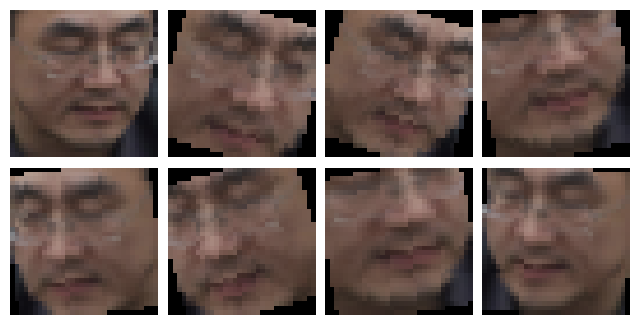
Data augmentation

examples of data augmentation

Introduzione al Deep Learning con PyTorch

Let's practice!

Introduzione al Deep Learning con PyTorch

Preparing Video For Download...