Version history tips and tricks

Introduzione a Git

George Boorman

Curriculum Manager, DataCamp

Projects grow!

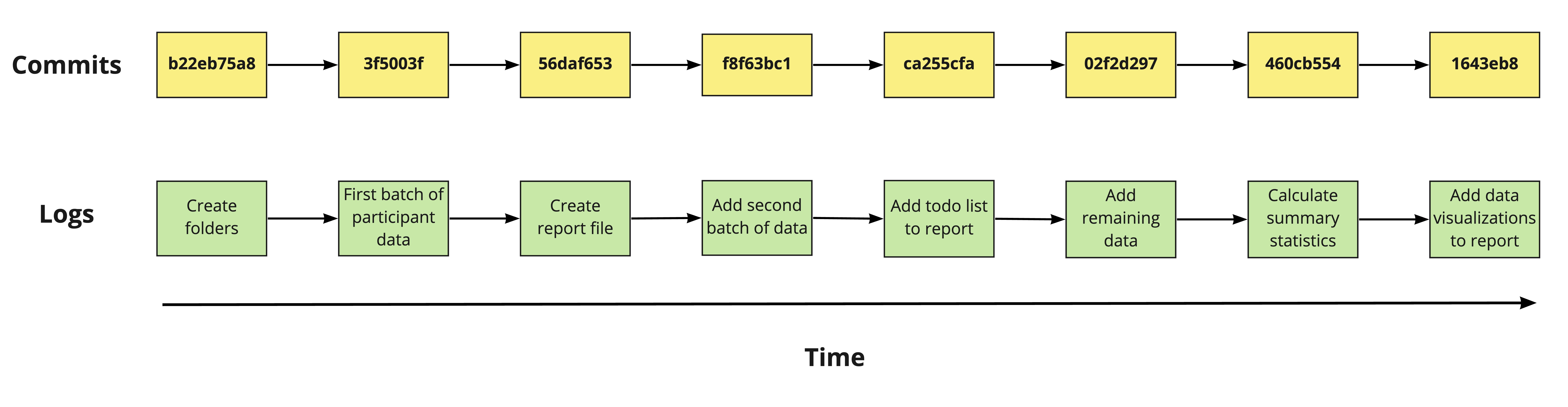
  • Larger project = more commits = larger output


Diagram of eight commits showing their hashes and log messages

Introduzione a Git

Restricting the number of commits

  • We can restrict the number of commits displayed using -:

  • Restrict to the 3 most recent commits

    git log -3
    
Introduzione a Git

Restricting the file

  • To only look at the commit history of one file:
git log report.md
Introduzione a Git

Combining techniques

cd data
git log -2 mental_health_survey.csv
Introduzione a Git

git log output

commit f35b9487c063d3facc853c1789b0b77087a859fa
Author: Rep Loop <[email protected]>
Date:   Fri Jul 26 15:14:32 2024 +0000

    Add two new participants' data.

commit 7f71eadea60bf38f53c8696d23f8314d85342aaf
Author: Rep Loop <[email protected]>
Date:   Fri Jul 19  09:58:21 2024 +0000

    Adding fresh data for the survey.
Introduzione a Git

Customizing the date range

  • Restrict git log by date:
git log --since='Month Day Year'
  • Commits since 2nd April 2024:
git log --since='Apr 2 2024'
  • Commits between 2nd and 11th April:
git log --since='Apr 2 2024' --until='Apr 11 2024'
Introduzione a Git

Acceptable filter formats

Natural language

  • "2 weeks ago"
  • "3 months ago"
  • "yesterday"

Date format

  • "07-15-2024"
    • Recommend ISO Format "YYYY-MM-DD"
    • Check system settings for compatibility, e.g., 12-06-2024 could be 6th Dec or 12th June!
  • "15 Jul 2024" or "15 July 2024"
    • Invalid: "15 Jul, 2024"
1 https://www.iso.org/iso-8601-date-and-time-format.html
Introduzione a Git

Finding a particular commit

git log
  • Only need the first 8-10 characters of the hash
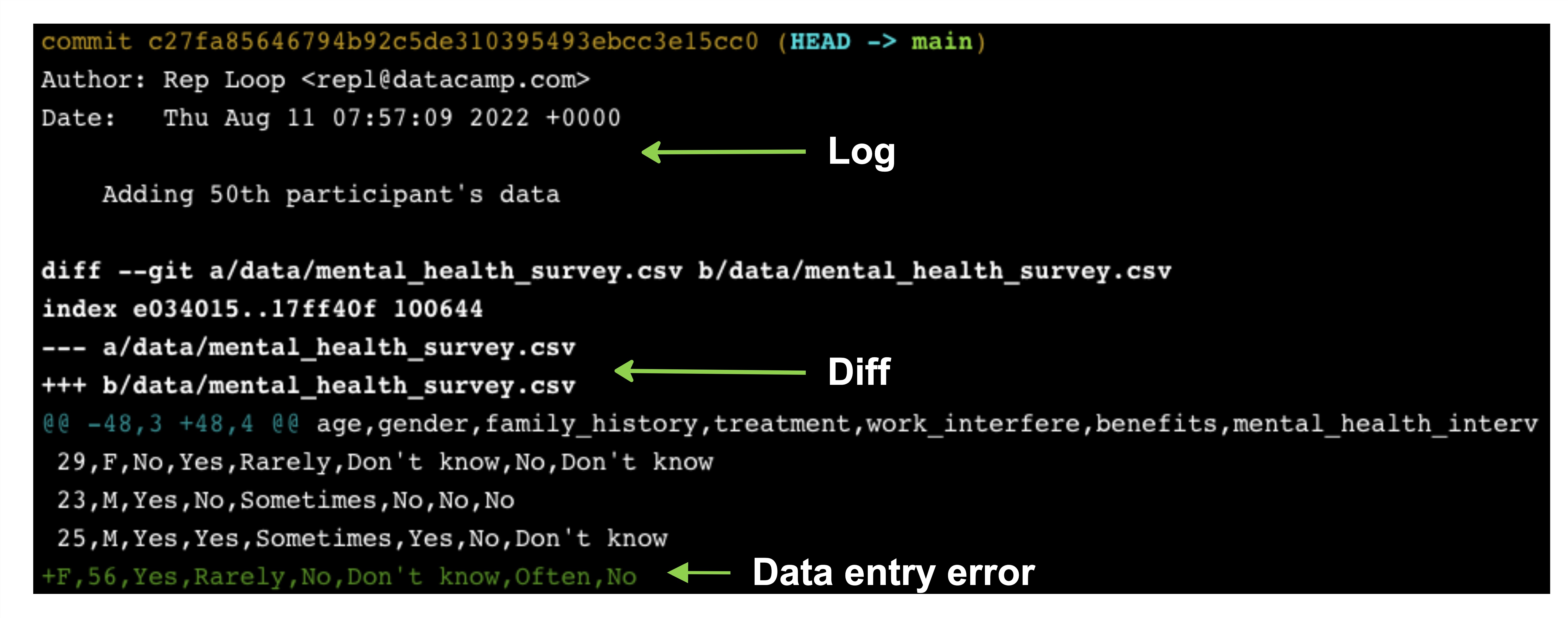
git show c27fa856
Introduzione a Git

git show output

git show output displaying the git log output at the top and the git diff output underneath, with the incorrect data entry at the bottom

Introduzione a Git

Let's practice!

Introduzione a Git

Preparing Video For Download...