Theme flexibility

Introduzione alla visualizzazione dei dati con ggplot2

Rick Scavetta

Founder, Scavetta Academy

Ways to use themes

  1. From scratch (last video)
Introduzione alla visualizzazione dei dati con ggplot2

Ways to use themes

  1. From scratch (last video)
  2. Theme layer object
  3. Built-in themes
    • ggplot2 or ggthemes packages
  4. Built-in themes from other packages
  5. Update/Set default theme
Introduzione alla visualizzazione dei dati con ggplot2

Defining theme objects

  • Useful when you have many plots
  • Provides consistency in style
  • Apply a specific theme everywhere
Introduzione alla visualizzazione dei dati con ggplot2

Defining theme objects

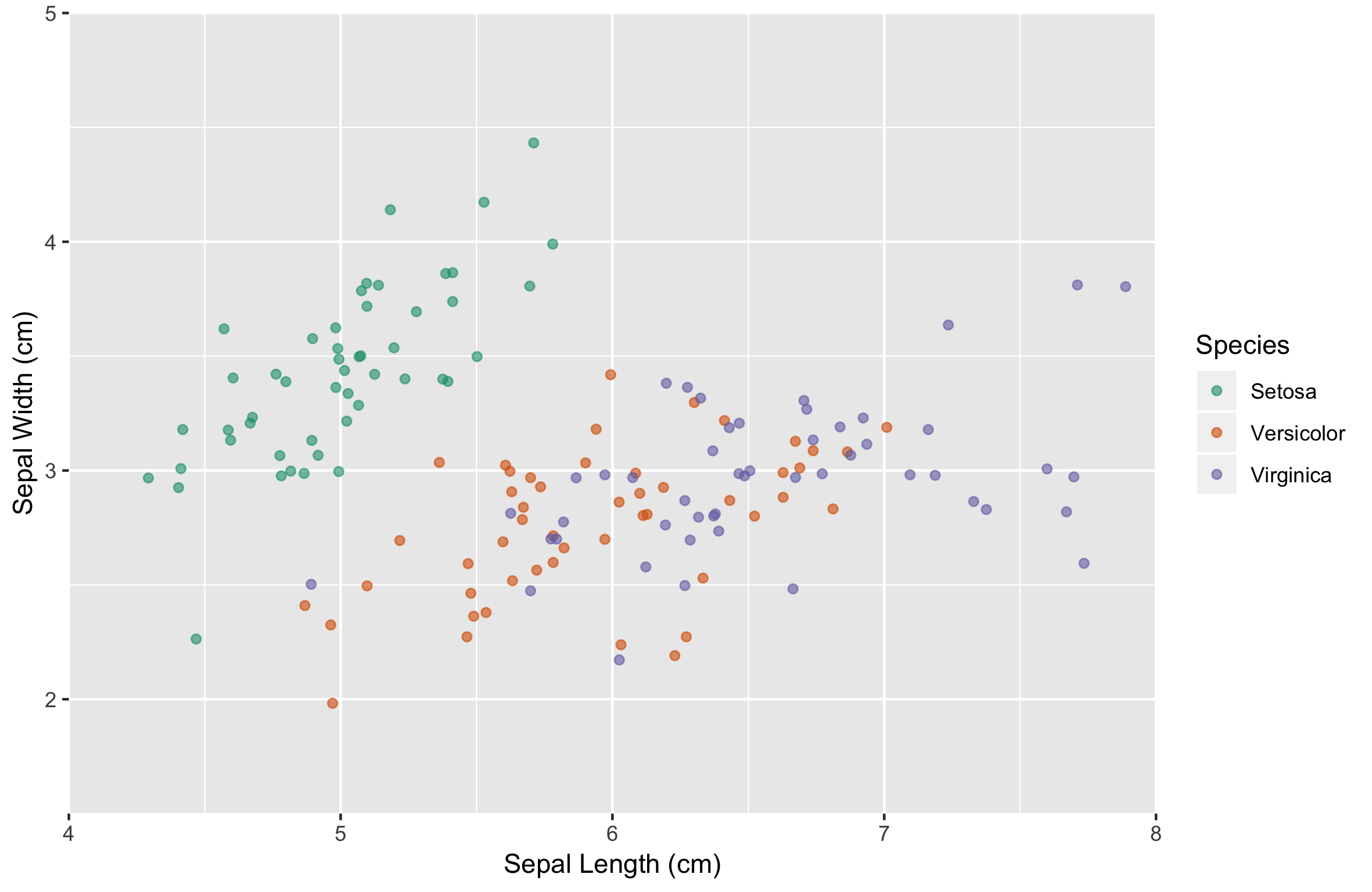
z <- ggplot(iris, aes(x = Sepal.Length, y = Sepal.Width, color = Species)) + 
  geom_jitter(alpha = 0.6) +
  scale_x_continuous("Sepal Length (cm)", limits = c(4,8), expand = c(0,0)) +
  scale_y_continuous("Sepal Width (cm)", limits = c(1.5,5), expand = c(0,0)) +
  scale_color_brewer("Species", palette = "Dark2", labels = c("Setosa", "Versicolor", "Virginica"))
Introduzione alla visualizzazione dei dati con ggplot2

Defining theme objects

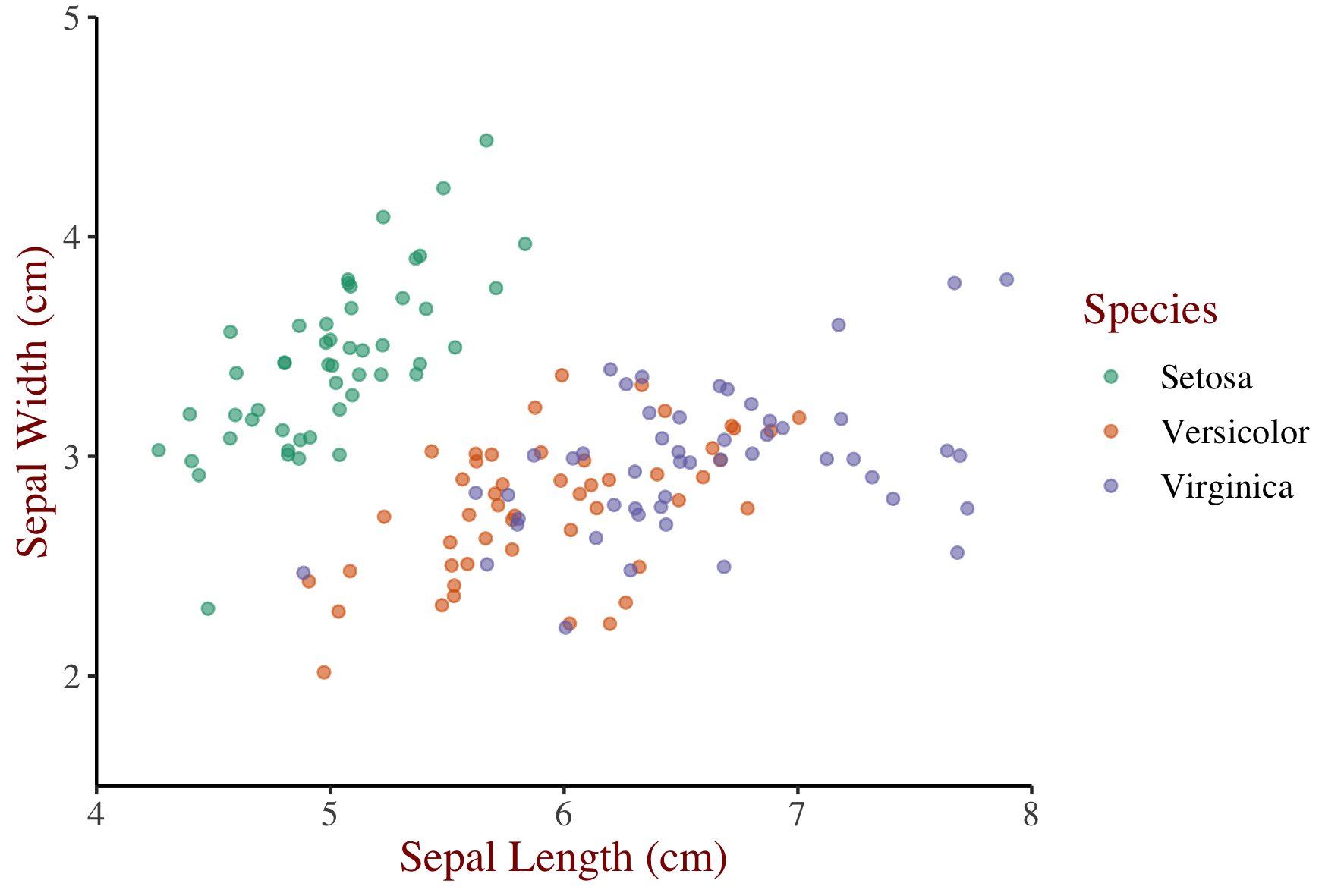
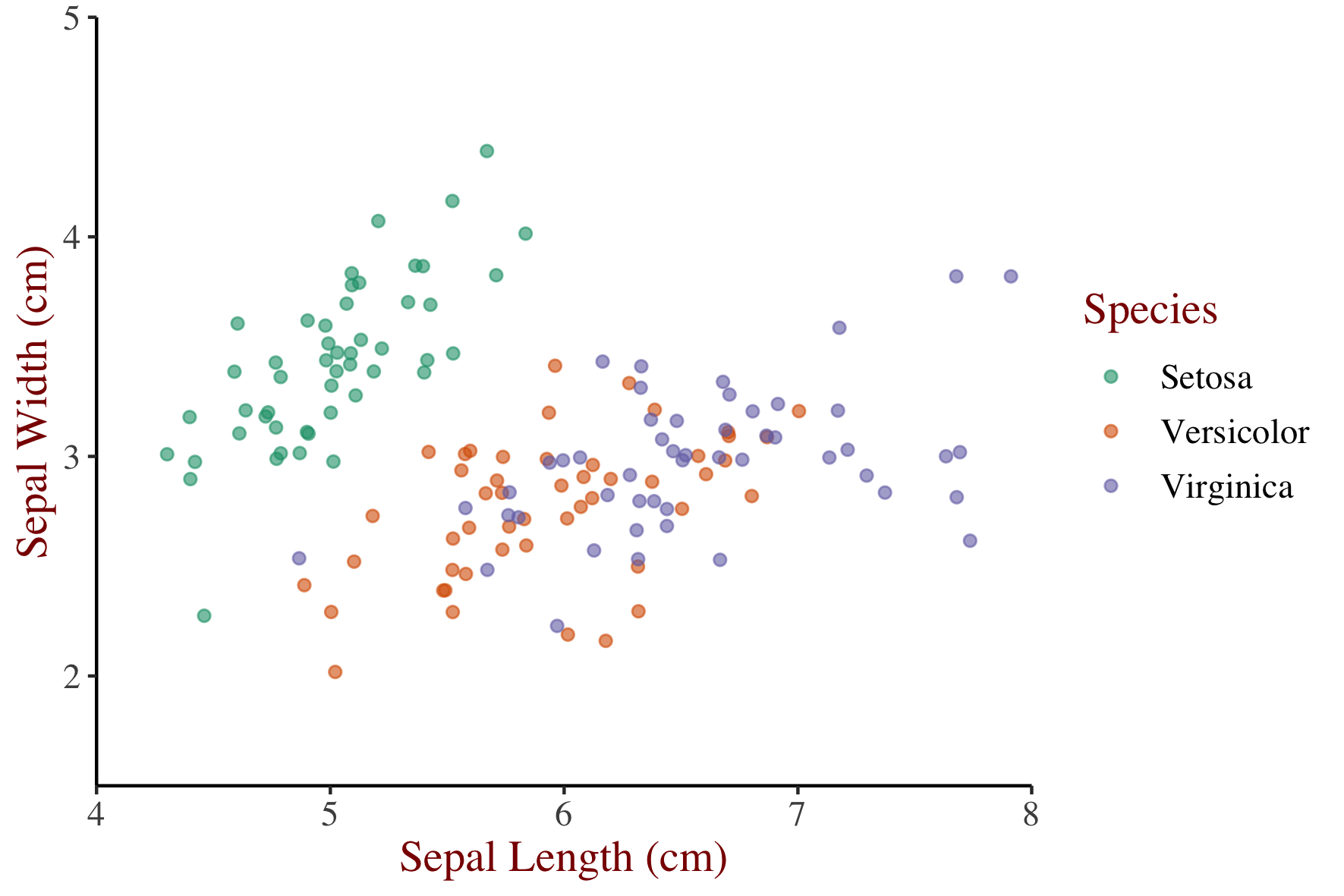
z + theme(text = element_text(family = "serif", size = 14),
          rect = element_blank(),
          panel.grid = element_blank(),
          title = element_text(color = "#8b0000"),
          axis.line = element_line(color = "black"))
Introduzione alla visualizzazione dei dati con ggplot2

Defining theme objects

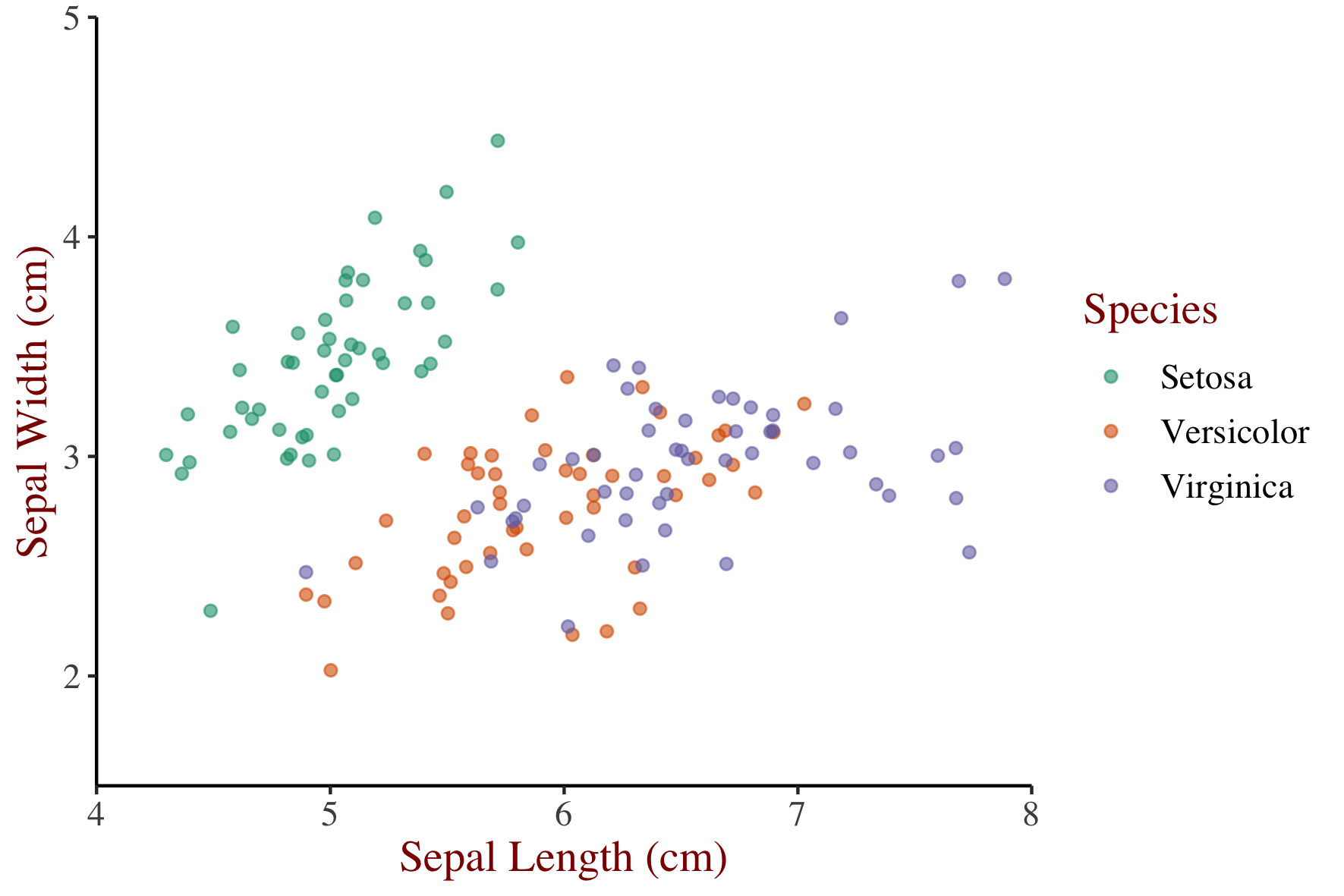
theme_iris <- theme(text = element_text(family = "serif", size = 14),
          rect = element_blank(),
          panel.grid = element_blank(),
          title = element_text(color = "#8b0000"),
          axis.line = element_line(color = "black"))
Introduzione alla visualizzazione dei dati con ggplot2

Reusing theme objects

z + theme_iris

Introduzione alla visualizzazione dei dati con ggplot2

Reusing theme objects

m <- ggplot(iris, aes(x = Sepal.Width)) + 
    geom_histogram(binwidth = 0.1,
                   center = 0.05)
m                 
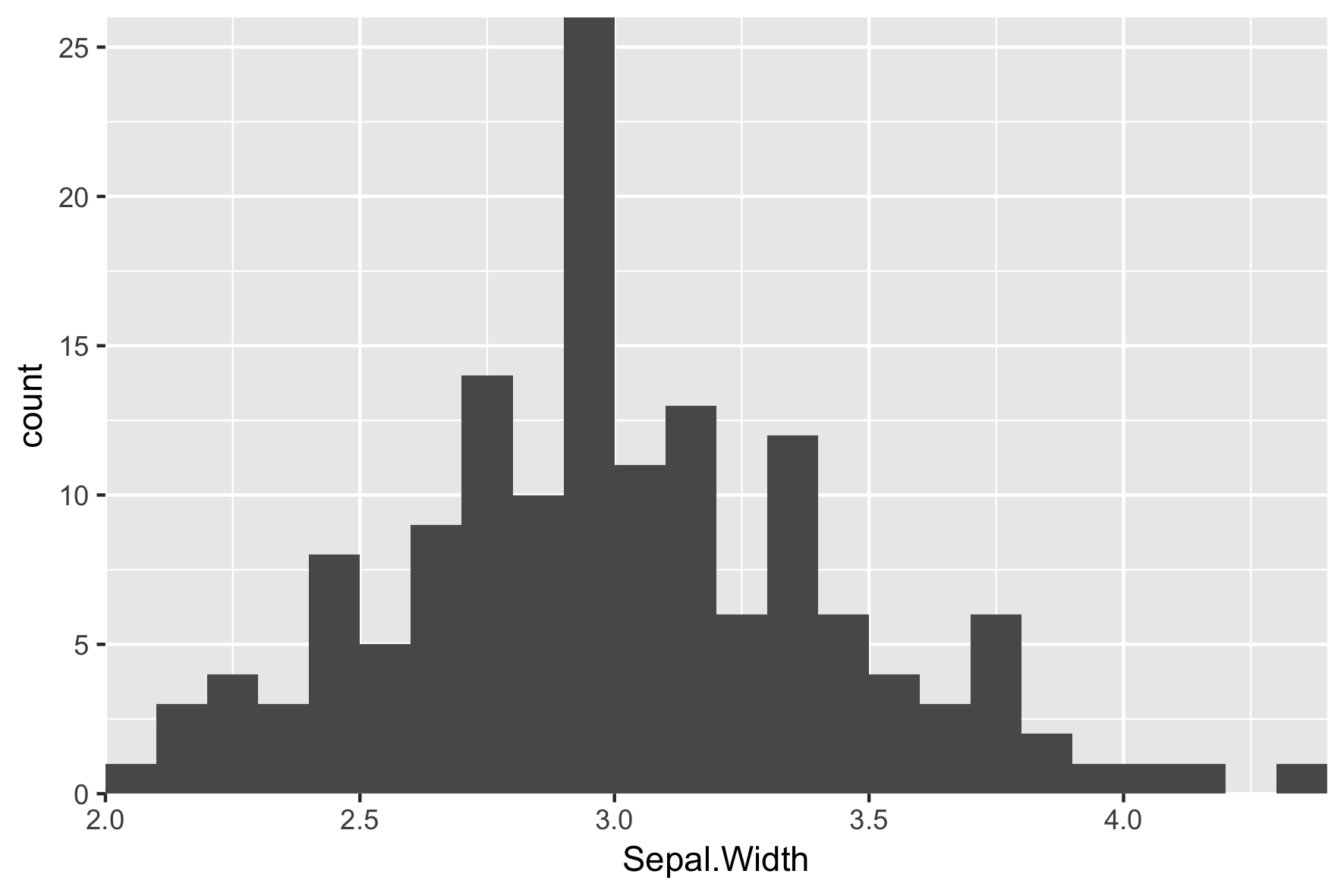
Introduzione alla visualizzazione dei dati con ggplot2

Reusing theme objects

m +
  theme_iris
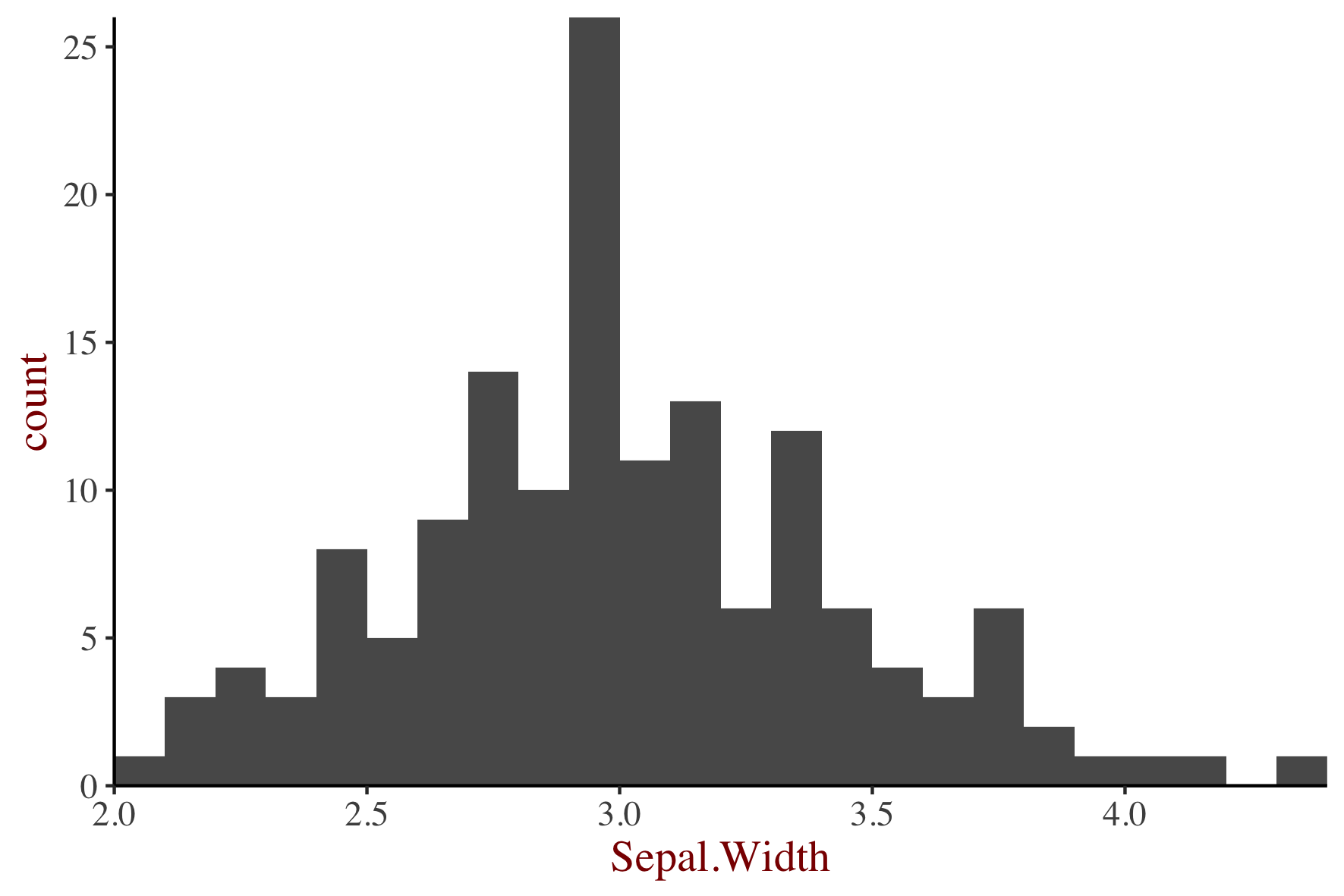
Introduzione alla visualizzazione dei dati con ggplot2

Reusing theme objects

m + 
  theme_iris +
  theme(axis.line.x = element_blank())
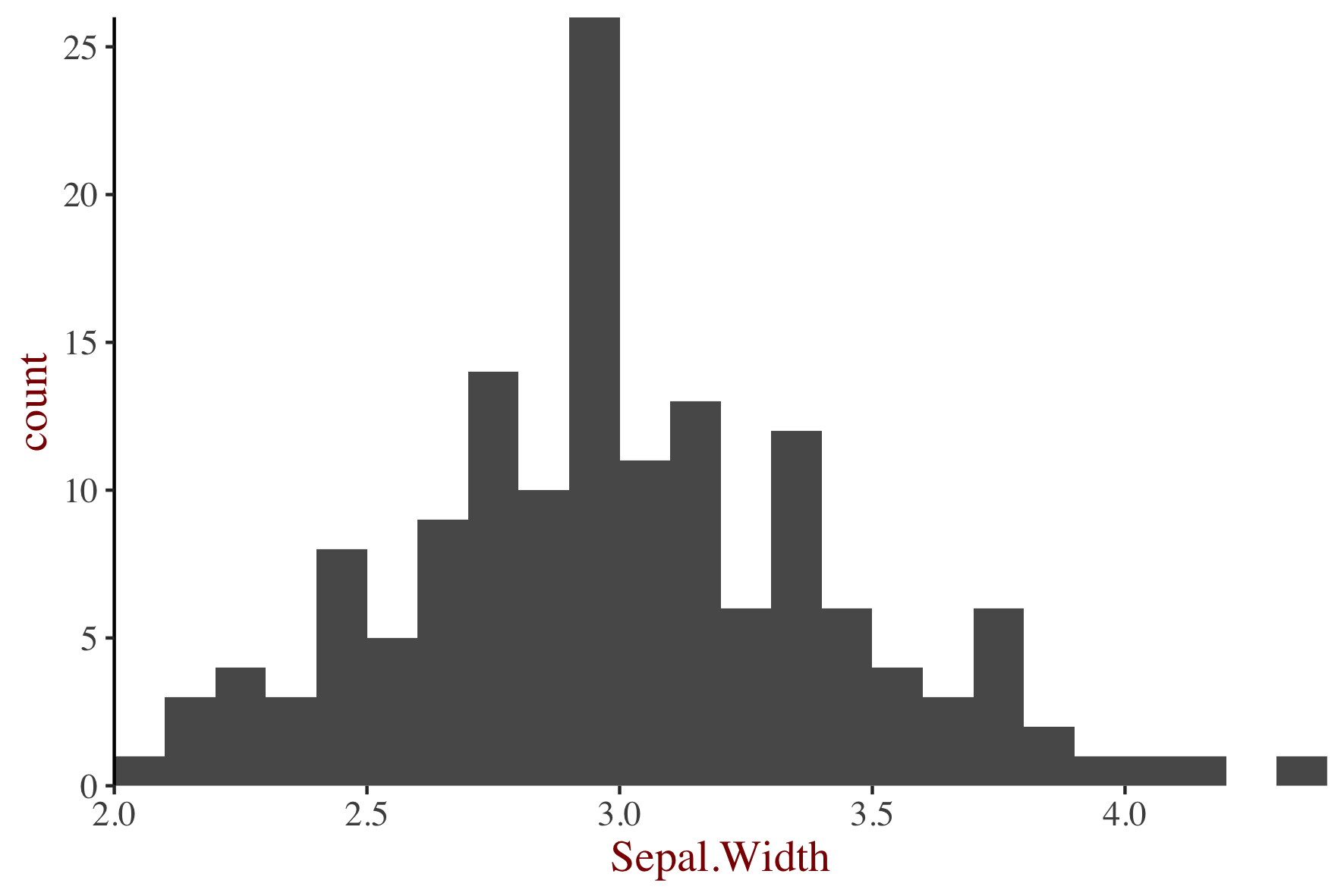
Introduzione alla visualizzazione dei dati con ggplot2

Ways to use themes

  1. From scratch (last video)
  2. Theme layer object
  3. Built-in themes
    • ggplot2 or ggthemes packages
  4. Built-in themes from other packages
  5. Update/Set default theme
Introduzione alla visualizzazione dei dati con ggplot2

Using built-in themes

Use theme_*() functions to access built-in themes.

z + 
  theme_classic()
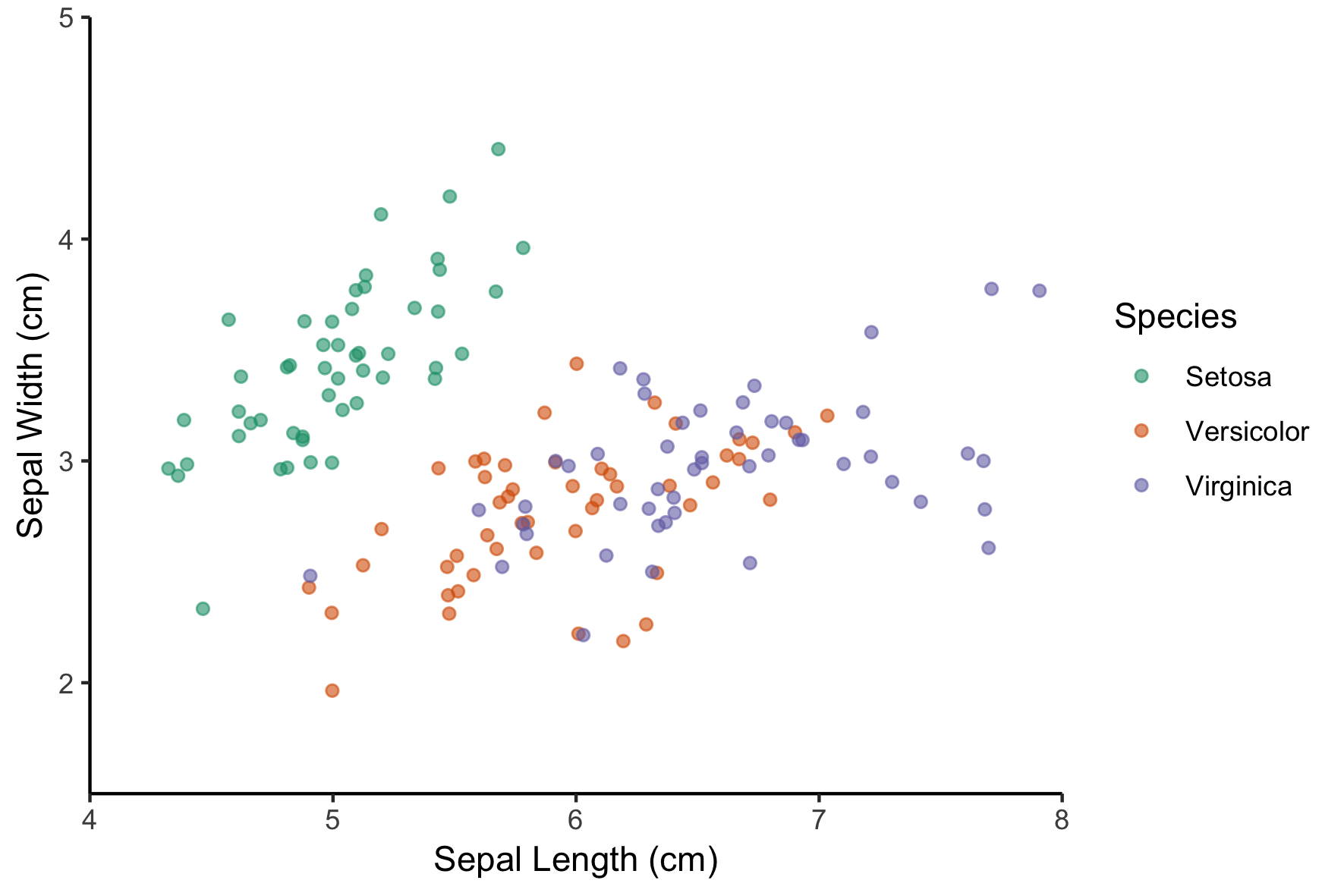
Introduzione alla visualizzazione dei dati con ggplot2

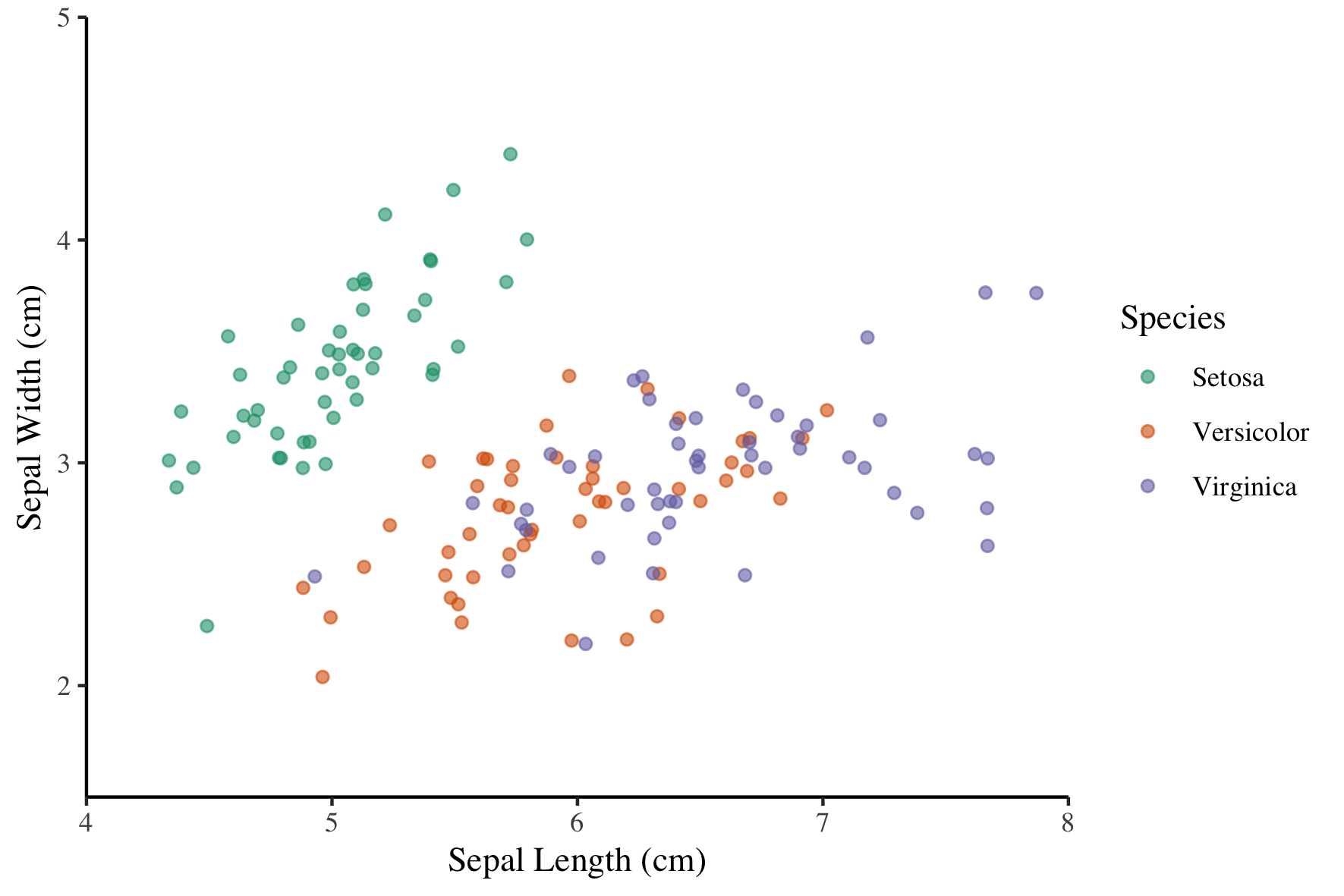
Using built-in themes

Use theme_*() functions to access built-in themes.

z + 
  theme_classic() +
  theme(text = element_text(family = "serif"))
Introduzione alla visualizzazione dei dati con ggplot2

Ways to use themes

  1. From scratch (last video)
  2. Theme layer object
  3. Built-in themes
    • ggplot2 or ggthemes packages
  4. Built-in themes from other packages
  5. Update/Set default theme
Introduzione alla visualizzazione dei dati con ggplot2

The ggthemes package

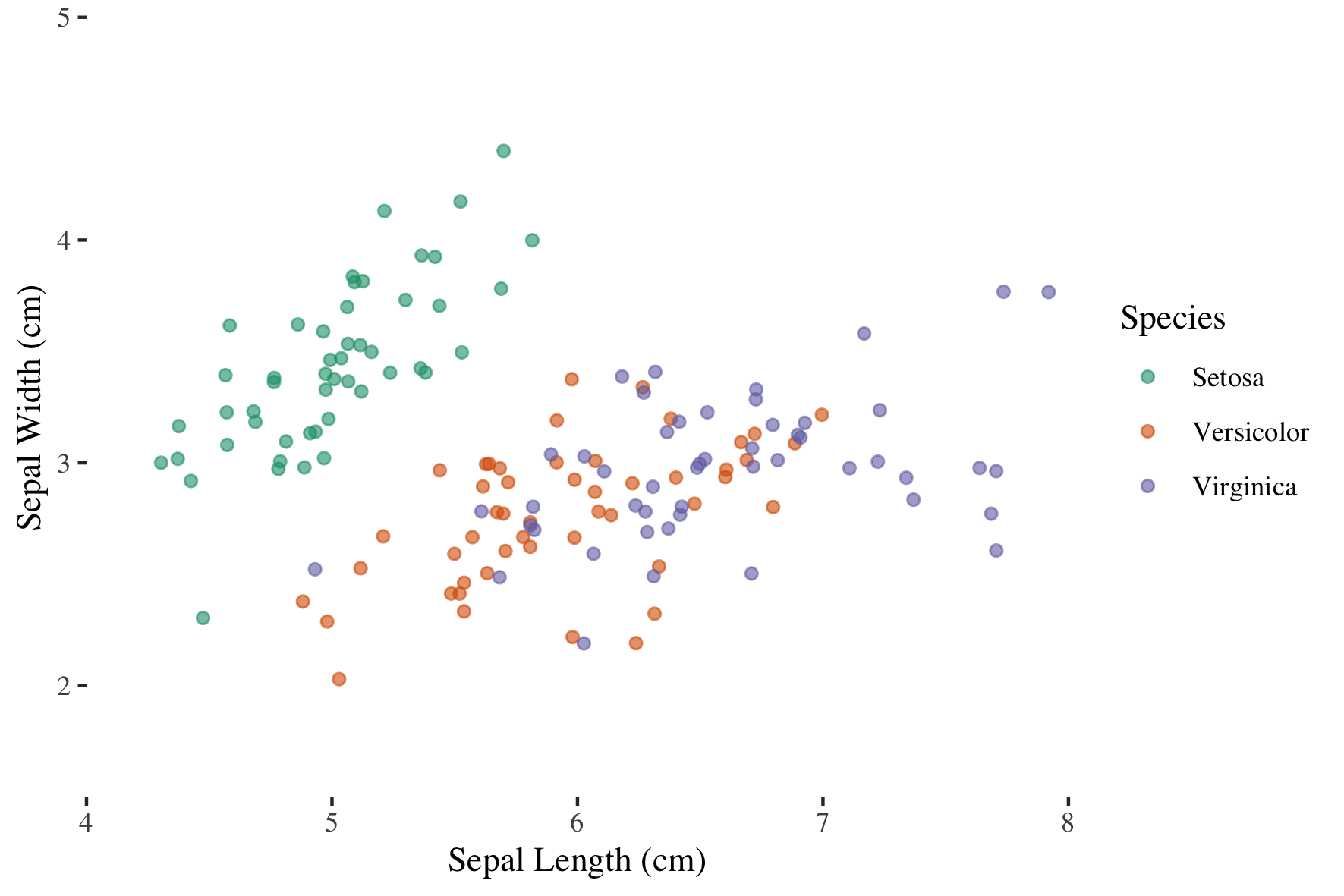
Use the ggthemes package for more functions.

library(ggthemes)
z + 
  theme_tufte()
Introduzione alla visualizzazione dei dati con ggplot2

Ways to use themes

  1. From scratch (last video)
  2. Theme layer object
  3. Built-in themes
    • ggplot2 or ggthemes packages
  4. Built-in themes from other packages
  5. Update/Set default theme
Introduzione alla visualizzazione dei dati con ggplot2

Updating themes

original <- theme_update(text = element_text(family = "serif", size = 14),
                         rect = element_blank(),
                         panel.grid = element_blank(),
                         title = element_text(color = "#8b0000"),
                         axis.line = element_line(color = "black"))
Introduzione alla visualizzazione dei dati con ggplot2

Updating themes

z

Introduzione alla visualizzazione dei dati con ggplot2

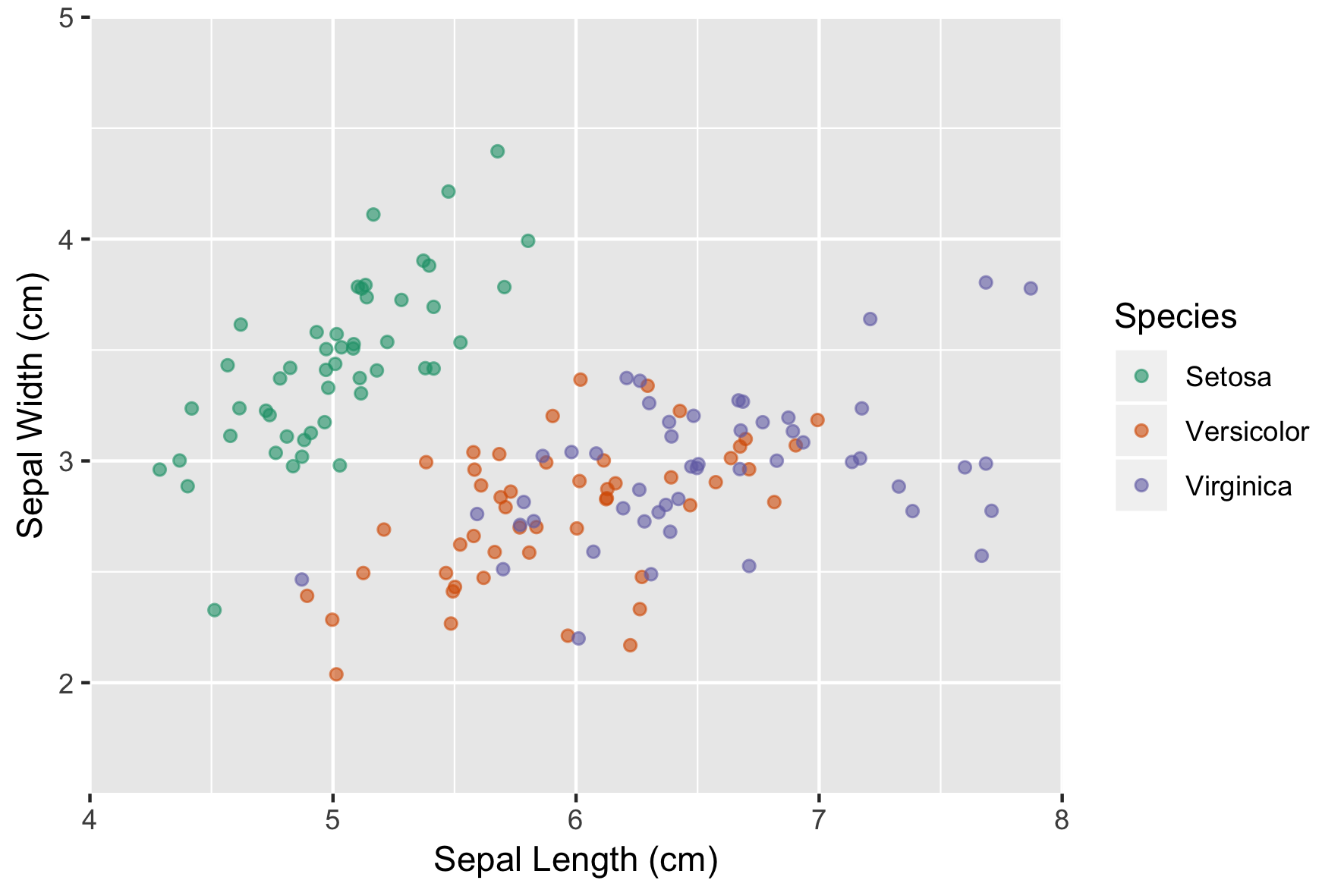
Setting themes

theme_set(original)

# Alternatively
# theme_set(theme_grey())
Introduzione alla visualizzazione dei dati con ggplot2

Let's practice!

Introduzione alla visualizzazione dei dati con ggplot2

Preparing Video For Download...