Scatter plots

Introduzione alla visualizzazione dei dati con ggplot2

Rick Scavetta

Founder, Scavetta Academy

48 geometries

geom_*
abline contour dotplot jitter pointrange ribbon spoke
area count errorbar label polygon rug step
bar crossbar errorbarh line qq segment text
bin2d curve freqpoly linerange qq_line sf tile
blank density hex map quantile sf_label violin
boxplot density2d histogram path raster sf_text vline
col density_2d hline point rect smooth
Introduzione alla visualizzazione dei dati con ggplot2

Common plot types

Plot type Possible Geoms
Scatter plots points, jitter, abline, smooth, count
Introduzione alla visualizzazione dei dati con ggplot2

Scatter plots

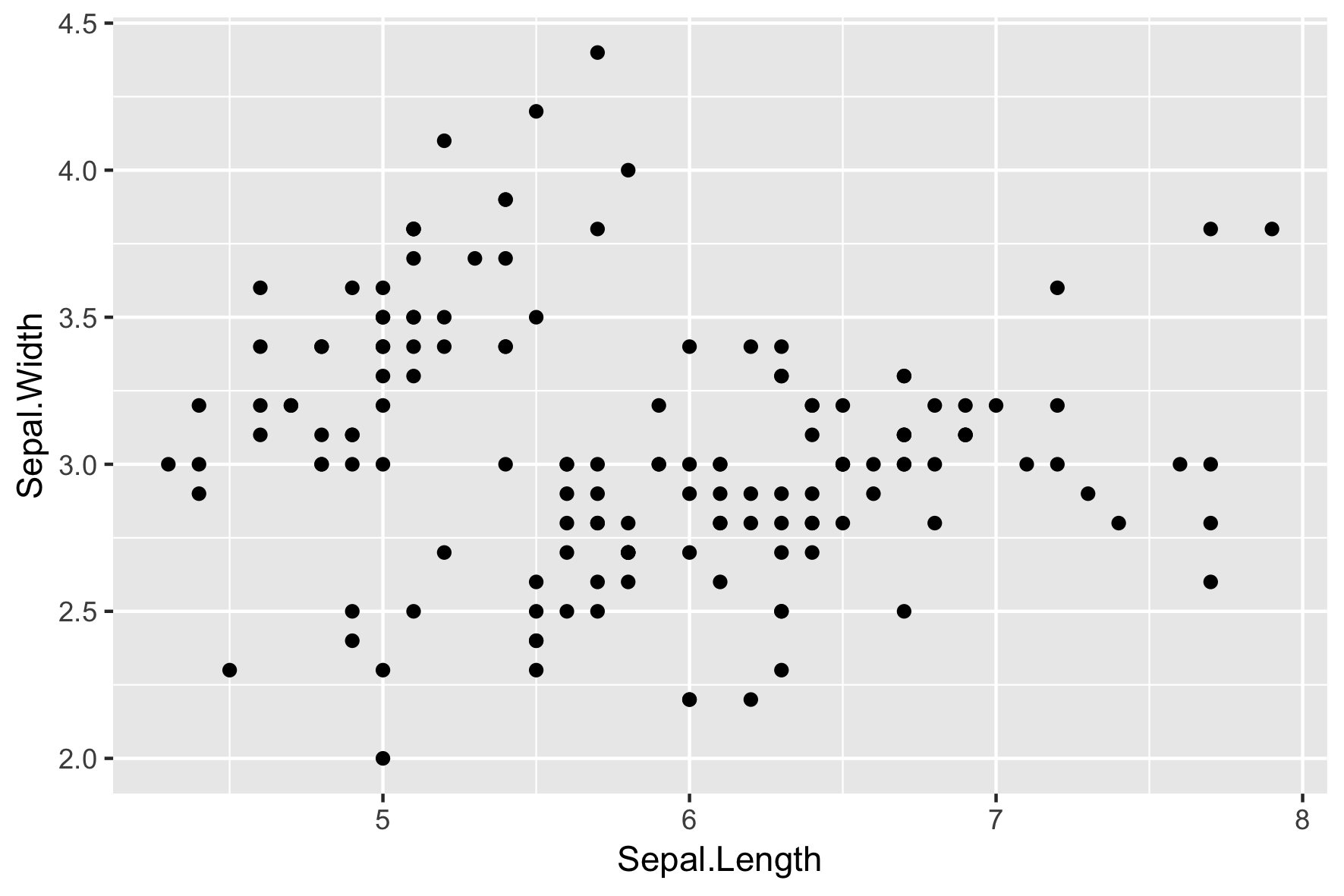
  • Each geom can accept specific aesthetic mappings, e.g. geom_point():
Essential
x,y
ggplot(iris, aes(x = Sepal.Length, 
                 y = Sepal.Width)) + 
  geom_point()
Introduzione alla visualizzazione dei dati con ggplot2

Scatter plots

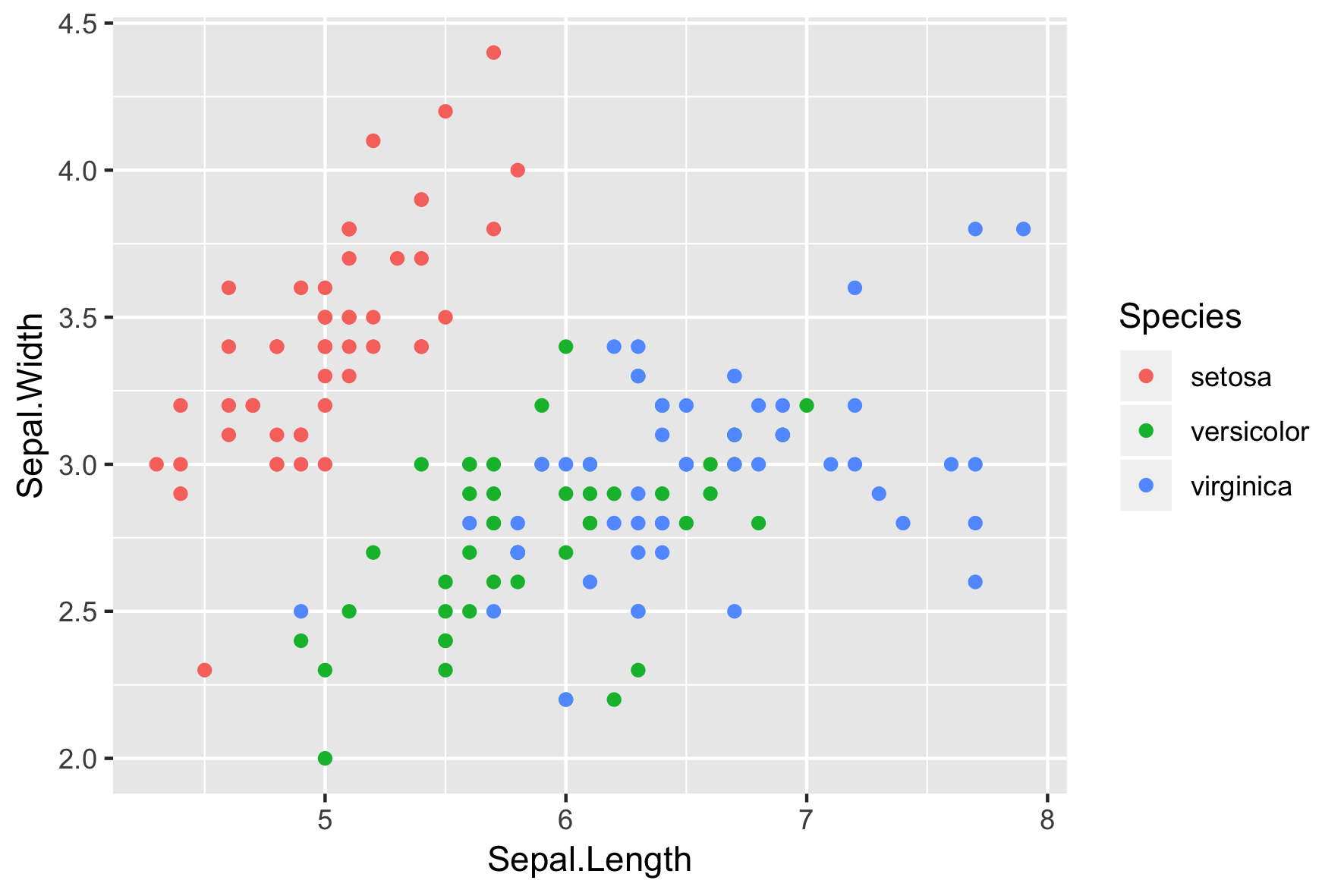
  • Each geom can accept specific aesthetic mappings, e.g. geom_point():
Essential Optional
x,y alpha, color, fill, shape, size, stroke
ggplot(iris, aes(x = Sepal.Length, 
                 y = Sepal.Width,
                 col = Species)) + 
  geom_point()
Introduzione alla visualizzazione dei dati con ggplot2

Geom-specific aesthetic mappings

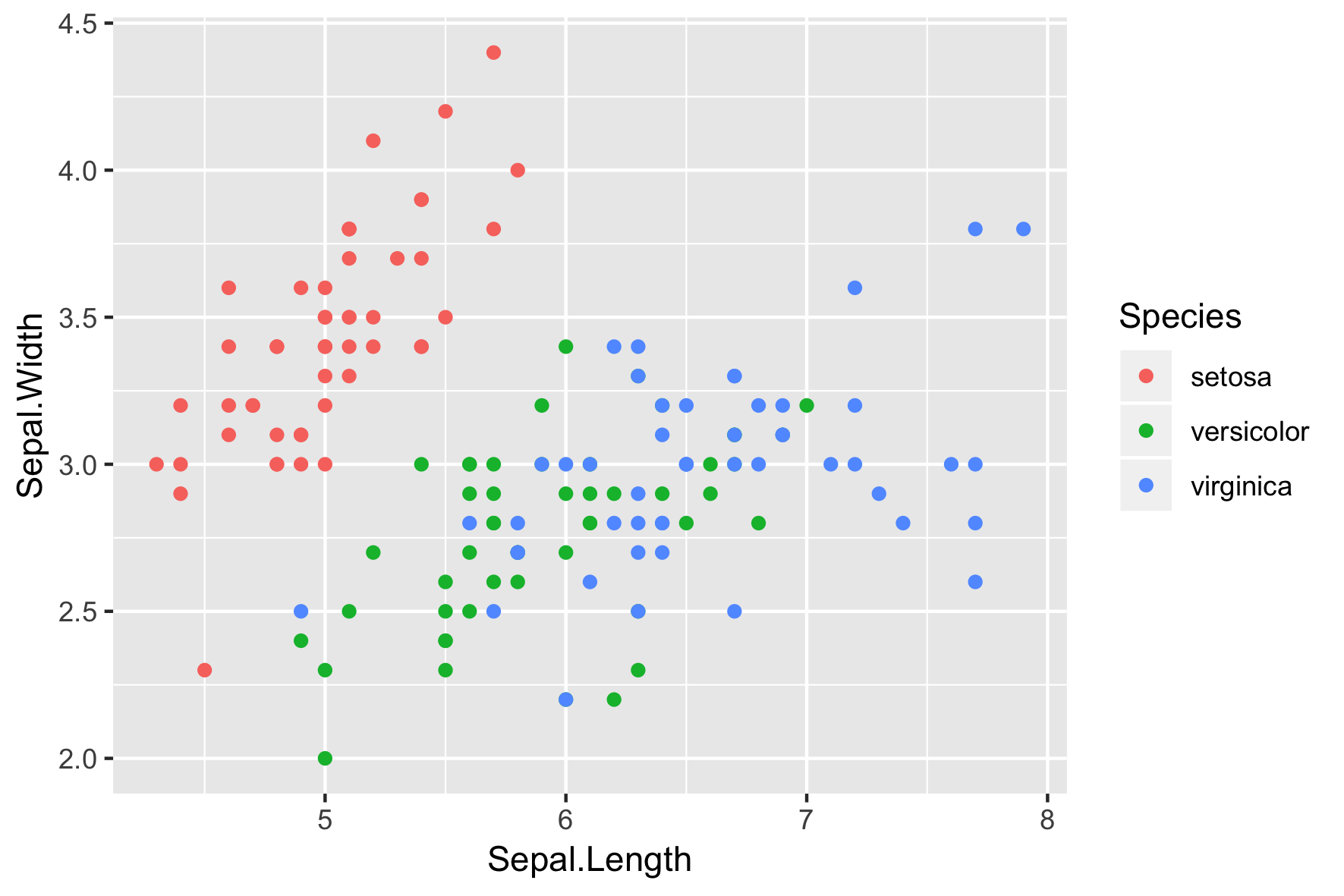
# These result in the same plot! 
ggplot(iris, aes(x = Sepal.Length, y = Sepal.Width, col = Species)) + 
  geom_point()

ggplot(iris, aes(x = Sepal.Length, y = Sepal.Width)) + 
  geom_point(aes(col = Species))

Control aesthetic mappings of each layer independently:
Introduzione alla visualizzazione dei dati con ggplot2
head(iris, 3) # Raw data
Species Sepal.Length Sepal.Width Petal.Length Petal.Width
1  setosa          5.1         3.5          1.4         0.2
2  setosa          4.9         3.0          1.4         0.2
3  setosa          4.7         3.2          1.3         0.2
iris %>%
  group_by(Species) %>% 
  summarise_all(mean) -> iris.summary

iris.summary # Summary statistics
# A tibble: 3 x 5
  Species    Sepal.Length Sepal.Width Petal.Length Petal.Width
  <fct>             <dbl>       <dbl>        <dbl>       <dbl>
1 setosa             5.01        3.43         1.46       0.246
2 versicolor         5.94        2.77         4.26       1.33 
3 virginica          6.59        2.97         5.55       2.03
Introduzione alla visualizzazione dei dati con ggplot2
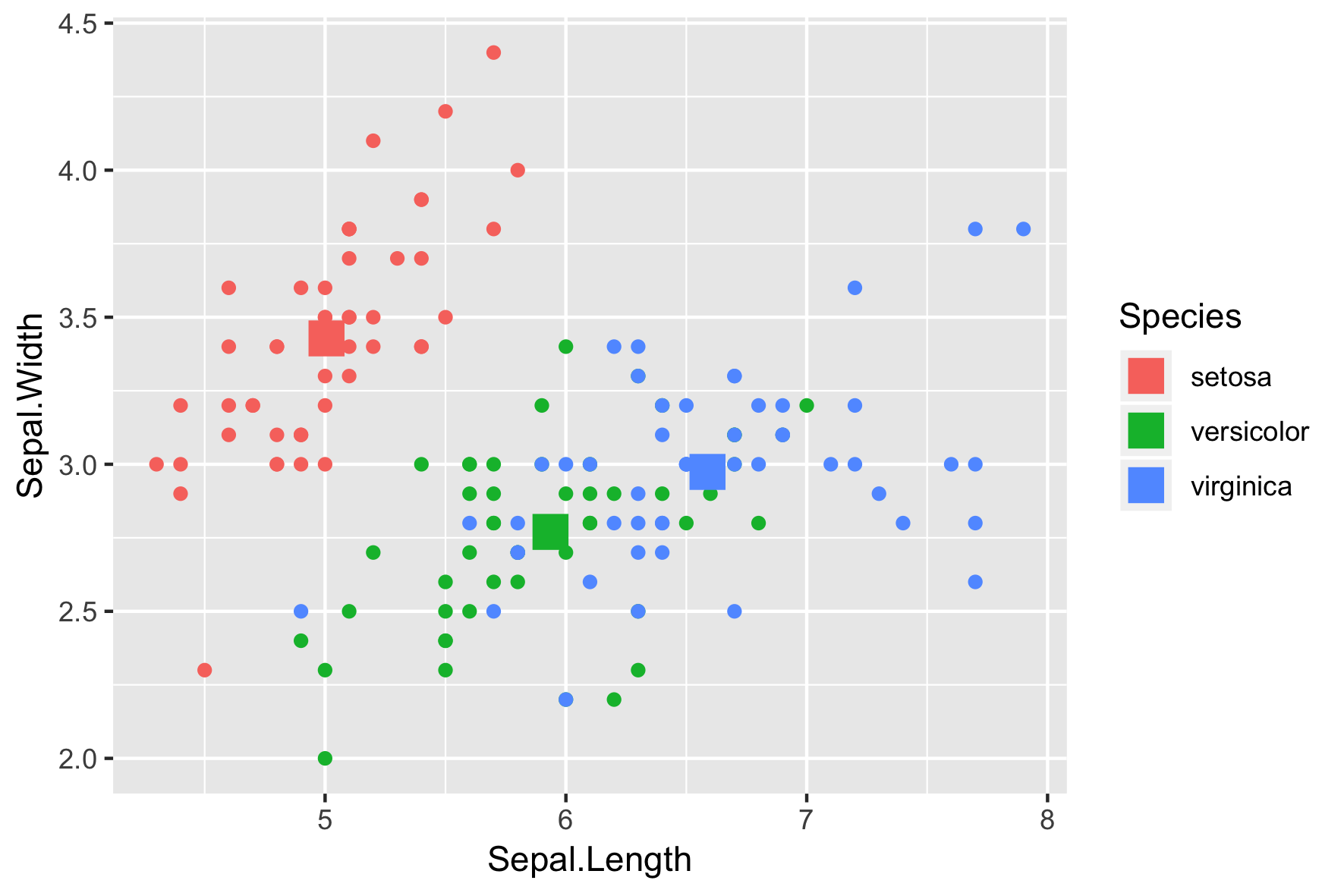
ggplot(iris, aes(x = Sepal.Length, y = Sepal.Width, col = Species)) +
  # Inherits both data and aes from ggplot() 
  geom_point() + 
  # Different data, but inherited aes
  geom_point(data = iris.summary, shape = 15, size = 5)
Introduzione alla visualizzazione dei dati con ggplot2

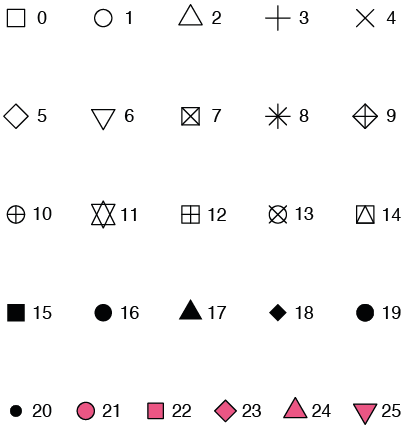
Shape attribute values

Introduzione alla visualizzazione dei dati con ggplot2

Example

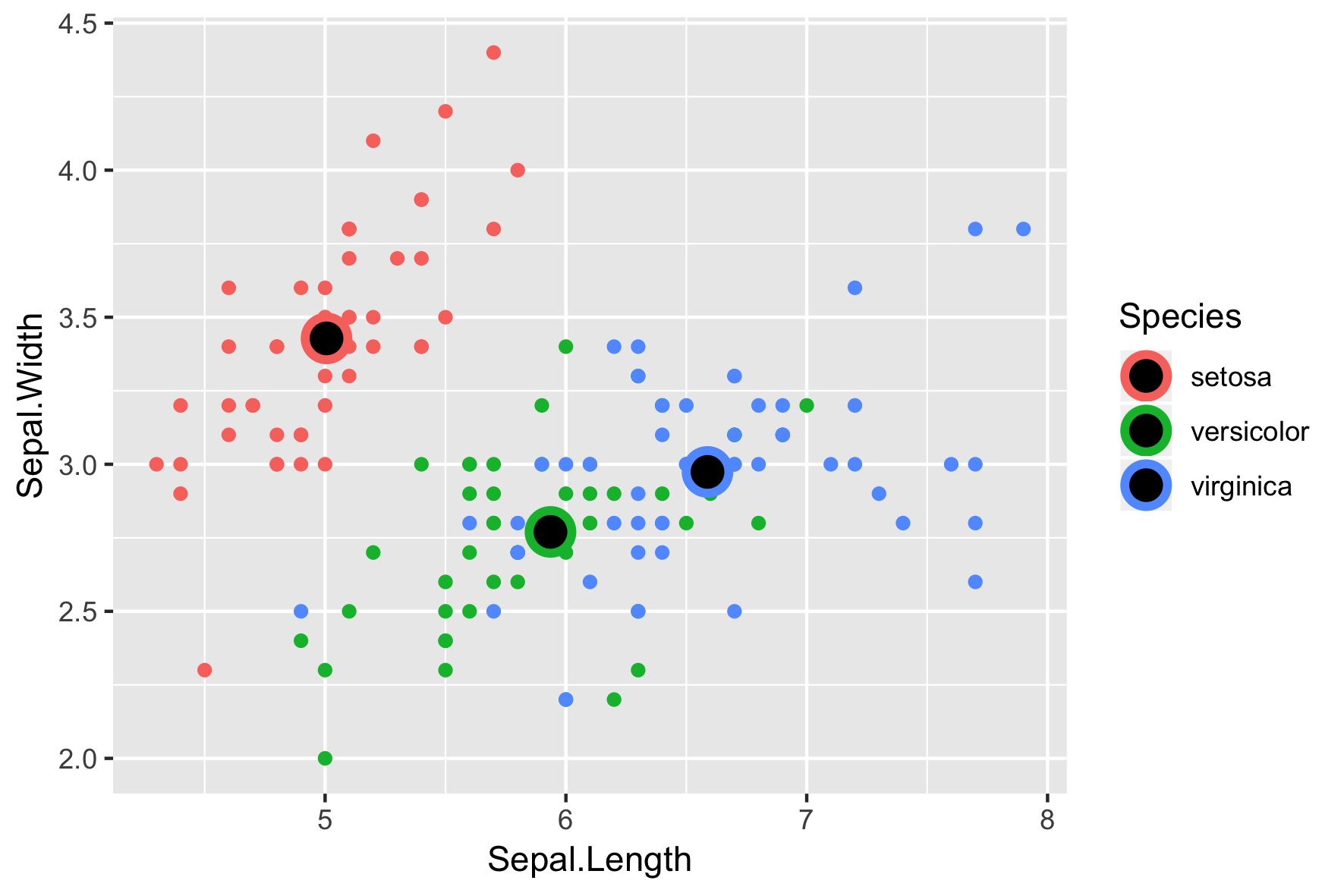
ggplot(iris, aes(x = Sepal.Length, y = Sepal.Width, col = Species)) + 
  geom_point() +
  geom_point(data = iris.summary, shape = 21, size = 5, 
             fill = "black", stroke = 2)
Introduzione alla visualizzazione dei dati con ggplot2

On-the-fly stats by ggplot2

  • See the second course for the stats layer.
  • Note: Avoid plotting only the mean without a measure of spread, e.g. the standard deviation.

Introduzione alla visualizzazione dei dati con ggplot2

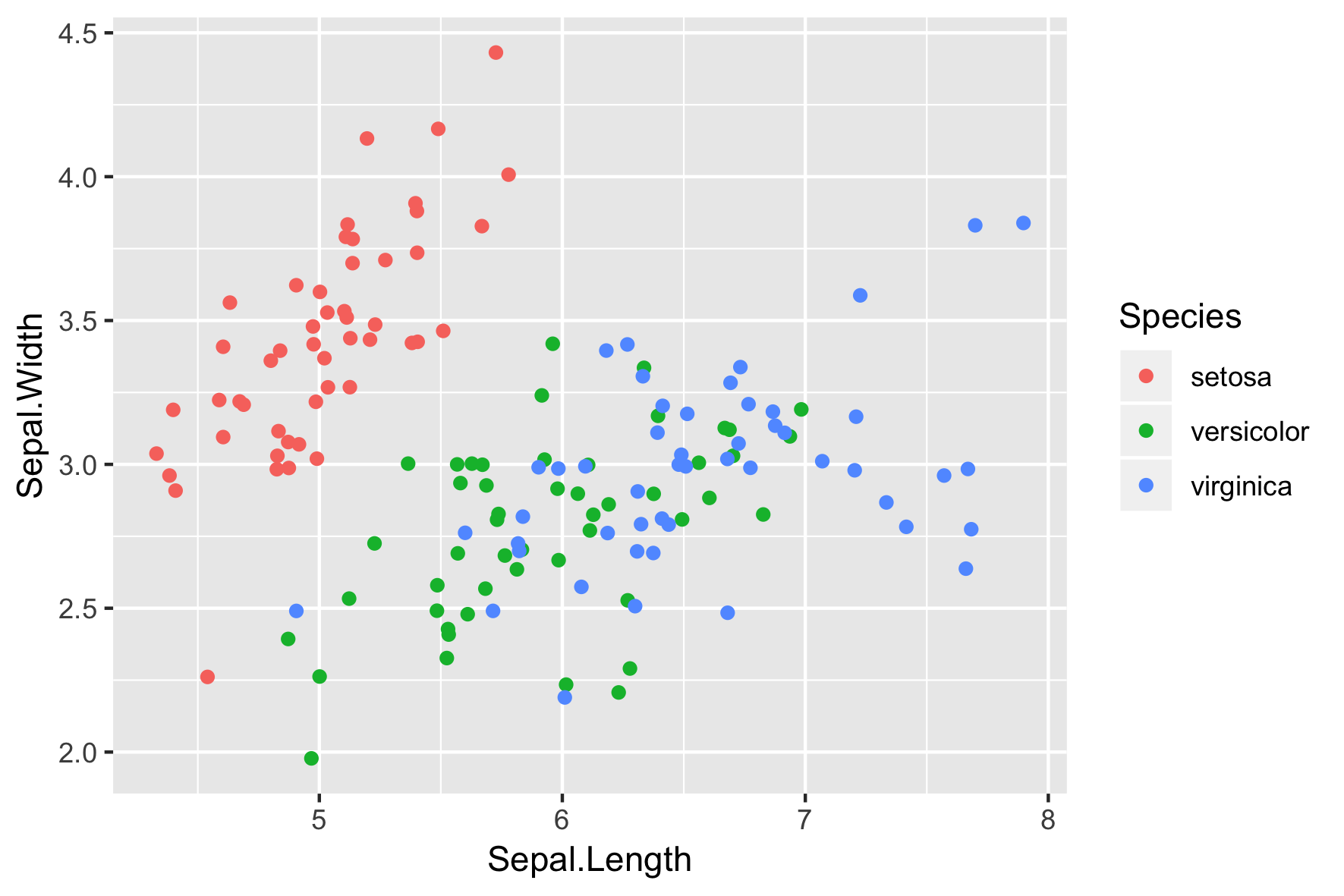
position = "jitter"

ggplot(iris, aes(x = Sepal.Length, y = Sepal.Width, col = Species)) + 
  geom_point(position = "jitter")
Introduzione alla visualizzazione dei dati con ggplot2

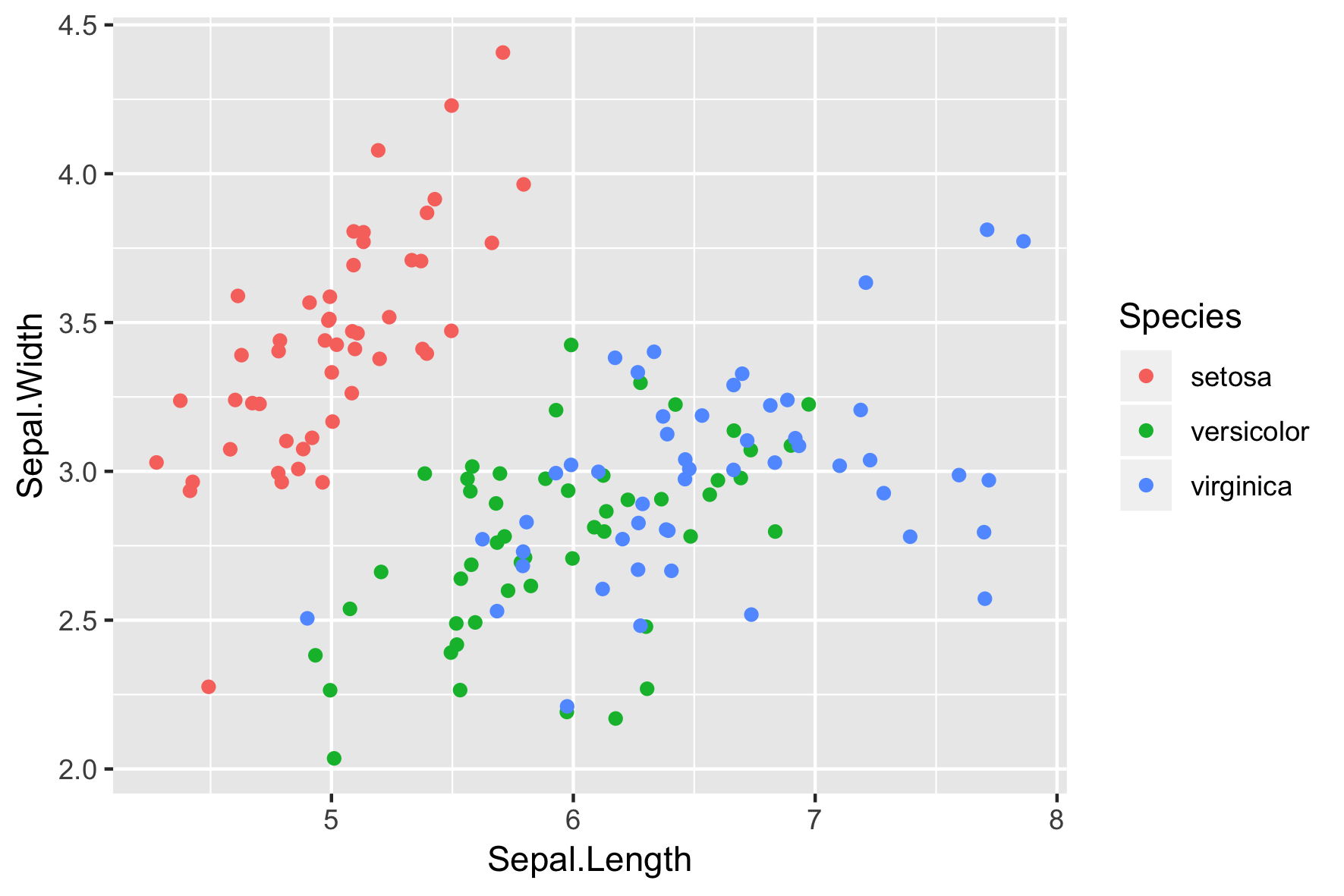
geom_jitter()

A short-cut to geom_point(position = "jitter")

ggplot(iris, aes(x = Sepal.Length, y = Sepal.Width, col = Species)) + 
  geom_jitter()
Introduzione alla visualizzazione dei dati con ggplot2

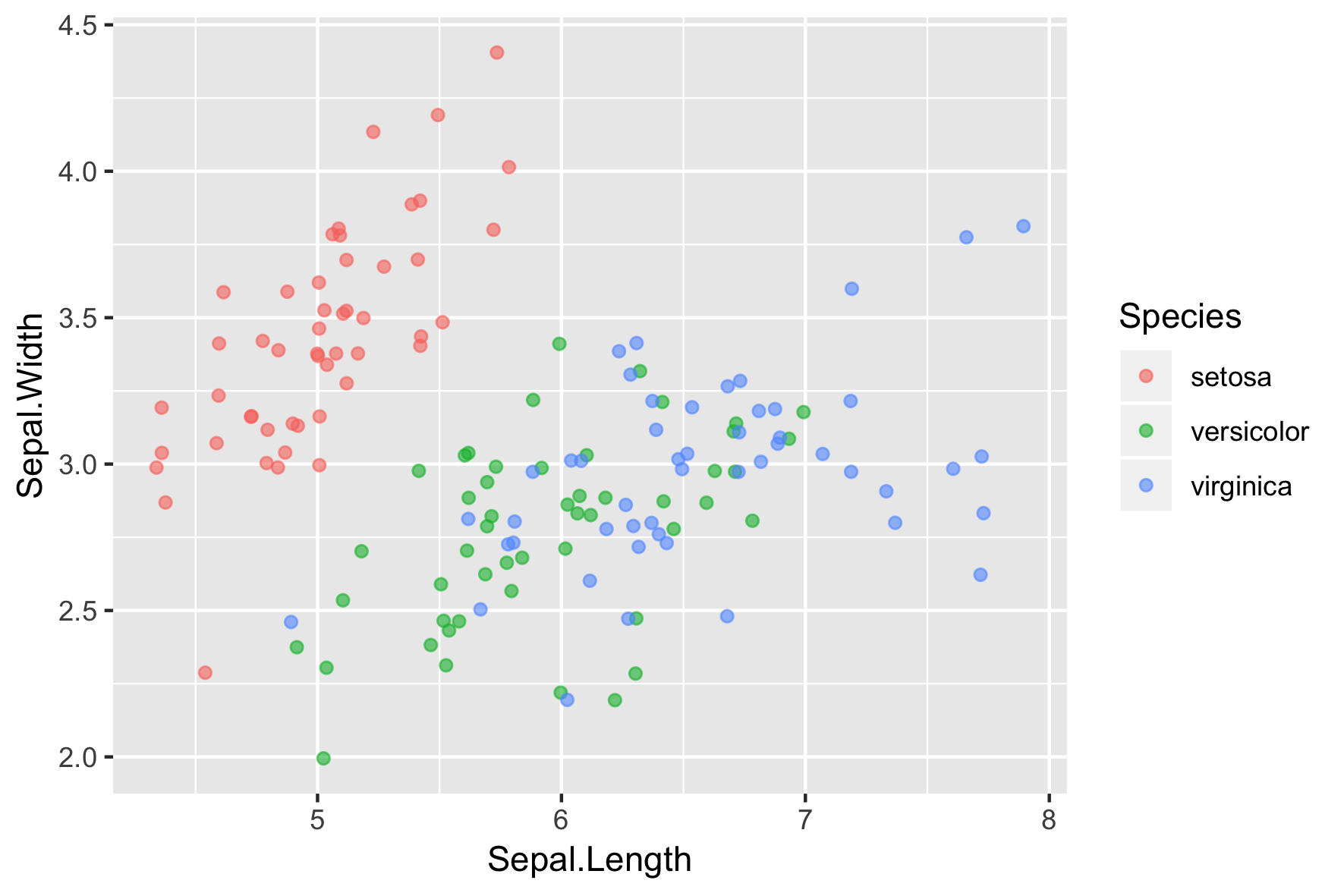
Don't forget to adjust alpha

  • Combine jittering with alpha-blending if necessary
ggplot(iris, aes(x = Sepal.Length, y = Sepal.Width, col = Species)) + 
  geom_jitter(alpha = 0.6)
Introduzione alla visualizzazione dei dati con ggplot2

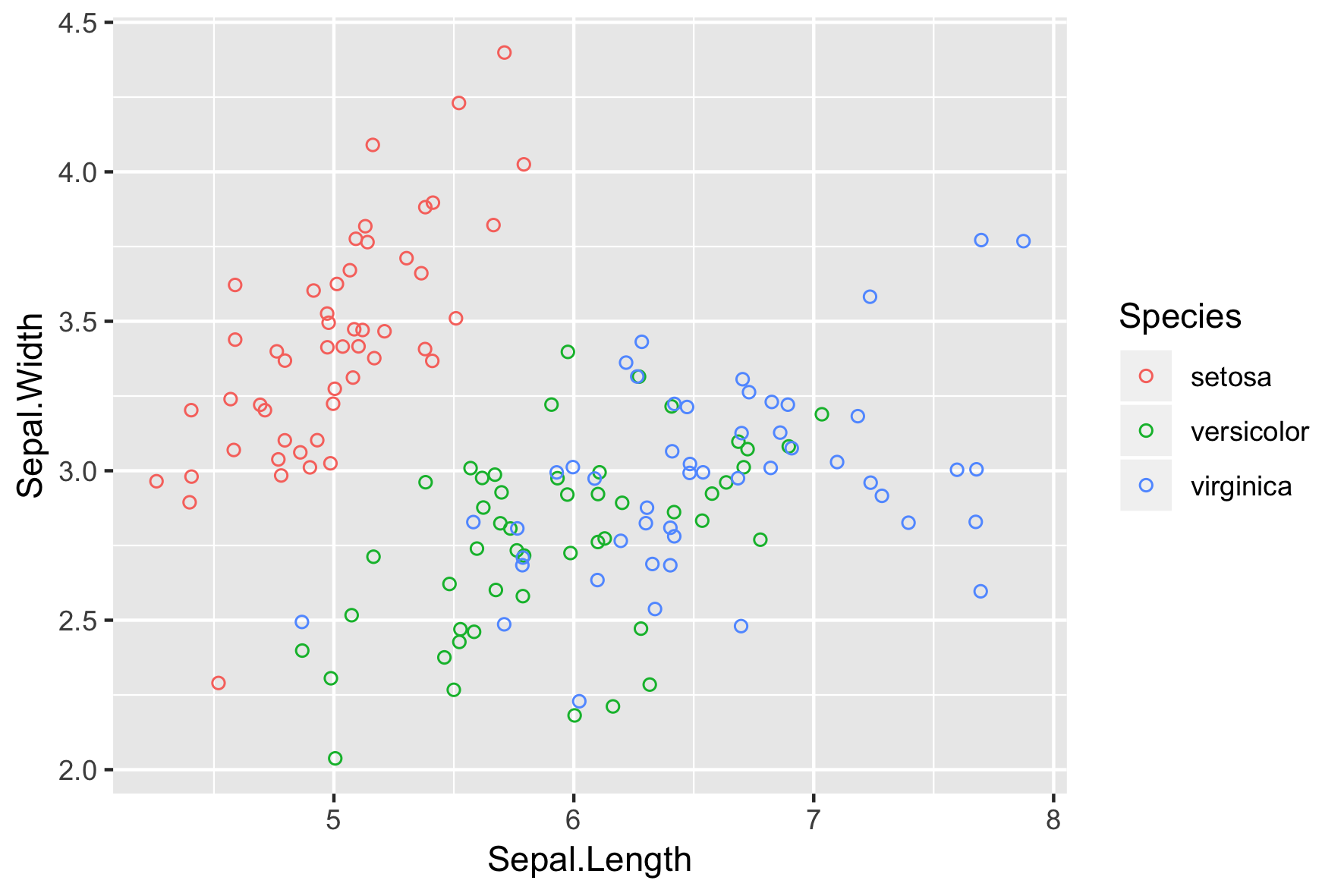
Hollow circles also help

  • shape = 1 is a. hollow circle.
  • Not necessary to also use alpha-blending.
ggplot(iris, aes(x = Sepal.Length, y = Sepal.Width, col = Species)) + 
  geom_jitter(shape = 1)
Introduzione alla visualizzazione dei dati con ggplot2

Let's practice!

Introduzione alla visualizzazione dei dati con ggplot2

Preparing Video For Download...