La libreria evaluate

Introduzione agli LLM in Python

Jasmin Ludolf

Senior Data Science Content Developer, DataCamp

La libreria evaluate

import evaluate

accuracy = evaluate.load("accuracy")
print(accuracy.description)
L'accuracy è la proporzione di previsioni corrette
sul numero totale di casi processati. Si calcola con:
Accuracy = (TP + TN) / (TP + TN + FP + FN)
Dove:
TP: True positive
TN: True negative
FP: False positive
FN: False negative


  • Metrica: valuta le prestazioni rispetto al ground truth


  • Confronto: confronta due modelli


  • Misura: offre insight sulle proprietà del dataset
Introduzione agli LLM in Python

Attributo features

print(accuracy.features)
{'predictions': Value(dtype='int32', id=None),
 'references': Value(dtype='int32', id=None)}

Ispezionare gli input richiesti da una metrica

  • 'predictions': output del modello
  • 'references': ground truth
  • .features: indica il tipo supportato per le classi, es. 'int32' o 'float32'
f1 = evaluate.load("f1")
print(f1.features)
{'predictions': Value(dtype='int32', id=None),
 'references': Value(dtype='int32', id=None)}
pearson_corr = evaluate.load("pearsonr")
print(pearson_corr.features)
{'predictions': Value(dtype='float32', id=None),
'references': Value(dtype='float32', id=None)}
Introduzione agli LLM in Python

Task LLM e metriche


Metriche di valutazione per task di linguaggio

Introduzione agli LLM in Python

Task LLM e metriche


Metriche di valutazione per task di linguaggio

Introduzione agli LLM in Python

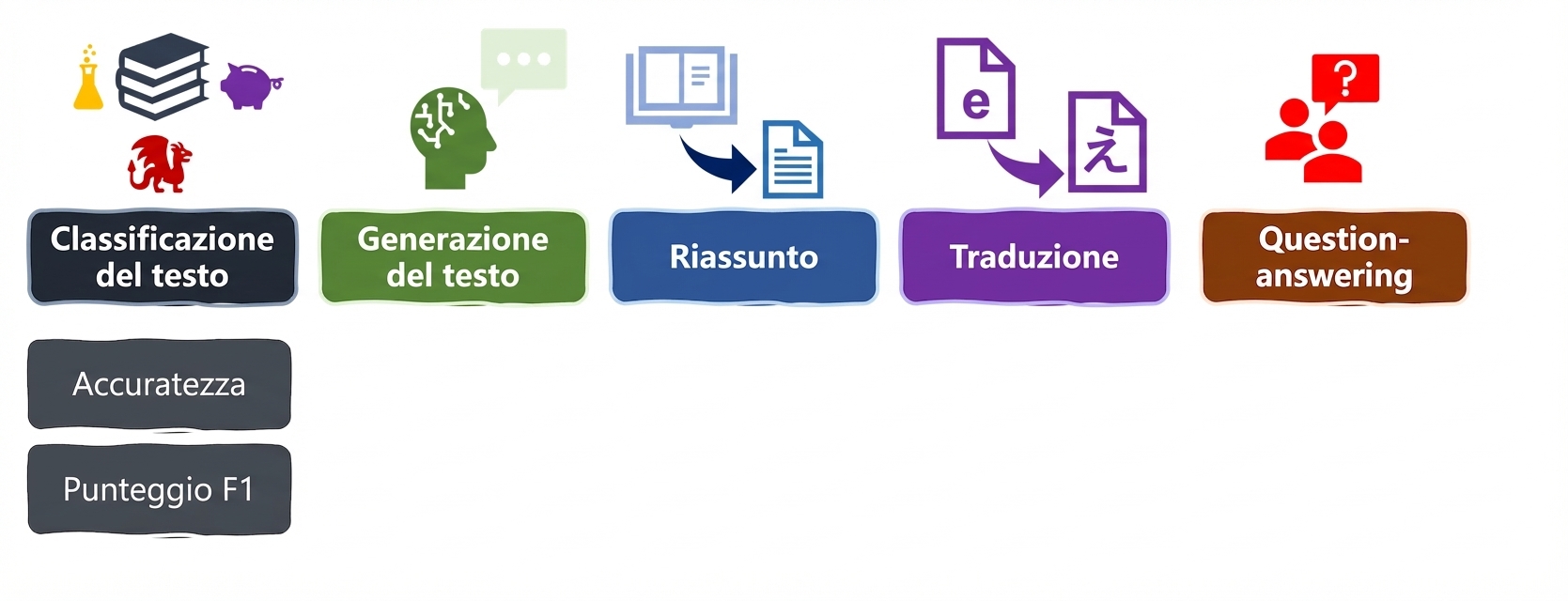
Metriche di classificazione

accuracy = evaluate.load("accuracy")
precision = evaluate.load("precision")
recall = evaluate.load("recall")
f1 = evaluate.load("f1")
from transformers import pipeline

classifier = pipeline("text-classification", model=model, tokenizer=tokenizer)

predictions = classifier(evaluation_text)

predicted_labels = [1 if pred["label"] == "POSITIVE" else 0 for pred in predictions]
Introduzione agli LLM in Python

Output delle metriche

real_labels = [0,1,0,1,1]
predicted_labels = [0,0,0,1,1]

print(accuracy.compute(references=real_labels, predictions=predicted_labels))
print(precision.compute(references=real_labels, predictions=predicted_labels))
print(recall.compute(references=real_labels, predictions=predicted_labels))
print(f1.compute(references=real_labels, predictions=predicted_labels))
{'accuracy': 0.8}
{'precision': 1.0}
{'recall': 0.6666666666666666}
{'f1': 0.8}
Introduzione agli LLM in Python

Valutare il nostro modello fine-tuned

# Carica il modello e il tokenizer salvati con 
# .from_pretrained("my_finetuned_files")


new_data = ["This is movie was disappointing!", "This is the best movie ever!"] new_input = tokenizer(new_data, return_tensors="pt", padding=True, truncation=True, max_length=64) with torch.no_grad(): outputs = model(**new_input) predicted = torch.argmax(outputs.logits, dim=1).tolist()
real = [0,1]
print(accuracy.compute(references=real,
                       predictions=predicted))
print(precision.compute(references=real,
                        predictions=predicted))
print(recall.compute(references=real,
                     predictions=predicted))
print(f1.compute(references=real, 
                 predictions=predicted))
{'accuracy': 1.0}
{'precision': 1.0}
{'recall': 1.0}
{'f1': 1.0}
Introduzione agli LLM in Python

Scegliere la metrica giusta


  • Stai attentə: ogni metrica dà i propri insight, ma ha anche dei limiti


  • Sii completə: usa una combinazione di metriche (e KPI di dominio quando possibile)

Illustrazione di un cervello con una lampadina per indicare consapevolezza, pensiero e decisione.

Introduzione agli LLM in Python

Passiamo alla pratica !

Introduzione agli LLM in Python

Preparing Video For Download...